

Login & Register Customizer – Popup | Slider | Inline | WooCommerce
Replace your old login/registration form with an interactive popup & inline form design
Plugin info
Maintenance & Compatibility
Maintenance score
Maintained • Last updated 123 days ago • Support resolved 33% • 250 reviews
Is Login & Register Customizer – Popup | Slider | Inline | WooCommerce abandoned?
Likely maintained (last update 123 days ago).
Compatibility
Developers
Similar & Alternatives
Explore plugins with similar tags, and compare key metrics like downloads, ratings, updates, support, and WP/PHP compatibility.
Description
Login & Register Customizer is a lightweight and powerful plugin that replaces the default WordPress login and registration experience with modern, fully customizable popup, slider, or inline forms.
Whether you’re running a simple blog or a WooCommerce store, this plugin helps you create a seamless login/signup experience — with no page reloads, field manager support, and shortcodes.
💡 Features:
- Fully AJAX-based (no page reloads)
- Login, Register, Lost Password & Reset Password forms
- Three layouts: Popup, Slider and Inline (with shortcodes)
- Field Manager – add or remove form fields
- Fully customizable appearance
- WooCommerce compatible
- WPML compatible
Replace your outdated forms and deliver a modern, smooth login experience your users will love.
Add-ons:
-
Custom Registration Fields – Add extra fields to registration form , display them on user profile & myaccount page.
-
Social Login – A single click login & registration with Google, Facebook, Apple & X(Twitter).
-
Two Factor Authentication (2FA) & One time Password (SMS) Login – Allow users to login with OTP ( sent on their phone or email) removing the need to remember a password.
Enable users to enhance their account security with two-factor authentication (2FA). -
Recaptcha – Protect your form from bots using recaptcha. Choose from google recaptcha(v2/v3), Cloudflare Turnstile or Friendly GDPR. + Password strength meter + Limit login attempts
-
Email Verification – Sends verification email on registration & restricts login access until email is verified.
-
Profile Builder – Replace the old WooCommerce/WordPress interface for updating fields with a new, modern design similar to the signup form. Use a shortcode to display and allow users to update their profile fields.
-
Auto Complete Address – Get the full and accurate address using Google Places Autocomplete.
Collect billing and shipping addresses seamlessly in your registration form.
Installation
- Upload the plugin files to the `/wp-content/plugins/ directory, or install the plugin through the WordPress plugins screen directly.
- Activate the plugin through the ‘Plugins’ screen in WordPress
- Click on Login/Signup Popup on the dashboard.
Frequently Asked Questions
- Go to apperance->menus
- Under Login Popup Tab , select the desired option.
Please check “How to use” tab under plugin settings for more information.
Use shortcode [xoo_el_pop] to include it anywhere on the website. ( See info tab in settings to know more )
[xoo_el_pop type=”login” display=”button” text=”Login” change_to=”logout” redirect_to=”same”]
For Inline form
[xoo_el_inline_form active=”login”]
You can also trigger popup using class.
Login – xoo-el-login-tgr
Register – xoo-el-reg-tgr
Lost Password – xoo-el-lostpw-tgr
For eg: Login
- Download PoEdit.
- Open the easy-login-woocommerce.pot file in PoEdit. (/plugins/easy-login-woocommerce/languages/
easy-login-woocommerce.pot) - Create new translation & translate the text.
- Save the translated file with name “easy-login-woocommerce-Language_code”. For eg: German(easy-login-woocommerce-de_DE)
, French(easy-login-woocommerce-fr_FR). — Language code list - Save Location: Your wordpress directory/wp-content/languages/
Plugin template files are under templates folder.
Copy the template to your theme/templates/easy-login-woocommerce folder
If the template file is under sub directory, say in /globals folder then the copy directory will be
theme/templates/easy-login-woocommerce/globals/ For more info, check template header description
Review feed
Login/Signup Pop up fields not working
Great!
Screenshots
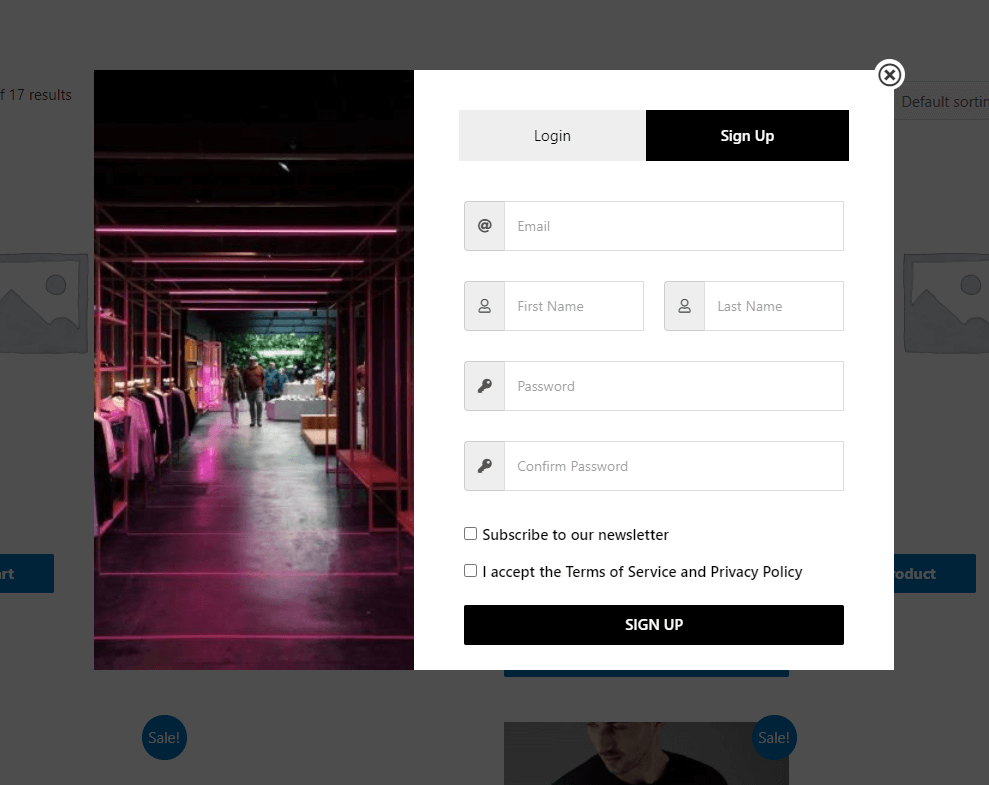
Registration Form.
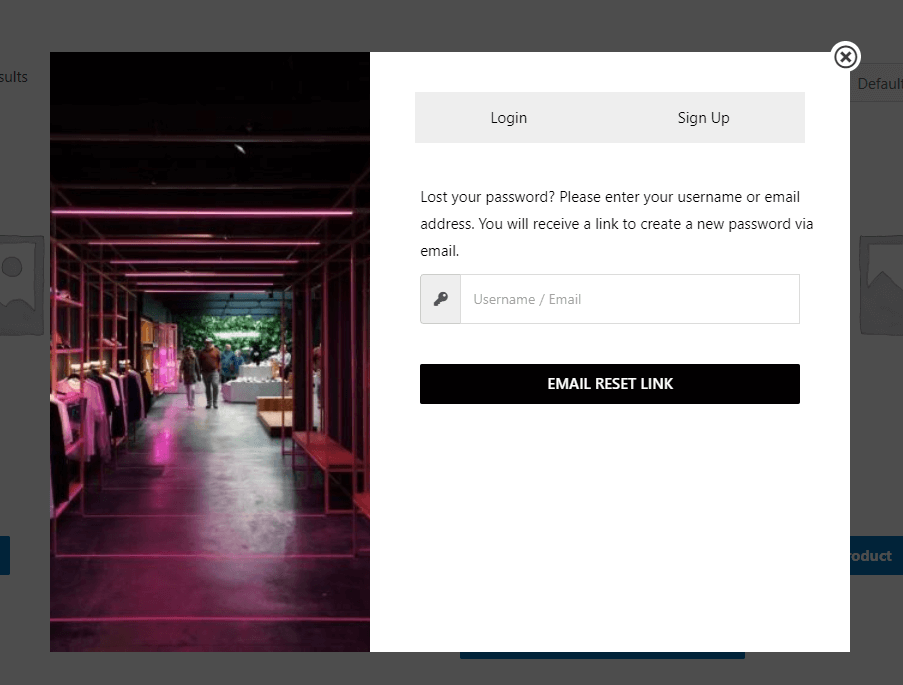
Lost Password Form
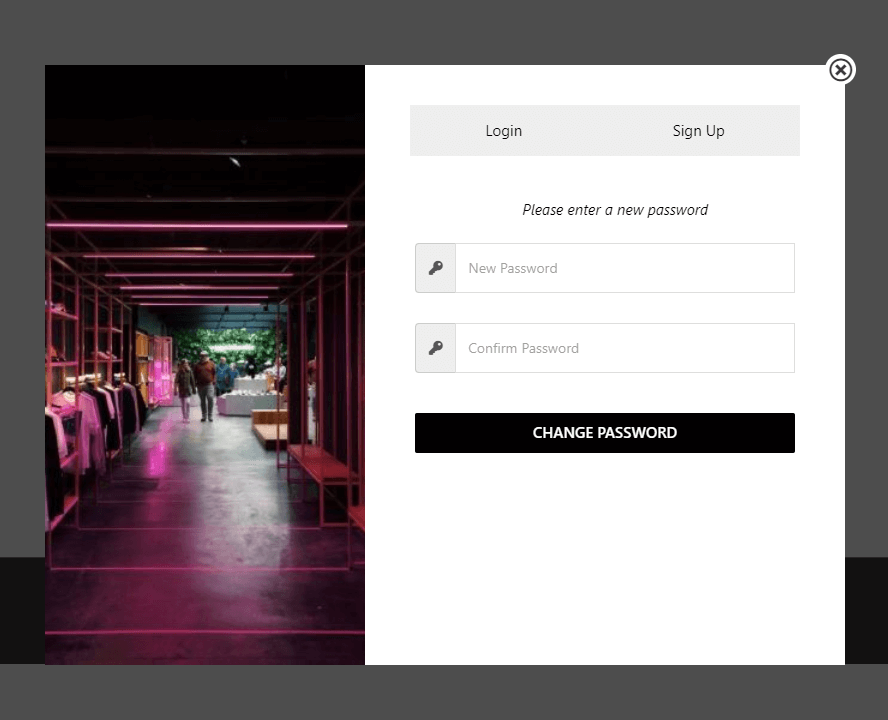
Reset password form.
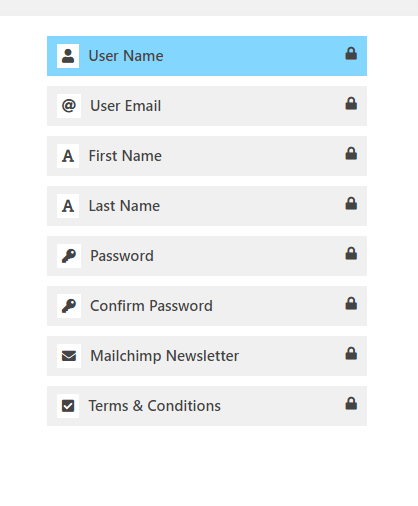
Available registration Fields
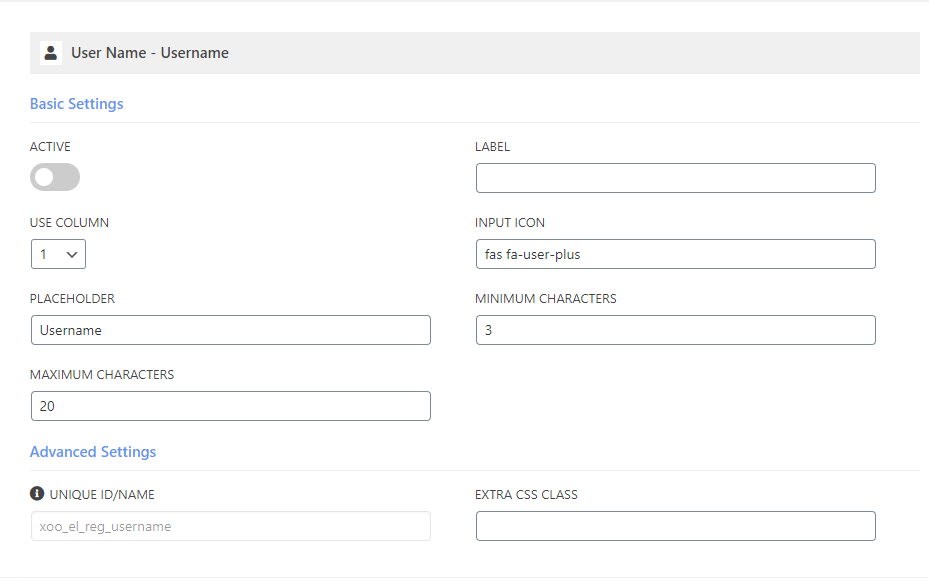
Customizable Field
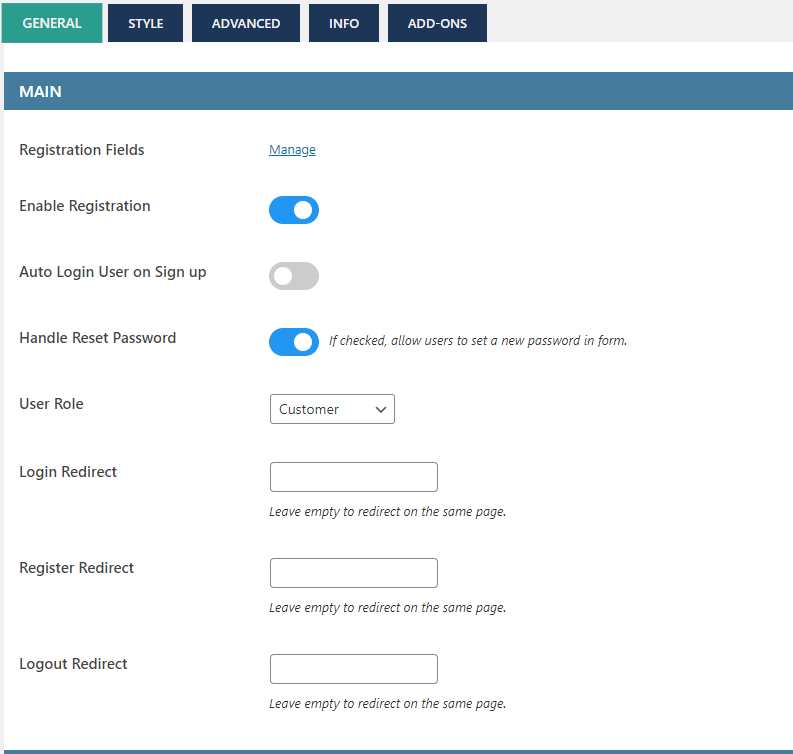
General Settings 1
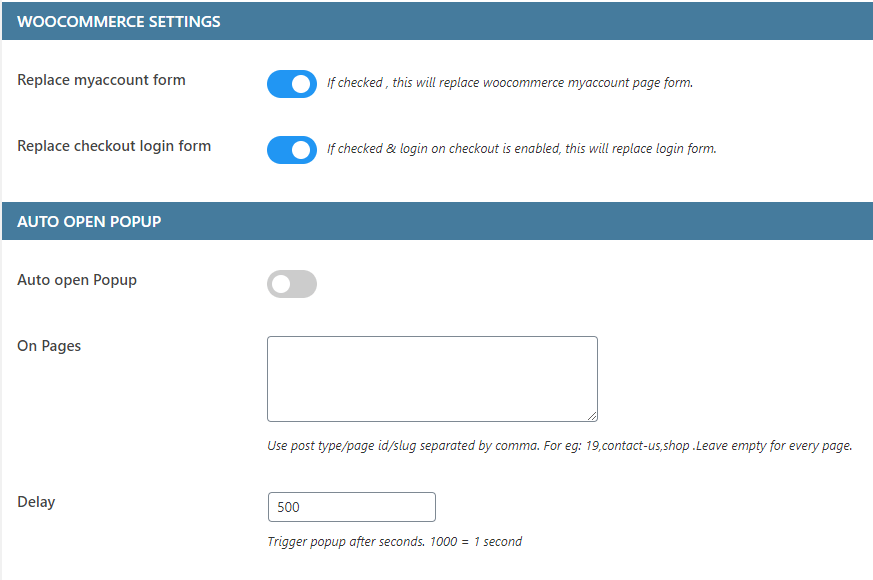
General Settings 2
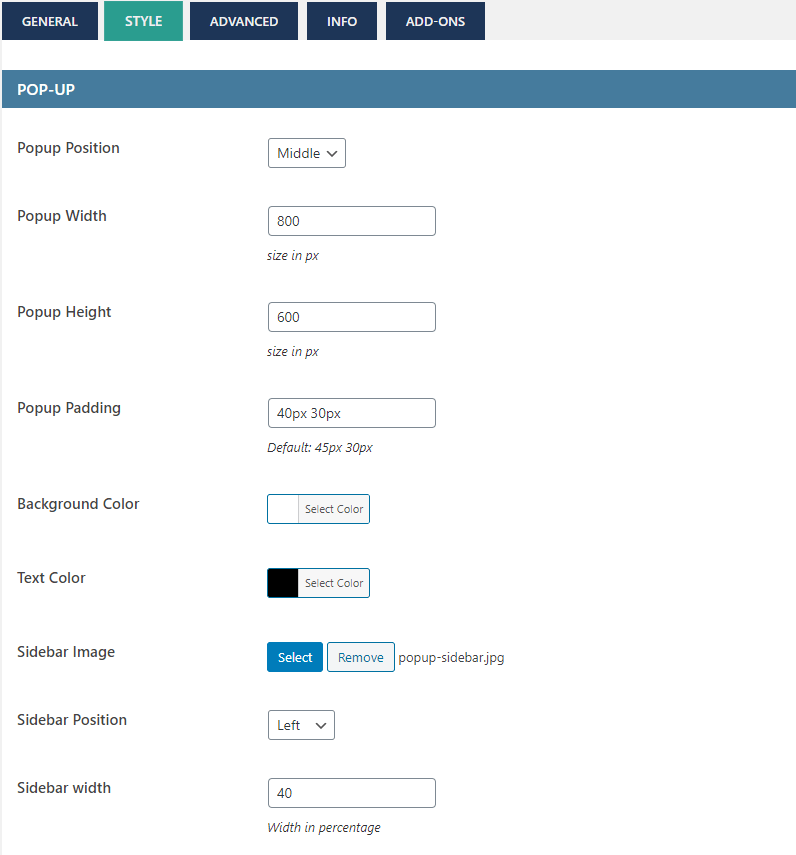
Style Settings 1
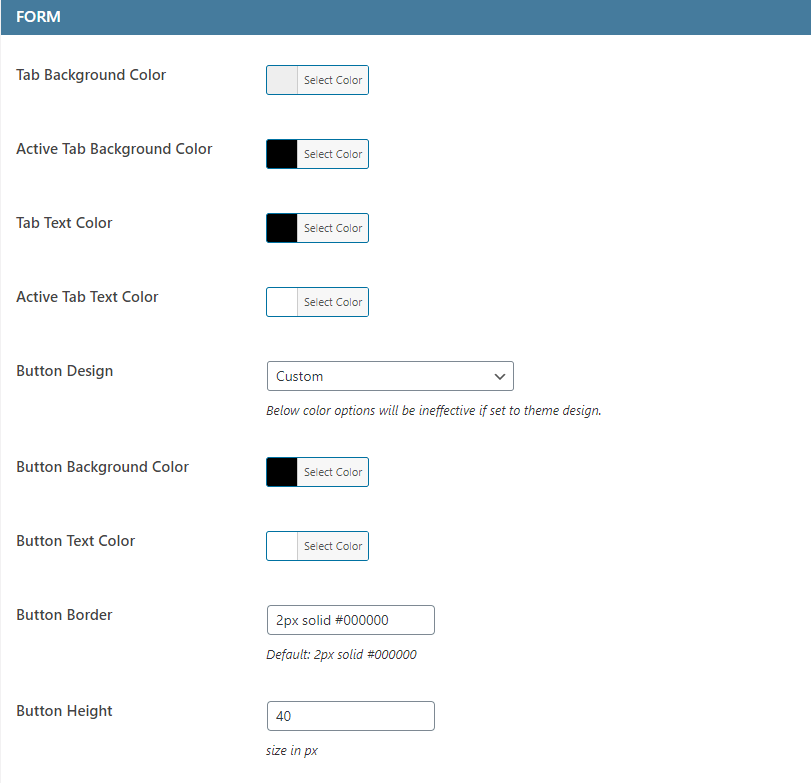
Style Settings 2
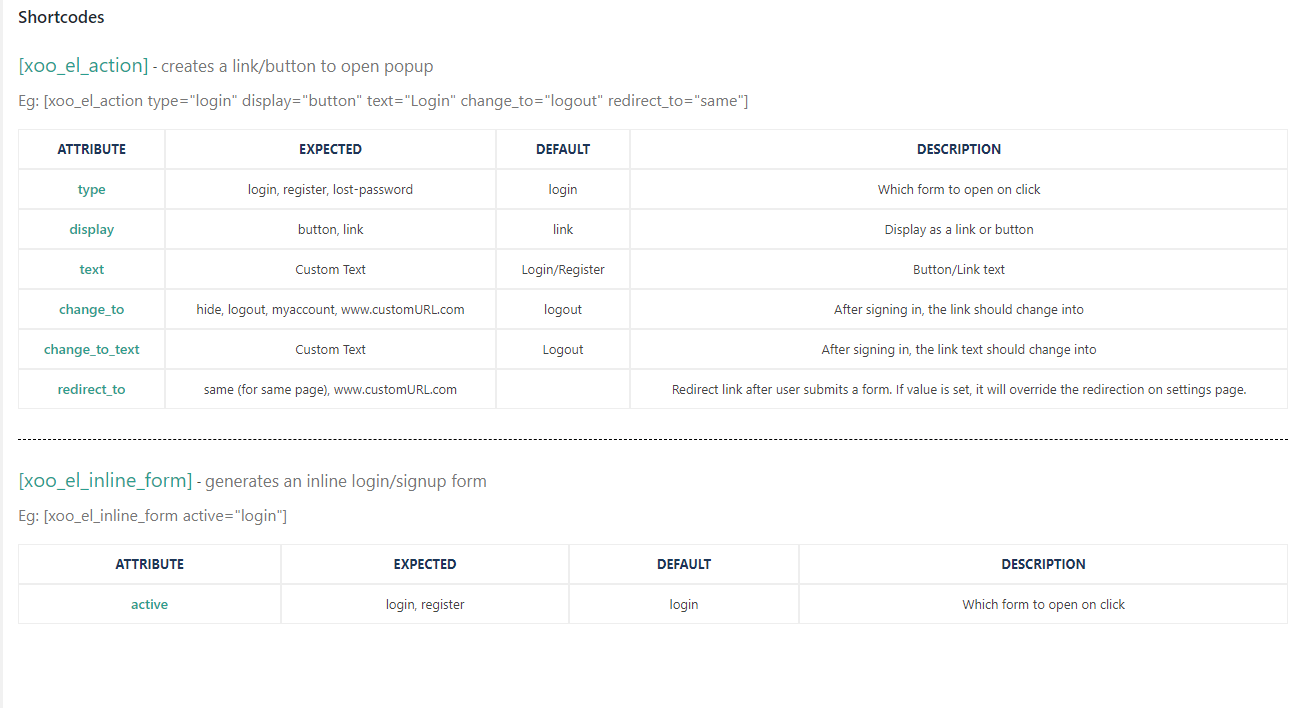
Shortcodes
Changelog
3.0.3
- Fix – compatibility with older safari versions
3.0.2
- Fix – Reset password email not working for non-woocommerce users
3.0.1
- Fix – auto opening of popup in 3.0.0
3.0.0
- New – Reset password using verification code
- UI – Improved fields layout
2.9.6
- Settings UI Fix – image not loading
2.9.5
- Patchstack vulnerability fix
2.9.4
- Added option to replace woocommerce lost password form template
2.9.3
- Settings UI update
2.9.2
- Settings UI update
2.9.1
- Fix – Form fields settings title fix
2.9.0
- Form fields settings title improvement
2.8.9
- Fix – translation missing
- New – OTP add-on now supports Two factor authentication (2FA)
2.8.8
- New – Replaced shortcode [xoo_el_action] with new shortcode [xoo_el_pop]
2.8.7
- New – Enable Required (*) icon
- New – Autocomplete address Field and add-on
- Fix – URL stripping.
- Fix – Woocommerce outdated template version
2.8.6
- URL escaping in shortcode
- Fix – Placeholder for country
2.8.5
- Wordfence firewall compatiblitiy ( shows wordfence errors now)
- Close popup by pressing escape button
2.8.4
- New – Shortcode generator
- Fix – URL endpoint not adding on registration
2.8.3
- New Field – User role
- Compatibility with paid membership pro plugin
2.8.2
- New Field – Profile Picture
2.8.1
- Fix – Deprecated warning in PHP 8.2
2.8
- New – Profile builder add-on ( allow logged in users to update their profile fields )
- Improved – File Upload field
2.7.9
- Fix – WP Rocket recent update hiding popup
2.7.8
- Fix – Mailpoet compatibility
2.7.7
- New – Upload file field
- New – Use firstname/lastname/username in shortcode [xoo_el_action]
- New – Mailpoet compatibility
- Fix – WPML shortcode compatibility
2.7.6
- Fix – error for non-woocommerce users
2.7.5
- New – added new redirect option – using URL. ?redirect_to=
- New – Checkout block “login” link now opens the popup.
- Fix – OTP Login add-on causing crash
- Template update => xoo-el-login-section.php | xoo-el-register-section.php
2.7.4
- New – Added separate shortcode option for woocommerce checkout page
- Fix – Removed select2 library when not needed
- Fix – woocommerce outdated template version notice
2.7.3
- Fix – Security issue
- Fix – Field label WPML compatibility.
2.7.2
- Fix – Password reset link not working for non-woocommerce users & when “Handle reset password” option disabled.
- Fix – Fields disappeared in 2.7.1
2.7.1
- New – Import/Export settings option
- Fix – Password eye toggle not working without icons.
2.7
- New – Field styling options
- New – Option to open popup using custom classes
- New – Show custom fields under users profile table
- Fix – Reset field not working
2.6.5
- Fix- Field settings were not getting saved for some users.
2.6.4
- Fix – Autofill browser’s saved email/password for login ( Visit Fields page after update to make it effective )
2.6.3
- New – added login_redirect and register_redirect attributes for inline form shortcode
- Fix – missing translation
- Fix – RTL settings styling
- Fix – alignment issues when field label is active
2.6.2
- Fix – Deprecated warning fix
2.6.1
- Fix – error generated without woocommerce
- Update – Translations
2.6
- New – Single field Form pattern
- New – Popup style – Sidebar
- New – Navigation pattern option ( Footer links, Tabs )
- New – Add logo above form
- New – Polylang support
- New – RTL Support
- New – Option to edit shortcode of my account page
- Update – removed scrollbar script to reduce file size
Template updates
/templates/xoo-el-popup.php
/templates/global/xoo-el-header.php
2.5
- New – Password eye toggle
- New – Login, reset & lost password fields under field editor.
- New – Tab & Button texts as settings
- New – Separate login and registration forms using inline shortcode
- New – Email can be set as optional
- Fix – #login & #register opening popup only once
2.4
- Security fix
2.3
- Security fix
2.2
- Security update
- Settings UI update
2.1
- New – Added option to replace woocommerce checkout login form
- Fix – Minor Bugs
2.0
*** MAJOR UPDATE ***
* New – WPML Compatible
* Tweak – Template Changes
* Tweak – Code Optimized
* Tweak – Fields Tab separated
* Fix – Inline Form always showing on the top
* Fix – Multiple IDs warning
* Fix – Popup Flashing on page load
* Fix – Minor Bugs
1.7
- Fix – Registration issue for non woocommerce users
- Fix – OTP login activate/deactivate issue
1.6
- New – Mailchimp integration
- New – Added attribute “display” & “change_to_text”in shortcode [xoo_el_action]
- Tweak – Generate username functionality more secured
- Minor improvements
1.5
- Fix – Security issue
1.4
- Added “Hello Firstname” for menu item
- Minor bug fixes
1.3
- Major Release.
- New – Form input icons.
- New – Remember me checkbox.
- New – Terms and conditions checkbox.
- Tweak – Template changes
- Tweak – Removed font awesome icons , added custom font icons.
1.2
- Fix – Not working on mobile devices.
- New – Sidebar Image.
- New – Popup animation.
1.1
- Fix – Not working on mobile devices.
- New – Extra input padding.
1.0.0
- Initial Public Release.