

Easy Media Replace
Replace Images and Media Files in WordPress Easily and Quickly.
Plugin info
Maintenance & Compatibility
Maintenance score
Possibly abandoned • Last updated 1073 days ago • 8 reviews
Is Easy Media Replace abandoned?
Possibly abandoned (last update 1073 days ago).
Compatibility
Similar & Alternatives
Explore plugins with similar tags, and compare key metrics like downloads, ratings, updates, support, and WP/PHP compatibility.
Description
Easy Media Replace allows you to replace images and media files easily while retaining the attachment URL and ID. No more delete, re-upload, and search-replace.
Features
- Easy to use.
- Drag and drop file uploading.
- Replace images, PDF, videos, audios, and all media files.
- Regerenate thumbnails (no plugin required).
- Don’t leave your page: Upload and replace files directly within current page.
Usage
Once you activated the plugin, you will see a “Replace” button/link in Media Library page and dialog (see screenshots below).
Installation
From within WordPress
- Visit ‘Plugins > Add New’.
- Search for ‘Easy Media Replace’.
- Install the plugin.
- Activate the plugin.
Manually
- Upload the easy-media-replace folder to the /wp-content/plugins/ directory.
- Activate the Easy Media Replace plugin through the ‘Plugins’ menu in WordPress.
Frequently Asked Questions
Currently, the plugin only replaces images with same extension.
Review feed
Really useful
Great plugin
Not working when delete old image
Did not work
Previous review was "Doesn't always replace other sizes."
Tried this plugin again. This time it just didn't work at all. Drag and drop to replace did not work, and then when I had the image selected, clicking the button to continue did nothing.
Screenshots

Replace button in Media Library dialog.
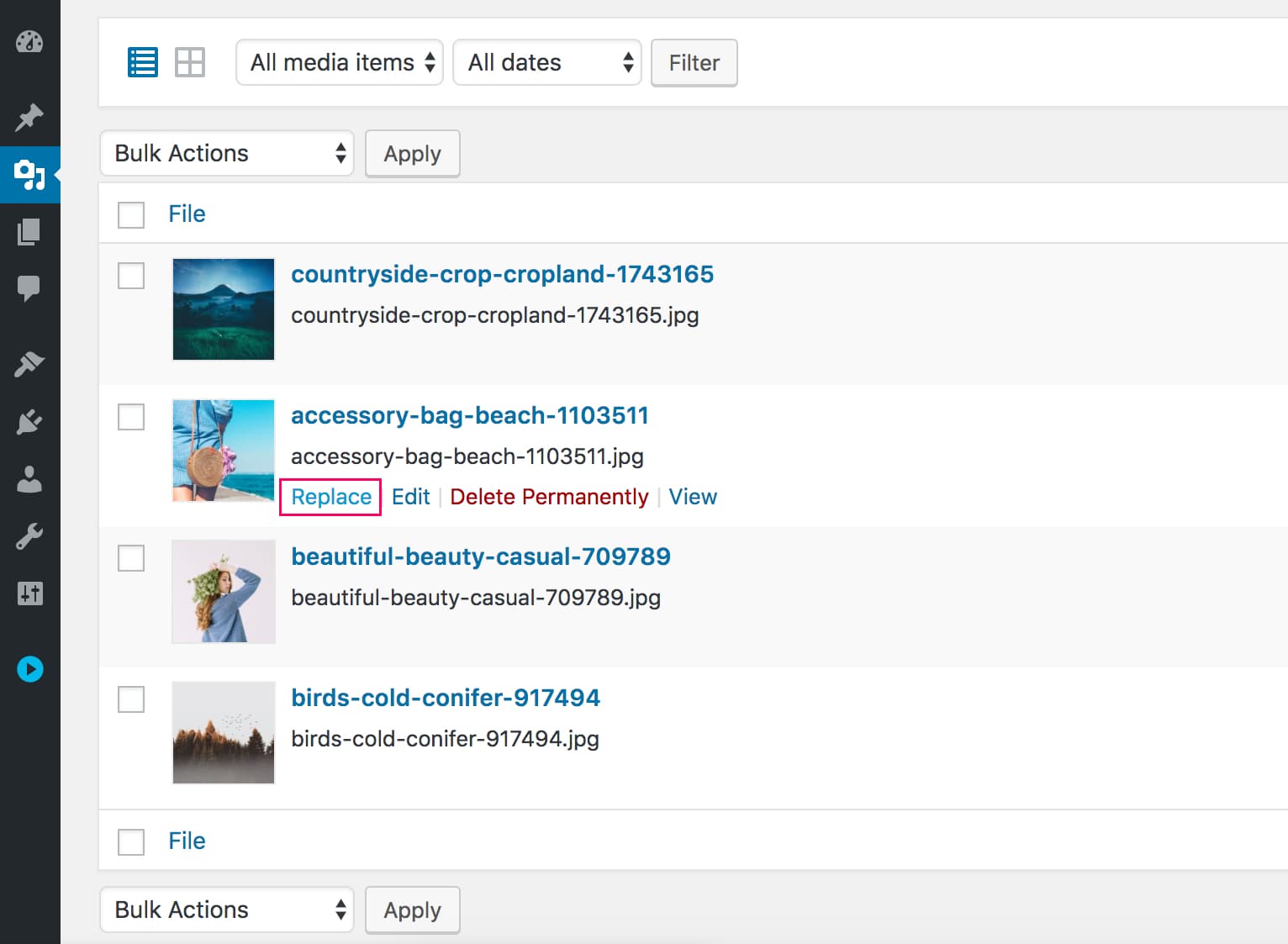
Replace link in Media Library list.
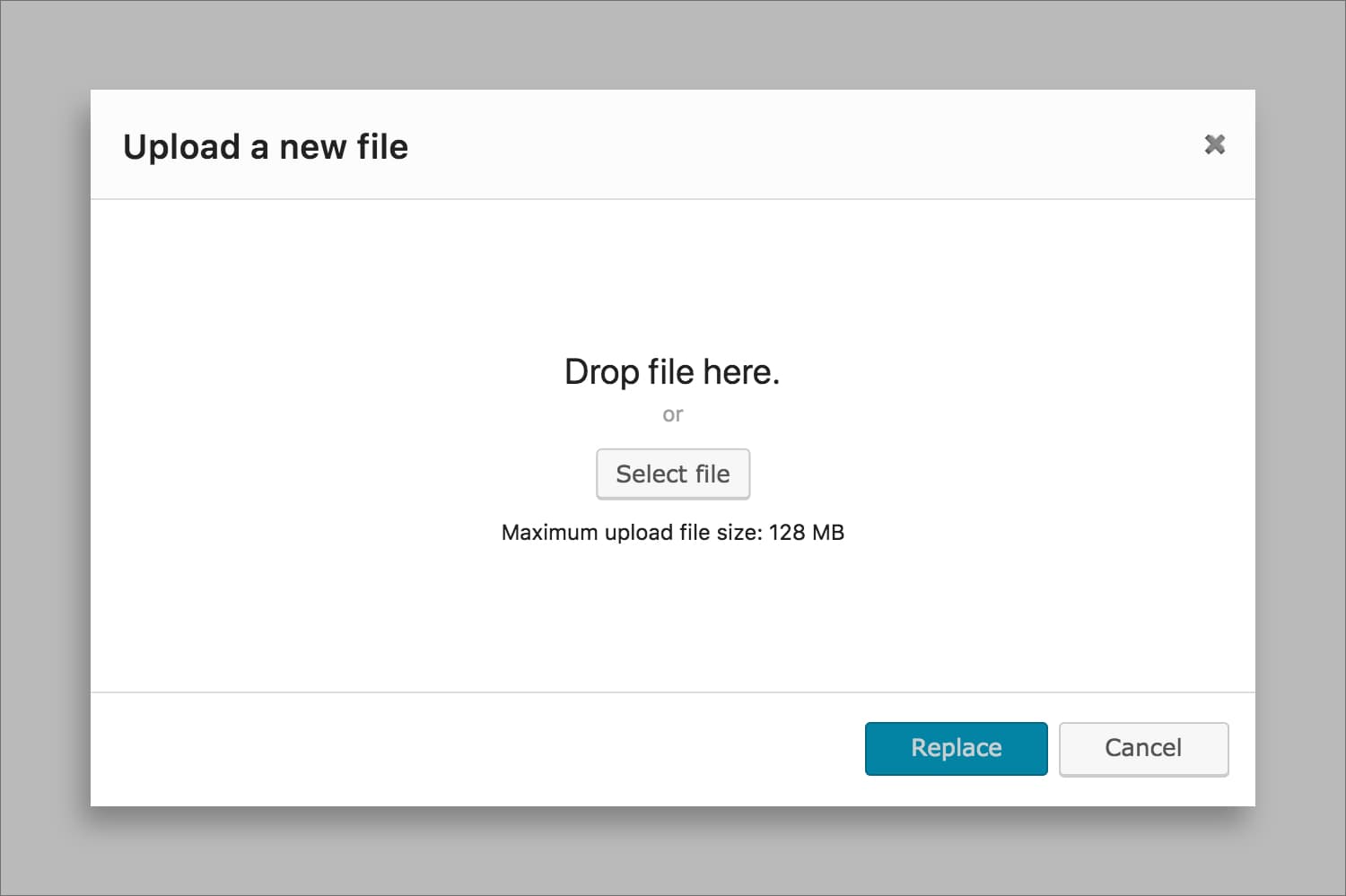
Replace Dialog (Upload new file).
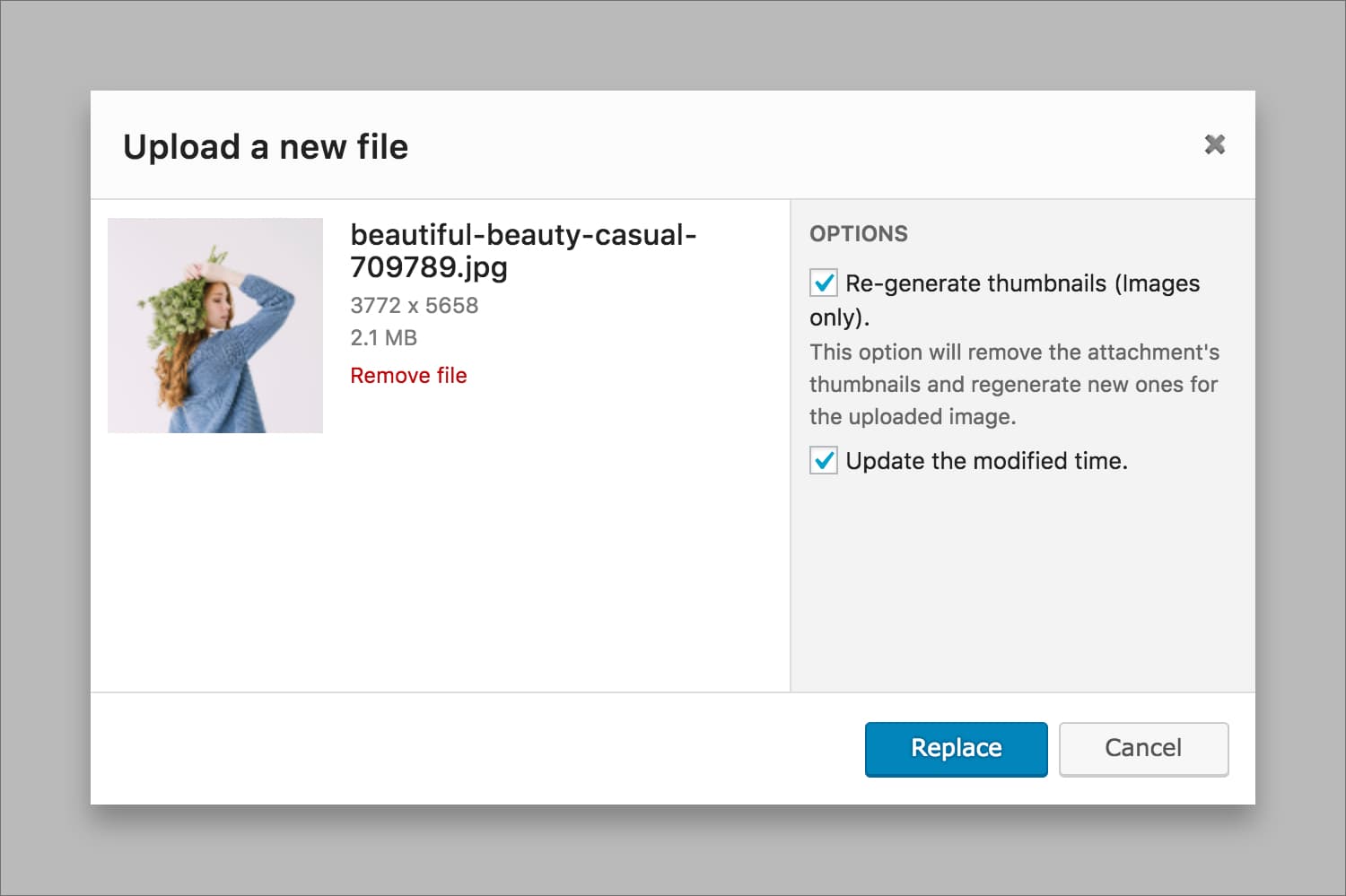
Replace Dialog (Replace).
Changelog
0.1.3
- Staibility improvement
- WordPress 5.3 compatibility
0.1.2
- Fixed replace dialog not showing in Media Library grid view.
- Increased upload timeout for large files and slow internet connexion.
0.1.1
- Fixed a minor bug.
0.1.0
- Public Release.