

Easy Post Submission – Frontend Posting, Guest Publishing & Submit Content for WordPress
Enable users to submit posts and manage profiles from the front-end. Ideal for news, magazines, and creative platforms.
Plugin info
Maintenance & Compatibility
Maintenance score
Maintained • Last updated 157 days ago • Support resolved 0% • 5 reviews
Is Easy Post Submission – Frontend Posting, Guest Publishing & Submit Content for WordPress abandoned?
Likely maintained (last update 157 days ago).
Compatibility
Similar & Alternatives
Explore plugins with similar tags, and compare key metrics like downloads, ratings, updates, support, and WP/PHP compatibility.
Description
Enable users to submit posts and manage profiles from the front-end. Ideal for news, magazines, and creative platforms.
The best frontend posting plugin for WordPress
A powerful plugin designed to user-generated content on your website. Perfect for news sites, magazines, blogs, and creative platforms, this plugin enables your users to effortlessly submit posts, manage profiles, and share their ideas without ever accessing the WordPress dashboard.
View all features Visit the Official Site
Key Features:
- Frontend Post Submission: Allow users to create, edit, and manage posts directly from the frontend, eliminating the need for backend access.
- Unlimited Submission Forms: Create and customize multiple submission forms to cater to different content needs.
- Lightweight & High Performance: Enjoy a quick setup and a design optimized for speed, ensuring your website remains fast and responsive.
- Guest & Registered User Support: handle submissions from both guests (no login required) and registered users with customizable access levels.
- Rich Media Uploads: Empower users to upload images, videos, and other media to enhance their posts.
- Custom Publishing Options: Choose between auto-publishing posts or setting them for admin approval before going live.
- User Dashboard: Provide a personalized dashboard for users to view and manage their submitted posts.
- Automated Email Notifications: Keep everyone informed with automated email alerts for submissions, approvals, or rejections.
- Robust Spam Protection: Secure your forms with Google reCAPTCHA to prevent spam and bot submissions.
Demo
Documentation
Access the plugin documentation for usage instructions: here
External Services
This plugin connects to an API to obtain reCAPTCHA information. It is needed to verify humans when submitting and to avoid spam.
The plugin will connect to reCAPTCHA each time the visitor performs a verification action.
For more details, refer to the reCAPTCHA Privacy Policy: https://policies.google.com/privacy
Installation
To Easy Post Submission, follow these steps:
- Go to Plugins > Add New.
- Search for “Easy Post Submission”.
- Install and activate Easy Post Submission from your Plugins page.
- Navigate to Dashboard > Easy Post Submission.
- A “Get Started” panel will appear. Choose the default pages and form to import.
- Click “Complete” to finish the setup.
- Read the Documentation to get started.
Frequently Asked Questions
Yes, your users can create and edit posts from the frontend.
Yes, absolutely! Your users can upload featured images. You can also configure settings to limit file size and enable or disable this feature.
Yes, your users can choose a category for their posts. You can also manage exclusions or include specific designated categories.
Yes or no, depending on your choice in the settings.
If you want to contribute, visit our GitHub Repository and see where you can help.
Review feed
Screenshots
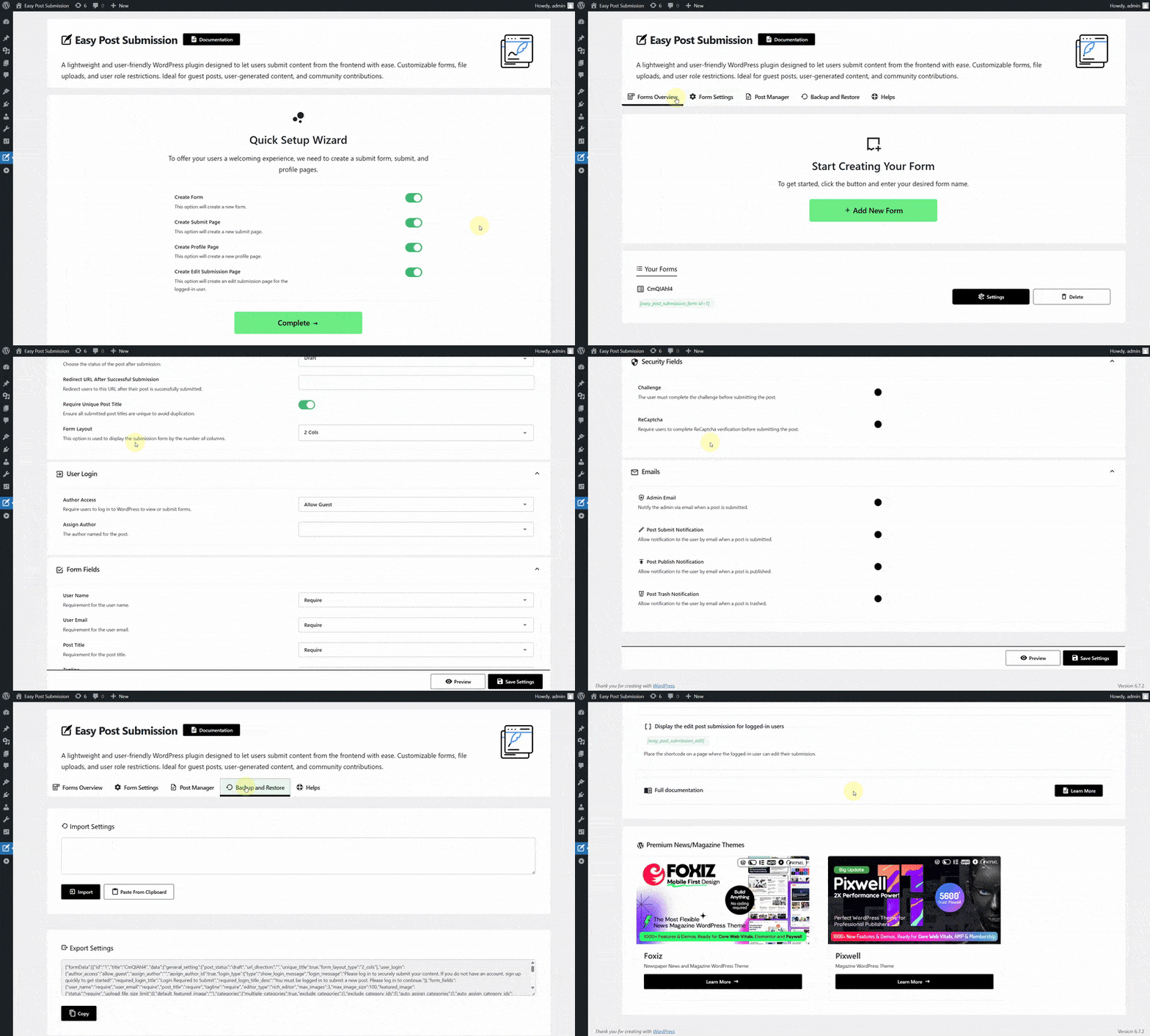
How to Use Quick Start Setup
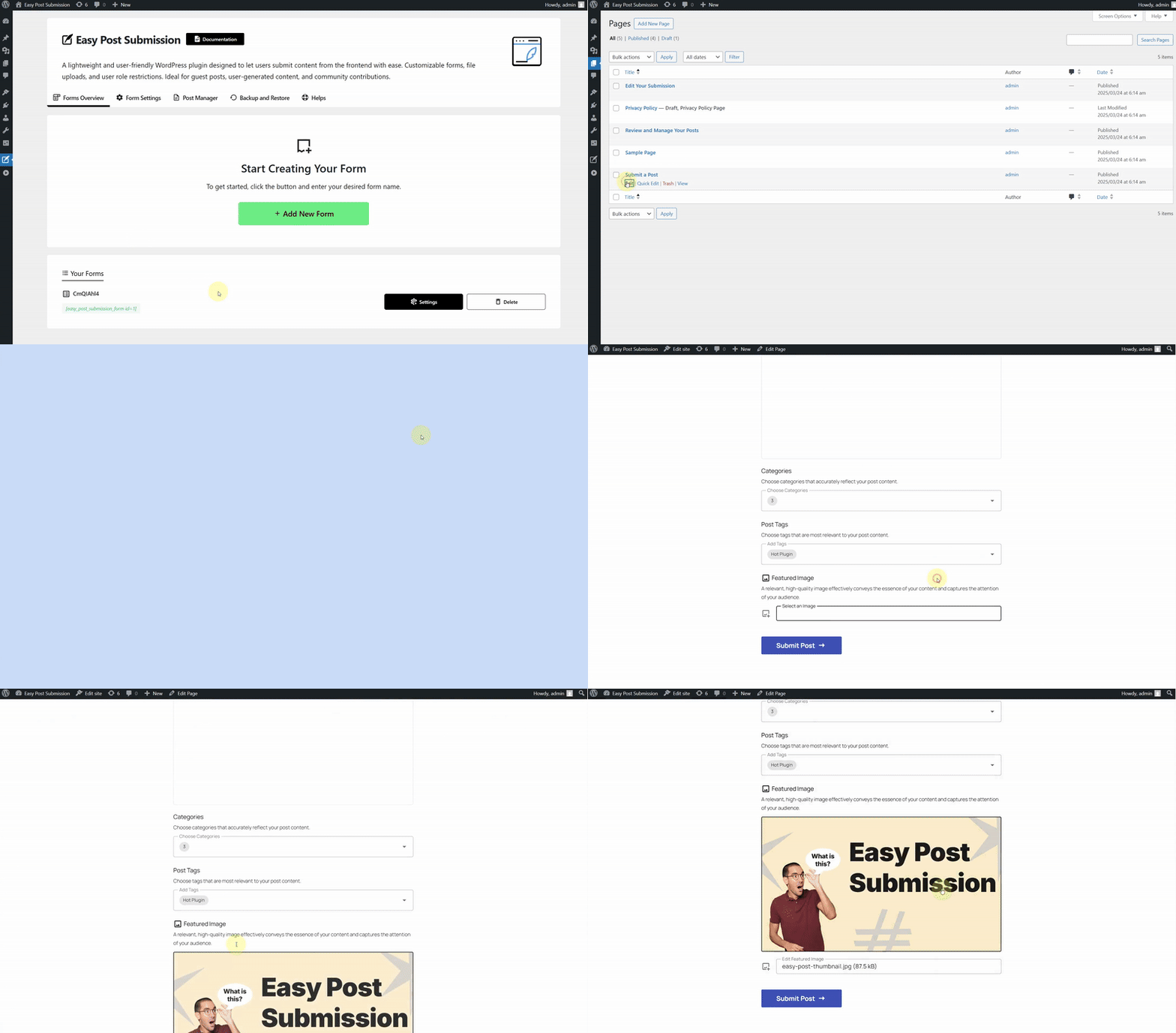
Create Submit Form Shortcode
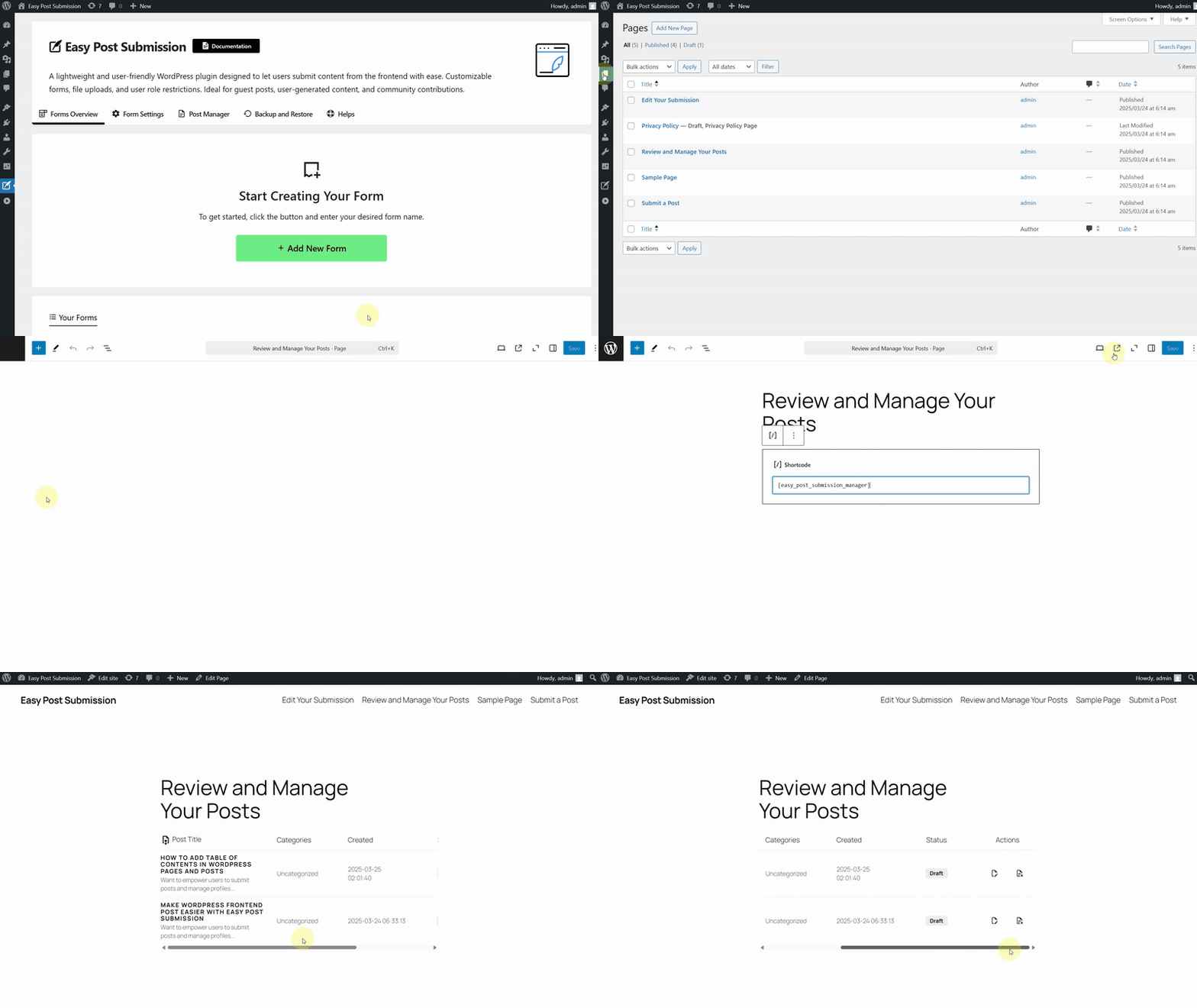
Create User Post Shortcode
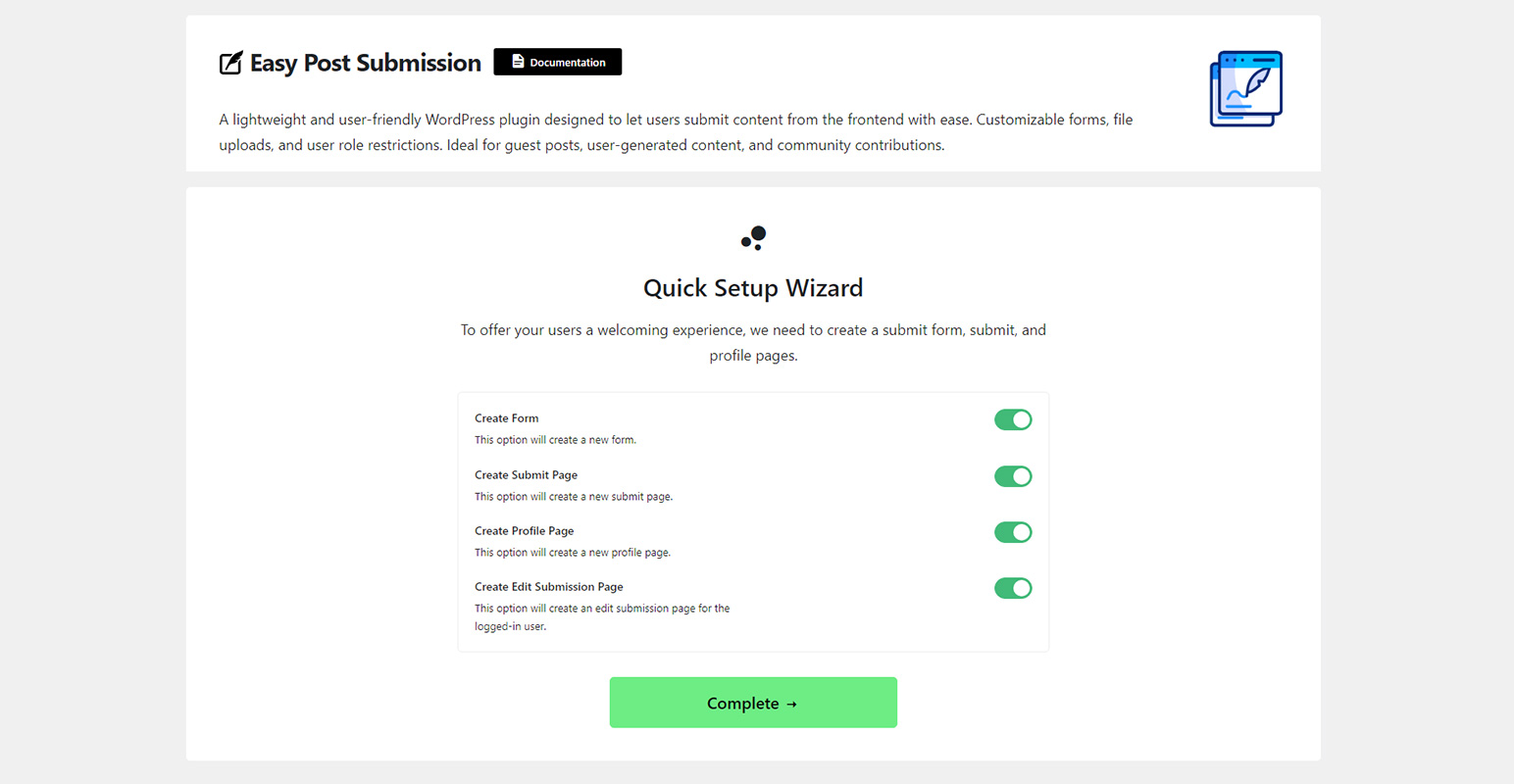
Quick Start Setup
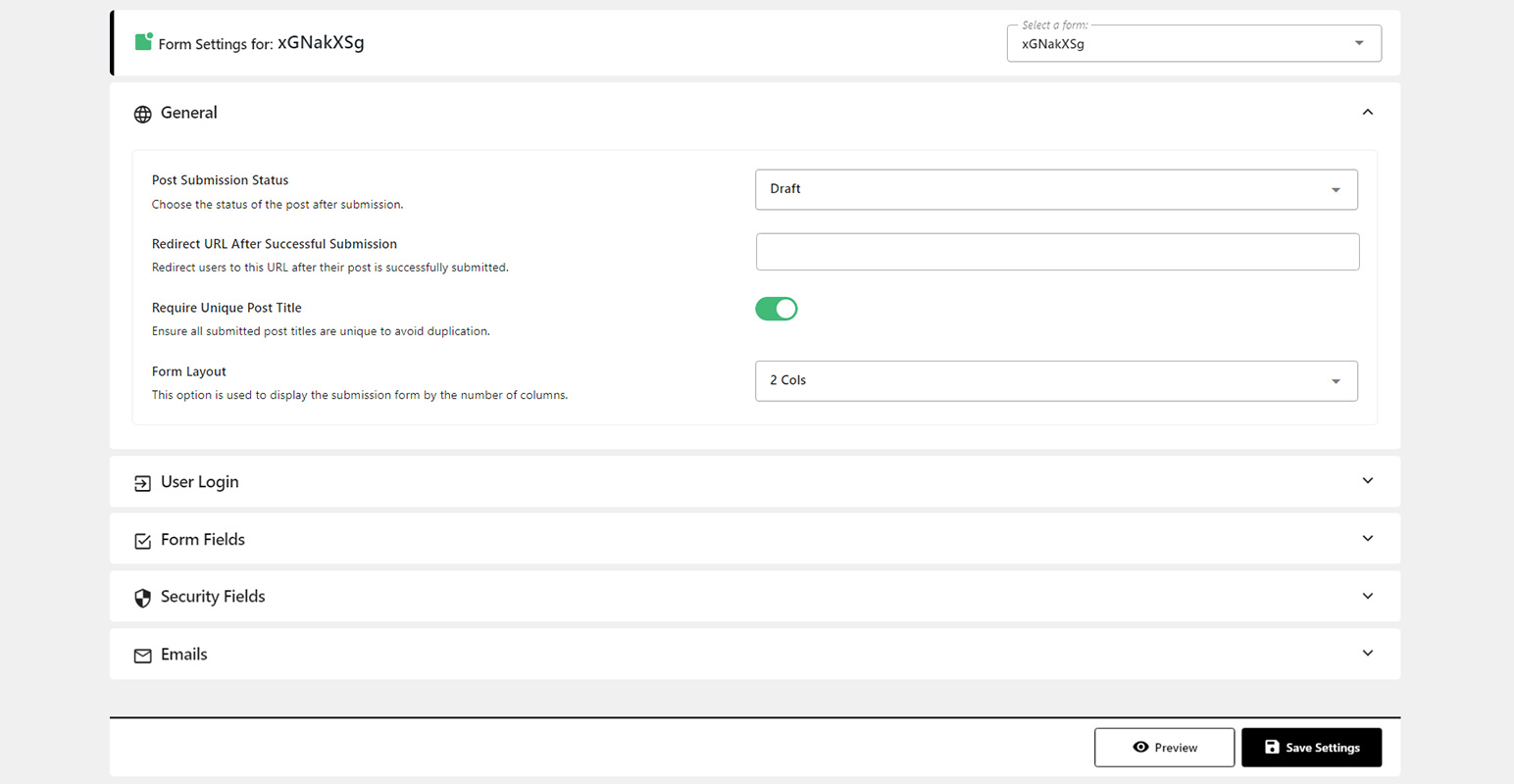
Form Submission Settings
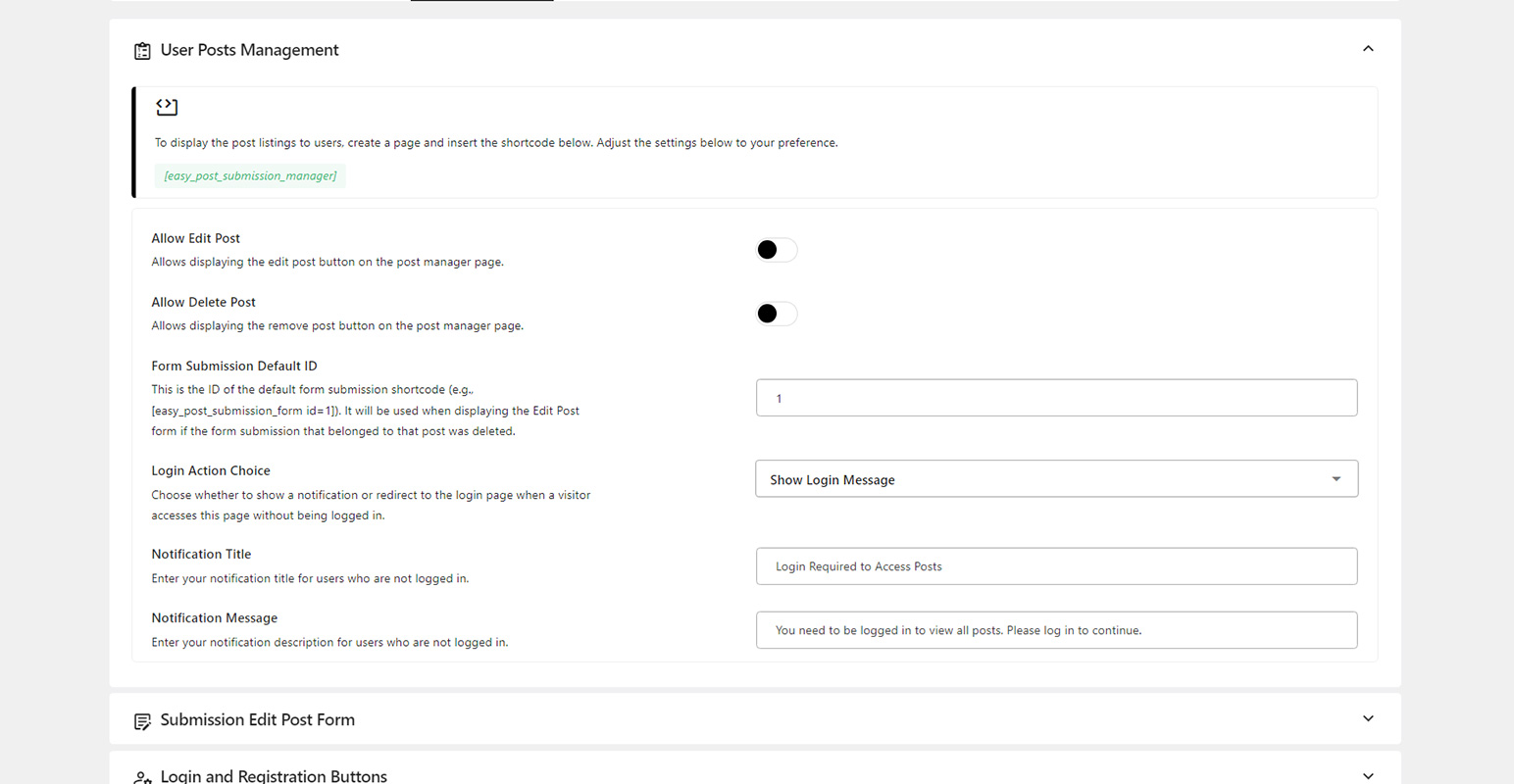
User Post Manager Settings
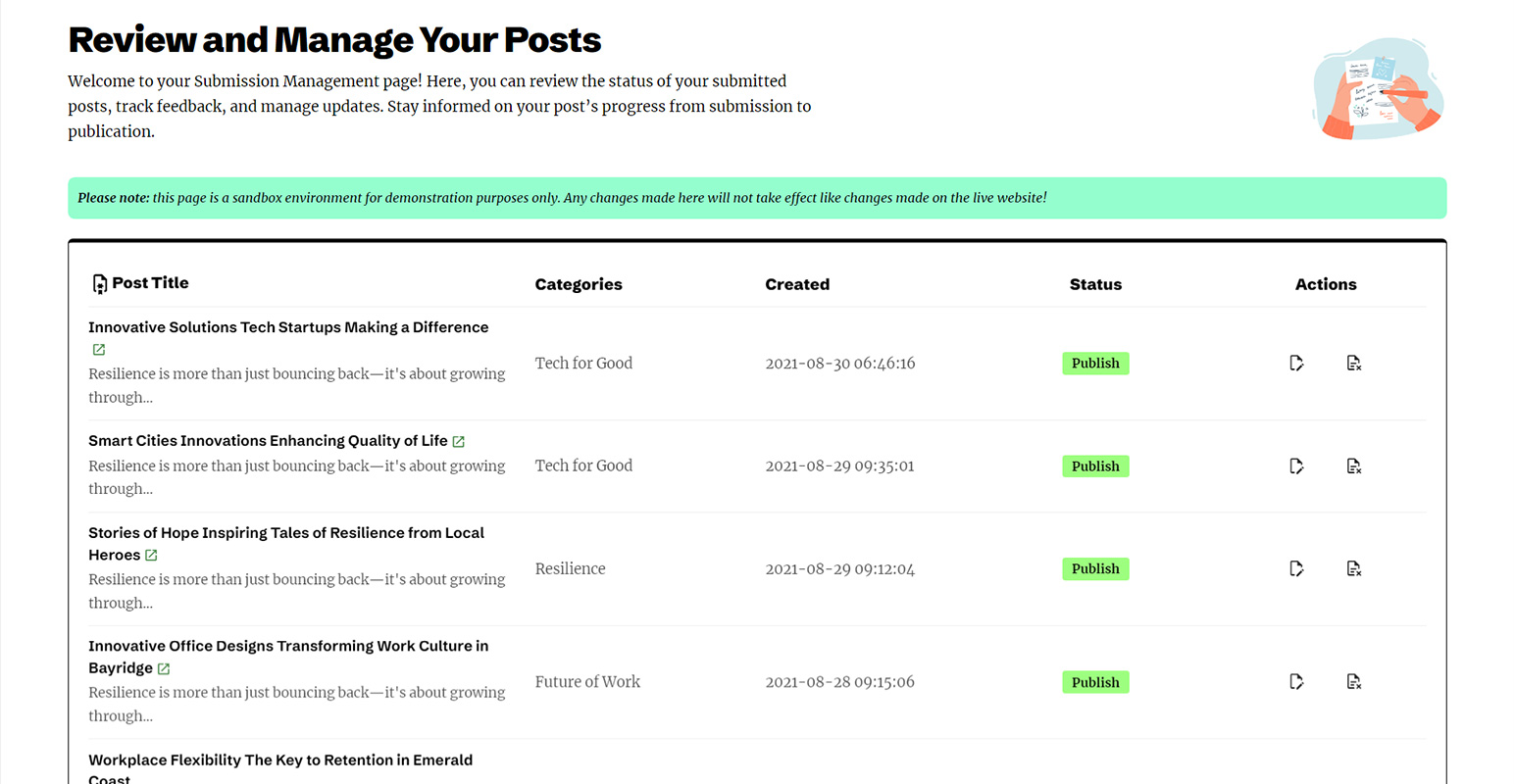
Frontend User Post Manager
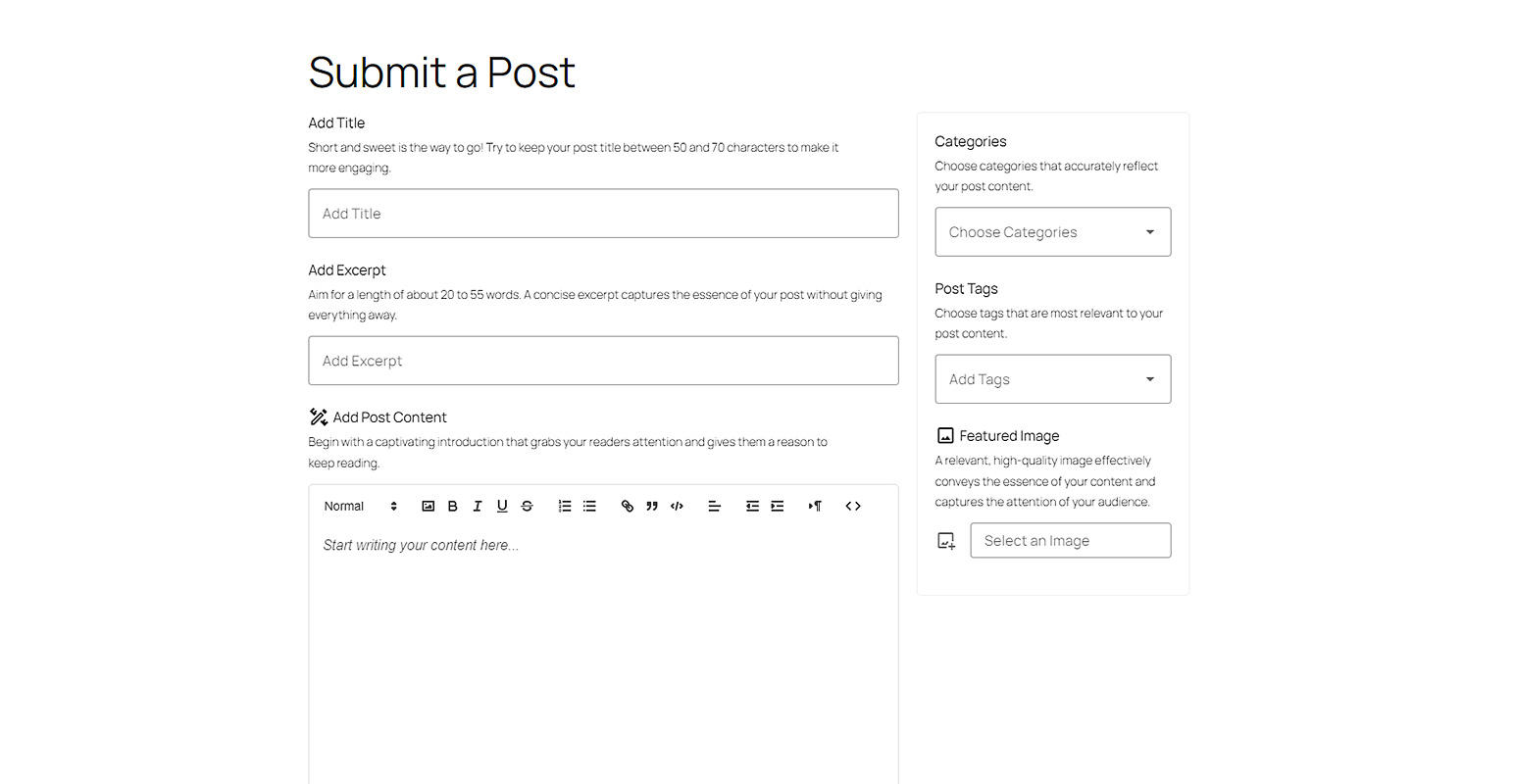
Frontend Post Submission Form
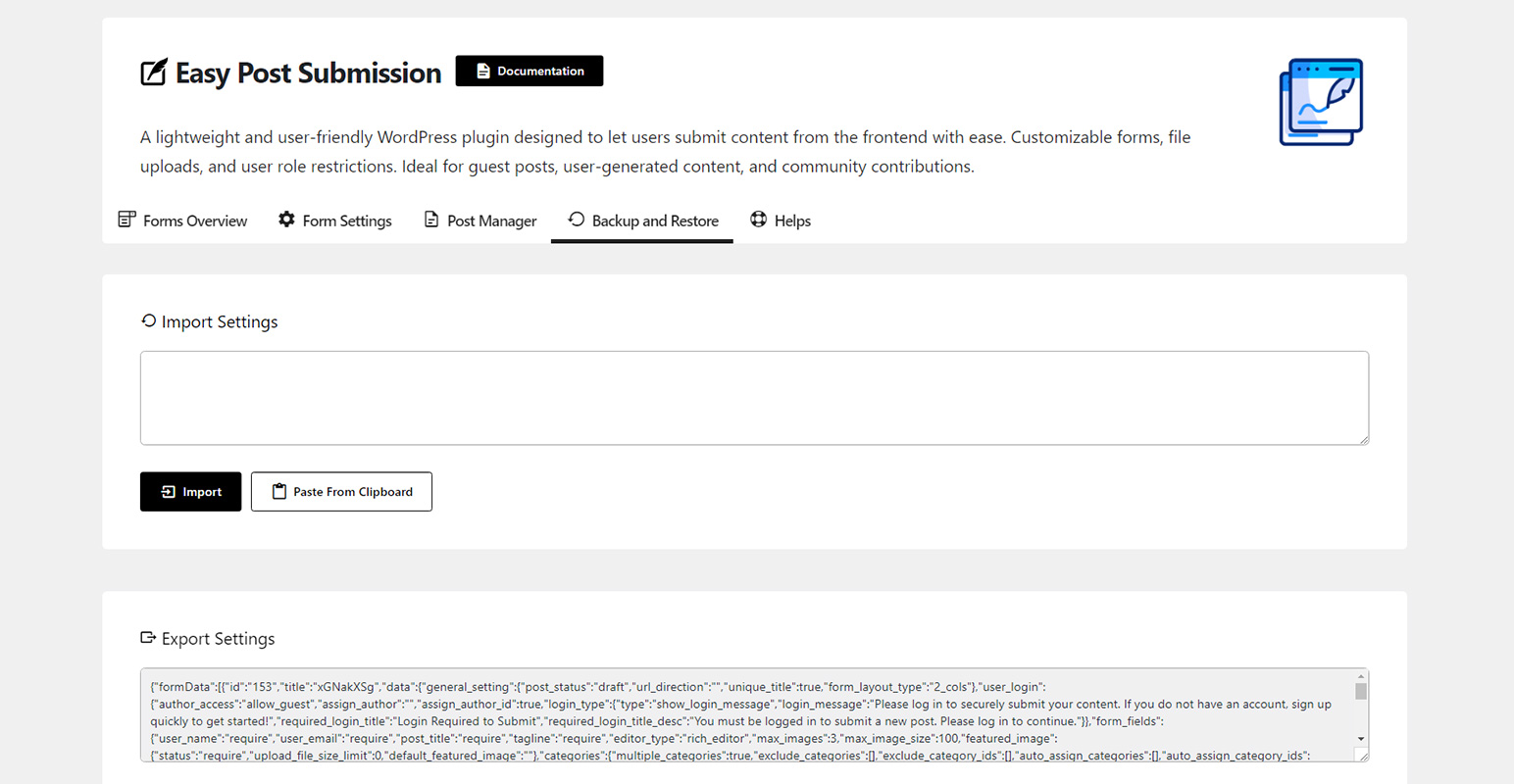
Backup and Restore
Changelog
2.1.0
- Added: Shortcode [easy_post_submission_login] for displaying the login form.
- Added: Shortcode [easy_post_submission_register] for displaying the registration form.
- Improved: CAPTCHA settings moved to the global configuration.
- Improved: Media upload handling for better performance.
- Fixed: Challenge validation issue.
2.0.0
- Fixed: Category and tag entity decoding issue
- Fixed: Enhanced security and data protection
1.7.0
- Improved: Import/export functionality.
- Improved: Updated documentation page.
1.6.0
- Added: Label for post state when submitted via the submission form.
- Fixed: Email notification to contributor when the post has been published.
1.5.0
- Improved: Enhanced layout and design of the submission post manager.
- Fixed: Login and register buttons on the post manager page now redirect correctly for non-logged-in users.
- Fixed: “Delete post” action in the user post manager now functions as expected.
- Fixed: Validation form messages now display correctly.
- Fixed: Removed empty UI display when automatically redirecting.
1.4.0
- Improved: Compatible with WordPress 6.8.
- Improved: Notification when failing to handle images in post content.
1.3.0
- Improved: Disabled UI during automatic redirection in the submission form.
- Fixed: Login and register redirect issue in the submission form.
1.2.0
- Fixed: Issue with form submission when multiple tag selection is disabled.
- Fixed: Issue with adding content images.
1.1.0
- Improved: Changed the featured image limit setting to KB, allowing limits below 1MB.
- Fixed: Unable to re-add a featured image after removal.
- Fixed: Fallback submission form ID not applying.
1.0.0
- Initial release.