

Easy Search Replace – Find & Replace Text/HTML/URLs, Remove Footer Credit
Real-time search & replace for text, HTML, and URLs. Target elements, post types/IDs/URLs. Safely remove footer credit no database changes.
Plugin info
Maintenance & Compatibility
Maintenance score
Maintained • Last updated 143 days ago • 3 reviews
Is Easy Search Replace – Find & Replace Text/HTML/URLs, Remove Footer Credit abandoned?
Likely maintained (last update 143 days ago).
Compatibility
Similar & Alternatives
Explore plugins with similar tags, and compare key metrics like downloads, ratings, updates, support, and WP/PHP compatibility.
Description
The Easy Search Replace plugin lets you find and replace any text, HTML, or URL across your WordPress site in real time—without editing files or the database.
It’s the safest way to do search and replace on front-end output. Update branding, fix old links, or remove footer credit with a few clicks.
Target replacements precisely with:
– CSS selectors (e.g., .footer, #site-title, h2)
– Post Types (Posts, Pages, CPTs)
– Specific Post IDs (comma separated)
– Exact URLs (one per line)
Why it’s safe:
All changes are applied dynamically at render time. Disable the plugin and your original content is unchanged.
Popular use cases
– Remove or replace theme footer credits.
– Replace company names, links, or copyright lines.
– Update outdated or HTTPHTTPS URLs.
– Find/replace only inside specific HTML elements.
– Limit changes to selected posts/pages/URLs.
Features
- Real-time search replace and find replace for text, HTML, and URLs.
- Remove footer credit or any unwanted text/link.
- Optional CSS selector targeting (classes, IDs, tags).
- Limit by post type, post ID, or URL.
- Case-insensitive mode (Ignore Case).
- Multiple rules, executed in order.
- Lightweight: parses DOM only when selector rules exist.
- Clean, simple settings UI.
Usage
- Open Settings Easy Search Replace.
- Find: Enter text/HTML/URL to search.
- Replace with: Enter the replacement (leave empty to remove—great for footer credits).
- (Optional) CSS Selector to restrict to specific elements (e.g.,
.site-footer,#main,h1). - (Optional) Limit by Post Types, Post IDs, or URLs (one per line).
- Enable Ignore Case if needed.
- Add multiple rules and Save Changes.
Examples
Replace text globally
Find: Old Company
Replace: New Company
Remove footer credit (selector-based)
Find: Powered by MyTheme
Replace:
Selector: .site-footer
Replace URL site-wide
Find: http://oldsite.com
Replace: https://newsite.com
Only on specific posts
Find: Coming Soon
Replace: Launching Now
Post IDs: 25,47,88
Case-insensitive
Enable Ignore Case to match “WordPress”, “wordpress”, etc.
Installation
- Download the plugin ZIP.
- In WP Admin, go to Plugins Add New Upload Plugin.
- Upload the ZIP, click Install Now, then Activate.
- Go to Settings Easy Search Replace to add rules.
Frequently Asked Questions
No. All replacements happen in the output buffer at runtime.
Yes. Put the exact text in Find, leave Replace empty, and (optionally) set a footer CSS Selector (e.g., .footer-credit).
Yes. It works on rendered HTML (Elementor, Divi, WPBakery, etc.). Clear your cache after adding or updating rules.
Minimal. String replacements are fast; DOM parsing occurs only if you use selector-based rules.
Not in this version—by design for speed and simplicity.
Review feed
Screenshots
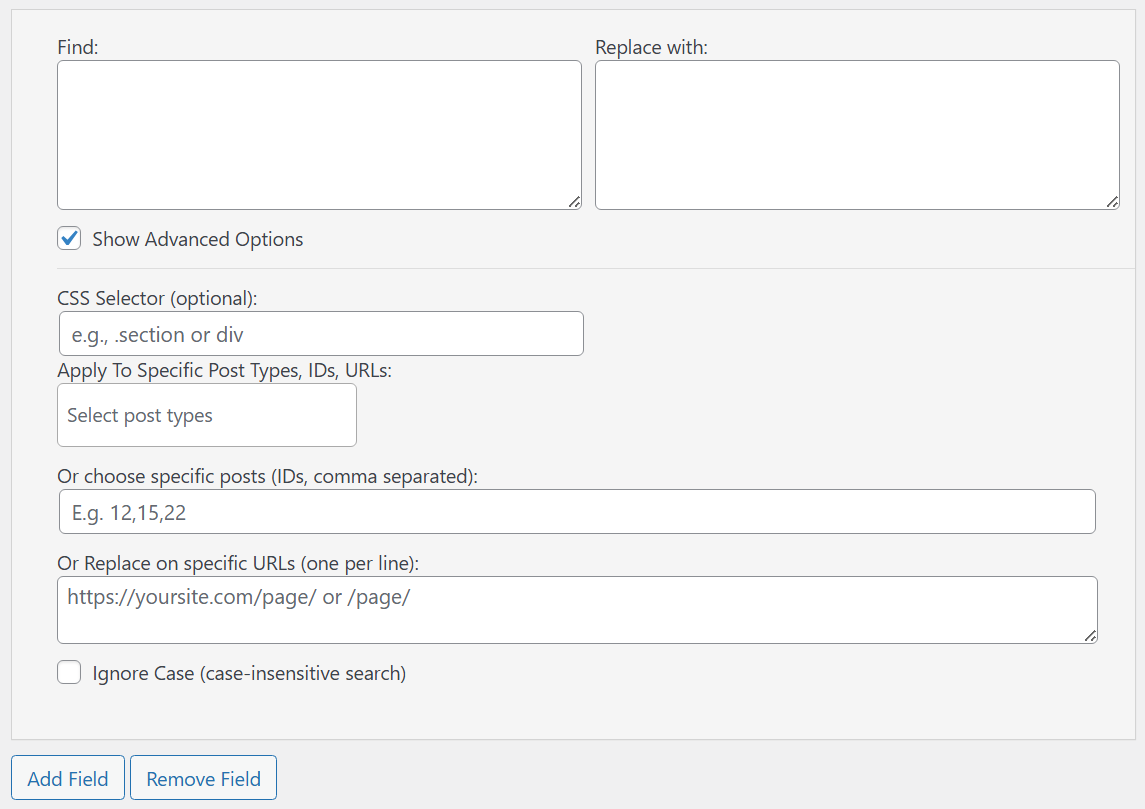
Settings page – create multiple search & replace rules
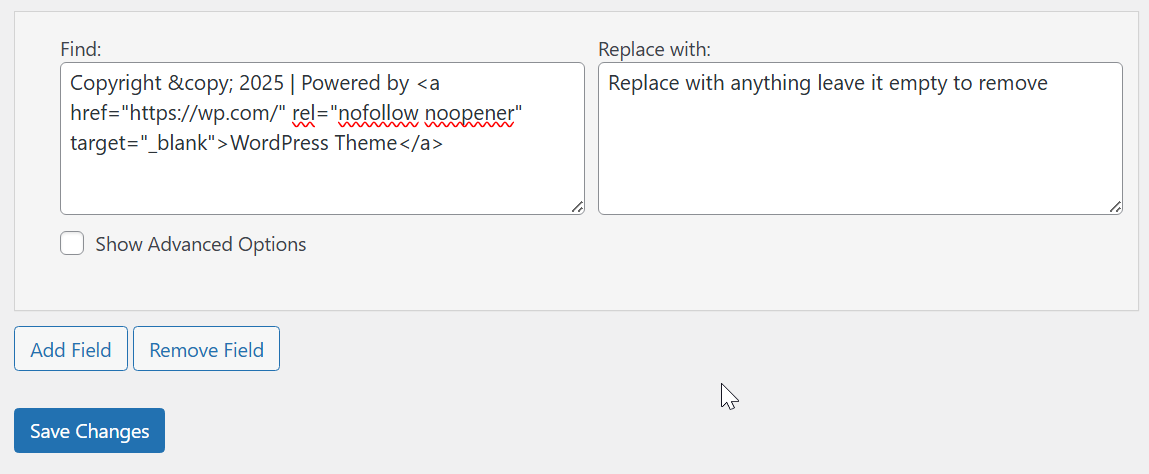
Remove footer credit
Changelog
1.1.2
- bugs fixed
1.1.1
- Fixed advanced options bug
1.1.0
- Added targeting by Post Types, Post IDs, and URLs.
- Added Ignore Case option.
- Improved footer credit removal workflow.
- Better performance: single-pass DOM parsing when needed.
- UI polish and multiple-rule flow.
1.0.2
- Minor fixes.
1.0.1
- Fixed search function issues.
1.0.0
- Initial release: front-end search and replace with optional CSS selector.