

Easy Twitter Feed Widget Plugin
Add twitter feeds on your WordPress site by using the Easy Twitter Feed Widget plugin.
Plugin info
Maintenance & Compatibility
Maintenance score
Possibly abandoned • Last updated 3024 days ago • 55 reviews
Is Easy Twitter Feed Widget Plugin abandoned?
Possibly abandoned (last update 3024 days ago).
Compatibility
Similar & Alternatives
Explore plugins with similar tags, and compare key metrics like downloads, ratings, updates, support, and WP/PHP compatibility.
Description
Easy Twitter Feed Widget plugin uses the Twitter Widget without creating an API to display tweets on your WordPress site. There is no need to create Twitter application. Easy Twitter Feed Widget Plugin provides a nice interface to implement your tweets in an easy way.
If you are planning to display twitter timeline on your blog’s sidebar without bells and whistles than our plugin can be your ideal choice.
Features
- Easy Twitter Feed Widget Plugin is very easy to setup and use.
- You can blend your tweets professionally with the layout of any WordPress theme.
- Make it your own by customizing the link color, border color, background choice and other useful options.
Further Useful Stuff
Easy Twitter Feed Widget plugin is developed by DesignOrbital. You may be interested to use our Premium WordPress Themes or Free WordPress Themes to run your website under the clean and SEO optimized code.
Installation
- Upload the
easy-twitter-feed-widgetfolder to the/wp-content/plugins/directory - Activate the Easy Twitter Feed Widget plugin through the ‘Plugins’ menu in WordPress
- Configure the plugin by going to the
Settings > Easy Twitter Feed Widget Options - Use the Easy Twitter Feed Widget by going to the
Appearance > Widgets
Timeline Type
You can display tweets by using one of the following two methods.
- Twitter Username
- Twitter Widget ID
Twitter Username
- It is easy method to setup twitter widget. You only need to enter your twitter username in the Twitter Username field.
Twitter Widget ID
- You can setup twitter widget by using Widget ID. Here are the steps to get your Twitter Widget ID.
How to get Twitter Widget ID
- Sign In to your
Twitter Account - Go to
Settings > Widgets > Create new - Click
Create Widgetbutton - You can copy the Widget ID from
Browser Address Bare.g.344713329262084096 - OR You can copy the Widget ID from the given HTML under the Widget Preview i.e.
data-widget-id="344713329262084096"
Frequently Asked Questions
Installation Instructions
- Upload the
easy-twitter-feed-widgetfolder to the/wp-content/plugins/directory - Activate the Easy Twitter Feed Widget plugin through the ‘Plugins’ menu in WordPress
- Configure the plugin by going to the
Settings > Easy Twitter Feed Widget Options - Use the Easy Twitter Feed Widget by going to the
Appearance > Widgets
Timeline Type
You can display tweets by using one of the following two methods.
- Twitter Username
- Twitter Widget ID
Twitter Username
- It is easy method to setup twitter widget. You only need to enter your twitter username in the Twitter Username field.
Twitter Widget ID
- You can setup twitter widget by using Widget ID. Here are the steps to get your Twitter Widget ID.
How to get Twitter Widget ID
- Sign In to your
Twitter Account - Go to
Settings > Widgets > Create new - Click
Create Widgetbutton - You can copy the Widget ID from
Browser Address Bare.g.344713329262084096 - OR You can copy the Widget ID from the given HTML under the Widget Preview i.e.
data-widget-id="344713329262084096"
Review feed
Screenshots
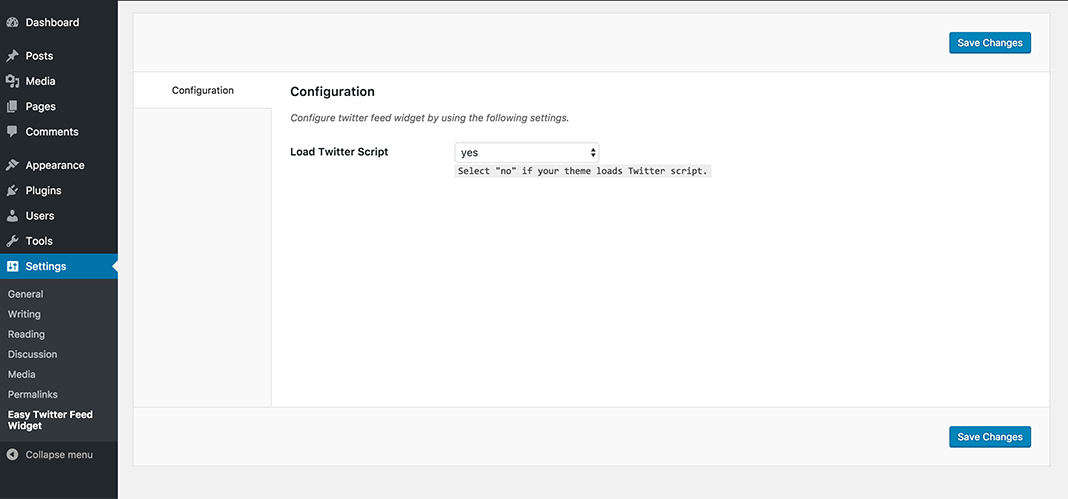
Easy Twitter Feed Widget Plugin Options: You can control the loading of Twitter script manually. You may disable it, if your WordPress theme supports twitter script already.
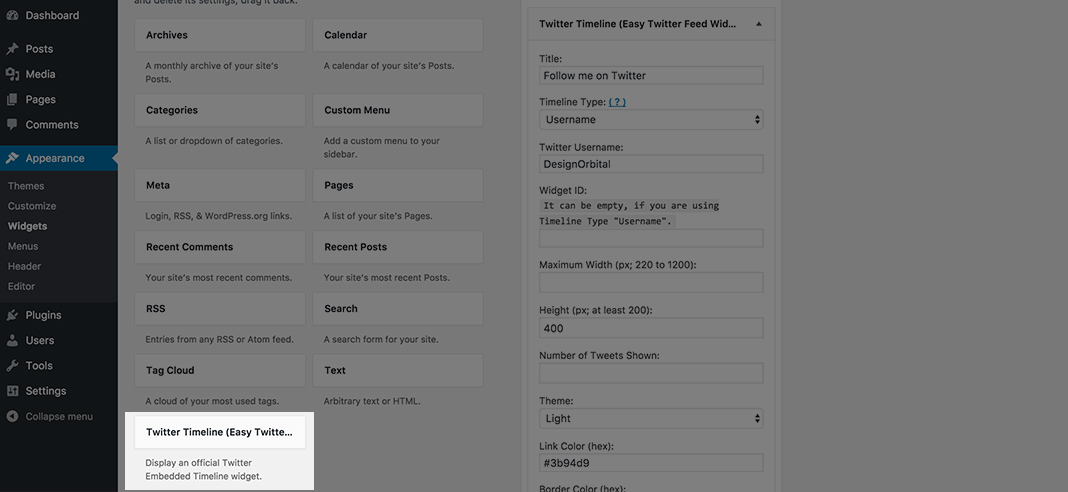
Easy Twitter Feed Widget: You may place your twitter feed in the sidebar or any other widgetized area of your WordPress theme by placing Easy Twitter Feed Widget.
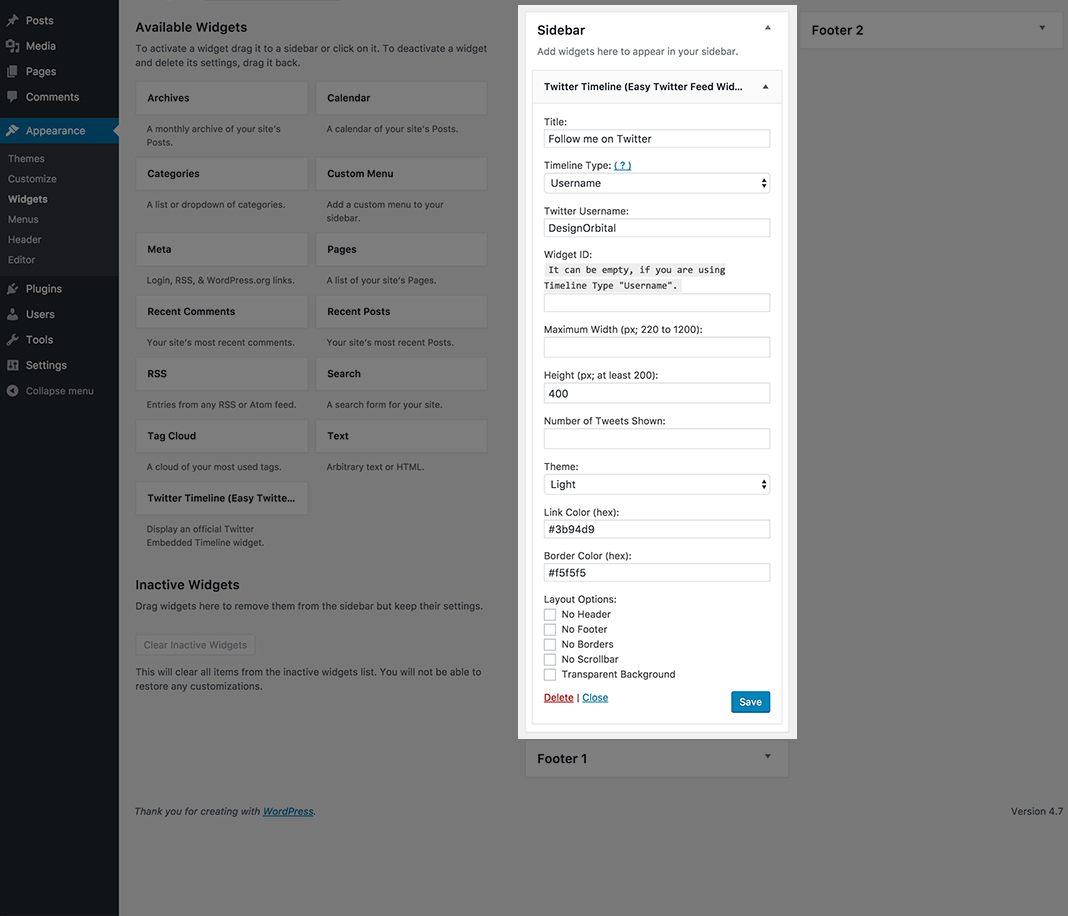
Easy Twitter Feed Widget Backend Example: You can cusomize your twitter widget to blend with any WordPress theme by adjusting an easy to use available options like Twitter Tweet limit, border color, link color etc.
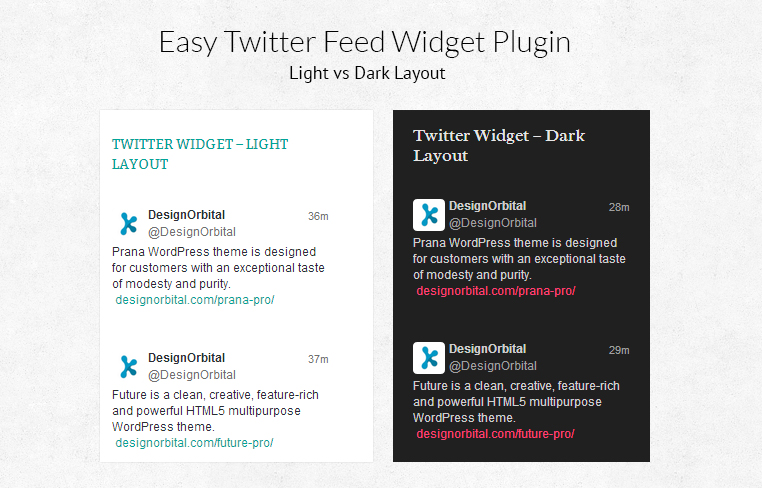
Easy Twitter Feed Widget Frontend Example: You can use our twitter widget with any color scheme of your WordPress theme. This is an example of Light and Dark WordPress theme layout.
Changelog
0.9 – December 20, 2017
- Update: Redirect to welcome screen upon plugin activation is dropped.
- Update: Double slash fixed in
wp_enqueue_script. - Update: Fixed text domain.
- Update: POT file updated.
- Update: Readme file updated.
0.8 – September 9, 2017
- Enhancement: Settings page improvements.
- Update: POT file updated.
- Update: Readme file updated.
0.7 – September 5, 2017
- Enhancement: Code improvements.
0.6 – December 18, 2016
- New: Twitter embedded timeline can be displayed by using Twitter username.
- New: Widget Id is optional now.
- Enhancement: Plugin is re-written to provide an easy interface and secured code.
- Hardening: Code hardening.
0.5 – December 18, 2015
- Enhancement: WP_Widget is deprecated and replaced with __construct().
0.4 – July 27, 2015
- Enhancement: No widget title HTML markup will print when the widget title is empty.
0.3 – November 13, 2014
- Enhancement: Speed Improvements.
- Update: Twitter widget JS.
0.2 – June 09, 2014
- Bug Fix: Fixed
Show Repliesoption.
0.1
- Initial release.