
Easy Upsells, Related Products & Product Recommendations for WooCommerce
WooCommerce plugin to add related products, upsells, cross-sells, and product recommendations on product, cart, and checkout pages to boost sales.
Plugin info
Maintenance & Compatibility
Maintenance score
Maintained • Last updated 120 days ago
Is Easy Upsells, Related Products & Product Recommendations for WooCommerce abandoned?
Likely maintained (last update 120 days ago).
Compatibility
Similar & Alternatives
Explore plugins with similar tags, and compare key metrics like downloads, ratings, updates, support, and WP/PHP compatibility.
Description
Easy Upsells for WooCommerce helps store owners increase sales and average order value by showing related products, upsells, product recommendations, cross-sells, and product addons on product, cart, and checkout pages.
With flexible product recommendations, you can showcase items your customers are most likely to buy — whether they’re related products, complementary addons, or premium upgrades. The plugin makes it simple to configure cross-sells and upsells without any coding knowledge, so you can boost conversions and grow your WooCommerce store effortlessly.
Use Easy Upsells for WooCommerce to automatically promote add-on products, display matching items, and encourage customers to spend more — all while keeping your store fast and user-friendly. Perfect for both beginners and advanced WooCommerce users.
FRONT-END DEMO | BACK-END DEMO | Ask Questions | PRO WITH UP TO 75% DISCOUNT | Documentation
Features
Video Tutorial
Examples of Upsell & Related Products, Product Recommendations, Cross sells, Product Addons
- Product Recommendations
- Product Upsells
- Product Addons
- Cart Upsell
- Checkout Upsell
- Popup Product Upsell (Click on Add To Cart)(PRO)
💎 Upsell & Related Products, Product Recommendations, Cross sells, Product Addons Features
-
Create Product Recommendations Enhance your product pages by adding personalized product recommendations. You can display recommended items using either a grid or list layout, and tailor the recommendations to specific products, categories, or custom conditions. This helps improve product visibility, increase cross-selling opportunities, and provide a more engaging shopping experience for customers.
-
Create Product Addons This feature allows you to add product add-ons directly to individual product pages. You can choose between grid or list layouts to display the add-ons. Additionally, you can configure them to appear for specific products, product categories, or under custom conditions. This flexible setup enables you to offer targeted add-ons that align with your catalog structure and sales strategy.
-
Create Product Upsells on the Cart Page This feature enables you to add product upsells directly on the cart page to encourage additional purchases before checkout. Upsell products can be displayed in either a grid or list layout, providing flexibility in presentation. You can configure these upsells to appear based on custom conditions, such as specific products in the cart, product categories, cart totals, or other defined rules. This functionality helps increase average order value while offering customers relevant and timely product suggestions.
-
Create Product Upsells on the Checkout Page This feature allows you to add product upsells directly on the checkout page, enabling targeted recommendations before the customer completes their purchase. Upsell products can be displayed in a grid layout, giving you flexibility in how recommendations are presented. You can configure these upsells to appear based on custom conditions, such as specific products in the cart, product categories, cart totals, or other defined rules.
-
Custom Conditions The Custom Conditions feature allows you to display product recommendations, upsells, and add-ons based on a variety of configurable criteria. You can tailor the visibility of these products using conditions such as:
- User Login Status – Show or hide recommendations based on whether the customer is logged in.
- User Roles – Target specific user roles (e.g., wholesale, VIP, subscriber) with tailored offers.
- Products in Cart – Display recommendations or upsells depending on which products are currently in the customer’s cart.
- Cart Quantity or Item Count – Trigger offers based on the total number of items in the cart.
- Cart Subtotal – Set minimum or maximum cart value thresholds for displaying specific recommendations.
-
Product Discounted The Product Discounted feature allows you to set automatic discounts for recommended products, add-ons, and upsells when they are added to the cart. You can configure either a fixed amount or a percentage-based discount, which will be applied instantly upon addition.
🚀 WooCommerce Upsells & Related Products – Product Recommendations, Cross-Sells PRO VERSION
-
Create Product Upsell Popup on the Product Page The Product Upsell Popup feature allows you to display a customizable popup on the product page immediately after a customer clicks the “Add to Cart” button. This popup can showcase specific upsell products using either a grid or list layout, providing flexibility in presentation.
-
Create Product Downsell Popup on the Product Page The Product Downsell Popup feature allows you to display a special offer popup on the product page when a customer clicks the “Add to Cart” button. This popup can be configured to showcase downsell deals—typically lower-priced or alternative products—to encourage customers to complete their purchase.
-
Create Product Add-ons Popup on the Product Page The Product Add-ons Popup feature allows you to display a customizable popup on the product page when a customer clicks the “Add to Cart” button. This popup showcases related add-on products, giving customers the option to easily include complementary items in their purchase.
-
Create Cart Upsell Popup on the Cart Page The Cart Upsell Popup feature allows you to display a customizable upsell popup on the cart page when a customer clicks the “Proceed to Checkout” button. This popup is designed to promote additional products at a key moment in the purchasing process, helping to increase average order value and encourage upsell opportunities.
-
Create Cart Downsell Popup on the Cart Page The Cart Downsell Popup feature allows you to display a customizable popup on the cart page when a customer clicks the “Proceed to Checkout” button. This popup is designed to present downsell offers, such as lower-priced alternatives, discounted bundles, or special deals, to encourage customers to complete their purchase.
-
**Create Cart Add-ons Popup on the Cart Page* The Cart Add-ons Popup feature allows you to display a customizable popup on the cart page when a customer clicks the “Proceed to Checkout” button. This popup is designed to promote add-on products that complement the items already in the customer’s cart, helping to increase order value and enhance the shopping experience.
-
Themes Multiple and beautiful grids and list items theme.
-
Size Small/Medium/Large size for bundle items.
-
Product Quick View View the product quick view in a popup.
BUY PRO WITH UP TO 75% DISCOUNT
📕 Tutorials
WooCommerce Upsells & Related Products – Product Recommendations, Add-ons, Cross-Sells, and Popups
The WooCommerce Upsells & Related Products module provides a complete solution for enhancing your store with targeted product recommendations, add-ons, cross-sells, and upsell popups. This feature allows store owners to strategically promote products throughout the customer journey, increasing engagement, average order value, and overall sales.
Key Features and Capabilities
-
Product Recommendations
- Display related or recommended products on individual product pages.
- Promote complementary items to increase cross-selling opportunities.
- Flexible layout options: grid or list views.
-
Product Add-ons
- Offer additional products or services alongside the main product.
- Display add-ons as popups or inline sections on product and cart pages.
- Perfect for accessories, extended warranties, or bundles.
-
Cross-Sells
- Display cross-sell items on the cart page.
- Configurable by product, category, cart content, or custom conditions.
-
Upsell Popups
- Show targeted upsell offers as popups on product, cart, and checkout pages.
- Triggered by “Add to Cart” or “Proceed to Checkout” actions.
- Multiple themes and layouts (grid or list) available.
- Custom conditions: user roles, cart subtotal, items in cart, or previous purchases.
Placement Overview:
- Product Page: Recommendations, add-ons, and upsell popups.
- Cart Page: Cross-sells, add-ons, and popups.
- Checkout Page: Final upsell offers to increase order value.
Benefits:
- Increase average order value.
- Deliver personalized shopping experiences using custom conditions.
- Seamless integration with WooCommerce across product, cart, and checkout pages.
Boost Sales with WooCommerce Upsells and Related Products
Increase your store’s revenue by strategically offering upsell opportunities and promoting related products at key points in the customer journey. By showing targeted recommendations on product pages, customers are more likely to discover complementary items, leading to higher engagement and larger orders. Whether it’s suggesting a premium version of a product or highlighting frequently purchased together items, upsells and related product recommendations help guide buyers toward additional purchases naturally.
Additionally, implementing related products and recommendations throughout the cart and checkout process ensures that customers are exposed to relevant offers before completing their purchase. These personalized upsells not only increase the average order value but also improve the overall shopping experience by presenting meaningful choices tailored to each shopper. Leveraging upsell and recommendation strategies consistently can significantly boost conversions and drive long-term growth for your WooCommerce store.
Capture Attention with Dynamic Upsell Popups
Use customizable upsell popups on product, cart, and checkout pages to promote related products and add-ons at critical moments, increasing conversion rates.
🚀 SOCIAL MEDIA LINKS
🎉 Our Other Free Plugins
- Discount Rules and Dynamic Pricing for WooCommerce
- Product Badge, Label, Countdown Timer for WooCommerce – Sale Booster
- WooCommerce Product Bundles
- ChatGPT AI Content Writing and WhatsApp
💡 Our Other Pro Plugins
- Discount Rules and Dynamic Pricing for WooCommerce Pro
- WooCommerce Product Badges & Sale Booster – Countdown Timer, Order Notifications, Free Shipping Bar Pro
- WooCommerce Product Bundles Pro
- Advanced Coupons
- Auto Add Products to Cart
- Shipping Discount
- URL Coupons
- ChatGPT AI Content Writing and WhatsApp Chat Pro for WordPress
Installation
- Upload
easy-upsells-for-woocommerceto the/wp-content/plugins/directory. - Activate
WooCommercein your WordPress site if it is not activated already. - Activate
Upsell & Related Products, Product Recommendations, Cross sells for WooCommercethrough the ‘Plugins’ menu in WordPress.
Frequently Asked Questions
Review feed
Screenshots
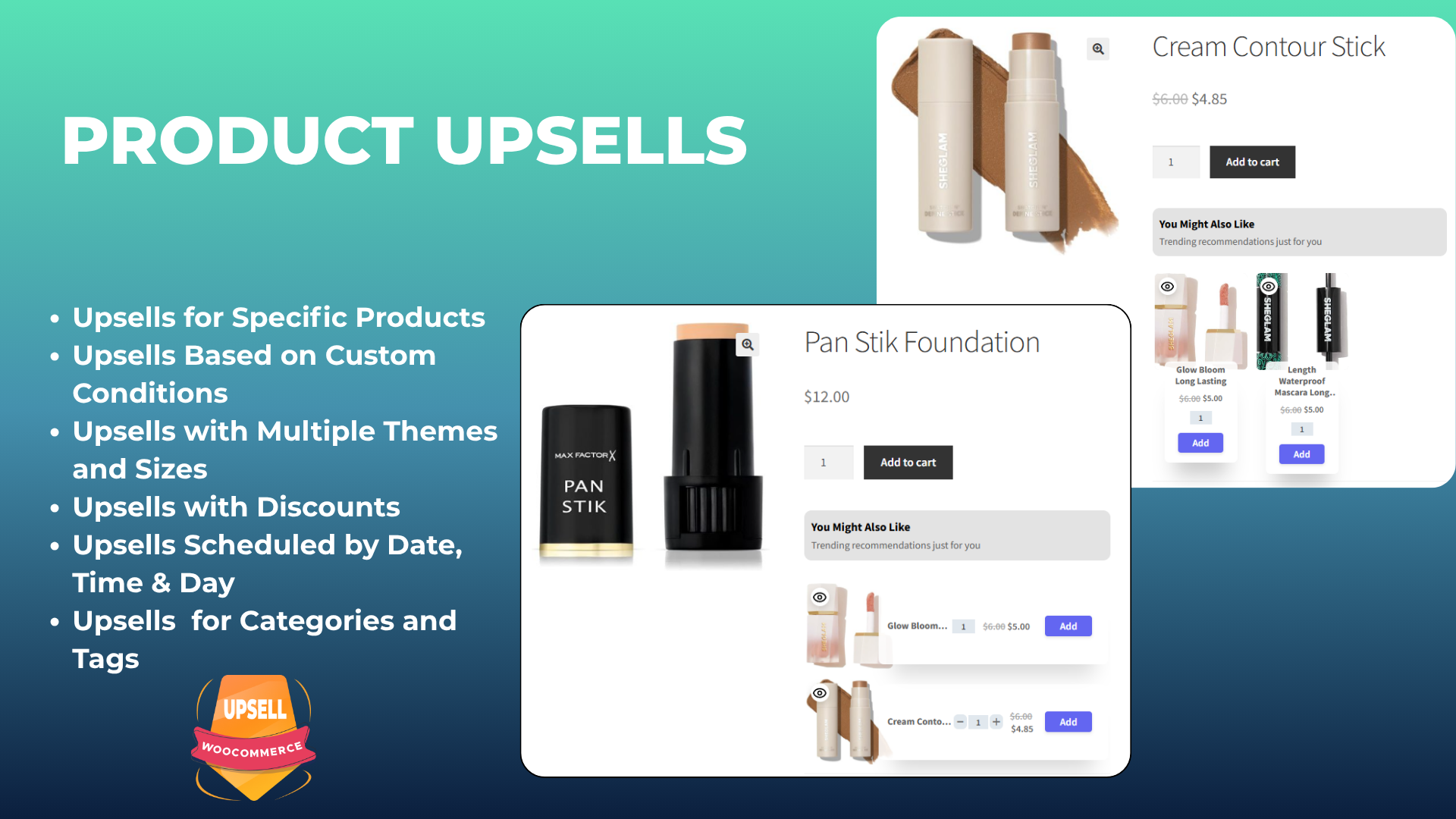
Product Upsell
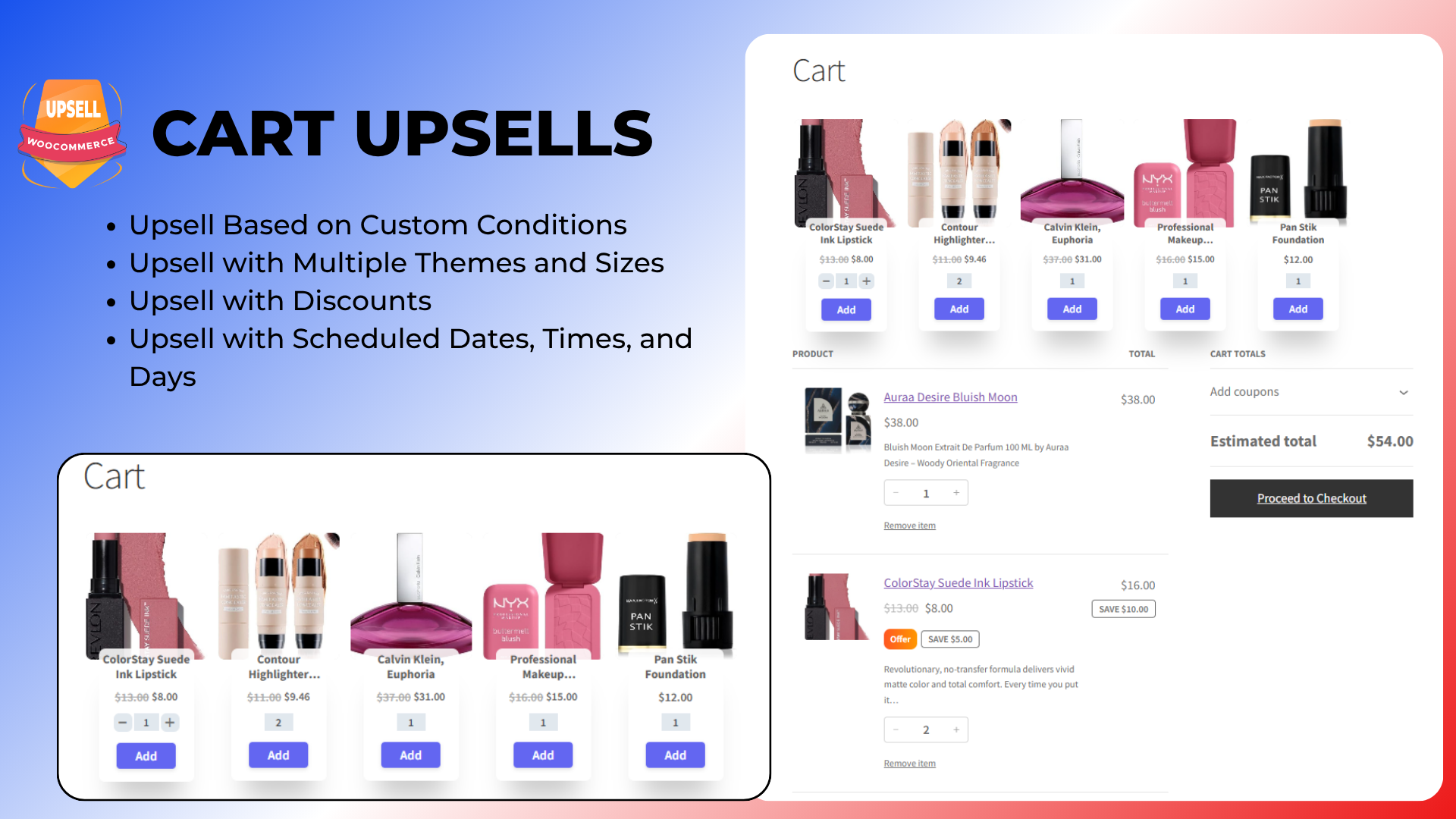
Cart Upsell
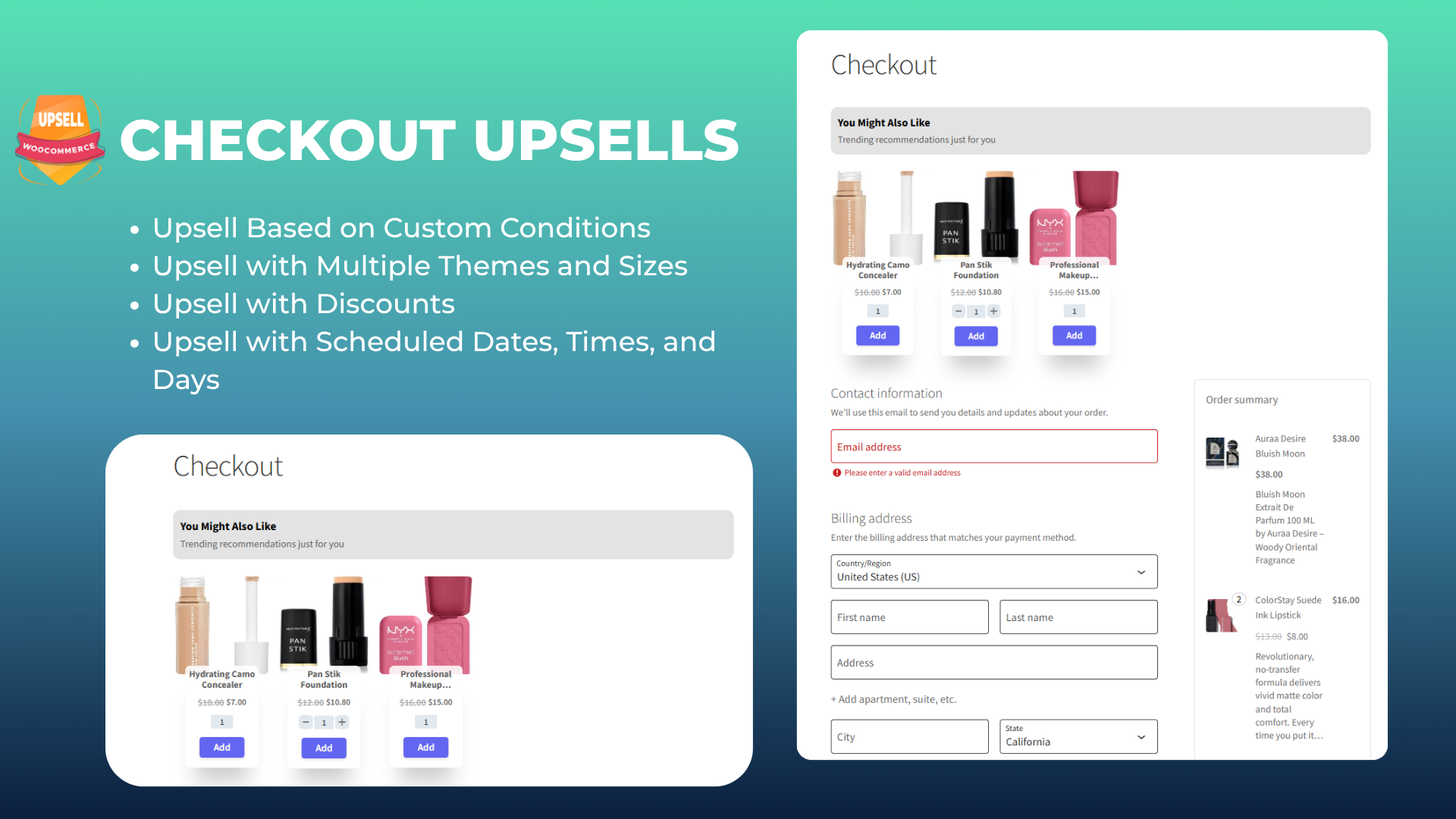
Checkout Upsell
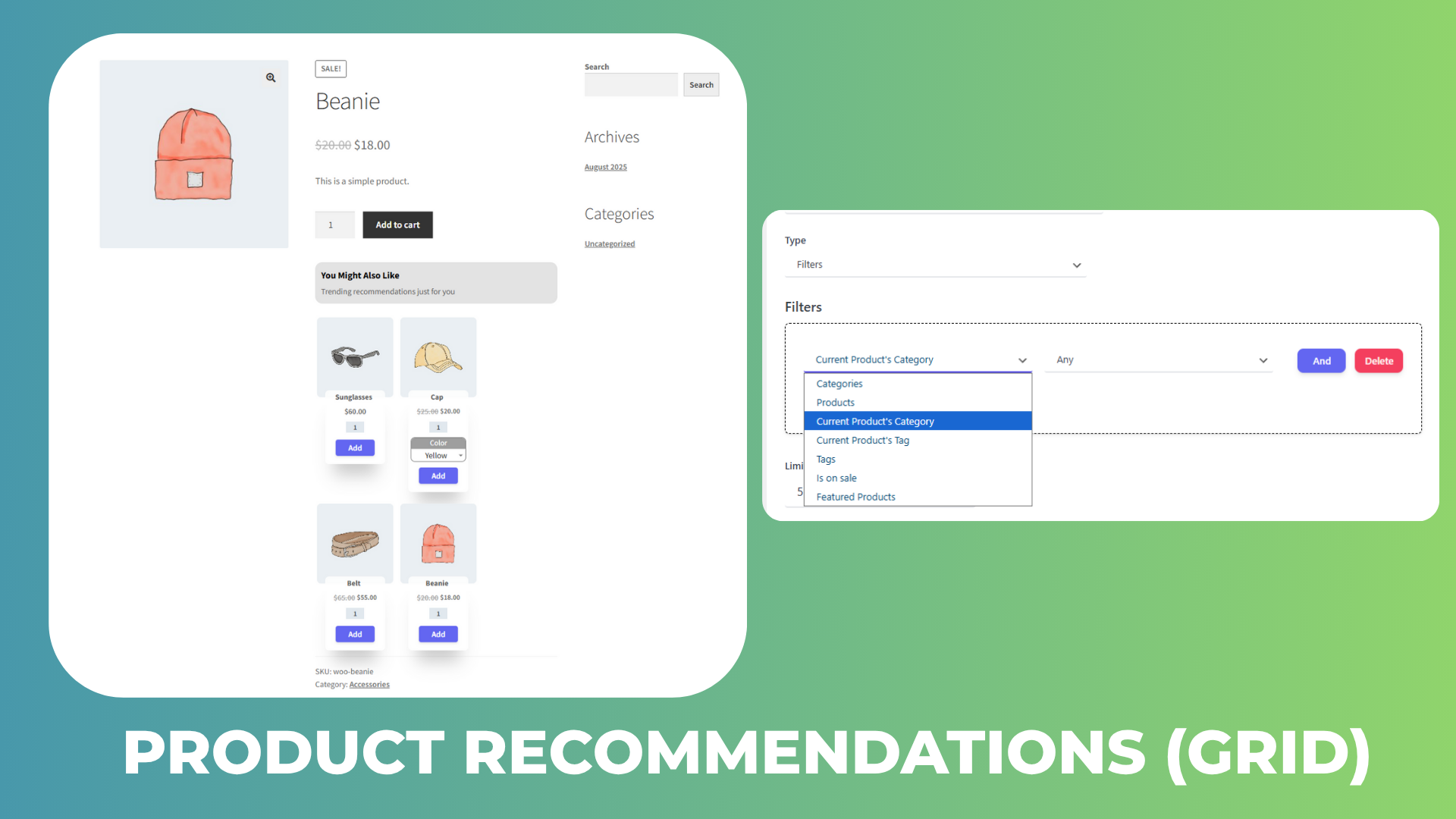
Product Recommendations
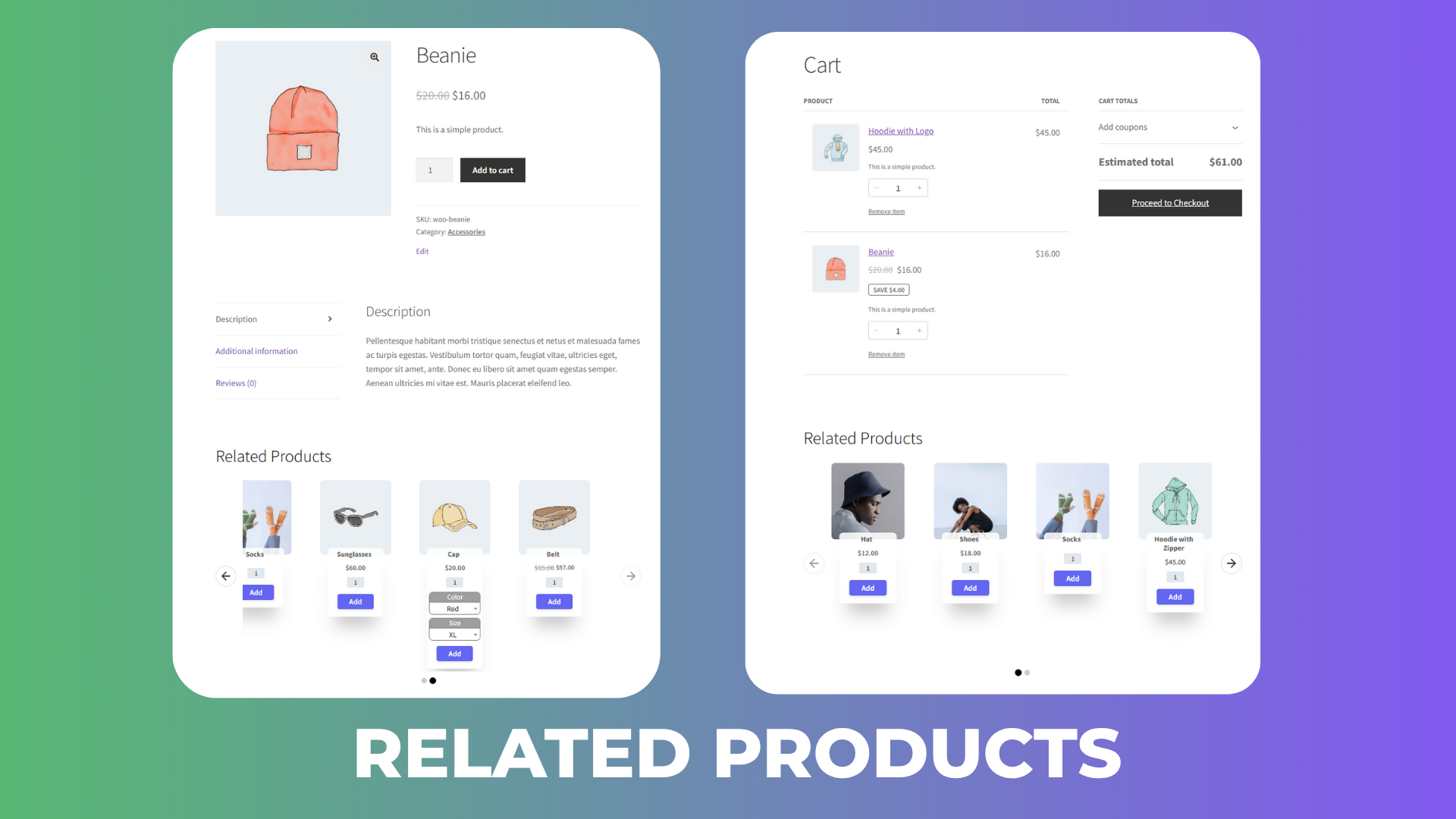
Related Products
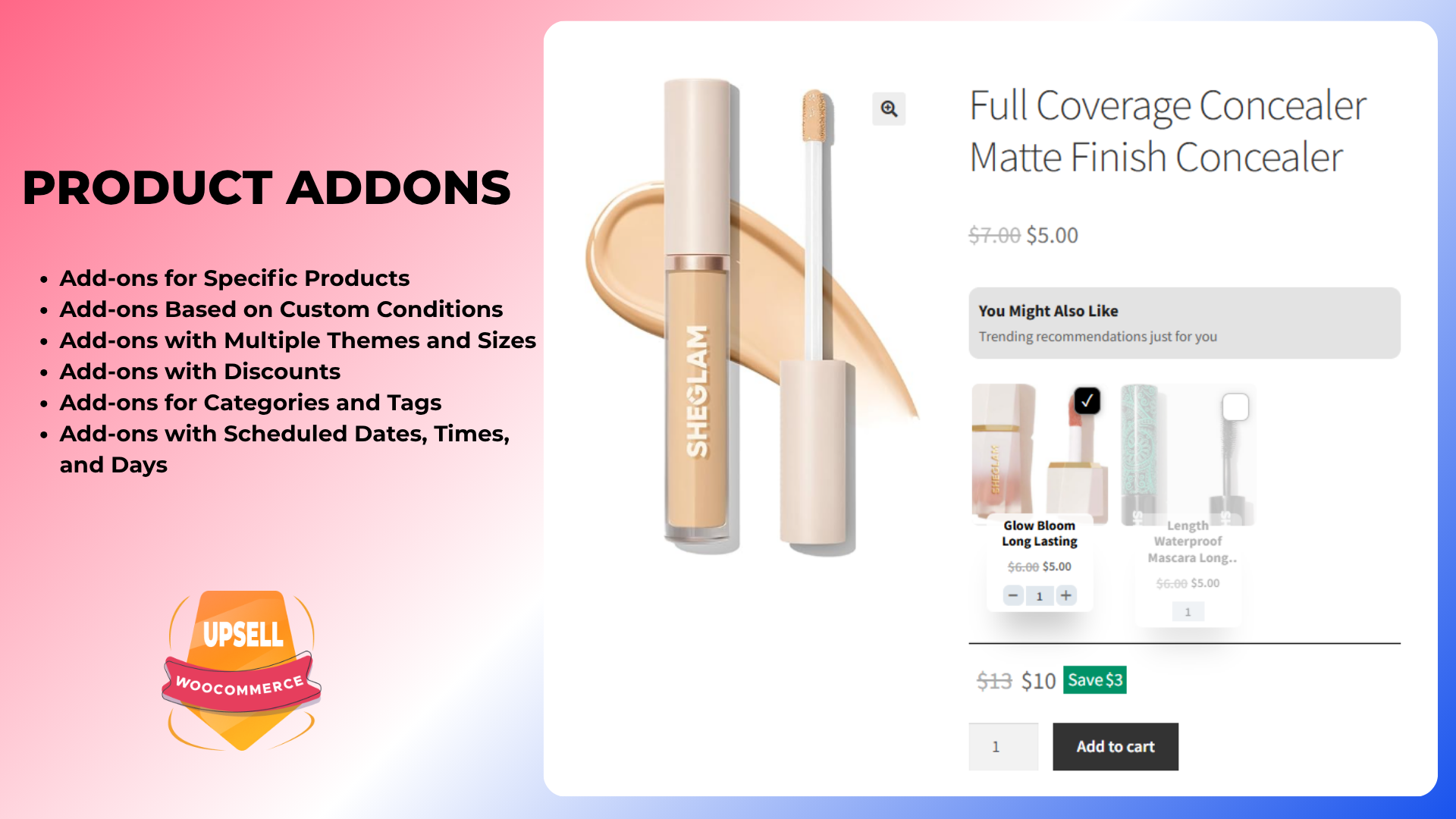
Product Add-ons
Changelog
1.1.2
- Fix bugs
- Compatibility with WooCommerce 10.3.6
1.1.1
- Fix bugs
- Compatibility with WooCommerce 10.3.6
1.1.0
- Add option to display a notification when a product is added to the cart
- Compatibility with WooCommerce 10.3.5
1.0.4
- Fixed CSS Product Addons
1.0.3
- Fixed CSS
1.0.2
- Fixed several bugs
1.0.1
- Compatibility with WooCommerce 10.3.5
1.0.0
- First release.