

Easy UTM Builder
Easy to build trackable URLs with UTM parameters in Bulk (complete site or specific post type) for Google Analytics!
Plugin info
Maintenance & Compatibility
Maintenance score
Stale • Last updated 336 days ago
Is Easy UTM Builder abandoned?
Likely maintained (last update 336 days ago).
Compatibility
Similar & Alternatives
Explore plugins with similar tags, and compare key metrics like downloads, ratings, updates, support, and WP/PHP compatibility.
Description
This plugin will add a page called “Easy UTM Builder” under Settings. On this screen, you need to select post type, set the UTM parameter and select output type.
Main Features:
- Easy to use
- Filter by post type or status
- Generate complete site URLs in just few clicks
- Output in Dashboard
- Write in CSV file
You can create URLs manually but what if you have Hundreds/Thousands URLs. In that case, it’ll Cost you a lot of Time. We all know, Time is Money and you can save it by using this Free, and Easy to Use Plugin!
Why we need this plugin?
- For SEO
- Making URLs trackable in Google Analytics
- Monitoring E-Commerce Conversions
- Tracking Social Media Traffic like Facebook and Twitter
- Tracking Email Campaign Conversions
- Track Any Promotional Event
Contact
For further information please send me an email.
Installation
From your WordPress dashboard
- Visit ‘Plugins > Add New’
- Search for ‘Easy UTM Builder’
- Click on ‘Install Now’
- Activate Easy UTM Builder from your Plugins page.
From WordPress.org
- Download Easy UTM Builder.
- Unzip plugin.
- Upload the ‘Easy UTM Builder’ directory to your ‘/wp-content/plugins/’ directory, using your favorite method (ftp, sftp, scp, etc…)
- Activate Easy UTM Builder from your Plugins page.
Usage
- Go to Settings > Easy UTM Builder to build UTM URLs.
- Select Post Type
- Enter Source
- Enter Medium
- Enter Name
- Enter Term (optional)
- Enter Content (optional)
- Select Output Type
- Click on “Build UTM URLs”
Uninstalling:
- In the Admin Panel, go to “Plugins” and deactivate the plugin.
- Delete the plugin from Plugins page.
Frequently Asked Questions
Post your question on support forum and we will try to answer your question as quick as possible.
We couldn’t find a plugin that easily extract URLs with UTM parameters. So, we took a step to cover this gap.
Exporting the file with static name can be easily found by malicious attacker, and may result in sensitive information leakage. So we decided to generate random name, which is harder to guess by bad guys.
No. It has no settings/configurations to store so it does not touch the database.
Yes. The plugin requires a PHP version 5.4 or higher and WordPress version 3.1.0 or higher.
Review feed
Screenshots
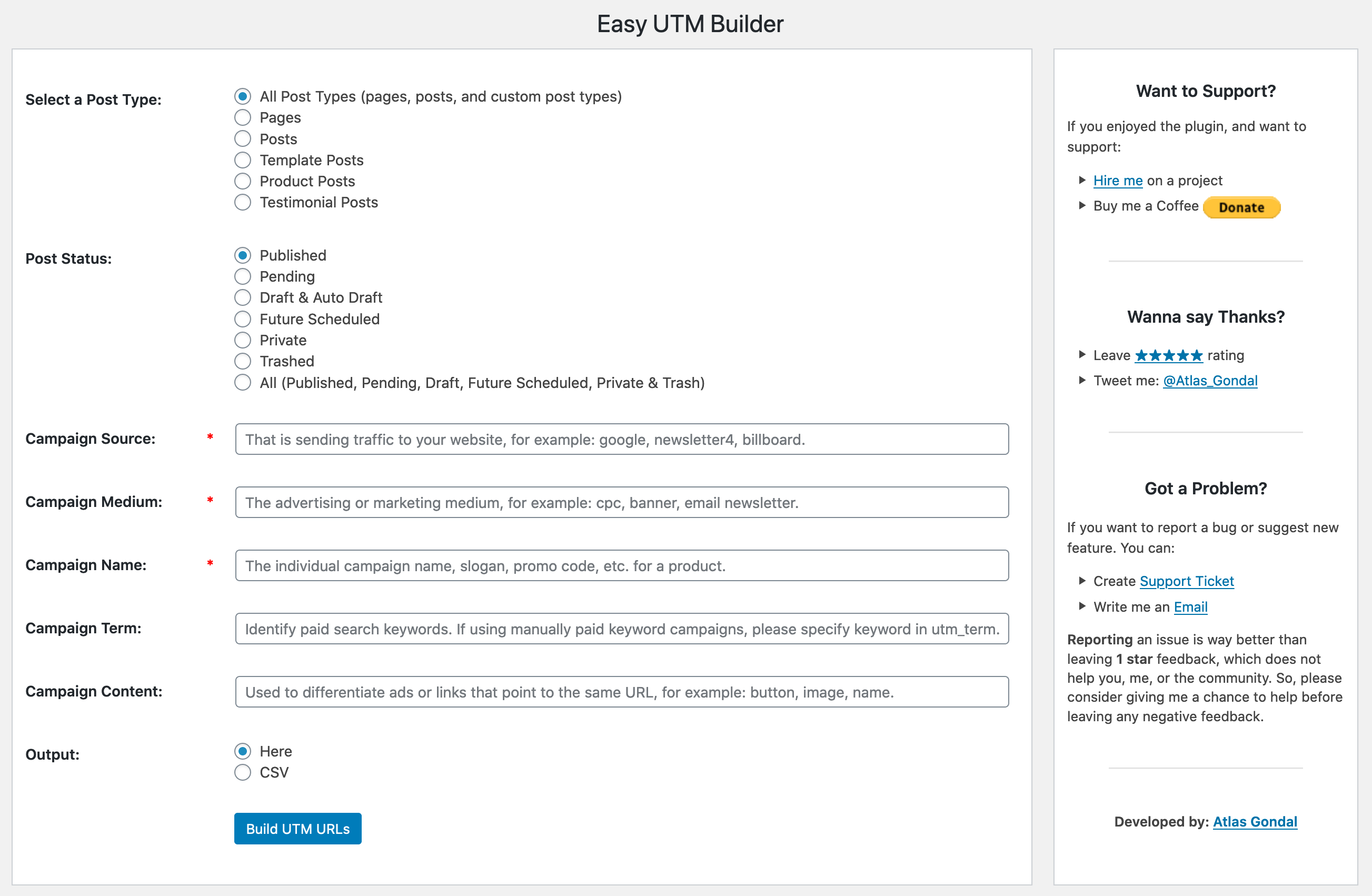
Admin screenshot of Easy UTM Builder
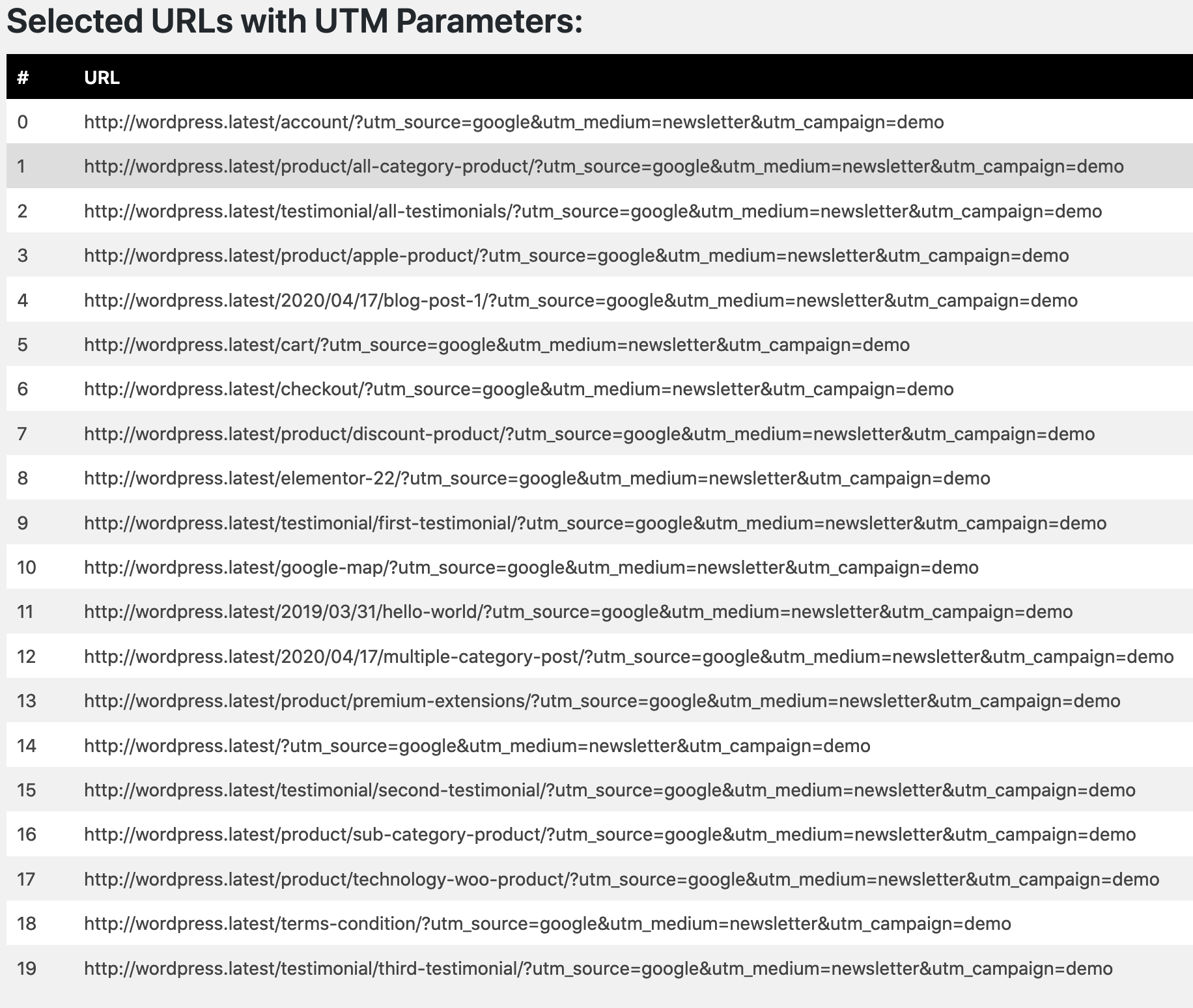
Sample UTM URLs Generated in the Dashboard
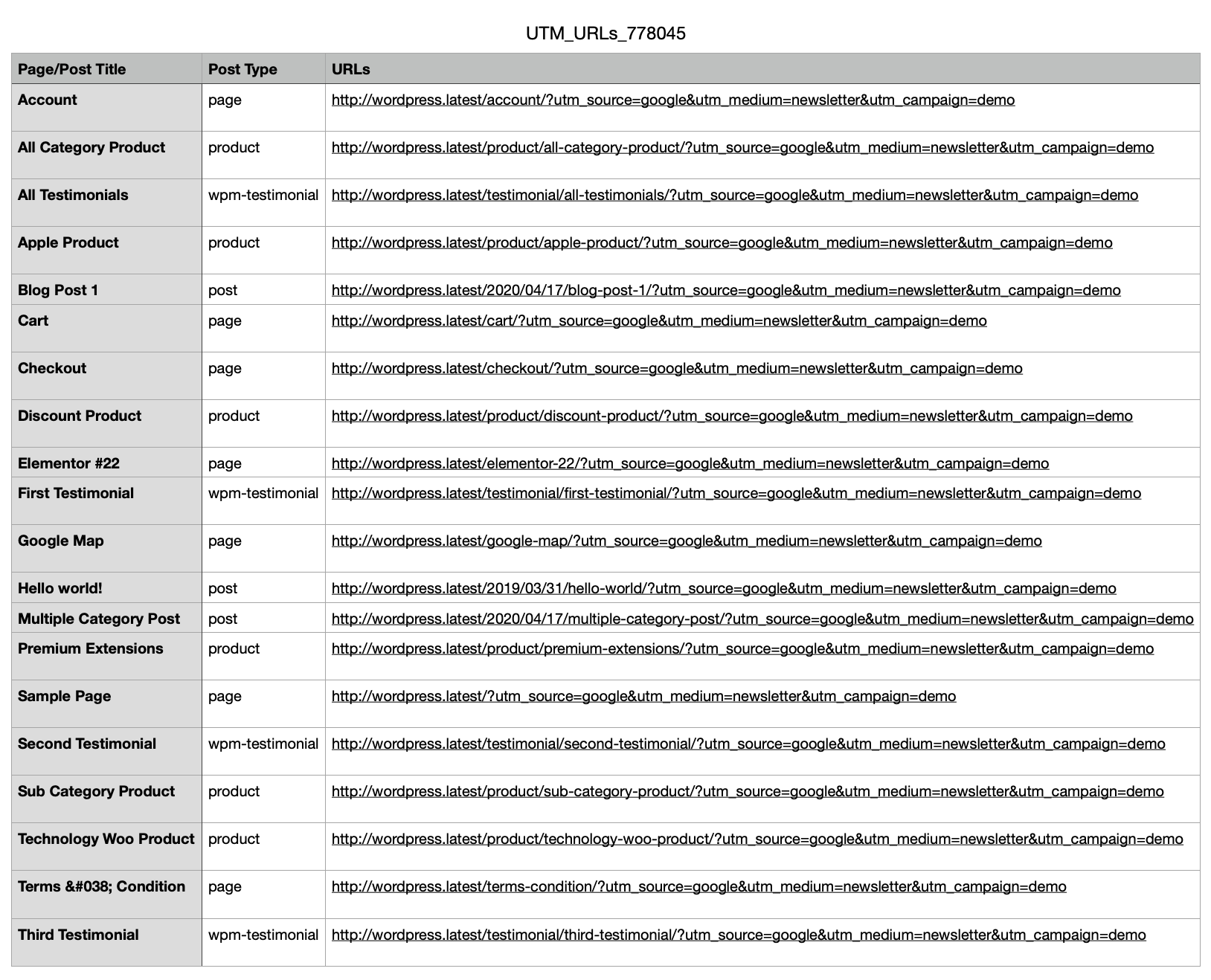
Sample UTM URLs Generated in CSV File
Changelog
1.1
- supports post filtering by status
- bit of formatting adjustments
- generates file name randomly
- tested with 5.5
- dashboard design improvements
1.0
- Initial release