

Easy Woocommerce Customizer
Easily customize your WooCommerce store with tons of options without writing a single code. More than 30+ woocommerce custom options
Plugin info
Maintenance & Compatibility
Maintenance score
Possibly abandoned • Last updated 3375 days ago • 1 reviews
Is Easy Woocommerce Customizer abandoned?
Possibly abandoned (last update 3375 days ago).
Compatibility
Similar & Alternatives
Explore plugins with similar tags, and compare key metrics like downloads, ratings, updates, support, and WP/PHP compatibility.
Description
Easy Woocommerce Customizer plugin allow you to customize many of woocommerce things with plenty of features without manually writing codes.
Features
- Enable Customer Contact – Customers can contact to admin from their My Account page
- Change Add to Cart Text on Products Page
- Change Add to Cart Text on Single Product Page
- Change Add to Cart Text on Simple Product Type
- Change Add to Cart Text on Variable Product Type
- Change Add to Cart Text on External Product Type
- Change Add to Cart Text on Grouped Product Type
- Change Add to Cart Text by Product ID
- Change Add to Cart Text by Product ID Text
- Change Add to Cart Text on Products Page
- Remove Billing First Name from Checkout Page
- Remove Billing Last Name from Checkout Page
- Remove Billing Company from Checkout Page
- Remove Billing Address 1 from Checkout Page
- Remove Billing Address 2 from Checkout Page
- Remove Billing City from Checkout Page
- Remove Billing State from Checkout Page
- Remove Billing Post Code from Checkout Page
- Remove Billing Phone from Checkout Page
- Remove Billing Fields if the product price is $0 or free from Checkout Page
- Remove Order Note from Checkout Page
- Rename Order Comments from Checkout Page
- Change Placeholder Text from Checkout Page
- Custom Checkout Message
- Guest Checkout Login Message
- Change Free Product Price Text
- Change Sale Text
- Search Placeholder Text Change
- Remove Sort by popularity – remove popularity option from product sorting
- Remove Sort by average rating
- Remove Sort by newness
- Remove Sort by price
- Remove Related Products
- Remove Shop Breadcrumb
- +more coming
Installation
Installing this plugin as regular wordpress plugin. First you need to install or activate woocommerce plugin then install Easy Woocommerce Customizer.
After activate the plugin you will find a dashboard menu called Woo Customizer. You can change anything from admin panel according to your needs.
Frequently Asked Questions
Review feed
#1 Woocommerce Addon
Screenshots

option panel.
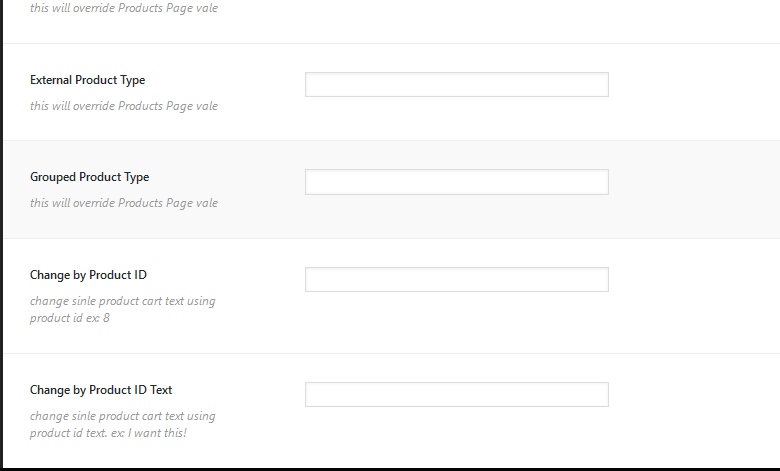
option panel 2.

option panel 3.

option panel 4.

option panel 5.

option panel 6.
Changelog
1.0.2
- Added new option
1.0.1
- Added new features
1.0.0
- First Release