
EazyDocs – Knowledge Base, Wiki, Documentation & FAQ Builder
Build professional knowledge bases with unlimited docs, drag-and-drop editor, live search, and SEO optimization.
Plugin info
Maintenance & Compatibility
Maintenance score
Maintained • Last updated 120 days ago • Support resolved 25% • 83 reviews
Is EazyDocs – Knowledge Base, Wiki, Documentation & FAQ Builder abandoned?
Likely maintained (last update 120 days ago).
Compatibility
Languages
Similar & Alternatives
Explore plugins with similar tags, and compare key metrics like downloads, ratings, updates, support, and WP/PHP compatibility.
Description
The #1 WordPress Plugin for Building Professional Knowledge Bases, Help Centers & Documentation Sites
EazyDocs is the most comprehensive knowledge base and documentation plugin for WordPress. Create unlimited knowledge bases, help centers, wikis, and FAQs with zero limitations. Perfect for SaaS companies, software developers, agencies, e-learning platforms, and any business needing professional documentation.
Why Choose EazyDocs Over Other Documentation Plugins?
✓ Unlimited Everything – Create unlimited knowledge bases, docs, and categories with no restrictions
✓ Drag-and-Drop Editor – Organize and nest documents intuitively. No coding required
✓ SEO-Optimized – Built-in Schema.org integration, SEO-friendly architecture, and structured data
✓ Live Search – AJAX-powered search with instant results and smart suggestions
✓ Consistent Update & Improvements – Regular updates and improvements to keep the plugin secure, performant, and feature-rich.
✓ Beautiful by Default – Professional, modern design that works out-of-the-box
✓ Mobile-Responsive – 100% responsive and retina-ready on all devices
✓ Reader-Focused Design – Optimized for readability and user experience, not engagement metrics
EazyDocs is designed with your readers in mind. It features sticky navigation sidebars, automatic table of contents, reading time estimates, views tracking, and much more. Your knowledge base will be fast, attractive, and easy to navigate.
Video Overview – See EazyDocs in Action
Trusted by Thousands of Businesses
Over 50,000+ websites use EazyDocs to power their documentation, from small teams to enterprise organizations.
Real Success Stories
- Bit Apps – Complete SaaS documentation
- Glamsy Designs – Product knowledge base
Getting Started
Quick Start Guide
- Install EazyDocs from the WordPress plugin directory
- Activate the plugin
- Go to EazyDocs > Getting Started
- Create your first knowledge base
- Add docs and organize with drag-and-drop
Need Help?
– 📚 Full Documentation
– 🎥 Video Tutorials
– 💬 Support Forum
– 🚀 Live Demo
– ⭐ Upgrade to Premium
Core Features
Documentation Management
– Unlimited Knowledge Bases – Create as many knowledge bases as you need without any limitations
– Hierarchical Organization – Support for 4-level doc depth with drag-and-drop nesting (5 levels with Pro)
– Smart Doc Ordering – Intuitive drag-and-drop interface for organizing and restructuring docs
– Bulk Operations – Duplicate, manage visibility, and organize documentation in bulk
– Revision History – Track all changes and restore previous versions anytime
User Experience & Navigation
– Live Search with AJAX – Fast, intelligent search with instant results and smart suggestions
– Sticky Navigation Sidebar – Readers can navigate effortlessly while scrolling
– Automatic Table of Contents – Built-in, automatically generated TOC for easy navigation
– Collapsible Sidebar – Readers can focus on content without distractions
– Recently Viewed Articles – Users can quickly access their browsing history
– Related Articles – Automatic recommendations increase reader engagement
Reader Experience Tools
– Reading Time Estimates – Show how long each article takes to read
– Views Counter – Display how many times an article has been viewed
– Font Size Adjustment – Readers can increase/decrease font size for comfort
– Print Functionality – One-click printing with optimized formatting
– Article Tags – Organize and discover content by topic
– Reader Feedback – Collect valuable feedback on article helpfulness
– Article Voting – Let readers rate articles (helpful/not helpful)
– Comments & Discussions – Enable interactive engagement on articles
Customization & Design
– Beautiful Default Design – Professional, modern layout out-of-the-box
– Live Customizer – Change colors, fonts, and settings without coding
– Advanced Settings Page – Extensive customization options with real-time search
– Mobile-Responsive – 100% responsive design for all devices
– Retina-Ready – Crisp, clear visuals on high-DPI displays
– Dark Mode Support – Professional dark mode (Pro feature)
Technical & SEO Features
– SEO Optimized – Built with search engine ranking in mind
– Schema.org Integration – Rich snippets for better search visibility
– Multilingual Ready – Full WPML compatibility for global audiences
– RTL Language Support – Perfect for Arabic, Hebrew, and other RTL languages
– On-Demand Asset Loading – Lightweight footprint; assets load only on EazyDocs pages
– Page Builder Compatible – Works with Gutenberg and Elementor
Page Builder Integration
– Gutenberg Blocks – Pre-built blocks for dynamic doc page creation
– Elementor Widgets – Drag-and-drop widgets for Elementor page builder
– Shortcodes – Flexible shortcode system for advanced customization
Documentation Performance Tools
– Email Reporting – Receive analytics reports directly to your inbox
– Engagement Analytics – Track user behavior and content performance (Pro feature)
– Doc Excerpt/Summary – Add summaries to display in listings and previews
– Content Insights – Understand which articles are most helpful to visitors
Premium Migration & Integration
– BetterDocs Migration Tool – One-click migration to preserve all your existing documentation
– Google Login – Allow readers to sign in with Google accounts
– User Role Management – Control who can create and edit documentation (Pro feature)
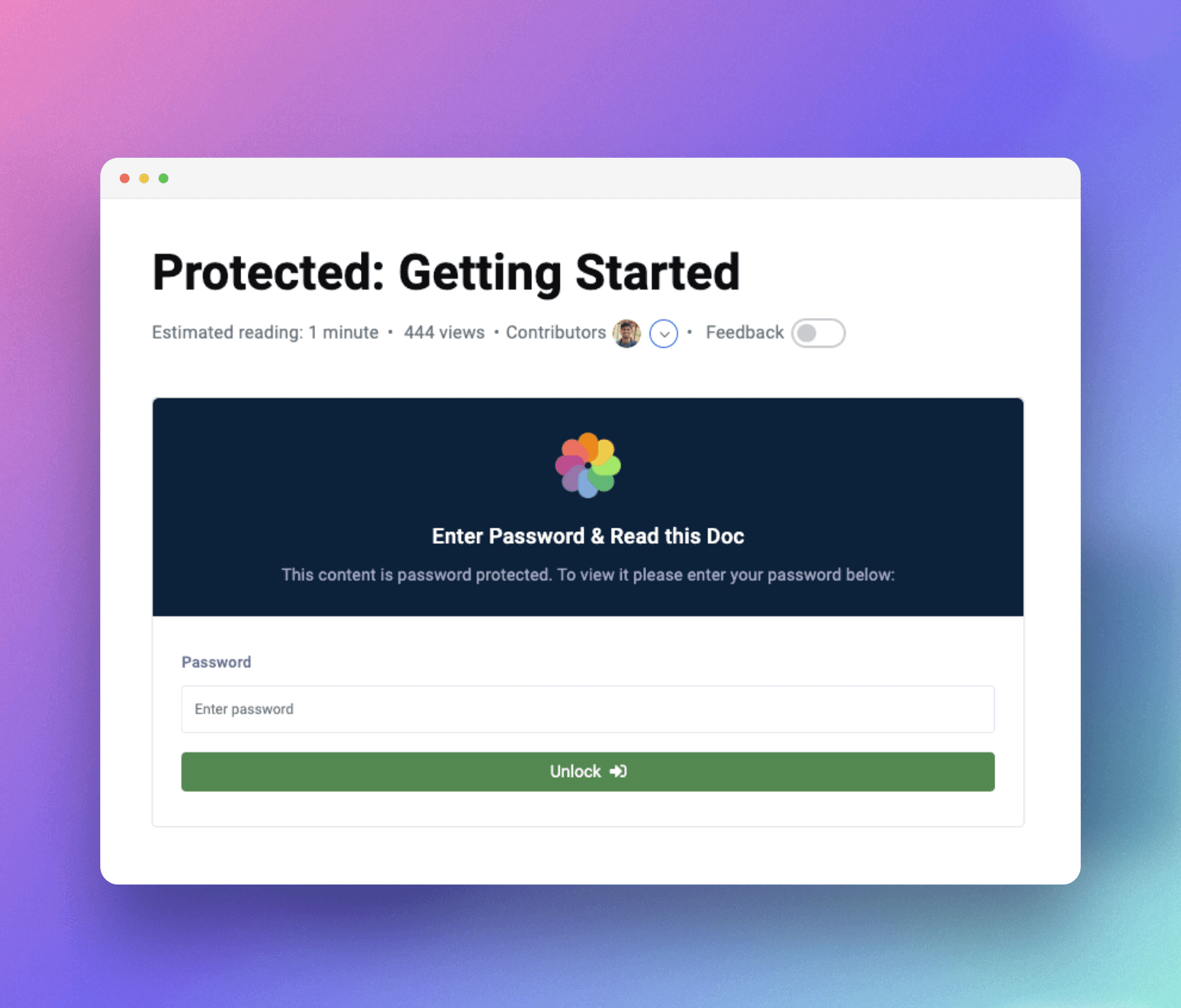
– Private Docs – Restrict access with login requirements or passwords (Pro feature)
How to Create a Knowledge Base Website with EazyDocs
Premium Plans & Features
EazyDocs comes with flexible pricing to suit businesses of all sizes:
EazyDocs Pro – Advanced Features
Unlock professional features perfect for growing businesses:
– Doc Root URL customization
– Book Chapter Elementor widgets
– Voting & Comments notifications
– Doc Helper Assistant with Contact Form
– Conditional Content dropdowns
– Ajax Doc Loading for faster performance
– Dark Mode for professional documentation
– OnePage Documentation layouts
– User Role Management (control who can edit)
– Docs Archive Masonry layouts
– Private Docs with login pages
– Glossary documentation
– Extended Doc layouts
– Doc Badges for content organization
– Suggested Search Keywords
– Bulk Duplicate Documentation
– Bulk Doc Visibility controls
– User Restrictions & IP limitations
– External Site Integration support
– Editable Single Doc Sidebars
– Full RTL Compatibility
– Users Feedback Database
– Attach documents to any page
EazyDocs Promax – Complete Solution
Everything in Pro, plus advanced analytics and management:
– Subscribe to Docs feature
– Feedback on Selected Text
– Complete Analytics Dashboard
– Frontend Contributor access
– Add/Edit docs from frontend
– Footnotes support
– Elementor pre-made templates
– Author/Contributor profile pages
– Daily/Weekly/Monthly Statistics Email Reporting
View All Premium Features & Pricing
How to Migrate from BetterDocs to EazyDocs
About the Developer
EazyDocs is developed by Spider Themes, a team of experienced WordPress developers dedicated to creating powerful, user-friendly plugins. Our mission is to help businesses and creators build professional documentation without complexity.
Why You Can Trust EazyDocs:
✓ Over 2,000+ active installations
✓ Trusted by businesses worldwide
✓ Continuously updated and improved
✓ Active community support
✓ Regular security updates and performance improvements
✓ Built by dedicated WordPress professionals
Installation
Minimum Requirements
– WordPress 5.0 or higher
– PHP 7.4 or higher
– MySQL 5.6 or higher
Installation Method 1: From WordPress Dashboard (Recommended)
1. Go to Plugins > Add New
2. Search for “EazyDocs”
3. Click “Install Now”
4. Click “Activate”
5. Go to EazyDocs > Getting Started to begin creating your knowledge base
Installation Method 2: Manual Upload via FTP/cPanel
1. Download the eazydocs.zip file
2. Extract the file
3. Upload the eazydocs folder to /wp-content/plugins/ via FTP or cPanel File Manager
4. Go to Plugins menu in WordPress and click “Activate”
5. Go to EazyDocs > Getting Started
After activation, you’ll see a setup wizard to help you create your first knowledge base in minutes.
Frequently Asked Questions
Yes! EazyDocs works seamlessly with all standard WordPress themes, including popular ones like Astra, OceanWP, GeneratePress, and others. It’s designed to integrate beautifully with any theme without conflicts.
EazyDocs stands out with unlimited knowledge bases, intuitive drag-and-drop organization, beautiful default design, built-in SEO optimization, live AJAX search, and reader-focused features like sticky sidebars and automatic TOC. It’s created specifically for creating professional documentation without coding.
Absolutely! EazyDocs is perfect for SaaS products. It includes user authentication, private documentation, role-based access control, multi-level doc organization, and all the features needed for a professional help center.
Yes, EazyDocs fully supports WordPress Multisite networks. You can create separate knowledge bases for each site or share documentation across your network.
Yes! EazyDocs Pro includes private documentation with login requirements, password protection, and user role-based access controls so you can restrict documentation to specific users.
Yes! EazyDocs includes powerful AJAX live search that returns instant results as users type. Search is intelligent and provides results at every documentation level with smart suggestions.
Absolutely. EazyDocs includes pre-built Gutenberg blocks and Elementor widgets for search functionality. You can add search bars anywhere on your documentation pages.
No coding skills required! EazyDocs is completely beginner-friendly with a visual interface, drag-and-drop editor, and straightforward settings. Everything can be customized through the WordPress admin.
Yes, EazyDocs is built with SEO in mind. It includes Schema.org integration, clean HTML markup, sitemap support, proper heading hierarchy, and all the technical SEO features needed to rank well in search engines.
Yes! EazyDocs is translation-ready and fully compatible with WPML. You can build multilingual documentation in any language, including RTL languages like Arabic and Hebrew.
Yes! EazyDocs includes a built-in one-click migration tool that transfers all your BetterDocs documentation. Go to EazyDocs > Migration to get started.
Yes! EazyDocs includes pre-built widgets and blocks for both Elementor and Gutenberg page builders, making it easy to create custom documentation pages.
EazyDocs has multiple support channels:
– Support Forum
– Documentation & Guides
– Video Tutorials
Yes! You can use EazyDocs on as many websites as you need. Each installation can have unlimited knowledge bases.
You can report bugs and contribute to the project on GitHub
Review feed
Nice job
Great plugin and support
Easy to use
Very Easy Documentation Builder Plugins
Excellent Docs plugin
Screenshots
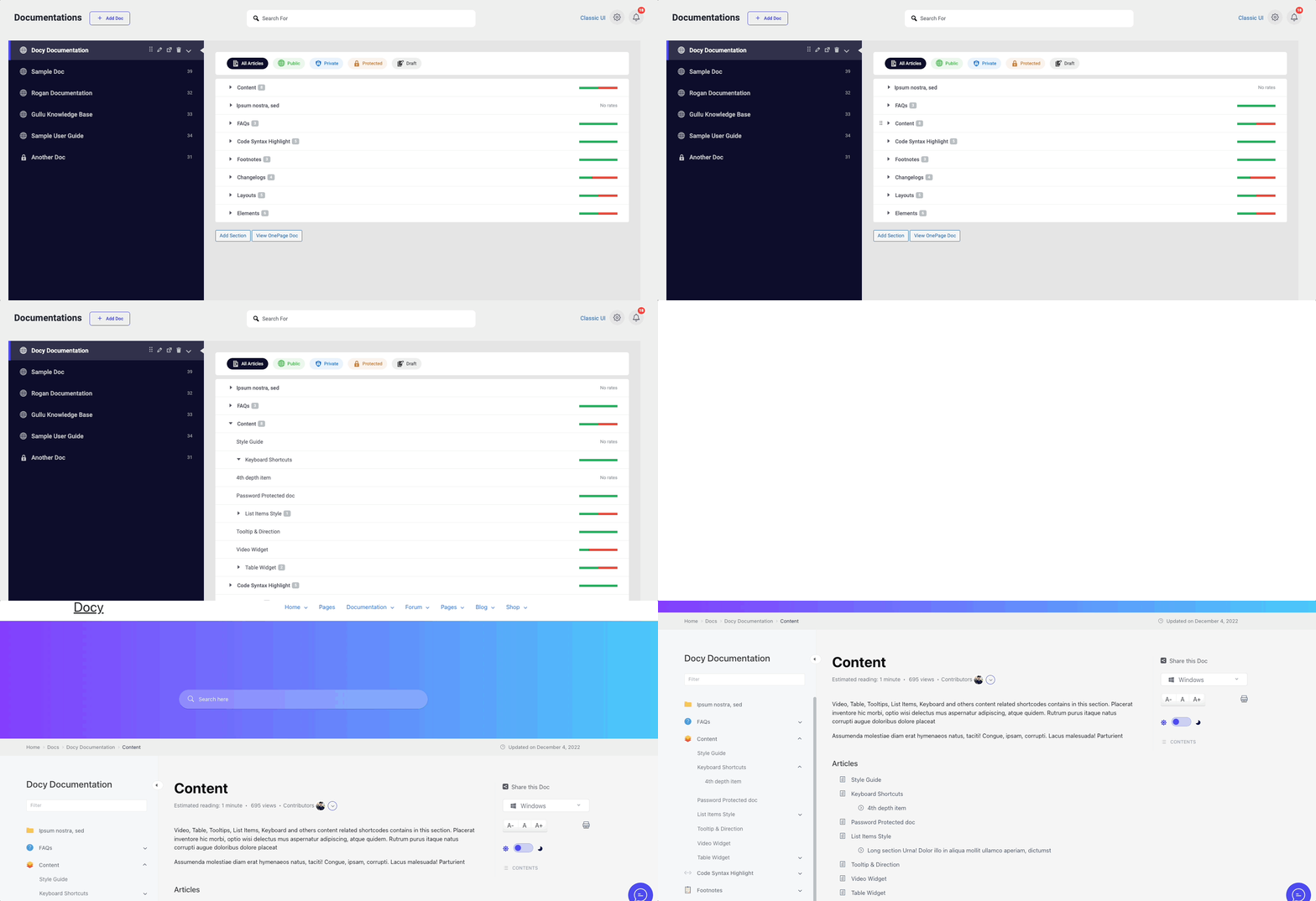
Intuitive drag-and-drop interface for organizing and nesting documentation
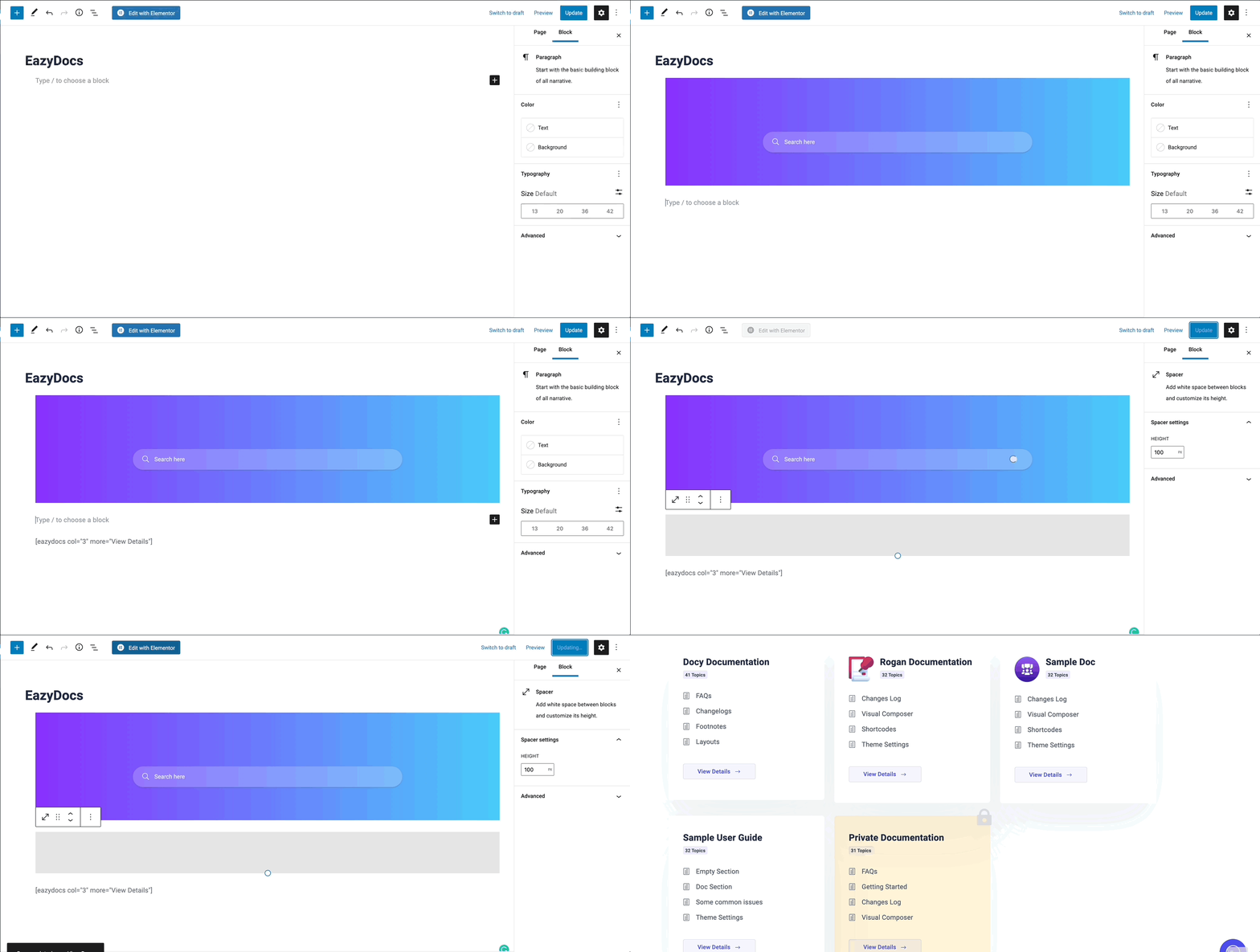
Beautiful, responsive knowledge base with live search functionality
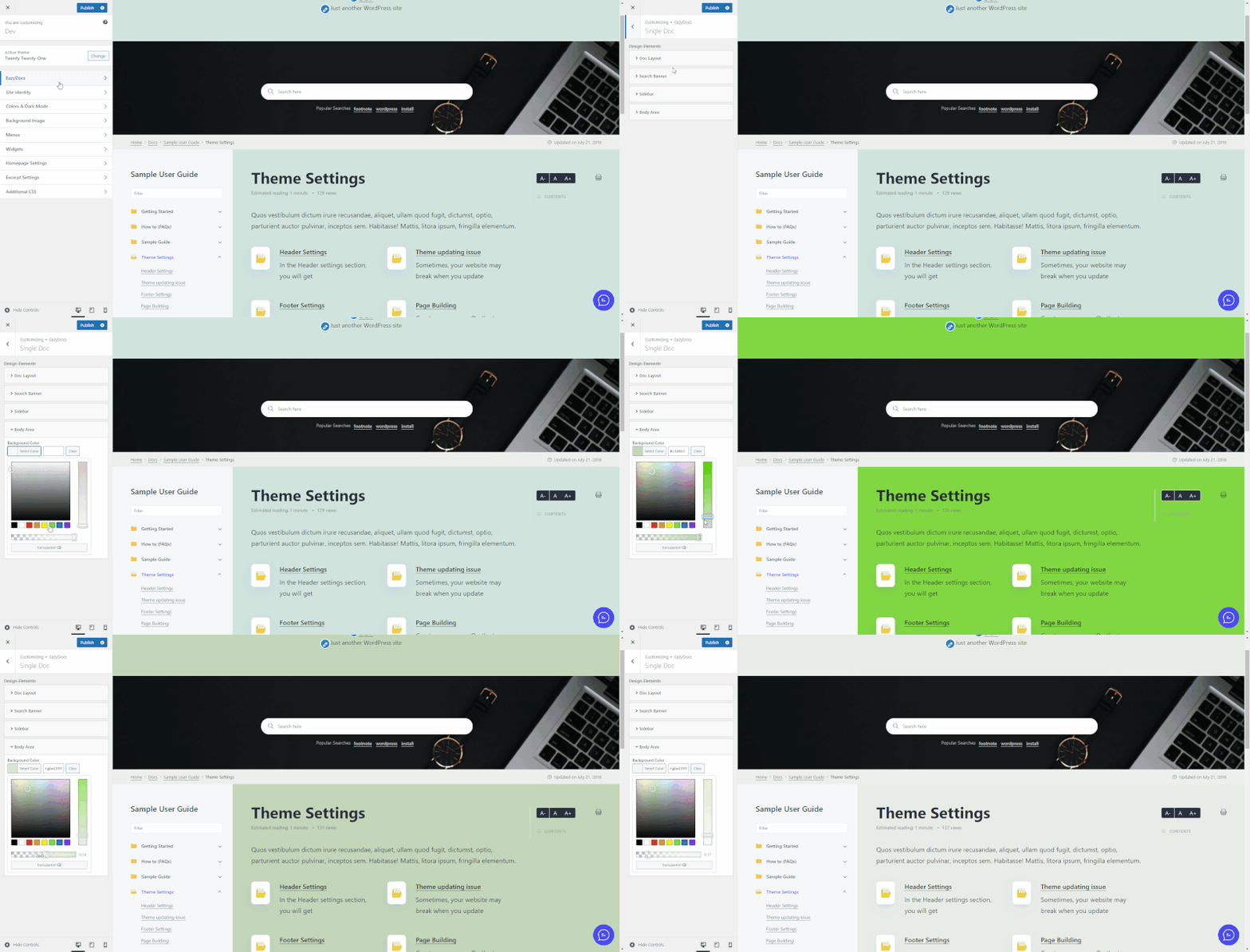
Live customizer with real-time color and font adjustments
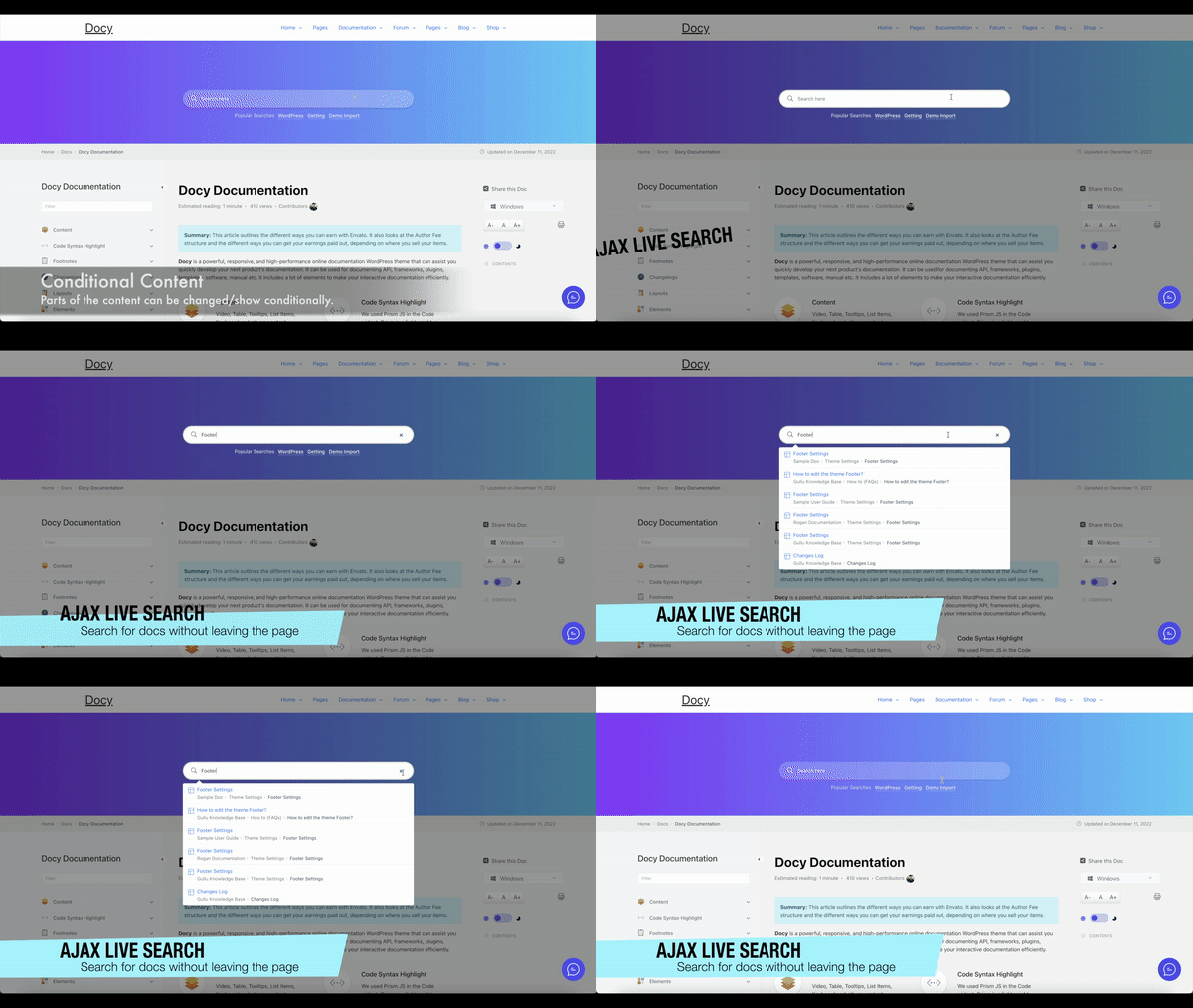
Fast AJAX live search with intelligent result suggestions
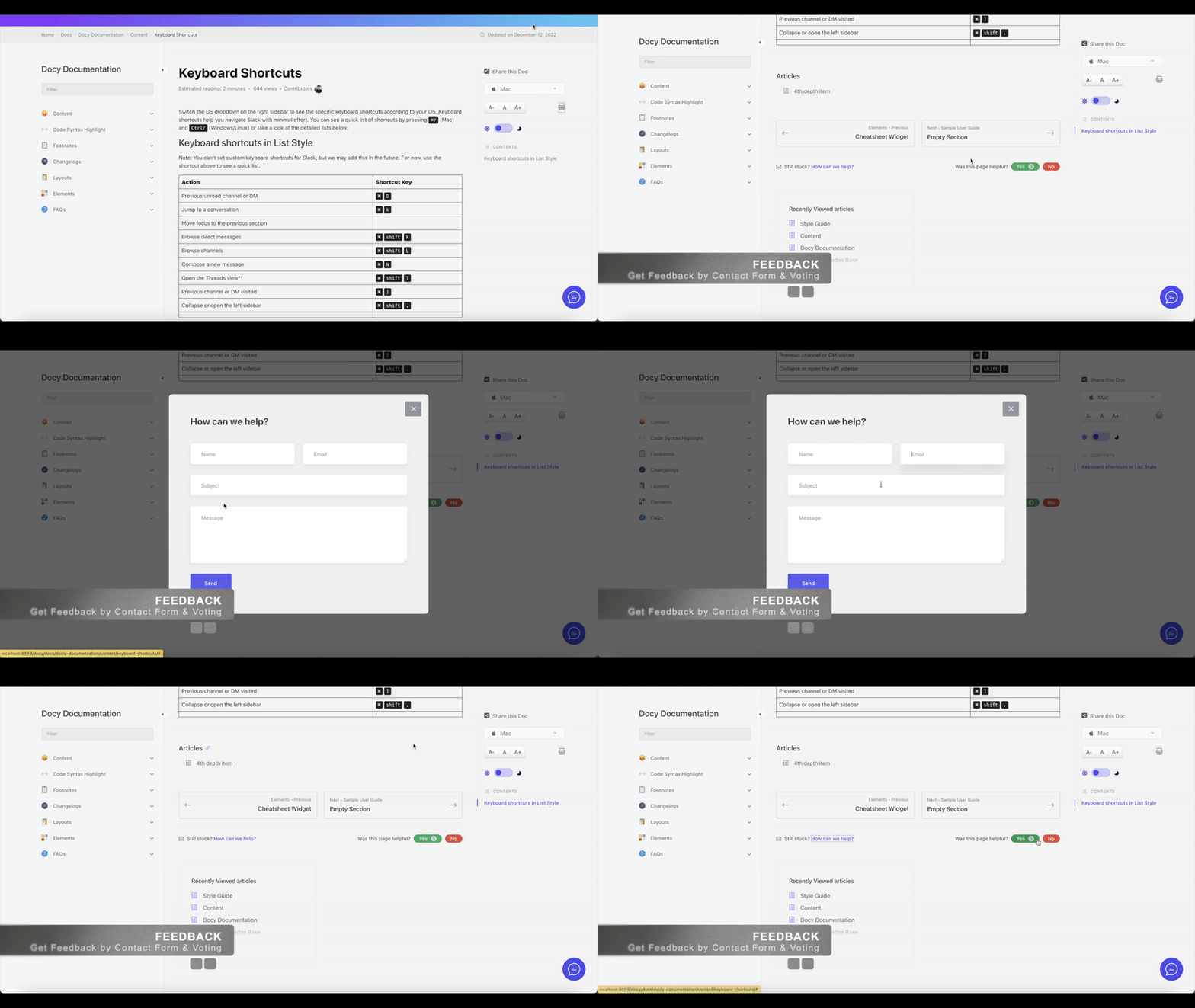
Reader feedback and article voting system to improve content
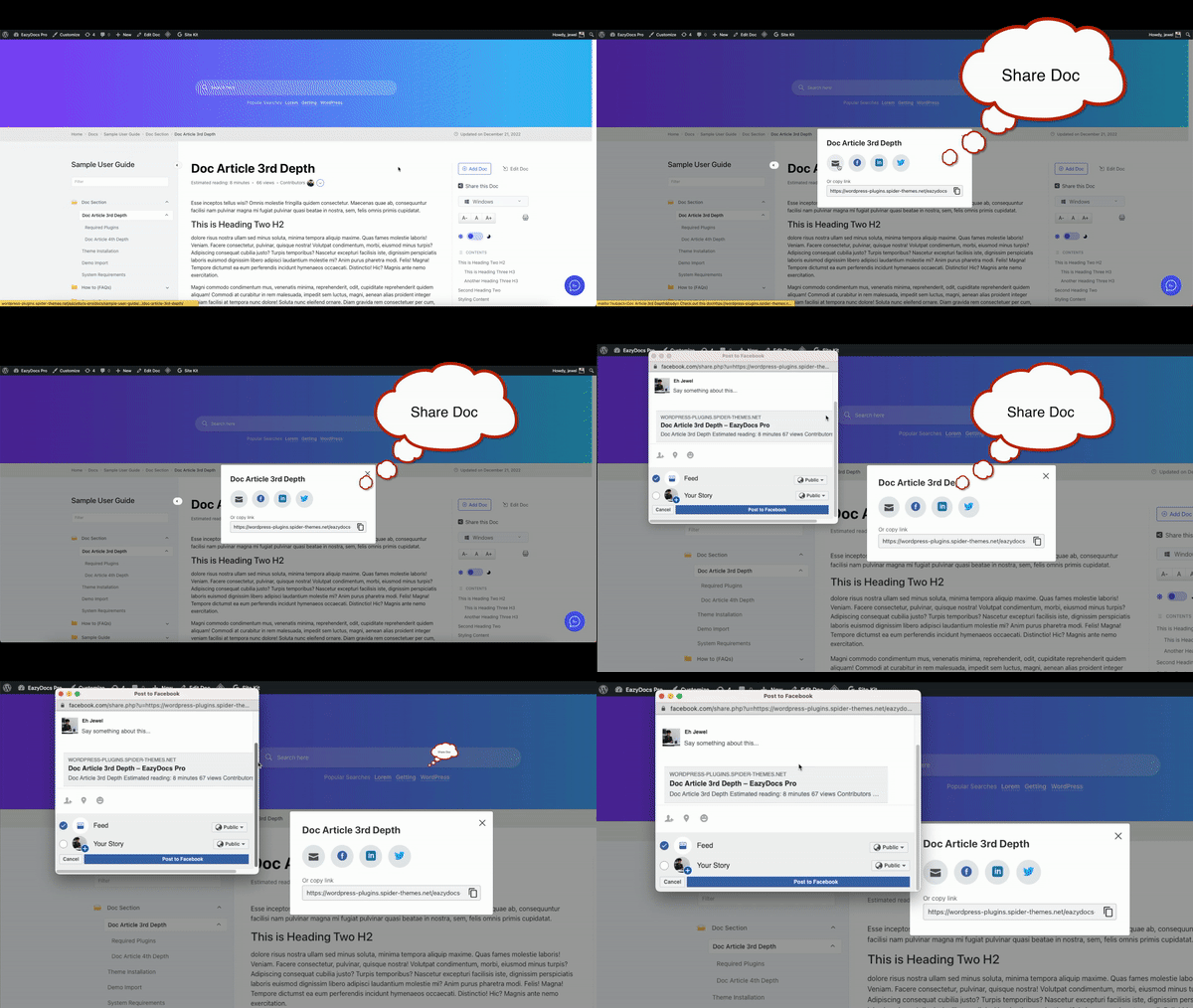
Social sharing buttons for easy documentation distribution

Changelog
2.8.0 (03 December 2025)
New: Added dedicated EazyDocs Admin Dashboard page
New: Added featured image support for the EazyDocs shortcode
Fixed: Prevented empty search submissions in all EazyDocs search forms
Fixed: Improved Previous/Next docs navigation markup and resolved structural inconsistencies
Improved: Major dashboard UI and analytics enhancements
– Added “View More” analytics link inside dashboard cards
– Fixed active-state issue on the Performance tab
– Updated search analytics chart with grey fallback when data is missing
– Added Top Ranked Docs section for engagement insights
Improved: WpEazy AI presentation added inside the Doc Builder
Improved: Enhanced security with added nonce verification and capability checks across AJAX/admin actions
Improved: Refactored doc creation logic to unify handlers and simplify Create_Post workflow
Improved: Strengthened permission checks across review notices, CSF import/export/reset, and one-page edit actions
Improved: Refactored Google_Login enrollment logic for clarity and maintainability
Improved: Refreshed search banner and breadcrumb colors for a cleaner look
2.7.4 (14 November 2025)
Fixed: Database deadlock issue caused by uppercase SQL column types in CREATE TABLE statements triggering unnecessary dbDelta operations on every request
Fixed: Local File Inclusion (LFI) vulnerability patched in template loading functions
Fixed: Resolved Advanced Accordion Block plugin installation issue in FAQ Builder
Security: Added input validation and path traversal protection to eazydocs_get_template_part() and eazydocs_get_template() functions
Security: Implemented whitelist validation for template file paths to prevent arbitrary file inclusion
Improved: Normalized all SQL DDL statements to lowercase to ensure compatibility with WordPress dbDelta function
Improved: Replaced hardcoded color values with CSS variables for the attached file accordion
Improved: Sanitized URL hash on docs page load for enhanced security
2.7.3 (08 November 2025)
Tweaked: Minor CSS and style improvements for visual consistency
Tweaked: Removed the border-bottom from the last search result item for a cleaner visual appearance
Improved: Heading scroll offset adjusted for accurate anchor positioning
Improved: Doc single page typography refined for better readability
Updated: Attached files feature updated using WordPress hooks for better extensibility
2.7.2 (16 October 2025)
Fixed: Grid and masonry layout issues resolved in both single and multi-docs Elementor widgets for consistent display
Fixed: Broken Access Control vulnerability resolved by adding proper permission checks to AJAX endpoints
Fixed: Single docs layout collapsed issue with WoodMart theme
Fixed: Vulnerability issues
Tweaked: Security and code consistency improved
Tweaked: Refined constant definitions and removed redundant code
Tweaked: Improved handling of dynamic content and AJAX endpoints
Tweaked: Doc single page markup updated to make it more SEO friendly
Enhanced: Documentation builder refined by reorganizing layout rendering logic across multiple templates for better performance and structure
Enhanced: Icon/featured image added to Docs widget tab on Style 3
Enhanced: CSS and UI consistency for better user experience
Improved: Input sanitization and validation to address potential vulnerabilities
Improved: Setup wizard made smoother and more user-friendly with efficient wrapper functions (ezd_render_setup_step_wrapper, ezd_render_setup_buttons)
Improved: Admin panel feedback section styling refined with better CSS alignment and layout adjustments for a cleaner interface.
Improved: Grammar in notices corrected and SCSS styling improved for consistency and visual appeal
Improved: Doc Sections design improved in the Single doc page
Reorganized: Repetitive code replaced with reusable helper functions (ezd_get_doc_items, ezd_render_doc_items_list, etc.) to improve maintainability
Updated: ezd_arrow() function now returns the icon class instead of echoing it, ensuring correct icon rendering in Elementor widgets
Updated: CSS optimized to make UI elements cleaner and ensure faster loading performance
Updated: Language files updated
2.7.1 (18 September 2025)
Tweaked: Docs Builder UI improved
Tweaked: Improved the review notice design
Tweaked: Removed unnecessary padding from highlighted text in left sidebar
Updated: Freemius SDK updated to 2.12.2