

eCards Lite
eCards is a WordPress plugin used to send electronic cards (eCards) to friends.
Plugin info
Maintenance & Compatibility
Maintenance score
Stale • Last updated 202 days ago • 6 reviews
Is eCards Lite abandoned?
Likely maintained (last update 202 days ago).
Compatibility
Similar & Alternatives
Explore plugins with similar tags, and compare key metrics like downloads, ratings, updates, support, and WP/PHP compatibility.
Description
eCards is a WordPress plugin used to send electronic cards to friends. It can be implemented in a page, a post, or the sidebar.
There are two ways you can use this plugin:
- Add the
[ecard]shortcode to a post or a page. -
Call the function from a template file:
if ( function_exists( 'display_ecardMe' ) ) {

echo display_ecardMe();

}
If your images are already uploaded, and they are present in your Media Library, use their IDs to display them:
[ecard id="1, 2, 3, 4, 78"]
The IDs correspond to images in your Media Library. This feature eliminates the need to manually attach images and also eliminates the need to upload the same image multiple times, just to have it attached to different posts or pages.
Documentation
Check out the eCards Documentation for advanced installation, usage, and setup instructions.
Premium Features
Just in case you want some advanced features, you can purchase the PRO version to get access to additional features for your eCards.
- 1 year support
- User uploads
- eCard designer
- Redirection (send users to a special “Thank You” page after sending an eCard)
- eCard Collections (design and organize your eCards and re-order your images)
- Include post/page content (useful if you have a certain eCard “story” or message you want to convey)
- Allow the sender to CC self
- eCard scheduling
- eCard CPT (developers only)
Installation
- Upload the
ecards-litefolder to your/wp-content/plugins/directory - Activate the plugin via the Plugins menu in WordPress
- Create and publish a new page/post and add this shortcode:
[ecard] - A new eCards menu will appear in WordPress Settings with options and general help
Frequently Asked Questions
Review feed
Compatible with the latest WordPress version
Screenshots
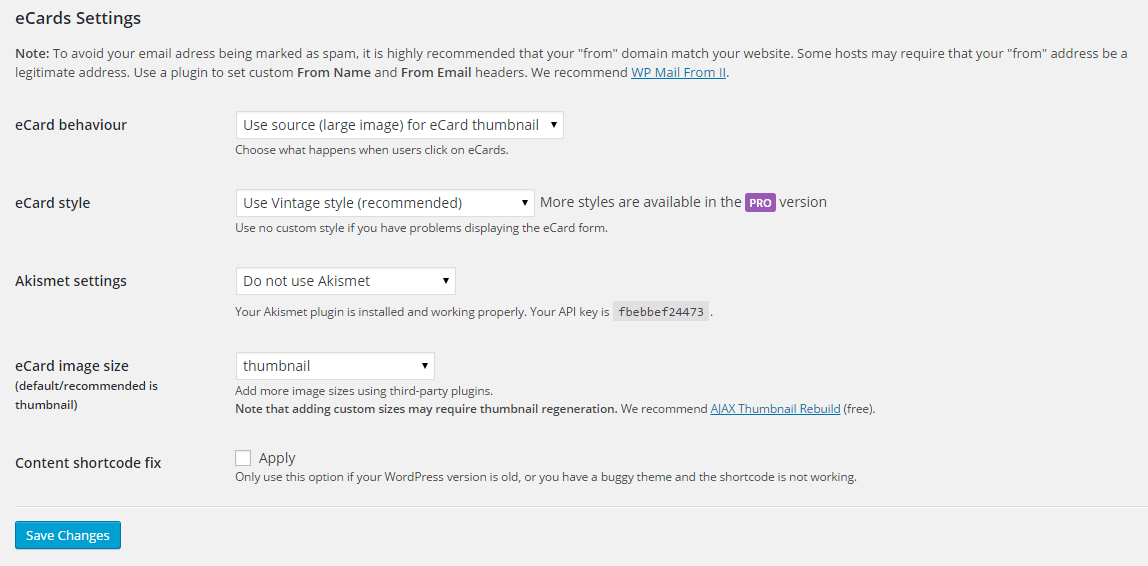
eCards Settings
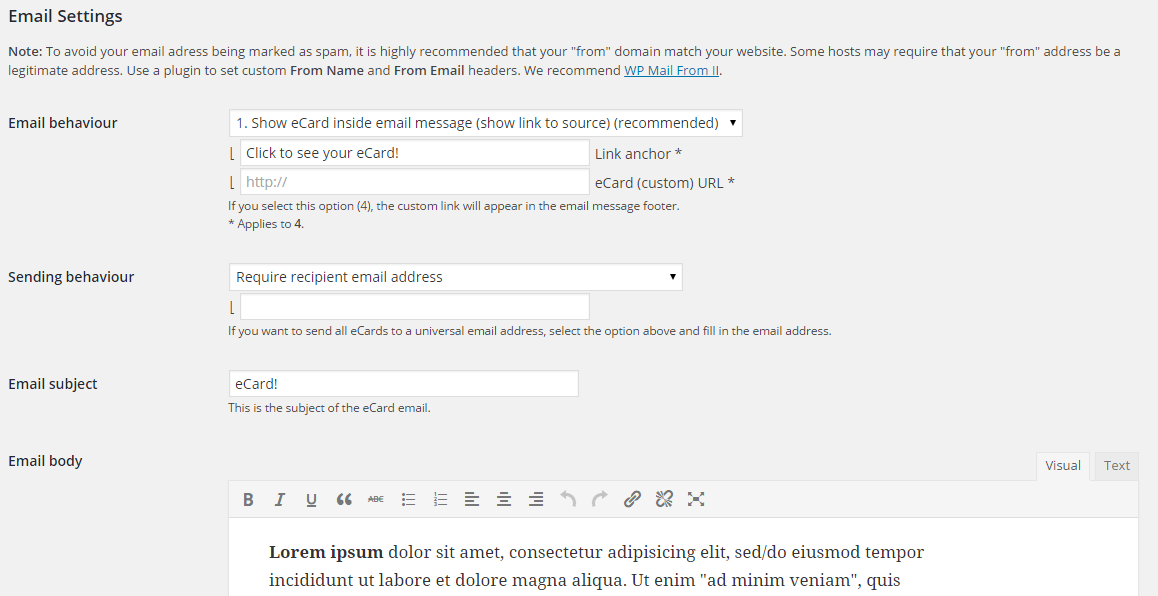
eCards Email Settings
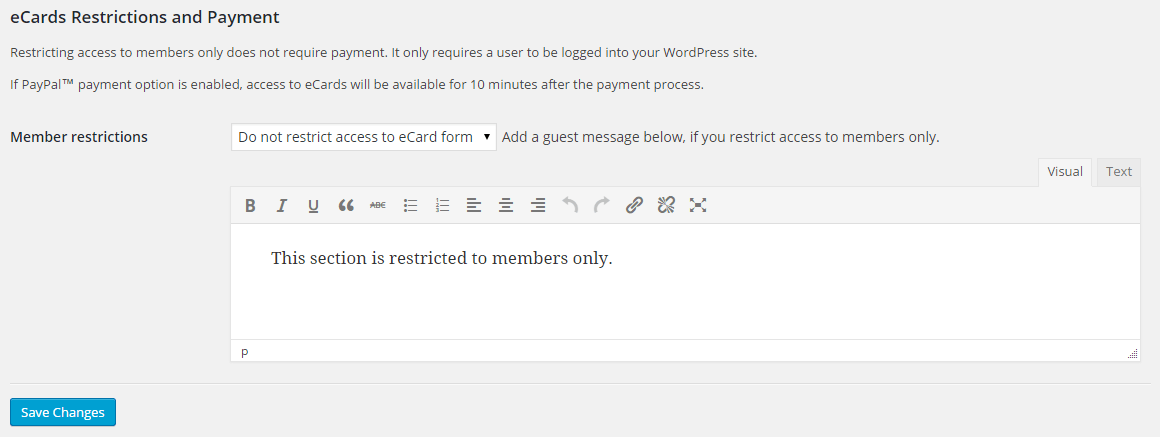
eCards Restrictions and Payment
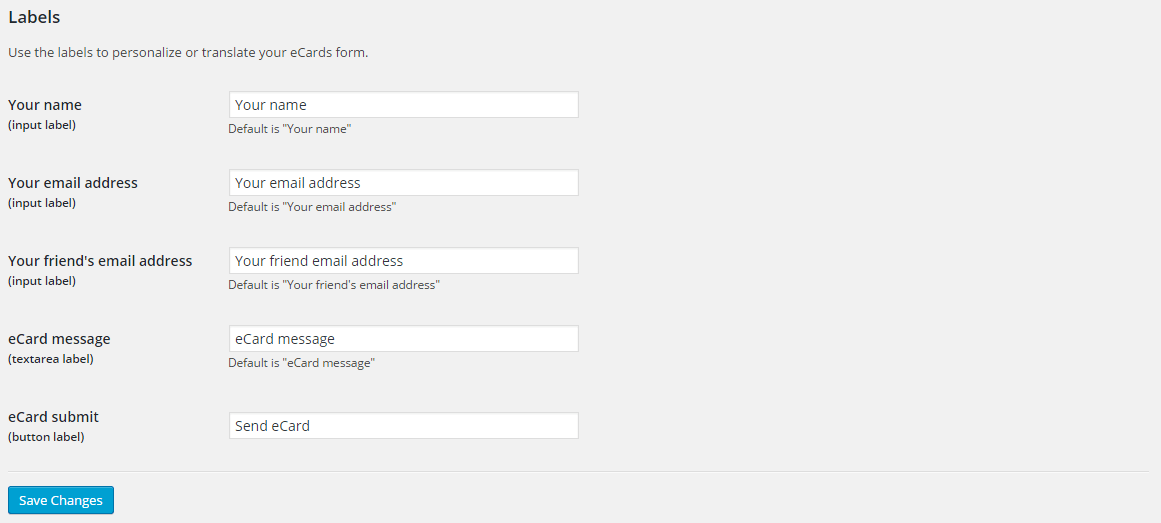
eCards Labels
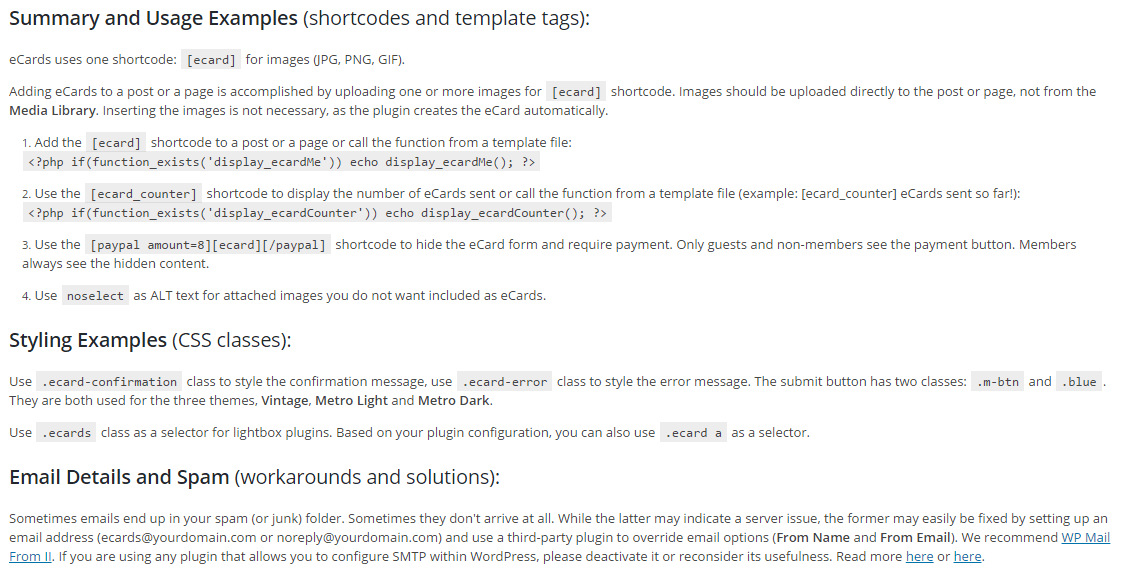
eCards Dashboard/Help/Usage
Changelog
4.3.2
- FIX: Fix removal of quotes from message content
- UPDATE: Update WordPress compatibility
4.3.1
- UPDATE: Update WordPress compatibility
4.3.0
- UPDATE: Update WordPress compatibility
- UPDATE: Remove Dropbox integration
- UPDATE: Remove dedicated email address
- UPDATE: Update PRO version links
4.2.5
- UPDATE: Update WordPress compatibility
- FIX: Code formatting fixes for PSR compliance
4.2.4
- UPDATE: Update WordPress compatibility
4.2.3
- UPDATE: Update WordPress compatibility
- UPDATE: Improve performance by enqueuing assets only when the form is visible
4.2.2
- UPDATE: Update WordPress compatibility
- UPDATE: Update plugin assets
- UPDATE: Add switches UI
4.2.1
- UPDATE: Update WordPress compatibility
4.2
- UPDATE: Remove all old 4.x options
- UPDATE: Remove admin.css (improve back-end performance and reduce dependencies)
- UPDATE: Remove
img/*(improve back-end performance, reduce dependencies and reduce overall plugin size)
4.1.8
- FIX: Fix several typos and remove unused feature descriptions
- FEATURE: Add ID parameter to allow custom images from Media Library
4.1.6
- UPDATE: Update PHP requirements
- UPDATE: Update WordPress compatibility
4.1.6
- UPDATE: Update PHP requirements
- UPDATE: Update WordPress compatibility
4.1.5
- UPDATE: Update WordPress compatibility
4.1.4
- UPDATE: Update WordPress compatibility
- UPDATE: Remove theme selector
4.1.3
- FIX: Fix incorrect function call
4.1.2
- FIX: Fix email sending
4.1.1
- FIX: Fix wrong filename
4.1
- FIX: Fix license information
- FIX: Fix SMTP plugin link
- UPDATE: Synchronize plugin with paid one
- UPDATE: Remove references to obsolete theme
4.0.5
- FIX: Fix large image size being hardcoded to thumbnail
- FIX: Fix code formatting for PSR compliance
4.0.4
- UPDATE: Group several developer-only settings
- FIX: Fix checkboxes not being unchecked
4.0.2
- FIX: Add
stripslashes()to message content - UPDATE: Add success message to labels list
4.0.1
- UPDATE: All emails now include the selected eCard as an image attachment
- UPDATE: Remove orphaned code from the paid version
4.0.0
- FIX: Remove deprecated phrase from the Diagnostics tab
- FIX: Add HTML content type fix and grouped debugging options together
- FIX: Fix formatting and line breaks for eCard content
- UPDATE: Synchronize with the paid version
3.8.1
- FIX: Performance fixes
3.8.0
- FEATURE: New onboarding tab
- UPDATE: More third-party recommendations
- UPDATE: More contextual help
- GENERAL: Code clean up
- GENERAL: Version synchronisation (with PRO version)
3.7.2
- UI: Add labels for form fields and move them above
- UI: Admin style fixes
3.7.1
- FIX: Fix conflict with old, undeleted file
3.7.0
- UPDATE: Remove included languages and move to WordPress.org translations
3.6.2
- FIX: Remove empty attachments field from
wp_mail() - FIX: Fix content restriction logic
- UPDATE: Update compatibility
- UPDATE: Update readme.txt URLs
- UPDATE: Better i18n handling
- UPDATE: Better security (directory scanning)
3.6.1
- FIX: Fix subject line escaping quotes
- FIX: Fix image size not being applied to the
<a>element - FIX: Fix individual image not being sent
- FIX: Add option autoloading for better performance
- FIX: Fix a “headers already sent” error
- FIX: Remove EOLs for PHP files in order to fix some rare server behaviour
- FEATURE: Add shortcodes to email subject
- UPDATE: Update wording for eCards UI theme
- UPDATE: Check latest WordPress compatibility
- UPDATE: Add utf8mb4 database table conversion
3.2.1
- FIX: Fix encoding issue
3.2.0
- FEATURE: Add dedicated email address
- FEATURE: Add
Reply-Toheader for emails
3.1.0
- FIX: Fix
include()syntax - FIX: Remove unused global variable
- FIX: Rename main plugin file for WordPress actions compatibility
- IMPROVEMENT: Reduce number of requests by moving function calls to
plugins_loaded - IMPROVEMENT: Remove unused options deletion
3.0.4
- FEATURE: Update WordPress compatibility
3.0.3
- FEATURE: Add WordPress plugin repository assets and screenshots
3.0.2
- SECURITY: Sanitize all options
3.0.1
- IMPROVEMENT: Remove radio button if there is only one image
3.0.0
- NEW: First public release
- FIX: Remove link from the labels tab
- FIX: Add missing update notice
- FIX: Fix missing image size from PayPal shortcode
- FEATURE: Add PRO/LITE version