
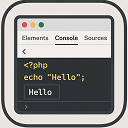
Echo Out Viewer
Short Description: A simple tool to output and inspect PHP variables directly in your browser for debugging purposes.
Plugin info
Maintenance & Compatibility
Maintenance score
Stale • Last updated 212 days ago
Is Echo Out Viewer abandoned?
Likely maintained (last update 212 days ago).
Compatibility
Similar & Alternatives
Explore plugins with similar tags, and compare key metrics like downloads, ratings, updates, support, and WP/PHP compatibility.
Description
Echo Out Viewer lets you easily display and inspect PHP variable output directly in the browser, using a console-like interface. Helpful for debugging and development.
Installation
- Upload the plugin files to the
/wp-content/plugins/echo-out-viewerdirectory, or install it via the WordPress plugin repository. - Activate the plugin through the ‘Plugins’ menu in WordPress.
- Use the
update_option('echo_out_viewer', $your_variable);function anywhere in your PHP code to view output in the browser.
Frequently Asked Questions
Use update_option('echo_out_viewer', $your_variable); anywhere in your theme or plugin to print readable output inside a styled block.
Yes, it’s designed to work in both the admin and frontend regardless of your theme.
- Initial release of the plugin.
Review feed
Screenshots

Swift Search admin panel.

Result User Interface .
Changelog
1.0
- Initial release of the plugin.