

Editor Full Width Gutenberg
This plugin adds custom css to change the default width of the Gutenberg editor to fullsize width.
Maintenance 24/1002067d since update
Active installs
4,000
Downloads
35,057
Reviews
18
Age
7.5y
Plugin info
Total downloads: 35,057
Active installs: 4,000
Total reviews: 18
Average rating: 4.9
Support threads opened: 0
Support threads resolved: 0 (0%)
Available in: 5 language(s)
Contributors: 1
Last updated: 8/4/2020 (2067 days ago)
Added to WordPress: 9/21/2018 (7 years old)
Minimum WordPress version: 4.9.8
Tested up to WordPress version: 5.5.0
Minimum PHP version: 5.6.0
Maintenance & Compatibility
Maintenance score
Possibly abandoned • Last updated 2067 days ago • 18 reviews
24/100
Is Editor Full Width Gutenberg abandoned?
Possibly abandoned (last update 2067 days ago).
Compatibility
Requires WordPress: 4.9.8
Tested up to: 5.5.0
Requires PHP: 5.6.0
Developers
Similar & Alternatives
Explore plugins with similar tags, and compare key metrics like downloads, ratings, updates, support, and WP/PHP compatibility.
Page Editor Full Width Option
Rating 0.0/5 (0 reviews) • Active installs 70
Responsive Block Control – Hide blocks based on display width
Rating 5.0/5 (4 reviews) • Active installs 1,000
Image Automatic Height Width
Rating 5.0/5 (3 reviews) • Active installs 500
Image Size Attributes Remover
Rating 5.0/5 (1 reviews) • Active installs 100
Show Current Width
Rating 0.0/5 (0 reviews) • Active installs 90
PMR | Add Image Dimensions Columns
Rating 5.0/5 (3 reviews) • Active installs 40
Description
This plugin adds custom css to change the default width of the Gutenberg editor to fullsize width.
Installation
Only Upload and Activate plugin
Frequently Asked Questions
No FAQ available
Review feed
Rami Yushuvaev
Awesome utility plugin
Does what it should do. Has no issues. Very simple implementation - adds CSS and only in WP Admin. Good work!
I loved it so much, that I translated the plugin to Hebrew.
hiroprot
So necessary!
The narrow width of the Gutenberg editor is a joke. This is so necessary. Thank you!
Chuckie
Thank you!
Just what I needed. I have been struggling with a limited width for too long!
Much appreciated having this plugin.
Adrian
Thanks
Just solves an issue, which shouldn't be one.
Thank you
Screenshots
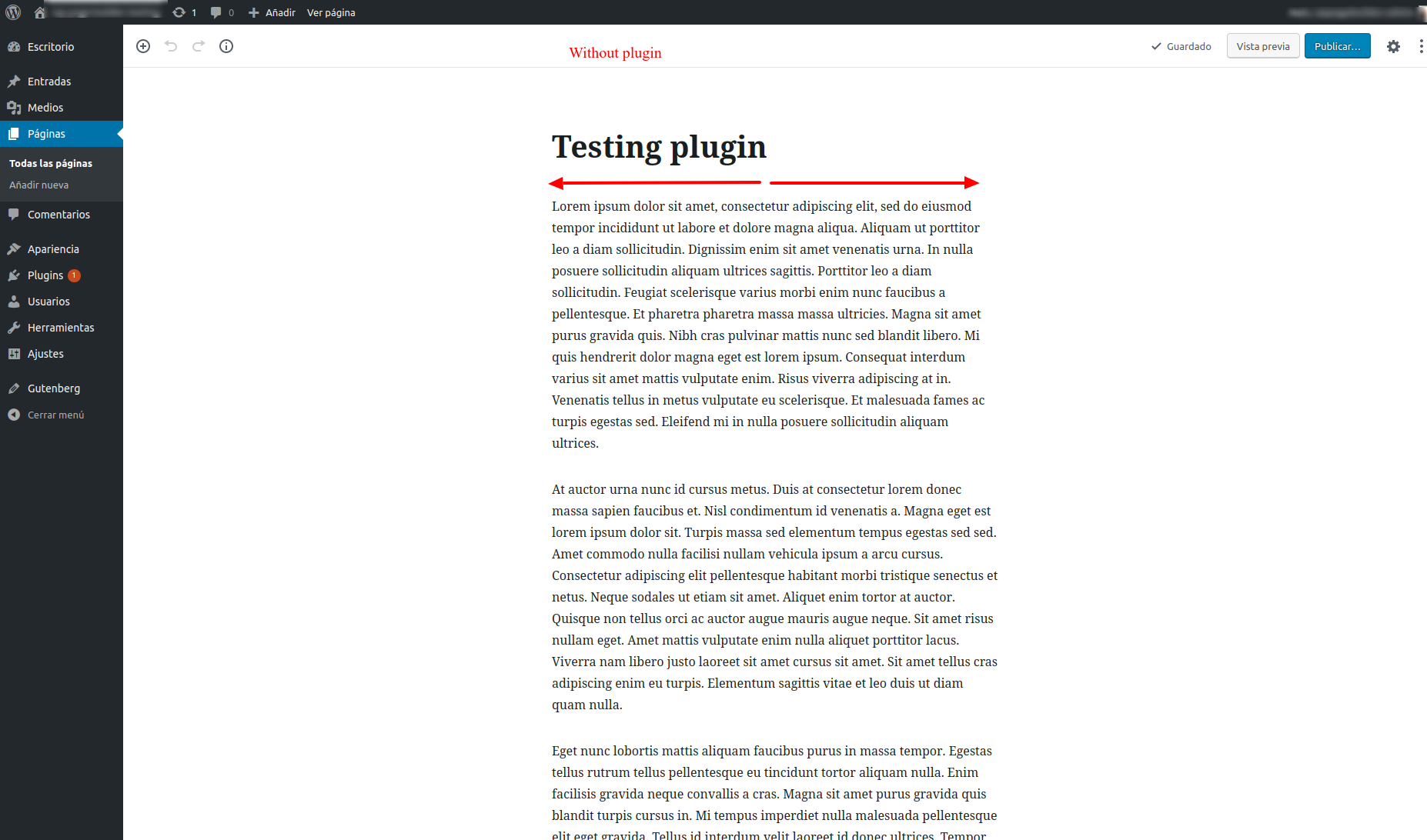
Plugin not installed or disabled

Plugin installed and activated
Changelog
No changelog available