
ELEX WooCommerce Catalog Mode
Easily turn your WooCommerce store into catalog mode with the best plugin designed for efficiency and effectiveness.
Plugin info
Maintenance & Compatibility
Maintenance score
Stale • Last updated 260 days ago • 17 reviews
Is ELEX WooCommerce Catalog Mode abandoned?
Likely maintained (last update 260 days ago).
Compatibility
Similar & Alternatives
Explore plugins with similar tags, and compare key metrics like downloads, ratings, updates, support, and WP/PHP compatibility.
Description
ELEX WooCommerce Catalog Mode plugin offers comprehensive solution to turn your store into catalog mode. All functionalities related to catalog mode we have made completely free! Not just that, you can replace the Add-to-Cart button with a custom button on product page and shop page. If you wish to redirect your customers to another site for specific products, you can set a custom URL for custom button on shop page.
Features
- WooCommerce Catalog Mode.
- Remove Add-to-Cart button.
- Replace Add-to-Cart button with a Custom Button.
- Hide product prices.
- Turn your WooCommerce Store into catalog mode.
- Redirect product page to third-party or affiliate sites, by assigning a custom URL for products on shop page.
How to enable WooCommerce Catalog Mode – Video
Premium Version Features
For complete list of latest features and details, please visit ELEX WooCommerce Catalog Mode, Wholesale & Role Based Pricing premium version product page.
👉 Premium Plugin Live Demo: Exclusive Live Demo Site
- WooCommerce Role based pricing.
- WooCommerce Cateogry Pricing.
- WooCommerce Wholesale Pricing.
- WooCommerce Customer Specific Pricing.
- WooCommerce Request a Quote.
- Role-Based WooCommerce Sales Tax Options.
- Supports Simple, Variable & Grouped Products.
- Add or Remove WooCommerce & WordPress User roles.
- Set up Role-based pricing for Simple & Variable Products on respective product pages.
- Option to apply Discount/Markup only on Sale Price.
- Hide individual products for various user roles.
- More customization options on individual product pages.
- WordPress Multilingual (WPML) Support.
- Timely compatibility updates and bug fixes.
- Premium Support!
Why WooCommerce catalog mode is necessary for your store?
There may be instances where you may consider revising product prices, updating your stocks, do not wish to display product prices to certain type of users, or are running into maintenance issues. In these cases, there are chances that your site traffic might drop, or even worse, you could lose your potential customers. Hence it would be ideal for your site to turn into WooCommerce catalog mode, so that you don’t lose your customers’ interest. A simple solution would be to let your customers know about the status of the product, by using a custom message, instead of order button.
About ELEXtensions
We are a group of WordPress and WooCommerce enthusiasts with a vision to solve genuine problems related to WordPress & WooCommerce stores.
Installation
- Upload the plugin folder to the /wp-content/plugins/ directory.
- Activate the plugin through the Plugins menu in WordPress.
- That’s it! you can now configure the plugin.
Frequently Asked Questions
1.What if I face issues with the plugin? Do you provide support for free products?
If you are facing any issues, please create a topic at plugin support section on wordpress org. Our team will respond back soon.
Review feed
Screenshots
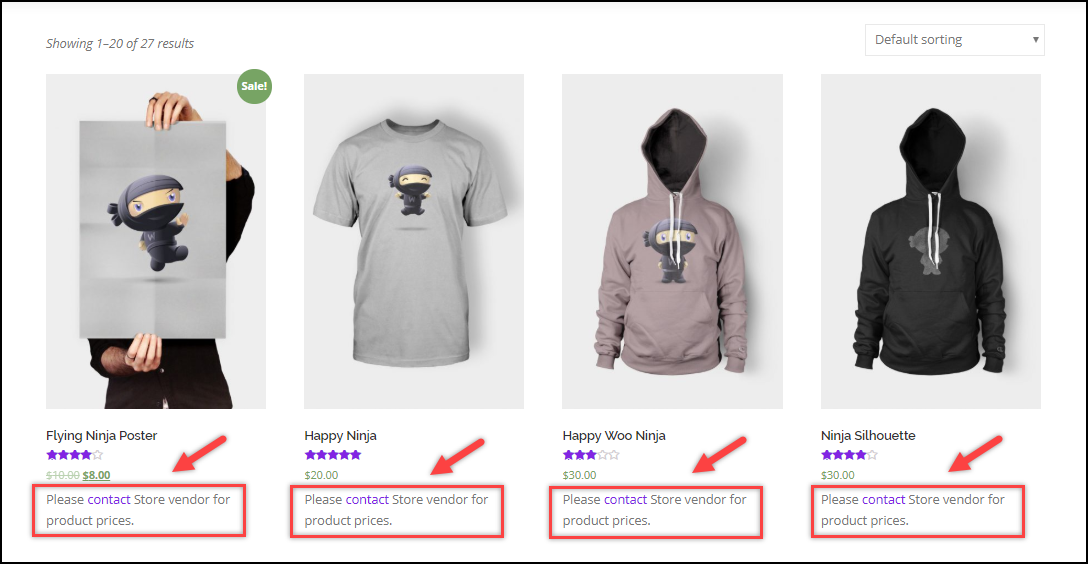
Remove Add-to-Cart Button.
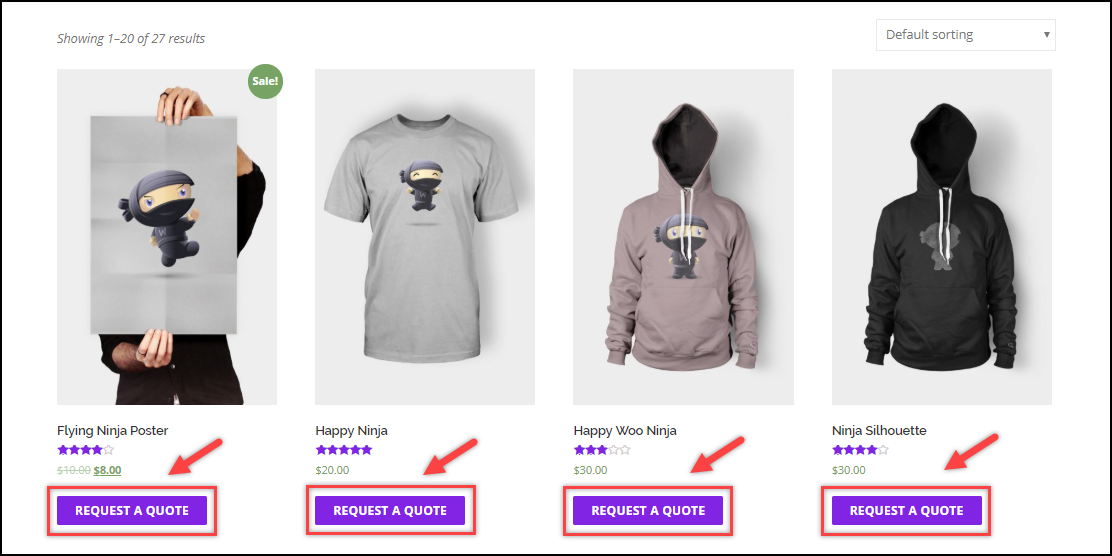
Request a Quote Button.
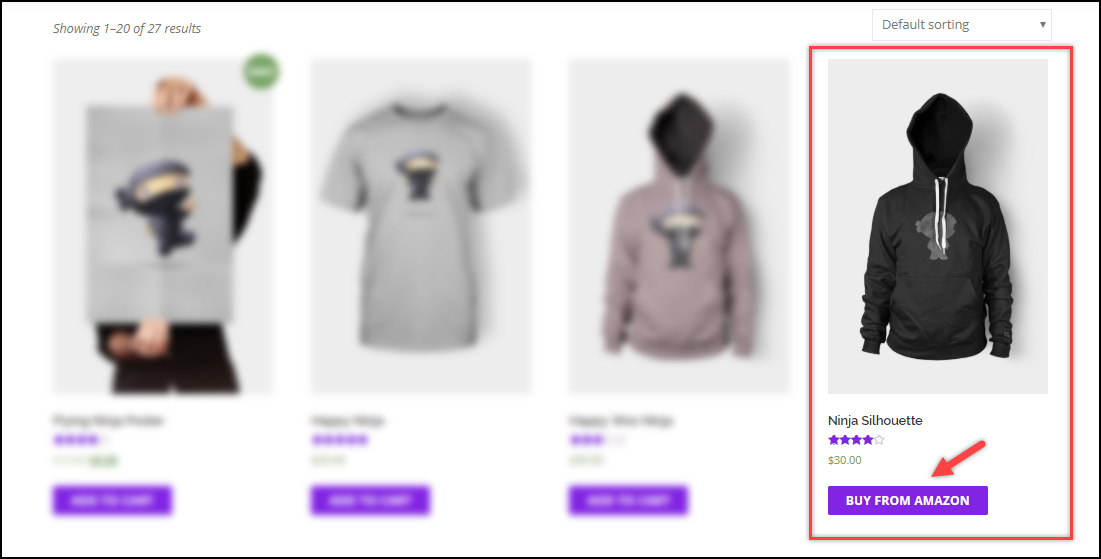
Individual Product Catalog Mode.
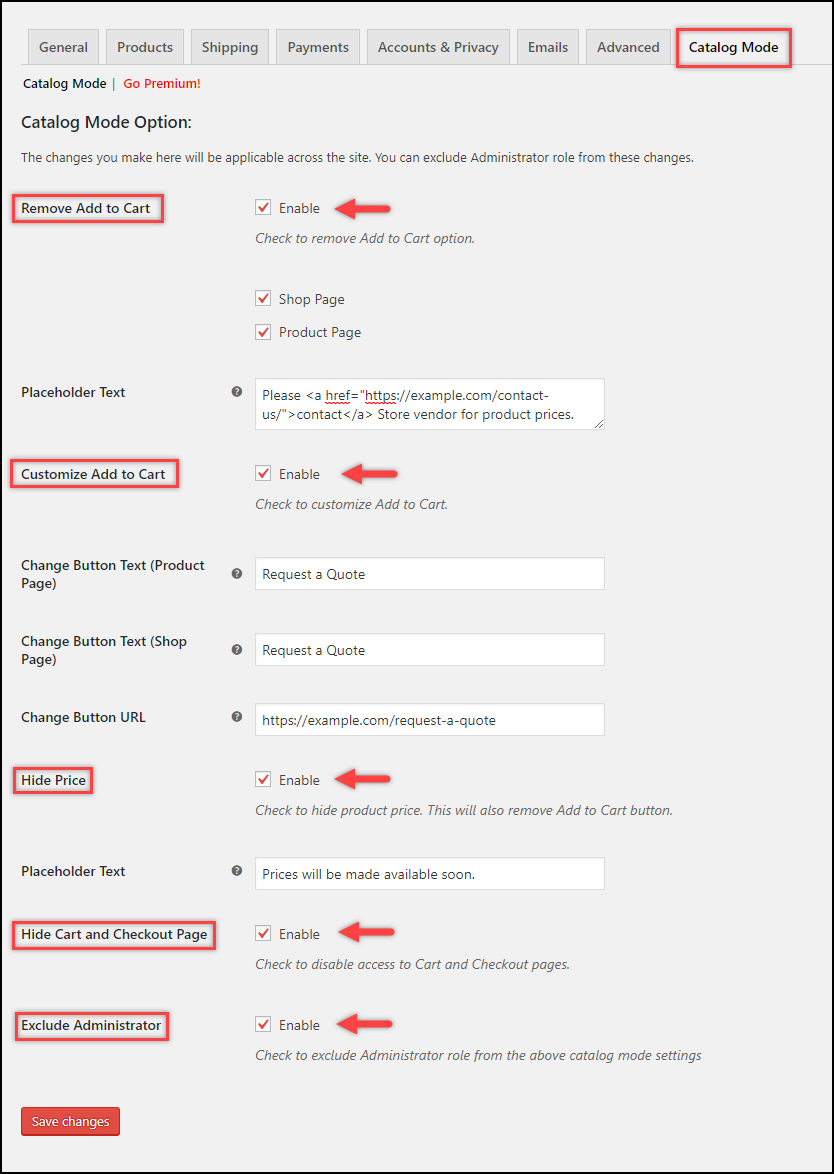
Catalog Mode Plugin Settings.
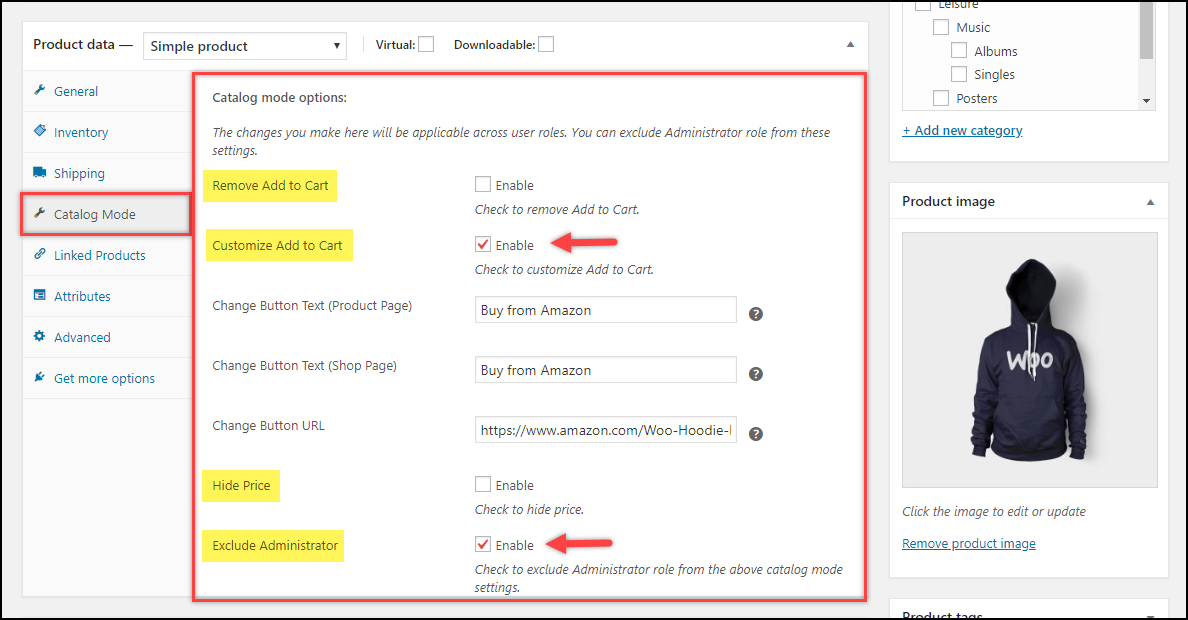
Individual Product Catalog Settings.
Changelog
1.5.2
- Tested OK with Woocommerce 10
1.5.1
- Tested OK with Woocommerce 9.9
1.5.0
- Tested OK with WordPress 6.8
- Tested OK with WooCommerce 9.8
1.4.9
- Tested OK with WooCommerce 9.7
1.4.8
- Tested OK with WordPress 6.7
- Tested OK with WooCommerce 9.4
1.4.7
Tested OK with WooCommerce 9.3
1.4.6
- Fixed Console Error
1.4.5
- Tested OK with WordPress 6.6
- Tested OK with WooCommerce 9.1
- Fixed console error
1.4.4
- Tested OK with WooCommerce 8.9
1.4.3
- Tested OK with WordPress 6.5
- Tested OK with WooCommerce 8.8
- Fixed compatibility issue with the Domain mapping system plugin.
1.4.2
- Tested OK with WooCommerce 8.6
- Fixed sale banner not visible for variable product
1.4.1
- Tested OK with WooCommerce 8.5
- Tested OK with WordPress 6.4
- Fixed issue with hiding quantity on remove “Add to Cart” functionality
1.4.0
- Made compatible with HPOS.
- Made compatible with php 8.2
- Tested OK with WooCommerce 8.2
- Tested OK with WordPress 6.3
1.3.3
- Fixed an issue with hide price feature when tags are added to the products.
1.3.2
- Made Compatible with WCFM.
1.3.1
- Tested OK with WooCommerce 7.8
1.3.0
- Tested OK with WooCommerce 7.7
- Tested OK with WordPress 6.2
1.2.9
- Tested OK with WooCommerce 7.1
- Tested OK with WordPress 6.1
1.2.8
- Tested OK with WooCommerce 6.7
1.2.7
- Tested OK with WooCommerce 6.6
- Tested OK with WordPress 6.0
1.2.6
- Tested OK with WooCommerce 6.4
1.2.5
- Tested OK with WooCommerce 6.1
- Tested OK with WordPress 5.9
1.2.4
- Tested OK with WooCommerce 5.9
1.2.3
- Tested OK with WooCommerce 5.8
1.2.2
- Made compatible with php code sniffer
- Tested with WooCommerce 5.7
1.2.1
- Tested with WooCommerce 5.6
- Tested with WordPress 5.8
1.2.0
- Tested with WooCommerce 5.5
1.1.9
- Tested with WooCommerce 5.4
1.1.8
- Tested with WooCommerce 5.3
1.1.7
- Tested with WooCommerce 5.2
- Tested with WordPress 5.7
- Resolved bug of go premium link
1.1.6
- Error in php 8.0 (required parameter $product follows optional parameter $price)
1.1.5
- Tested with WooCommerce 4.9
1.1.4
- Tested with WooCommerce 4.8
1.1.3
- Tested with WooCommerce 4.7
1.1.2
- Conflict issue with rolebased pricing basic version.
- Tested with WooCommerce 4.6
1.1.1
- Tested with WooCommerce 4.5
1.1.0
- Tested with WooCommerce 4.4
- Tested with WordPress 5.5
1.0.9
- Resolved Placeholder HTML strip issue.
1.0.8
- Tested with WooCommerce 4.2
1.0.7
- WPML translation issue.
1.0.6
- Checked with WooCommerce 4.1
1.0.5
- Minor change – content updated.
1.0.4
- Woocommerce 4.0.1
- WordPress 5.4 compatibility.
1.0.3
- Hide pricing not working.
- WordPress 5.3 compatibility.
1.0.2
- Updated content.
1.0.1
- Initial Push.