
Email Blacklist For Elementor Forms
Adds a text area control called "Blacklist" to the Elementor Forms control. Blocks outgoing emails if they match with any on the blacklist.
Plugin info
Maintenance & Compatibility
Maintenance score
Possibly abandoned • Last updated 459 days ago • 3 reviews
Is Email Blacklist For Elementor Forms abandoned?
Possibly abandoned (last update 459 days ago).
Compatibility
Developers
Similar & Alternatives
Explore plugins with similar tags, and compare key metrics like downloads, ratings, updates, support, and WP/PHP compatibility.
Description
If you need to prevent email addresses or entire email domains from being sent on an Elementor Form, this plugin will do that.
Stop unwanted Elementor Forms spam and create an email or domain name block list for your forms.
This is for Elementor Pro users only. This will not work with the free version of Elementor as it doesn’t support forms.
Plugin Page
Installation
- Ensure you are using Elementor Pro
- Download the plugin zip file & unzip it
- Copy the folder email-blacklist-for-elementor-forms into the directory /wp-content/plugins/
- Activate the plugin through the ‘Plugins’ menu in WordPress
Embed a new Elementor Form widget.
Add your comma separated email addresses or domain names into the Contents > Email Blacklist input area.
No more spam from those email addresses or domains.
Frequently Asked Questions
Nope.
Nope. Enter a full email address like this “[email protected]” or a domain name like this “@yanex.com”.
Probably not but it’s your site, so your choice. Expect some unhappy support tickets.
Review feed
Screenshots
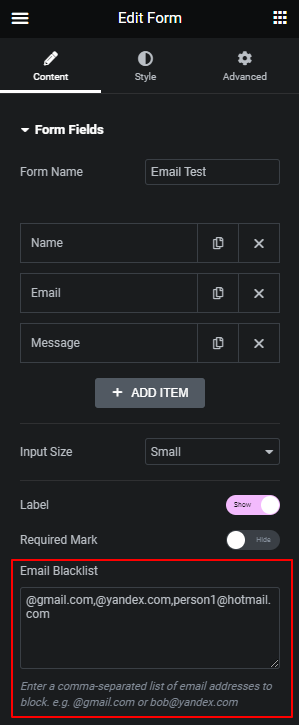
Email Blacklist text area on the Form widget control, content section.
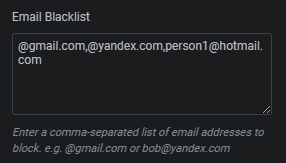
Add a comma separated list of items to block. Regex not supported.

Error message on form if any items match the block list.
Changelog
1.0
- Initial release.
1.1.0
- Added a filter ‘elementor_forms_blacklist_error_message_blocked’ to allow for a custom error message.
- Usage add_filter( ‘elementor_forms_blacklist_error_message_blocked’, function( $error_message, $blocked_email ) {
return sprintf( ‘Custom Error: The email or domain %s is not allowed.’, $blocked_email );
}, 10, 2 ); - Sanitised $field[‘value’] in validation check