

Email Validator for Comments
Blocks comment submission until the user confirms their email address with a one-time link. No accounts or captchas required.
Plugin info
Maintenance & Compatibility
Maintenance score
Stale • Last updated 240 days ago
Is Email Validator for Comments abandoned?
Likely maintained (last update 240 days ago).
Compatibility
Similar & Alternatives
Explore plugins with similar tags, and compare key metrics like downloads, ratings, updates, support, and WP/PHP compatibility.
Description
Stop fake or misused emails in your comment section.
This plugin prevents spam and ensures valid email ownership by requiring users to confirm their email address before a comment is submitted.
When a user leaves a comment, they’ll receive a one-time confirmation link by email. Their comment won’t appear until they click the link — no accounts, no passwords and no friction for real users.
Why Use It?
– Improves trust and deliverability.
– Cuts down on abuse, spam and bot activity.
– Ensures email addresses actually belong to the commenter.
– Comments from verified users go straight to approved or pending in the future.
Features
- Email confirmation required before comment is accepted.
- Comments with unconfirmed emails are automatically deleted after 3 days.
- One-time confirmation — verified commenters skip confirmation next time.
- Lightweight, secure, and privacy-friendly.
- Admin tool to manually clear all verified email records.
- No account creation required.
- No third-party services or API keys needed.
- Only one confirmation email sent per hour to a single email address to prevent abuse.
Installation
- Upload the plugin folder to the
/wp-content/plugins/directory. - Activate the plugin through the ‘Plugins’ menu in WordPress.
- That’s it — the plugin works automatically. No configuration required.
Frequently Asked Questions
Only temporarily. The commenter’s email and comment content are stored until confirmation. After that, the pending data is deleted automatically. Nothing is shared or transmitted to third parties.
No. Once a user confirms their email once, future comments from the same email will bypass the confirmation step.
If the confirmation link isn’t clicked within 3 days, the comment is automatically deleted.
Yes, it’s designed to work with most major caching solutions.
Review feed
Screenshots

The banner shown after a user submits a comment (telling them to confirm their email).

The one-time confirmation email.

The message shown after email is confirmed.
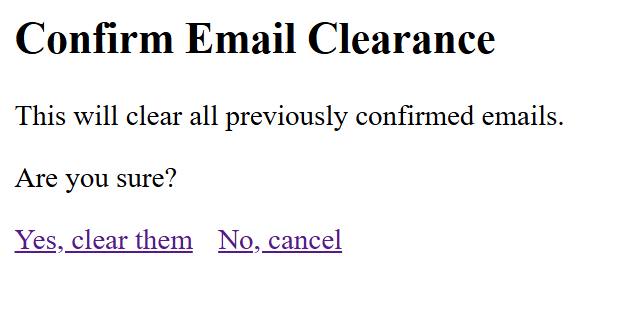
Admin confirmation prompt before clearing confirmed emails.

Email Validator admin tools screen.
Changelog
1.8.3
- Deprecated issues fixed
1.8.1
- Error fixes
1.8.0
- Added a view pending emails feature to admin tools.
1.7.0
- Added secure admin tools page for managing confirmed emails.
- Added display of current pending and confirmed email counts.
- Added nonce verification to confirmation link handling.
- Improved code security, sanitization, and performance.