

Email Marketing by EmailOctopus
Official plugin. Allows you to add EmailOctopus subscriber forms to your WordPress site.
Maintenance 52/100119d since update
Active installs
3,000
Downloads
37,028
Reviews
5
Age
10.5y
Plugin info
Total downloads: 37,028
Active installs: 3,000
Total reviews: 5
Average rating: 5
Support threads opened: 0
Support threads resolved: 0 (0%)
Available in: 1 language(s)
Contributors: 1
Last updated: 12/4/2025 (119 days ago)
Added to WordPress: 10/9/2015 (10 years old)
Minimum WordPress version: 5.0
Tested up to WordPress version: 6.9
Minimum PHP version: 7.4
Maintenance & Compatibility
Maintenance score
Maintained • Last updated 119 days ago • 5 reviews
52/100
Is Email Marketing by EmailOctopus abandoned?
Likely maintained (last update 119 days ago).
Compatibility
Requires WordPress: 5.0
Tested up to: 6.9
Requires PHP: 7.4
Similar & Alternatives
Explore plugins with similar tags, and compare key metrics like downloads, ratings, updates, support, and WP/PHP compatibility.
No similar plugins found yet.
Description
EmailOctopus makes email marketing easy;
Use this official plugin to display EmailOctopus subscription forms on your WordPress site.
EmailOctopus plugin features
- Connects securely to your EmailOctopus account.
- Build advanced forms.
EmailOctopus features
- Email marketing made easy. Simple, powerful tools to grow your business. Easy to use, quick to master and all at an affordable price.
- Build beautiful emails. Start with a pre-designed template and customise it with the easy-to-use email editor. Or build your own designs from scratch. Import HTML templates for full creative control.
- Set campaigns on autopilot. Save time and reach new subscribers while they’re most engaged with an automated welcome series. Simple drip campaigns onboard new customers and show them what you’re all about.
- Tailor your messages. Use insights and data to segment your subscribers into target audiences. Tag contacts to keep your data tidy and send highly targeted emails to boost engagement.
- Analyse the results. Keep track of your open, click and bounce rates with straightforward campaign reporting. See what’s working at a glance or dive into more detail with historical activity for your contacts.
Installation
- In your WordPress admin panel, go to Plugins > New Plugin, search for EmailOctopus and click ‘Install now’. Alternatively, download the plugin and upload the contents of emailoctopus.zip to your plugins directory, which is usually located at ‘/wp-content/plugins/’.
- Activate the plugin and enter your API key from EmailOctopus.
Frequently Asked Questions
You can email us at [email protected].
Review feed
payhip
Email subscribe done right!
A great plugin for an already great email service. Thank guys!
Screenshots
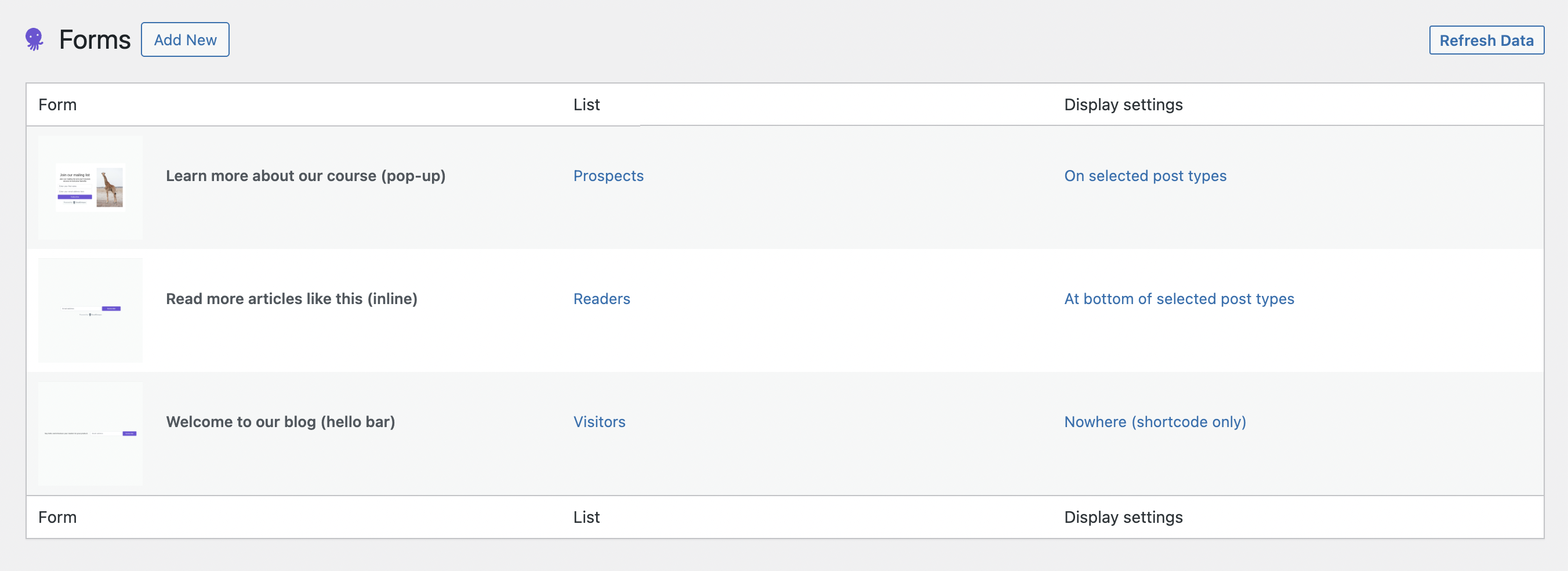
View all of your forms in the WordPress admin panel.
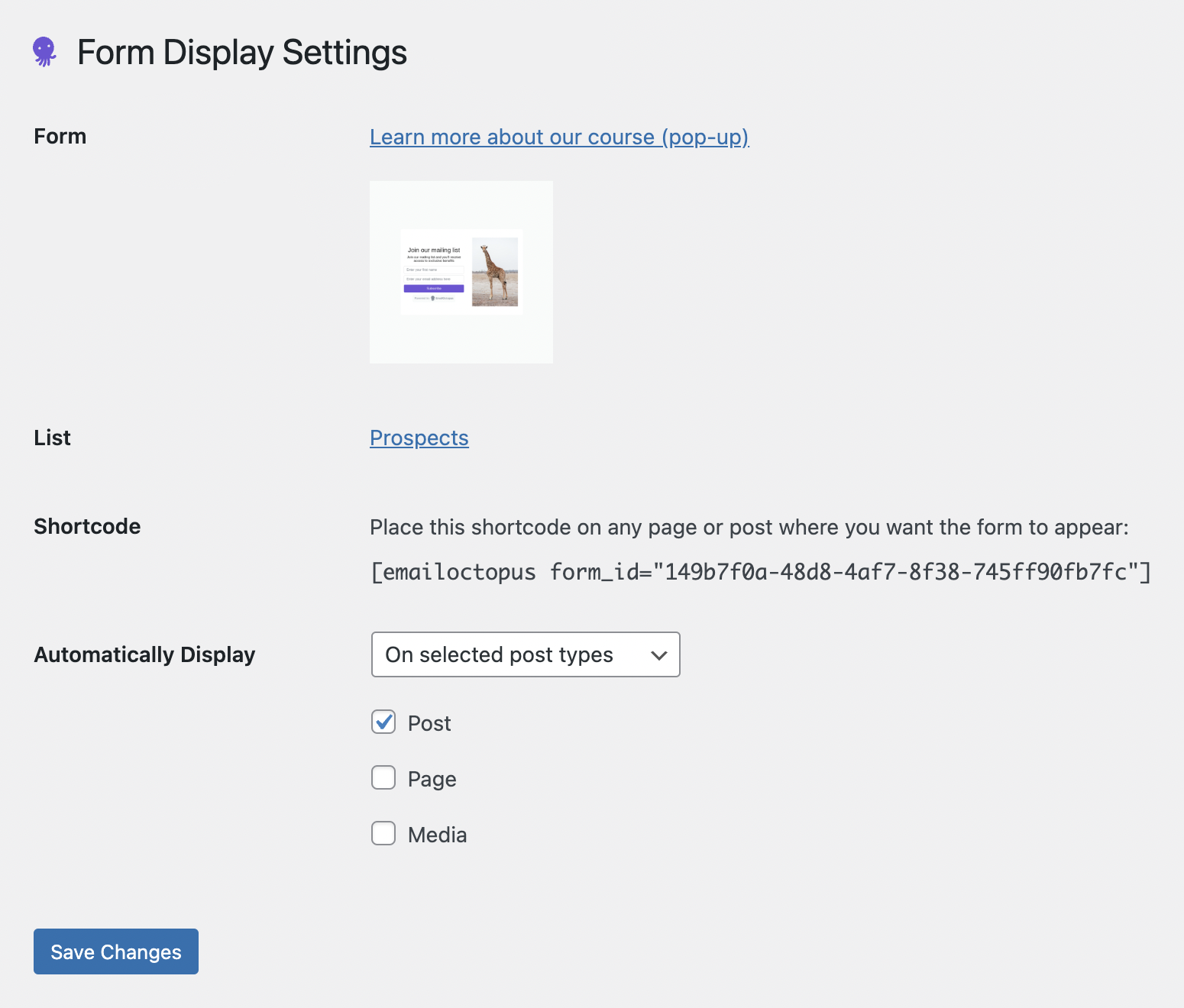
Configure the display settings for an individual form.
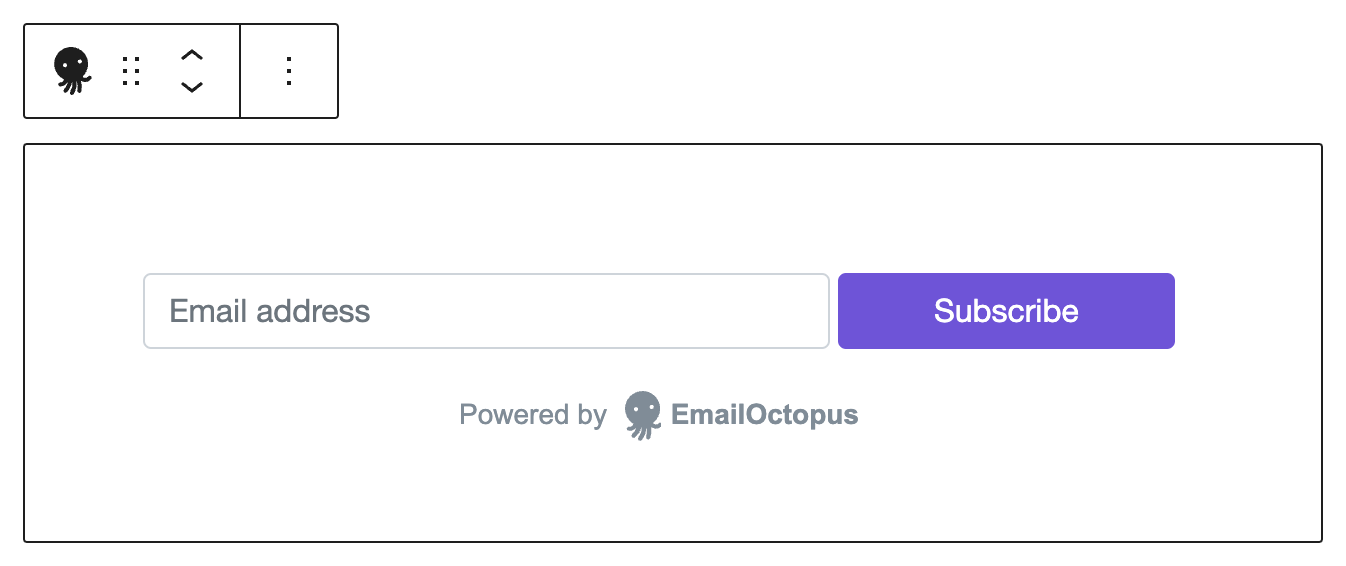
Add forms using a Gutenberg block.
Changelog
3.1.8
- Applying our new branding
3.1.7
- Bug fixes and improvements.
3.1.6
- Bug fixes and improvements.
3.1.5
- Bug fixes and improvements.
3.1.4
- Bug fixes and improvements.
3.1.3
- Bug fixes and improvements.
3.1.2
- Bug fixes and improvements.
3.1.1
- Bug fixes and improvements.
3.1.0
- Re-adds support for Gutenberg block.
- Makes shortcodes easier to copy.
- Bug fixes and improvements.
3.0.1
- Bug fixes and improvements.
3.0.0
- PHP 7.4 or greater is now required.
- Forms are now far more customisable and built on emailoctopus.com, rather than inside the plugin.
- Adds the option to automatically show forms on chosen post types.
- Drops support for PHP versions prior to 7.4.
- Drops support for Gutenberg (to be re-added in a later release).
2.2.2
- Support for PHP 8.
2.2.1
- Fixes an installation issue that affected some users on v2.2.0.
2.2.0
- Updates our logo (check out our new look at emailoctopus.com). Bug fixes and improvements.
2.1.6
- Bug fixes and improvements.
2.1.5
- Bug fixes and improvements.
2.1.4
- Styling improvements.
2.1.3
- Bug fixes and improvements.
2.1.2
- Bug fixes and improvements.
2.1.1
- Bug fixes and improvements.
2.1.0
- Add HTML to your form title, description and messages.
- Bug fixes and UX improvements.
2.0.3
- Improves the UX for managing lists.
- Fixes bugs preventing some forms from being properly updated.
2.0.2
- Fixes a bug that causes form submissions to fail.
2.0.1
- Improved UX in the classic and Gutenberg form builders.
2.0.0
- Add your EmailOctopus API key and interact directly with your lists.
- A brand new form builder with advanced styling options.
- Shortcode support, meaning you can add your forms anywhere.
- Customise form messages.
- Support the new WordPress editing experience, Gutenberg.
1.4.0
- Add an option to include a consent checkbox. Useful for GDPR!
- Reduce false positives when detecting bots.
- Bug fixes.
1.3.5
- Allow the first and last name fields to be toggled individually.
1.3.4
- Bug fixes.
1.3.3
- Further improve support for multiple forms.
1.3.2
- Improve support for multiple forms.
- Improve setup process.
1.3.1
- Improve bot detection.
1.3.0
- Support multiple forms on a page.
- Trigger a JavaScript event (emailoctopus.success) on successful form submission.
- Bug fixes.
1.2.0
- Multilingual support.
- Improved documentation.
1.1.0
- Add an option to set a URL that a new subscriber is redirected to.
1.0.1
- Prevent browser autocomplete from looking like a bot submission.
1.0.0
- First release.