

Embed Repo for GitHub – Display Code Repositories in Posts and Pages
Embed your GitHub repositories on WordPress.
Plugin info
Maintenance & Compatibility
Maintenance score
Maintained • Last updated 137 days ago
Is Embed Repo for GitHub – Display Code Repositories in Posts and Pages abandoned?
Likely maintained (last update 137 days ago).
Compatibility
Languages
Similar & Alternatives
Explore plugins with similar tags, and compare key metrics like downloads, ratings, updates, support, and WP/PHP compatibility.
Description
Embed GitHub repo in a website using this block plugin. With this plugin, you can easily embed your GitHub repository/repositories anywhere in the WordPress area.
Features
- Show all repositories.
- Fully customizable.
- Repositories per page set.
- Pagination show/hide.
- Repositories info icon,name,title and button show/hide.
- Select layout masonry.
- Set Columns, column gap and row gap.
- Repositories background color set.
- Repositories info icon,name,title and button typography and color set.
- Pagination typography,colors,active colors and border set.
How to use
- Go to the Plugins Menu in WordPress
- Search for “embed github”
- Click “Install”
-
Activate the embed github block Plugin on your Plugins Menu
-
For installation help click on Installation Tab
Feedback
- Liked that plugin? Hate it? Want a new feature? Send me some feedback
⭐ Check out the Parent Plugin of this plugin-
🔥 b Blocks – Best gutenberg blocks collections for WordPress.
⭐ Check out our other WordPress Plugins-
🔥 Html5 Audio Player – Best audio player plugin for WordPress.
🔥 Html5 Video Player – Best video player plugin for WordPress.
🔥 PDF Poster – A fully-featured PDF Viewer Plugin for WordPress.
🔥 StreamCast – A fully-featured Radio Player Plugin for WordPress.
🔥 3D Viewer – Display interactive 3D models on the webs.
Third-Party Services Used
The following third-party APIs are utilized in this plugin for license management:
-
Gumroad API
- Endpoint:
https://api.gumroad.com/v2/licenses/verify - Purpose: License verification for products distributed through Gumroad.
- Documentation: Gumroad API Documentation
- Terms of Service: Gumroad Terms
- Privacy Policy: Gumroad Privacy Policy
- Endpoint:
-
bPlugins License Management API
- Endpoints:
https://api.bplugins.com/wp-json/license/v1/sync-licensehttps://api.bplugins.com/wp-json/license/v1/gumroadhttps://api.bplugins.com/wp-json/data/v1/accept-data- Purpose: Syncing license data, verifying licenses, and managing product information.
- Privacy Policy: bPlugins Privacy Policy
Developer Notes
Public source code GitHub link for review, study, and contribute.
https://github.com/bPlugins/Github-Block
For more information on how to contribute to this plugin, please visit our GitHub repository.
Installation
From Gutenberg Editor:
- Go to the WordPress Block/Gutenberg Editor
- Search For embed github Block
- Click on the embed github Block to add the block
Download & Upload:
- Download the embed-github-block plugin (.zip file)
- In your admin area, go to the Plugins menu and click on Add New
- Click on Upload Plugin and choose the
embed-github-block.zipfile and click on Install Now - Activate the plugin and Enjoy!
Manually:
- Download and upload the embed github block plugin to the
/wp-content/plugins/directory - Activate the plugin through the Plugins menu in WordPress
Frequently Asked Questions
Yes, Embed github Block is a free Gutenberg block plugin.
Yes, it will work with any standard WordPress theme.
Yes, you can change block settings from the Gutenberg block editor’s right sidebar.
You can use unlimited times as you want.
You can post your questions on the support forum here
Review feed
Screenshots
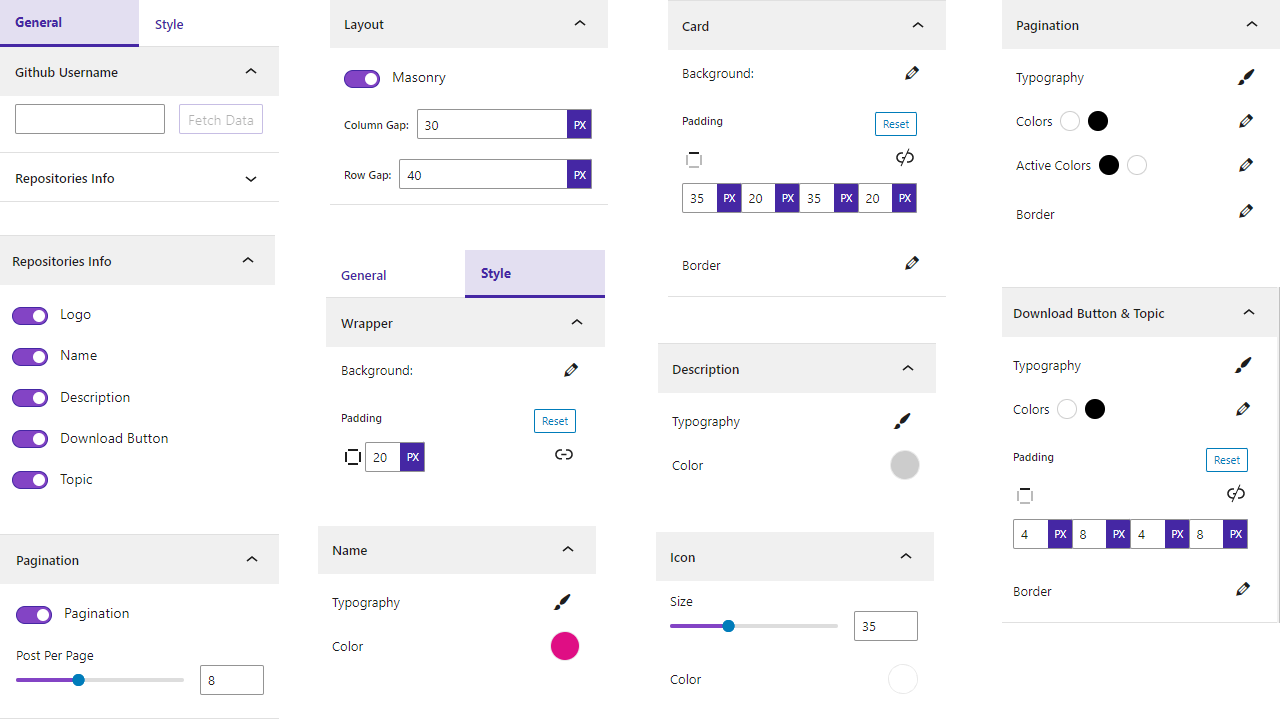
Settings

Default

Column
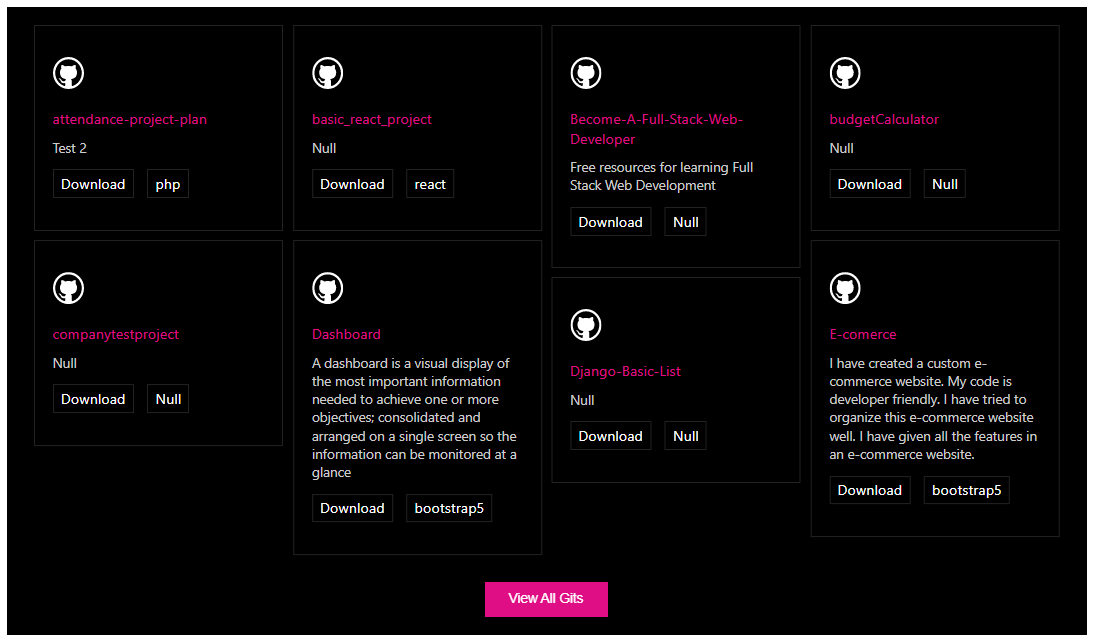
Masonry
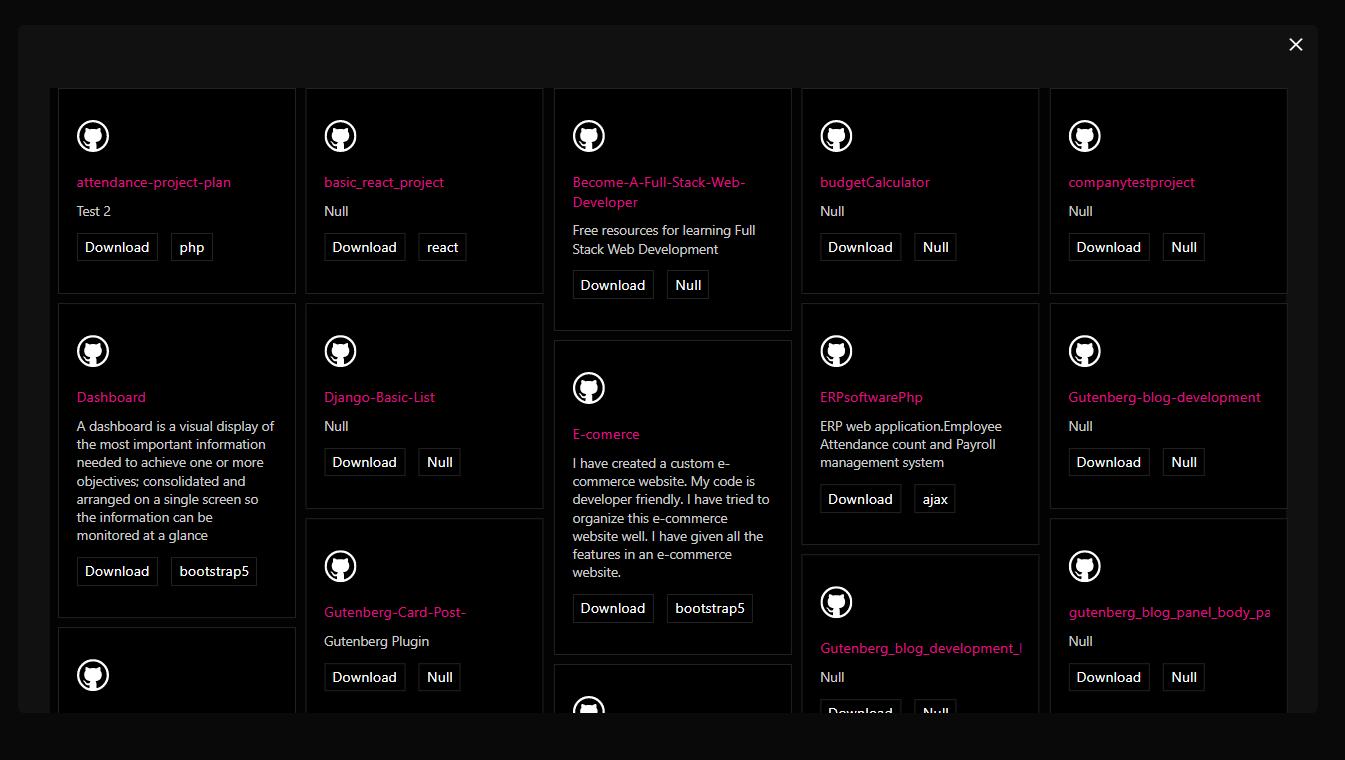
Popup
Changelog
1.0.6 – 30 Nov, 24
- Attach correct github repository
1.0.5 – 28 Nov, 24
- Solved all problem
1.0.4 – 21 Nov,24
- Trademark issues solved
1.0.3 – 9 Nov,24
- WordPress version update
1.0.2 – 28 sept, 2023
- We have removed the extra code and resolved the masonry issues.
1.0.1
- Have been resolve some issue
1.0.0
- Initial Release