
Emergency password reset
This plugin allows the admin to reset all the passwords and automatically email out the link to reset
Plugin info
Maintenance & Compatibility
Maintenance score
Maintained • Last updated 132 days ago • Support resolved 100% • 12 reviews
Is Emergency password reset abandoned?
Likely maintained (last update 132 days ago).
Compatibility
Similar & Alternatives
Explore plugins with similar tags, and compare key metrics like downloads, ratings, updates, support, and WP/PHP compatibility.
Description
This plugin does 3 things
1) It will check you don’t have a username called “admin” which is asking to be hacked
2) It will allow you to reset all passwords, with an password reset link sent to all users to warn them.
Following a couple of reviews from v7.0 the plugin will allow you to set the email from address, name, subject and message
3) You can also change the SALTS which forces a logout of all users.
Installation
- Upload the
emergency-password-resetdirectory to the/wp-content/plugins/directory. - Activate the plugin through the ‘Plugins’ menu in WordPress.
- Click on Emergency Password Reset in the Users menu
- Adjust the settings as required
- Click on the ‘Reset Passwords’ button
Frequently Asked Questions
When you click rest passwords, the plugin recreates random passwords for every user and emails them the reset password link.
Not necessarily. We advise you change your SALTS in the wp-config.php file which will force logouts for all users. WordPress provide a tool to generate new ones.
You can now reset them automatically from the plugin Dashboard>Settings>Reset SALTs
Check out our blog post on hacked WordPress sites
Review feed
Worked
Works on MS, may crash with many users
Doesn't work right
Screenshots
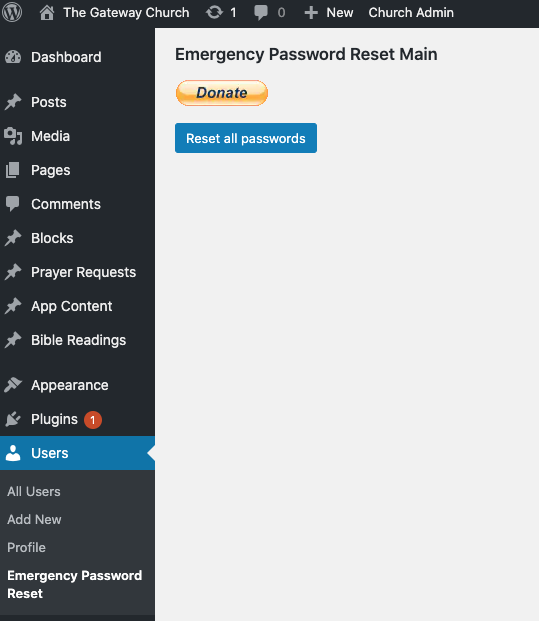
The main and only screen!
Changelog
9.4
- Extra step added for resetting SALTS
9.3
- Adjusted menu to manage_option role only (was administrator before)
9.2
- Fix not all users password changed
9.1
- Security audit and update
9.0
- Check nonce for settings change to prevent CSRF
8.0
- Emails sent in batches of 10 as BCC, to avoid crashes and email errors
7.0
- Setttings to change email name, from and message
6.2
- Translation ready
6.1
- New username when changing from “admin” properly sanitized.
6.0
- Don’t allow a user to reset admin username to empty field!
5.0
- Added WordPress reset “salt keys” to secure your site – Dashboard>Settings>Reset SALTs
4.0
- Updated deprecated functions
3.0
- Updated reset link
2.0
- Password reset link sent
1.0
- Sends link to reset password page rather than new password
0.5
- Form to change username from “admin”
0.4
- Shows WP 4.0 compatability
0.3
- Add Screenshot
0.2
- Correct the title in readme.txt!
0.1
- Initial release