
Maintenance 22/1003848d since update
Active installs
10
Downloads
4,748
Reviews
3
Age
10.5y
Plugin info
Total downloads: 4,748
Active installs: 10
Total reviews: 3
Average rating: 2
Support threads opened: 0
Support threads resolved: 0 (0%)
Available in: 1 language(s)
Contributors: 1
Last updated: 9/20/2015 (3848 days ago)
Added to WordPress: 9/19/2015 (10 years old)
Minimum WordPress version: 4.3
Tested up to WordPress version: 4.3.34
Minimum PHP version: f
Maintenance & Compatibility
Maintenance score
Possibly abandoned • Last updated 3848 days ago • 3 reviews
22/100
Is Emoji Reactions abandoned?
Possibly abandoned (last update 3848 days ago).
Compatibility
Requires WordPress: 4.3
Tested up to: 4.3.34
Requires PHP: f
Similar & Alternatives
Explore plugins with similar tags, and compare key metrics like downloads, ratings, updates, support, and WP/PHP compatibility.
wp-Monalisa
Rating 4.8/5 (25 reviews) • Active installs 800
Emoji Autocomplete Gutenberg
Rating 3.6/5 (5 reviews) • Active installs 700
TinyMCE Smiley Button
Rating 5.0/5 (1 reviews) • Active installs 700
WordPress.com Stats Smiley Remover
Rating 5.0/5 (1 reviews) • Active installs 300
TinyMCE Emoticons
Rating 3.3/5 (6 reviews) • Active installs 200
Moods Addon for Ultimate TinyMCE
Rating 5.0/5 (1 reviews) • Active installs 100
Description
Emoji Reactions allows visitors to a WordPress site to rate and react to
content using Emojis.
- Full set of emoji from EmojiOne
- Support for range of content – posts, pages, comments.
- Track user votes – only one of each reaction per user per content item.
- Shortcode support – add reactions anywhere in content
Installation
- Upload ’emoji-reactions’ to ‘/wp-content/plugins’
- Activate through the plugins menu in WordPress
Include in template:
// By default reactions will be associated with the current context
// do_action("emojiemo_render", CONTENT_ID=get_the_ID(), CONTENT_TYPE=get_post_type());
do_action("emojiemo_render");
Use shortcodes:
Add to a post/page:
[emojiemo]
Use type to add custom reactions throughout content
[emojiemo id=1 type=my_reaction]
Frequently Asked Questions
Please ask some questions using support forum
Answers in forum
Review feed
No reviews available
Screenshots

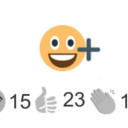
Emoji selector widget

Click Emoji to share reaction
Changelog
0.1.2
- Usage instructions in installation
0.1.1
- New banner image
- Fixed scaling with font size
0.1.0
- Initial release