

EmojiCal comment with emoji
This plugin provides a Lighweight Emoji box to the Comments form of your site, and your users will be able to add these emojis inside their comments w …
Plugin info
Maintenance & Compatibility
Maintenance score
Possibly abandoned • Last updated 818 days ago • 3 reviews
Is EmojiCal comment with emoji abandoned?
Possibly abandoned (last update 818 days ago).
Compatibility
Similar & Alternatives
Explore plugins with similar tags, and compare key metrics like downloads, ratings, updates, support, and WP/PHP compatibility.
Description
With this plugin your visitors will be able to easily add Emoji in their comments, and they will do this by just one click. This tool is lightweight and fast, so it has no effect on your pages load time and SEO.
How to use
- First Install and activate the plugin.
- Now your Users are able to see the emoji icon on the top-right corner of the textarea in the comments form.
- You can Click the emoji icon and choose any emoji you want to put inside your comment.
Compatibility
-
This plugin uses pure javascript and css for it’s job, So this plugin is fully stand-alone and does NOT need any third-party js/css framework or library.
-
All css and js codes are inline and no extra files needed to load in your pages.
-
This plugin is compatilbe with the twEmoji js library.
How to edit css and js
- Inside the functions file you will be able to find all css and js codes used for this plugin.
if you need more help contact us here.
Live demo
For an online live demo of this plugin you can visit any post inside our website, for example:
Emojical
Happy users
Here you can see a list of satisfied websites which are installed this plugin:
If you also have installed this plugin and want to be on this list, feel free to contact us.
Installation
Frequently Asked Questions
Here in Wikipedia you can find more about the emojis, and the most popular emojis.
In Emojical all emojis are listed.
We added most popular emojis in this plugin. And also we are going to consider more Emojis in the next versions, based on feedbacks.
Yes, of course. From version 1.2 we added the RTL compatibility, and you can have it in your RTL theme.
Review feed
good job
Screenshots

In this screenshot you see the initial comment form wich has the Emoji botton with tw-emoji activated.
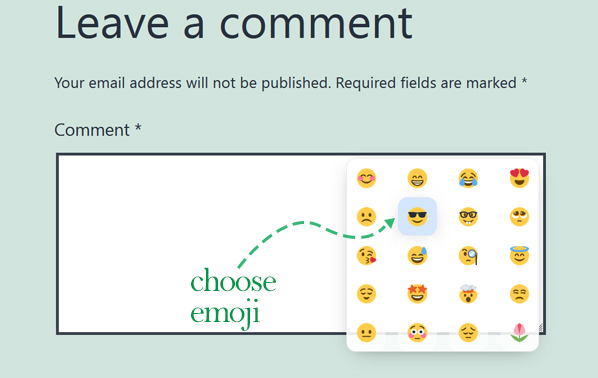
Here the Emoji list is opened and you can choose an emoji. You can click anywhere to close this box or it will be closed on choosing an emoji.

In this screenshot the emoji is added to the place of pointer inside the textarea.
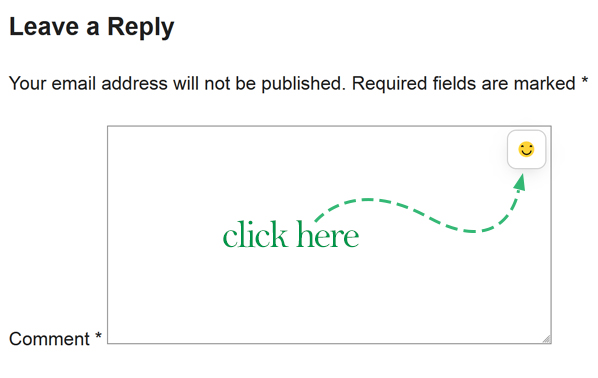
In this screenshot you see the initial comment form wich has the Emoji botton without tw-emoji.
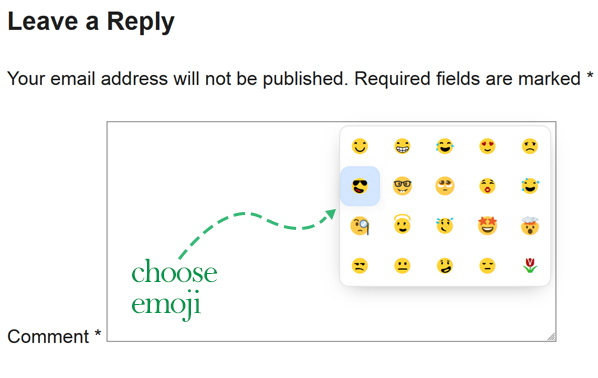
Here the Emoji list is opened and you can choose an emoji. You can click anywhere to close this box or it will be closed on choosing an emoji.
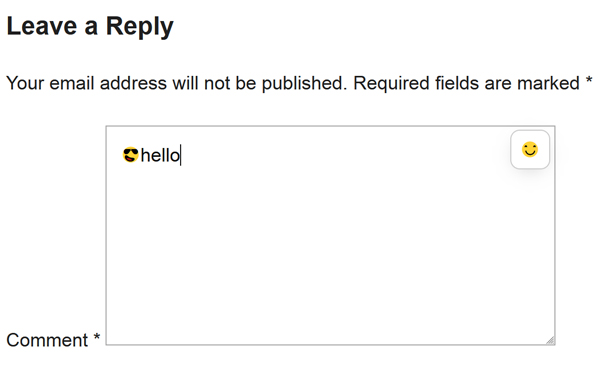
In this screenshot the emoji is added to the place of pointer inside the textarea.
Changelog
1.3
- Checked for compatiblility with WP version 6.4.2.
1.2
- Checked for any issues with new version of WordPress. There were no compatibility issues with WP 6.3.2.
- Added RTL compatibility.
1.1
- Checked for any issues with new version of WordPress. There were no compatibility issues with WP 6.3.
1.0
- In This first version of EmojiCal comments with emoji we have most popular Emojis. There are 20 Top emojis available for now.