

Enable Turnstile (Cloudflare) for Gravity Forms
A lightweight plugin to enable Cloudflare's Turnstile alternative CAPTCHA on your Gravity Forms.
Plugin info
Maintenance & Compatibility
Maintenance score
Stale • Last updated 359 days ago • 2 reviews
Is Enable Turnstile (Cloudflare) for Gravity Forms abandoned?
Likely maintained (last update 359 days ago).
Compatibility
Similar & Alternatives
Explore plugins with similar tags, and compare key metrics like downloads, ratings, updates, support, and WP/PHP compatibility.
Description
If you are looking for a secure way to protect your Gravity Forms from spam and malicious attacks, then our Cloudflare Turnstile plugin for WordPress may be the perfect solution for you. It’s the latest CAPTCHA advancement since Google reCAPTCHA!
The Cloudflare Turnstile plugin provides an additional layer of security for your Gravity Forms. Turnstile is a part of the Cloudflare firewall, which means that it uses the same powerful security features that Cloudflare provides to millions of websites around the world. With Turnstile in place, your Gravity Forms are protected against spam and other malicious attacks, which can save you a lot of time and effort in dealing with fraudulent submissions.
- Simple settings page
- Drag-and-drop Turnstile captcha on a per-form basis
- Protection from spam and malicious attacks
Check out our other plugins:
Installation
Use the automatic installer via WordPress or download the plugin and:
- Upload the plugin files to the
/wp-content/plugins/enable-turnstile-cloudflare-for-gravity-formsdirectory. - Activate the plugin through the ‘Plugins’ screen in WordPress.
- Navigate to Gravity Forms -> Settings -> Turnstile.
Frequently Asked Questions
Review feed
Screenshots
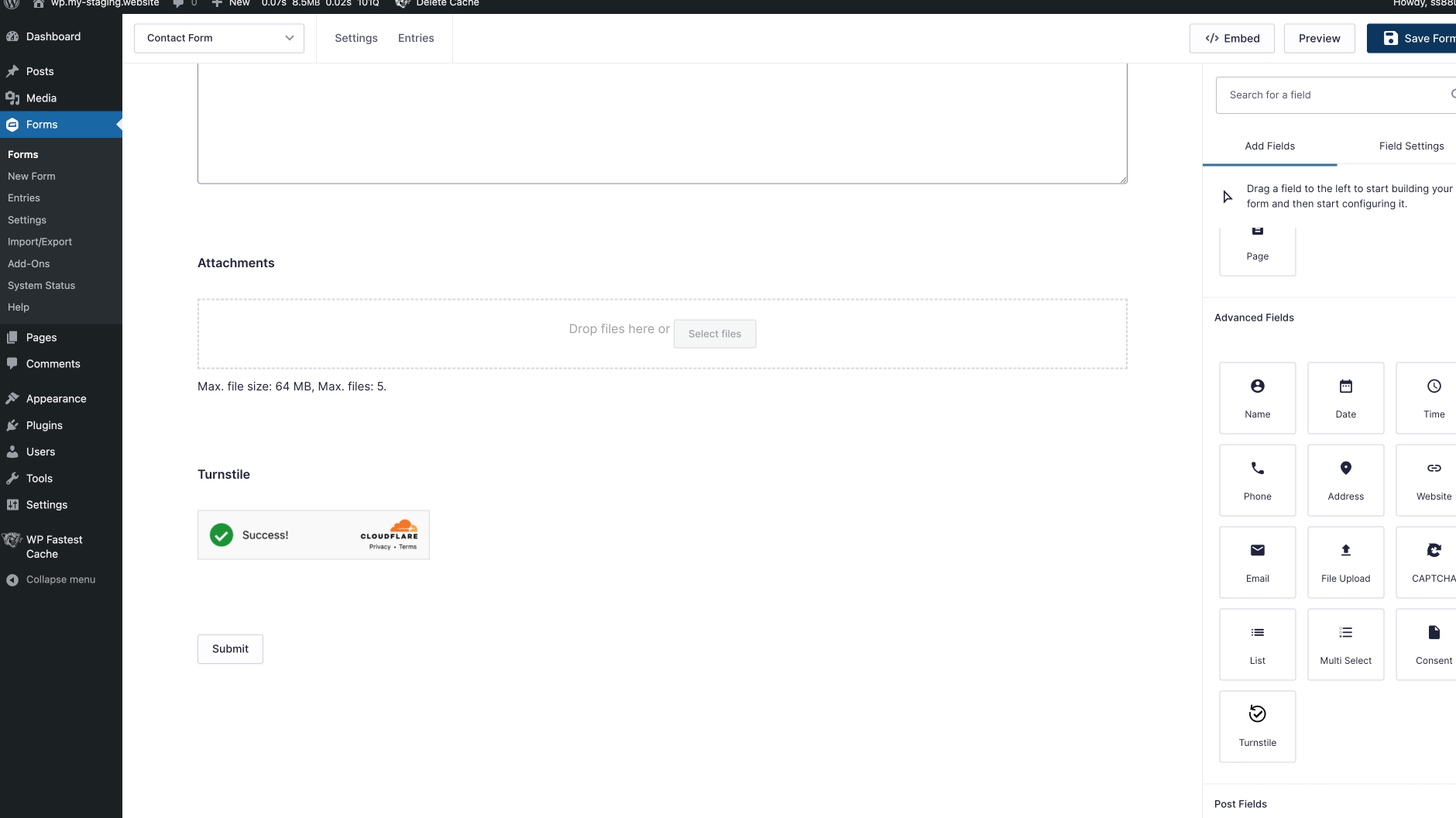
Adding the Turnstile element while editing a Gravity Form.

The settings page to enter your Cloudflare Turnstile API keys.

'Theme' and 'Size' settings for the Turnstile field.
Changelog
1.7.1
- Fixed PHP warnings
1.7
- Recoded logic of front-end script to remove duplicate Turnstile boxes
1.6.1
- Removing references to depreciated get_conditional_logic_event()
1.6
- Turnstile visibility fix in Admin Area for first-time add of the field.
1.5
- Handle (correctly) multiple forms on the same page.
- Fix: Loading GF via Ajax didn’t use ‘real’ Turnstile
1.4
- A more lightweight front-end experience
- Better form and conditional logic handling on the front-end
- Auto/Light/Dark option now available
- Size option now available
- Ability to hide the label on the front-end
- Added Gravity Form’s description setting
- WordPress 6.2 ready!
1.3
- Ajax fix on GForm error
1.2
- Tooltip fix.
1.1
- Updated to work with WordPress 4.1 and Gravity Forms 2.4+
1.0
- Initial release.