

English Chess Data
Display fixtures, results and league tables from the English Chess Federation's League Management System.
Plugin info
Maintenance & Compatibility
Maintenance score
Maintained • Last updated 179 days ago
Is English Chess Data abandoned?
Likely maintained (last update 179 days ago).
Compatibility
Similar & Alternatives
Explore plugins with similar tags, and compare key metrics like downloads, ratings, updates, support, and WP/PHP compatibility.
Description
Displays Chess Data for English Clubs Leagues and Players
This plugin connects to and displays data from the English Chess Federation’s League Management System,
when using this plugins shortcodes within your pages.
- API Access from the LMS System documentation
- English Chess Federations Privacy Policy
It has shortcodes that can be used to include a list of upcoming matches ‘Fixtures’, a list of played matches ‘Results’, and also display ‘Tables’ from the organisation.
ShortCodes
There are 3 shortcodes that can be used once the Plugin is installed and configured:
[echd_fixtures event_name="Event Name"]
[echd_results event_name="Event Name"]
[echd_table event_name="Event Name"]
The event_name attribute in the shortcodes is the name of the event, and must match exactly, see the screenshot 3 below.
In the echd_table this attribute is mandatory, for the others it is optional.
Limitations / Improvements
[echd_table] shortcode does not currently work for cups.
Currently you can only add one organisation and a club within it.
Installation
- Visit ‘Plugins’ > ‘Add New Plugin’ within your WordPress admin area.
- Search for ‘english chess data’ and click ‘Install Now’ button on the plugin.
- Activate the plugin through the ‘Plugins’ menu in WordPress.
- Visit the newly added ‘Chess Data’ menu item.
- Configure the Plugin by adding ‘Organisation Id’ and ‘Club Code’. See screenshots below on where to find these.
- You can now use the shortcodes to include the data for your organisation / club.
Frequently Asked Questions
Review feed
Screenshots
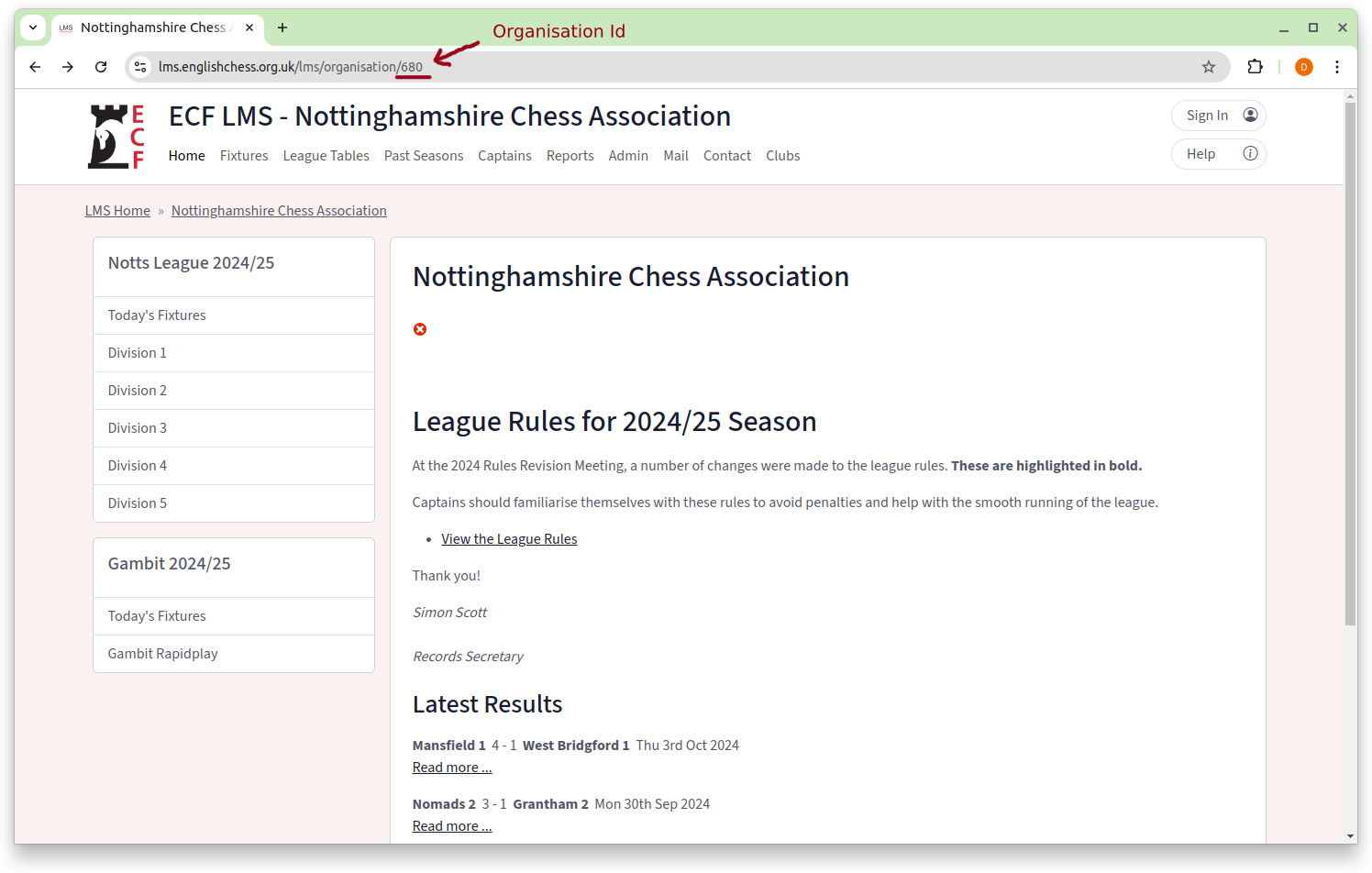
The number highlighted in the URL bar, in this image '680', is the 'Organisation Id'.
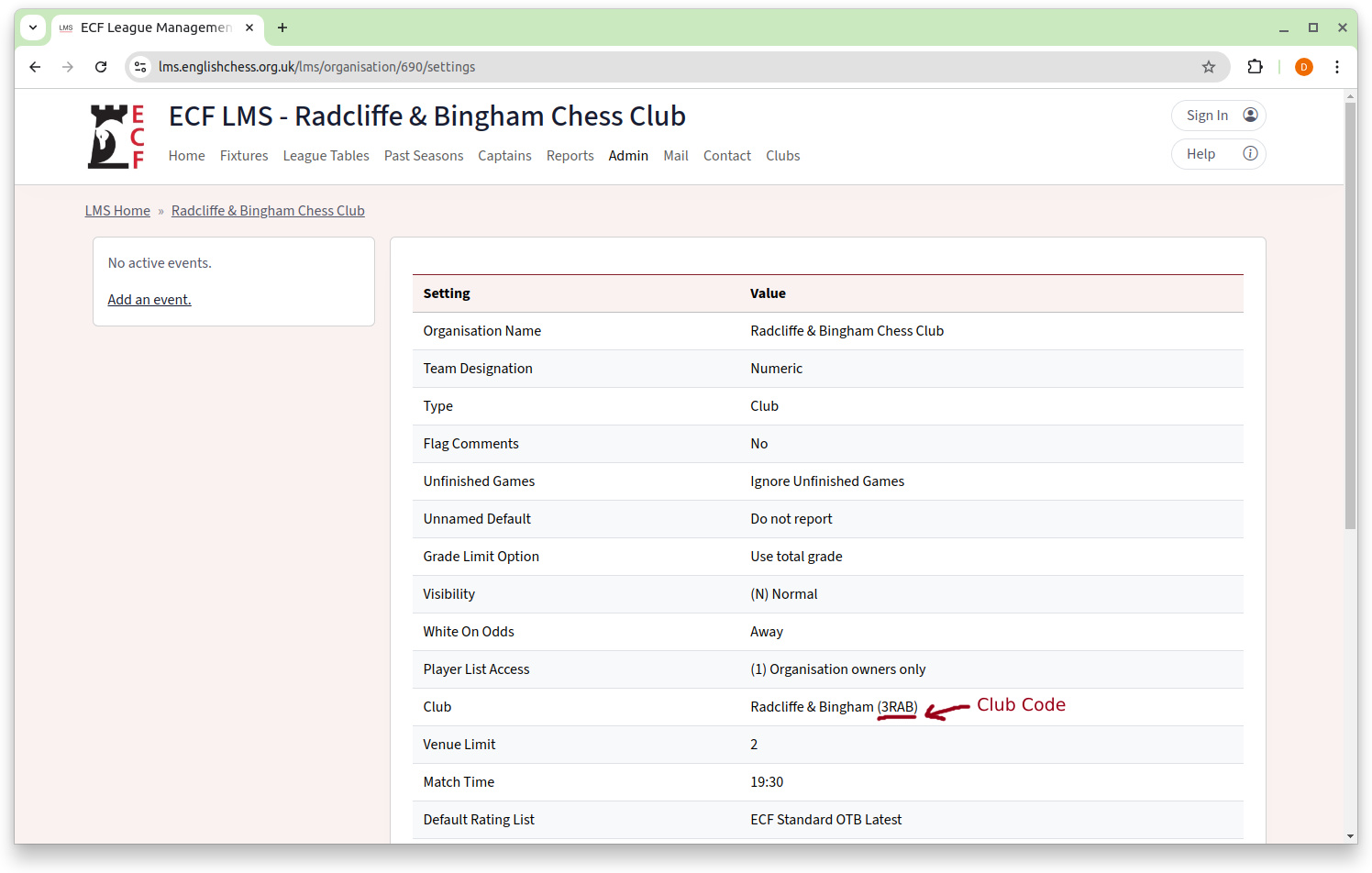
The highlighted code in a clubs settings, in this image is '3RAB', is the 'Club Code'.
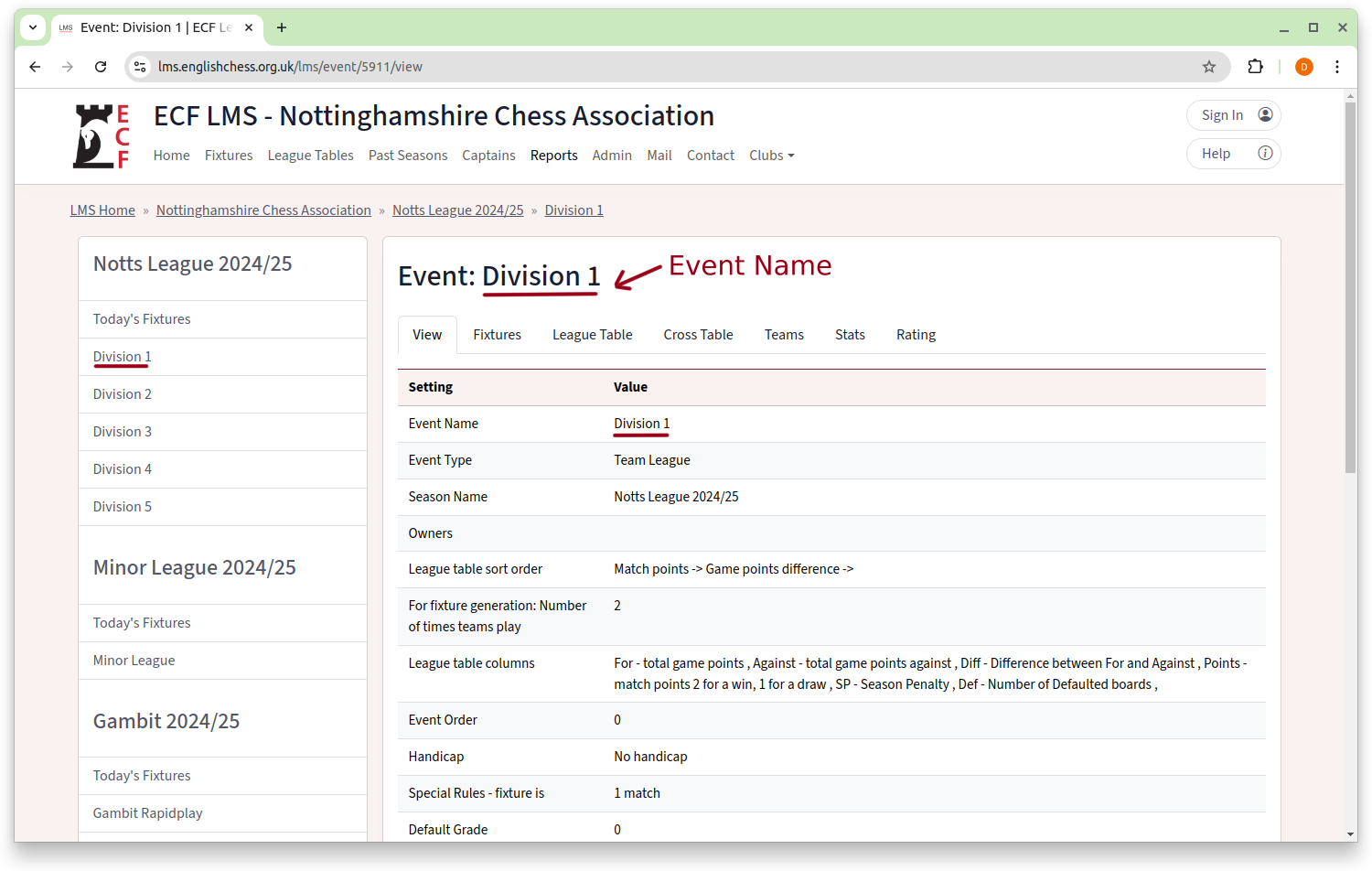
The highlighted text is the 'Event Name', in this image is 'Division 1'.
Changelog
1.0.0
- Initial Release
1.0.1
- Adds Matchcards
- Allows filtering of Fixtures and Results by Event
1.0.2
- Fixes Bug where Matchcards are duplicated, if multiple shortcodes are used on the same page.
1.0.3
- Fixes Bug where special characters in the shortcodes breaks api calls