
Enhanced Import for SportsPress
Extends SportsPress CSV importers with score/results support and enhanced functionality for importing fixtures with match outcomes.
Plugin info
Maintenance & Compatibility
Maintenance score
Stale • Last updated 224 days ago
Is Enhanced Import for SportsPress abandoned?
Likely maintained (last update 224 days ago).
Compatibility
Similar & Alternatives
Explore plugins with similar tags, and compare key metrics like downloads, ratings, updates, support, and WP/PHP compatibility.
Description
Enhanced Import for SportsPress extends the default SportsPress CSV importers with advanced features, specifically designed to import fixtures with scores and results data.
What This Plugin Does
This plugin enhances the standard SportsPress Fixtures (CSV) importer by adding support for:
- Score/Results Import: Import match scores directly from CSV files
- Automatic Results Processing: Automatically creates and updates match results using SportsPress’s native results system
- Auto creation of Calendar and League table: Teams are auto assigned to League Table.
- Backward Compatibility: Works with existing SportsPress CSV formats while adding new capabilities
Key Features
- Score Support: Import home and away scores directly from CSV
- Outcome calculation: Use native SportsPress functionality to calculate the outcome of an event.
- Auto create League Table and Calendar: Gives the ability to the user to automacally create a new League Table or/and a new Calendar.
- Teams assignment to League Table: Handles teams assignment to League Table to avoid false positives.
CSV Format
The enhanced importer adds extra the following CSV columns:
- Home Score – Home team score (optional)
- Away Score – Away team score (optional)
Example CSV Format
Date,Time,Venue,Home,Away,Home Score,Away Score,Match Day
2024/01/15,19:30,Stadium A,Team Alpha,Team Beta,2,1,GW1
2024/01/20,20:00,Stadium B,Team Gamma,Team Delta,0,3,GW2
2024/01/25,18:45,Stadium A,Team Beta,Team Gamma,1,1,GW2
Credits
Installation
- Upload the plugin files to the
/wp-content/plugins/enhanced-import-for-sportspress/directory, or install the plugin through the WordPress plugins screen directly. - Activate the plugin through the ‘Plugins’ screen in WordPress.
- Ensure SportsPress plugin is installed and activated.
- Go to Tools > Import and select “Import Fixtures (CSV) Enhanced”.
Frequently Asked Questions
Yes, this plugin requires SportsPress to be installed and activated. It extends the existing SportsPress import functionality.
Yes! The plugin is backward compatible with existing SportsPress CSV formats. The score columns are optional, so your existing CSV files will work without modification.
The plugin automatically creates teams if they don’t exist in your SportsPress installation. Teams are created with the same name as specified in the CSV.
Scores are processed using SportsPress’s native functions, ensuring proper integration with the SportsPress results system.
Yes, you can import CSV files with missing optional columns. Only Date, Home team, and Away team are required.
Review feed
Screenshots
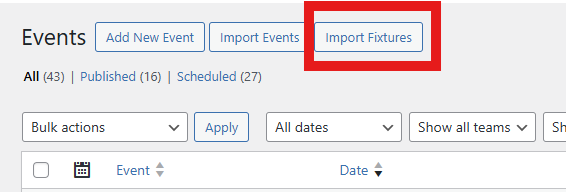
You can use the native Import button at SportsPress->Events area
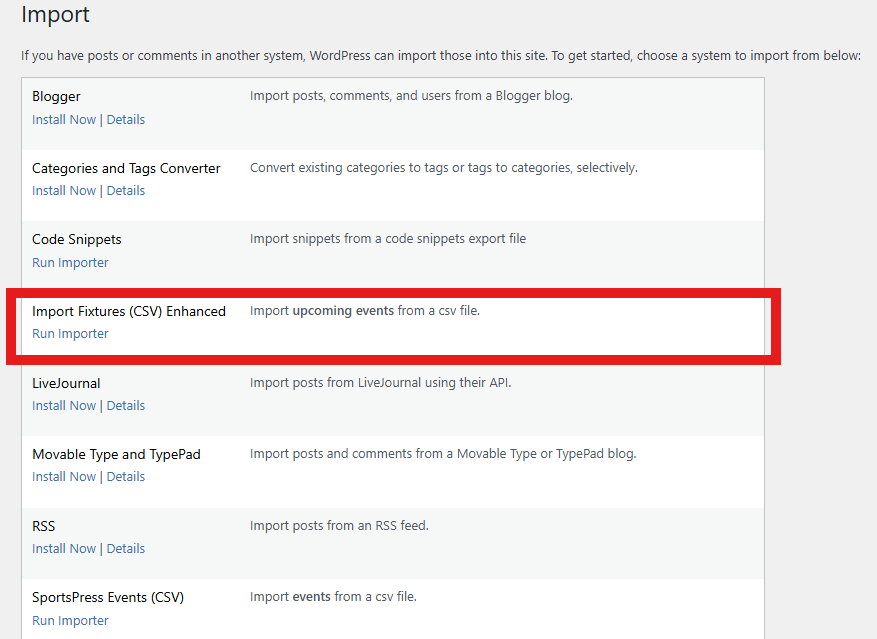
Or you use the Import tool directly from Tools->Import.
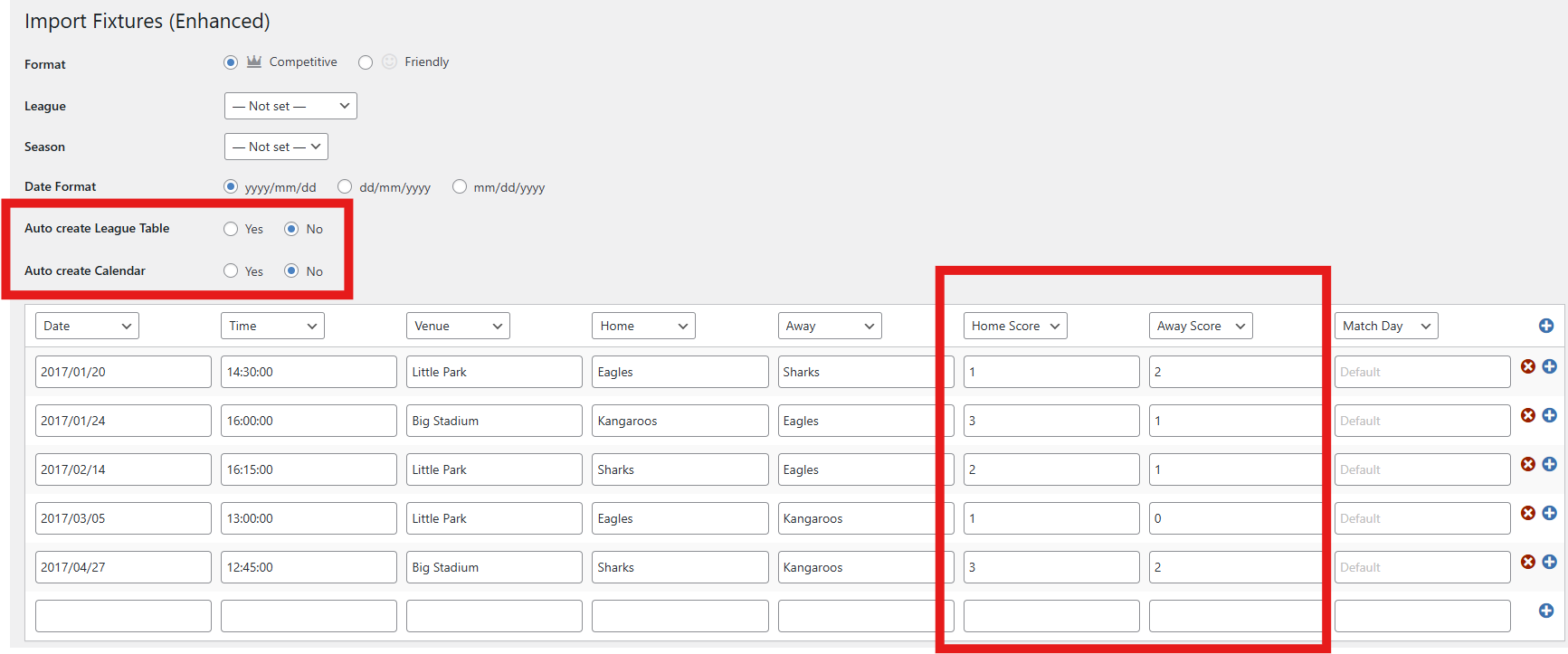
Enhanced import interface with score columns and option for auto creation of league table and calendar.
Changelog
1.0
- Initial release