

Plugin info
Maintenance & Compatibility
Maintenance score
Possibly abandoned • Last updated 459 days ago
Is Exploded View Filter abandoned?
Possibly abandoned (last update 459 days ago).
Compatibility
Similar & Alternatives
Explore plugins with similar tags, and compare key metrics like downloads, ratings, updates, support, and WP/PHP compatibility.
Description
This plugin extends the WooCommerce’s “filter by attribute” functionality.
It displays terms of one specified attribute with a background image at the top of the category page.
The background image helps customer to understand the attribute terms and use them to filter the products.
In the WordPress dashboard you can select an attribute, upload the background image and locate the attribute terms on the image.
Main Features:
- Displays a diagram image with links as widget.
- Makes it possible to put links on the image with mouse.
You can check a demo page here:
DEMO Page 1
DEMO Page 2
You can read the installation instructions here:
README
This plugin has just 19 files to make it easy to use and customize.
Contact me by email [email protected] if you have questions or need help.
Translators
Available Languages
- English (Default)
Documentation
Full documentation is available here.
Installation
Requires WordPress 4.7, WooCommerce 3.0
- Unzip the downloaded zip file.
- Upload the plugin folder into the
wp-content/plugins/directory of your WordPress site. - Activate
Exploded View Filterfrom Plugins page.
Contact me by email pektsekye@gmail.com if you have questions or need help.
Frequently Asked Questions
Review feed
Screenshots
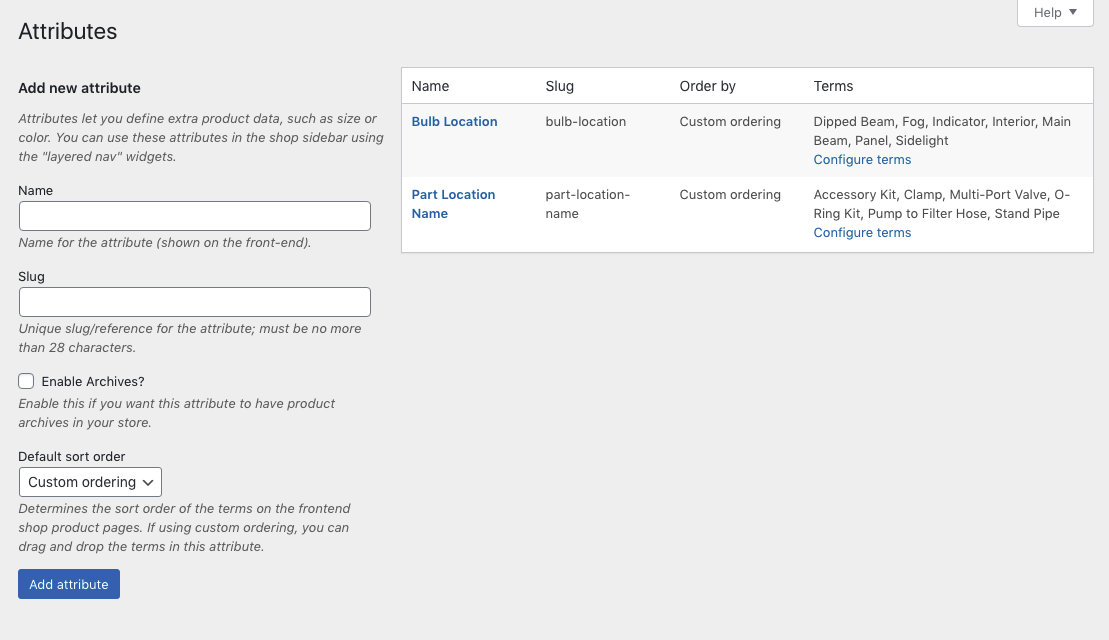
Create product attribute.

Select attribute values for your products.

Select the category for your products.

Create a new Filter.

Add the Exploded View Filter widget to the top of the page.

The Exploded View Filter on the front-end.
Changelog
1.0.0 – Released: Dec, 12 – 2019
- Initial release