

Export All Post Meta
Export WordPress post with all serialized post meta in readable in CSV format. Supports custom post types, taxonomies and selected fields.
Plugin info
Maintenance & Compatibility
Maintenance score
Possibly abandoned • Last updated 486 days ago • 4 reviews
Is Export All Post Meta abandoned?
Possibly abandoned (last update 486 days ago).
Compatibility
Similar & Alternatives
Explore plugins with similar tags, and compare key metrics like downloads, ratings, updates, support, and WP/PHP compatibility.
Description
This plugin allows you to export your posts to CSV file, through one click, from either backend or frontend. Works with custom post types, custom taxonomies and custom fields.
You can select post type, with its custom fields, that you wish to export, from the Tools >> Export Posts page.
“You must choose the post type and save the settings before downloading CSV. Once the page reloads, you will see the connected taxonomies and custom fields for the post type.”
Installation
- Upload plugin folder to the
/wp-content/plugins/directory - Activate the plugin through the ‘Plugins’ menu in WordPress
- Go to Tools -> Export Posts to access the plugins settings and export files.
Frequently Asked Questions
Review feed
Screenshots
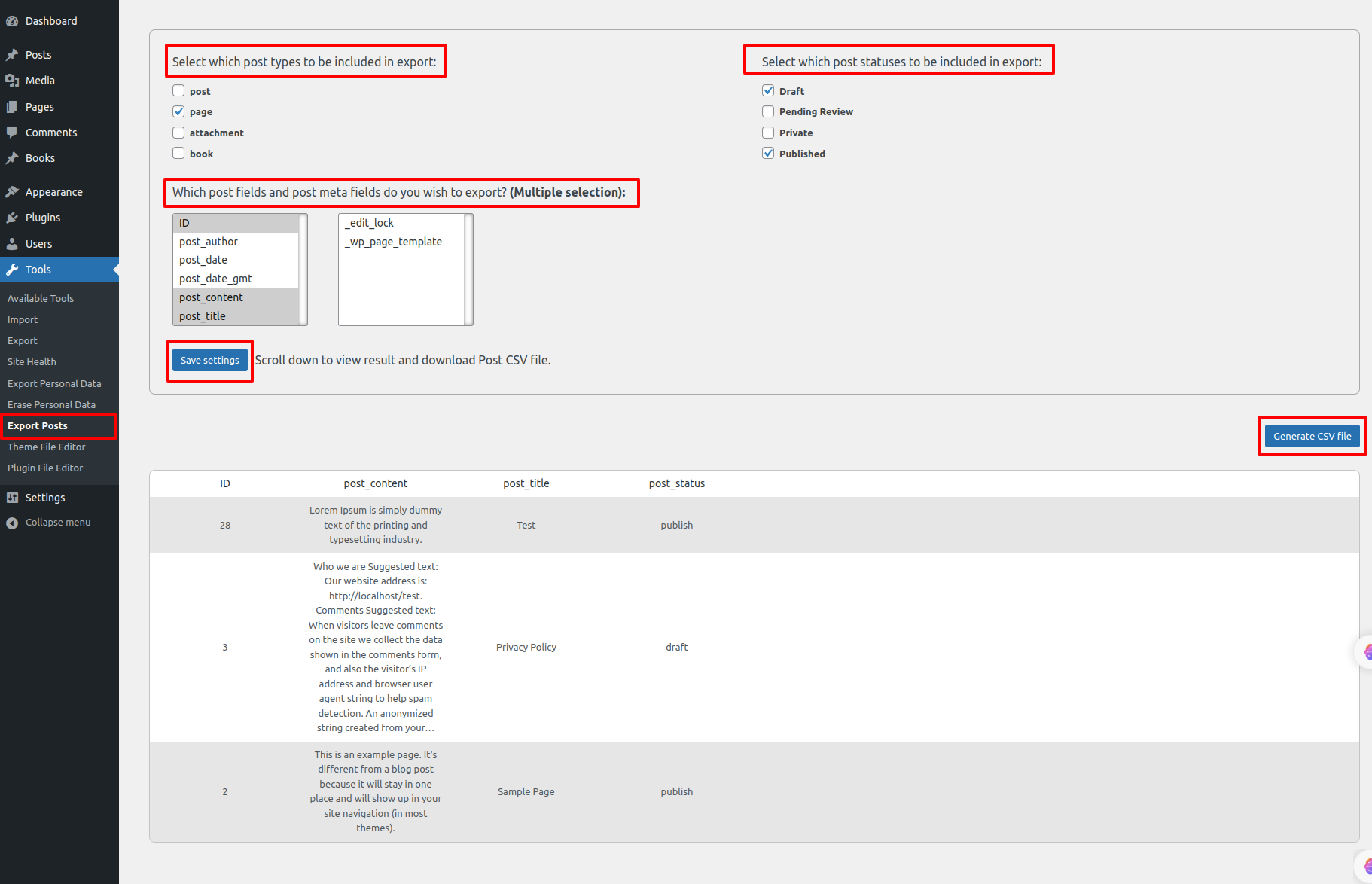
screenshot-1.png
Changelog
1.2.1
- Fixed bugs and conducted compatibility checks with the latest WordPress version 6.7.1.
- Resolved warnings and errors identified during the compatibility assessment.
1.2.0
Release Date – 21 July 2024
- Tested and confirmed to be fully compatible with the latest version of WordPress.
- Revamped the user interface for a more modern and user-friendly experience.
- Optimized code for improved performance and reduced resource usage.
- Reduced plugin size to minimize any potential impact on website loading speed.