

Export Import Menus
A plugin that lets you export and import your WordPress menus in our own website under Appearance section to Export/Import Menus.
Maintenance 32/100461d since update
Active installs
10,000
Downloads
175,573
Reviews
53
Age
7.4y
Plugin info
Total downloads: 175,573
Active installs: 10,000
Total reviews: 53
Average rating: 3.6
Support threads opened: 0
Support threads resolved: 0 (0%)
Available in: 6 language(s)
Contributors: 1
Last updated: 12/27/2024 (461 days ago)
Added to WordPress: 11/16/2018 (7 years old)
Minimum WordPress version: 4.9.5
Tested up to WordPress version: 6.7.4
Minimum PHP version: 5.6.31
Maintenance & Compatibility
Maintenance score
Possibly abandoned • Last updated 461 days ago • 53 reviews
32/100
Is Export Import Menus abandoned?
Possibly abandoned (last update 461 days ago).
Compatibility
Requires WordPress: 4.9.5
Tested up to: 6.7.4
Requires PHP: 5.6.31
Developers
Similar & Alternatives
Explore plugins with similar tags, and compare key metrics like downloads, ratings, updates, support, and WP/PHP compatibility.
No similar plugins found yet.
Description
WordPress Export Import Menus lets you export and import your WordPress Menus. The WordPress Export Import Menus plugin also support the uber menu plugin. Import must be done on the same domain from where we have export the file.
Installation
- Download
dsp-menus-export-import.zip - Unzip
- Upload the
dsp-menus-export-importfolder to the/wp-content/plugins/directory - Activate the Export Import Menus plugin through the ‘Plugins’ menu in WordPress
- Export/Import your menus via Appearance -> Export/Import Menus in the WordPress admin
Frequently Asked Questions
No FAQ available
Review feed
Do Good Design Co.
Works!
Does what it says. Easy to use.
Adarsh Verma
Excellent work
I really loved the plugin! The only suggestion I have is if you guys can support exporting multiple menus at once.
Espi
didn't work
just didn't work. no option to export or anything.
Dennis Bareis
Pretty Average
Lots of error messages, I've added a few below. It imports from file only, but exports as text you then need to create a file with! Can't even import from pasted text. You also can't import or export into a submenu.
Notice: ob_clean(): failed to delete buffer. No buffer to delete in /home/wcipporg/public_html/wp-content/plugins/export-import-menus/models/DspExportImportModel.php on line 57Warning: Cannot modify header information - headers already sent by (output started at /home/wcipporg/public_html/wp-content/plugins/export-import-menus/models/DspExportImportModel.php:57) in /home/wcipporg/public_html/wp-content/plugins/export-import-menus/models/DspExportImportModel.php on line 58Warning: Cannot modify header information - headers already sent by (output started at /home/wcipporg/public_html/wp-content/plugins/export-import-menus/models/DspExportImportModel.php:57) in /home/wcipporg/public_html/wp-content/plugins/export-import-menus/models/DspExportImportModel.php on line 59
Screenshots
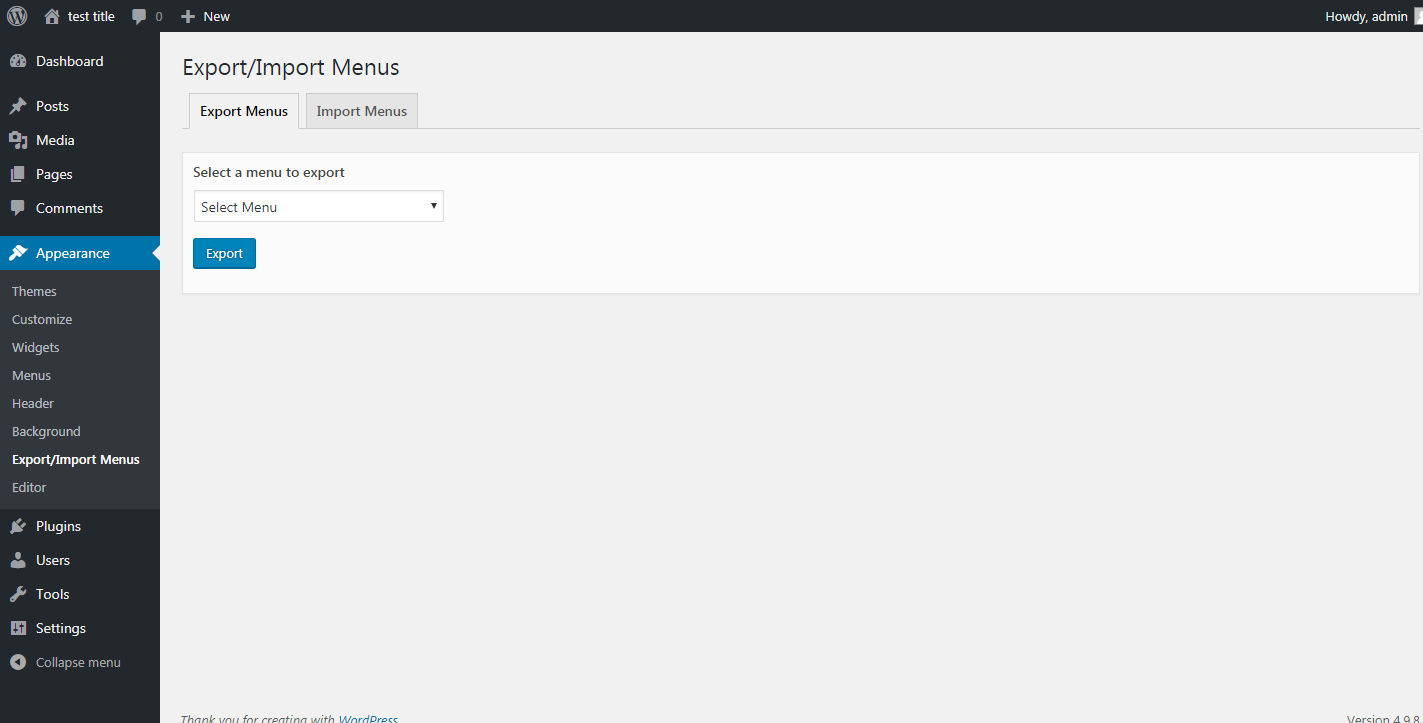
Exporting a json file of menu
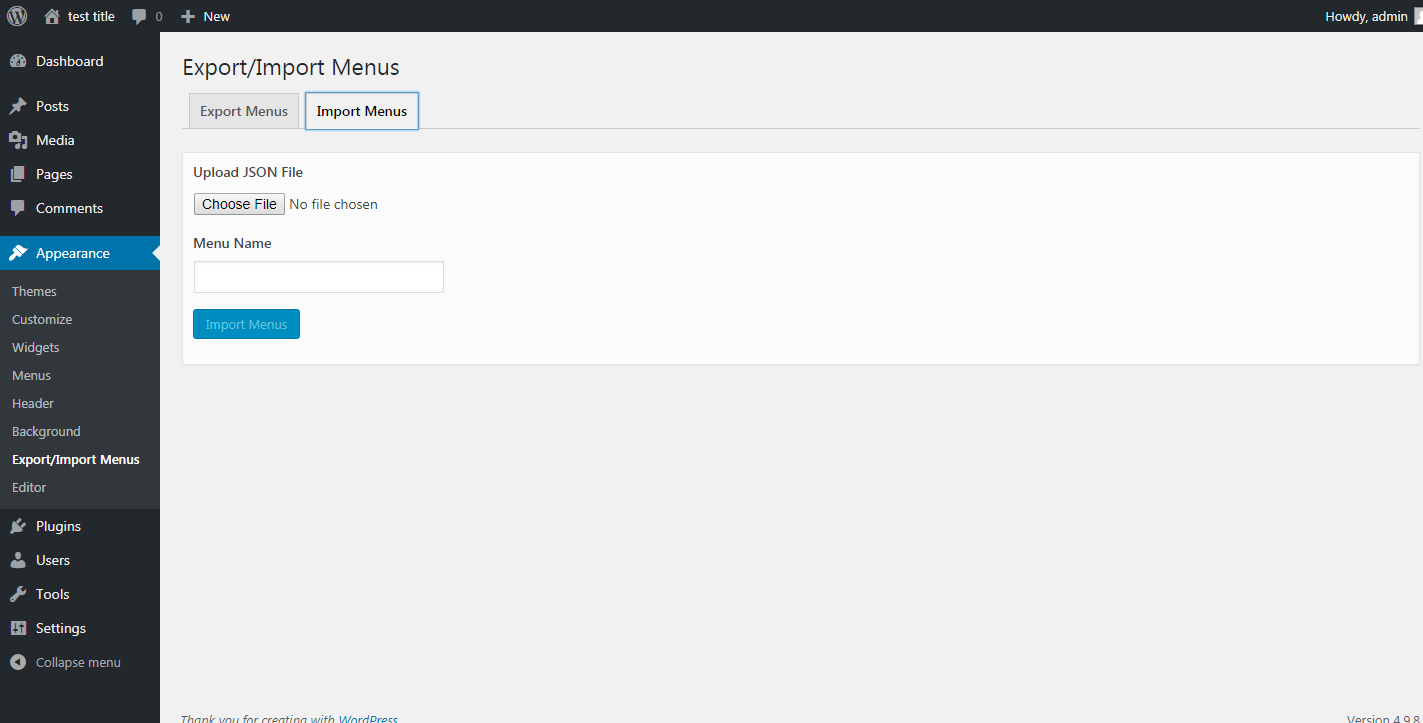
Importing a new backup menu from the exported json file
Changelog
1.0.1
- Bug Fixes
1.0.2
- Compatibility with WordPress 5.0.1
1.1.0
- Compatibility with WordPress 5.0.2
1.2.0
- Compatibility with WordPress 5.1
- Mozilla Firefox JSON import issue
- Other bug fixes
1.3.0
- Compatibility with WordPress 5.2.1
1.4.0
- Bug fixes – Unable to delete Plugin files on delete
1.5.0
- Compatibility with WordPress 5.3.2
- Fix Custom menu CSS classes import issue
- Fix JSON illegal character issue
- Fix invalid JSON file issue
1.6.0
- Compatibility with WordPress 5.4.2
- Added menu description field in the menu import
- Fix plugin delete undefine constant issue
1.7.0
- Compatibility with WordPress 5.7
1.8.0
- Compatibility with WordPress 6.0
- Other Bug fixes
1.9.0
- Compatibility with WordPress 6.3.2
- Fixed file upload vulnerabilities issues
- Added file type check to only allow .json files upload and restricting other file types
- Other bug fixes
1.9.1
- Compatibility with WordPress 6.6.1
1.9.2
- Compatibility with WordPress 6.7.1
- Security fixes