

F4 Simple White Label
Allows you to to change the login image, admin bar logo and admin footer text.
Plugin info
Maintenance & Compatibility
Maintenance score
Possibly abandoned • Last updated 735 days ago • 1 reviews
Is F4 Simple White Label abandoned?
Possibly abandoned (last update 735 days ago).
Compatibility
Developers
Similar & Alternatives
Explore plugins with similar tags, and compare key metrics like downloads, ratings, updates, support, and WP/PHP compatibility.
Description
With F4 Simple White Label you can change the login image, add a custom logo to the admin bar and change the admin footer texts.
Currently this is only possible with a few easy to use hooks. We plan to add an options page to the WordPress backend, so you can change all the above mentioned without using a single line of code.
Usage
You can add the following hooks to the functions.php of your theme.
Add favicon to login page and backend:
add_filter('F4/SWL/admin_favicon', function() {
    return 'url-to-your-favicon.ico';
});
Change the login page image:
add_filter('F4/SWL/login_image', function() {
    return 'url-to-your-login-image.png';
});
You can also change the href, link text, image alt text like this:
add_filter('F4/SWL/login_image_href', function() {
    return 'https://www.f4dev.ch';
});

add_filter('F4/SWL/login_image_link_text', function() {
    return 'This WordPress is powered by FAKTOR VIER';
});

add_filter('F4/SWL/login_image_alt', function() {
    return 'FAKTOR VIER logo';
});
If needed you can add custom inline styles to the image:
add_filter('F4/SWL/login_image_style', function() {
    return 'width:50px; height:50px;';
});
Add a custom logo to the admin bar:
add_filter('F4/SWL/admin_bar_logo', function() {
    return 'url-to-your-admin-bar-logo.png';
});
You can also change the href, logo alt text like this:
add_filter('F4/SWL/admin_bar_logo_href', function() {
    return 'https://www.f4dev.ch';
});

add_filter('F4/SWL/admin_bar_logo_alt', function() {
    return 'FAKTOR VIER logo';
});
If needed you can add custom inline styles to the logo:
add_filter('F4/SWL/admin_bar_logo_style', function() {
    return 'height:20px; margin:8px 0;';
});
If you have users that like to use the light color theme, you can define a different logo for that. If you dont use this hook, the admin_bar_logo logo us used for all themes:
add_filter('F4/SWL/admin_bar_logo_light', function() {
    return 'url-to-your-admin-bar-logo-light.png';
});
Change the backend footer texts:
add_filter('F4/SWL/admin_footer_text', function() {
return '';
});
add_filter('F4/SWL/admin_footer_update_text', function() {
return 'Version 5.3';
});
Features overview
- Add favicon to login page and backend
- Change the login page image
- Add a custom logo to the admin bar
- Change the backend footer texts
- Easy to use
- Lightweight and optimized
- 100% free!
Planned features
- Everything configurable in the backend without a single line of code
Installation
- Upload the plugin files to the
/wp-content/plugins/f4-simple-whitelabeldirectory, or install the plugin through the WordPress plugins screen directly - Activate the plugin through the ‘Plugins’ screen in WordPress
- Use the hooks explained in the usage section above
Frequently Asked Questions
Review feed
Screenshots
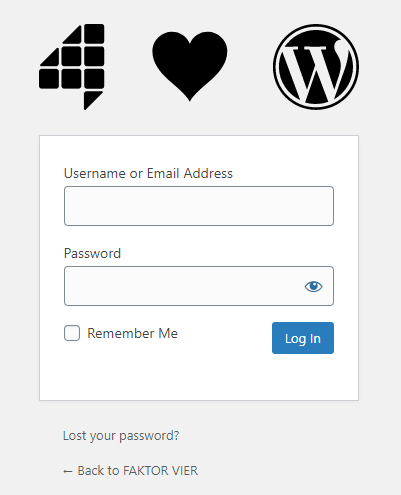
Login page image
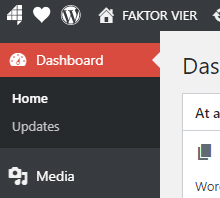
Admin bar logo

Admin footer texts
Changelog
1.0.11
- Support WordPress 6.5
1.0.10
- Support WordPress 6.1
1.0.9
- Update www.f4dev.ch links
1.0.8
- Support WordPress 6.0
1.0.7
- Support WordPress 5.9
1.0.6
- Support WordPress 5.8
1.0.5
- Support WordPress 5.7
1.0.4
- Support WordPress 5.6
1.0.3
- Support WordPress 5.5
1.0.2
- Support WordPress 5.4
1.0.1
- Update namespaces
1.0.0
- Initial stable release