
Failed Actions Monitor for Action Scheduler
Monitors failed Action Scheduler jobs and sends daily email notifications about them.
Plugin info
Maintenance & Compatibility
Maintenance score
Stale • Last updated 331 days ago
Is Failed Actions Monitor for Action Scheduler abandoned?
Likely maintained (last update 331 days ago).
Compatibility
Similar & Alternatives
Explore plugins with similar tags, and compare key metrics like downloads, ratings, updates, support, and WP/PHP compatibility.
Description
Failed Actions Monitor is a WordPress plugin that helps you keep track of failed Action Scheduler jobs. It sends daily email notifications about any failed actions, making it easier to monitor and debug issues in your WordPress site.
Features
- Daily email notifications about failed actions
- Configurable notification email address
- Fallback to admin email if no specific email is set
- Support for recovery mode email
- Easy to use settings page
- Compatible with WordPress 5.8 and higher
- Requires PHP 7.4 or higher
Why Use This Plugin?
If you’re using Action Scheduler in your WordPress site, you know how important it is to monitor failed actions. This plugin makes it easy to:
- Stay informed about failed actions
- Configure who receives notifications
- Debug issues quickly
- Keep your site running smoothly
Installation
- Upload the
failed-actions-monitorfolder to the/wp-content/plugins/directory - Activate the plugin through the ‘Plugins’ menu in WordPress
- Go to Settings > Failed Actions Monitor to configure your notification email
- The plugin will automatically start monitoring failed actions
Frequently Asked Questions
Yes, this plugin requires Action Scheduler to be installed and activated. It works as an add-on to monitor failed actions.
Notifications are sent once per day, at 5:00 AM (server time). This gives you a daily summary of any failed actions.
Yes, you can set a specific email address in the plugin settings. If no email is set, it will fall back to the admin email.
Each notification includes:
* The number of failed actions
* Action IDs
* Hook names
* Scheduled dates
Review feed
Screenshots
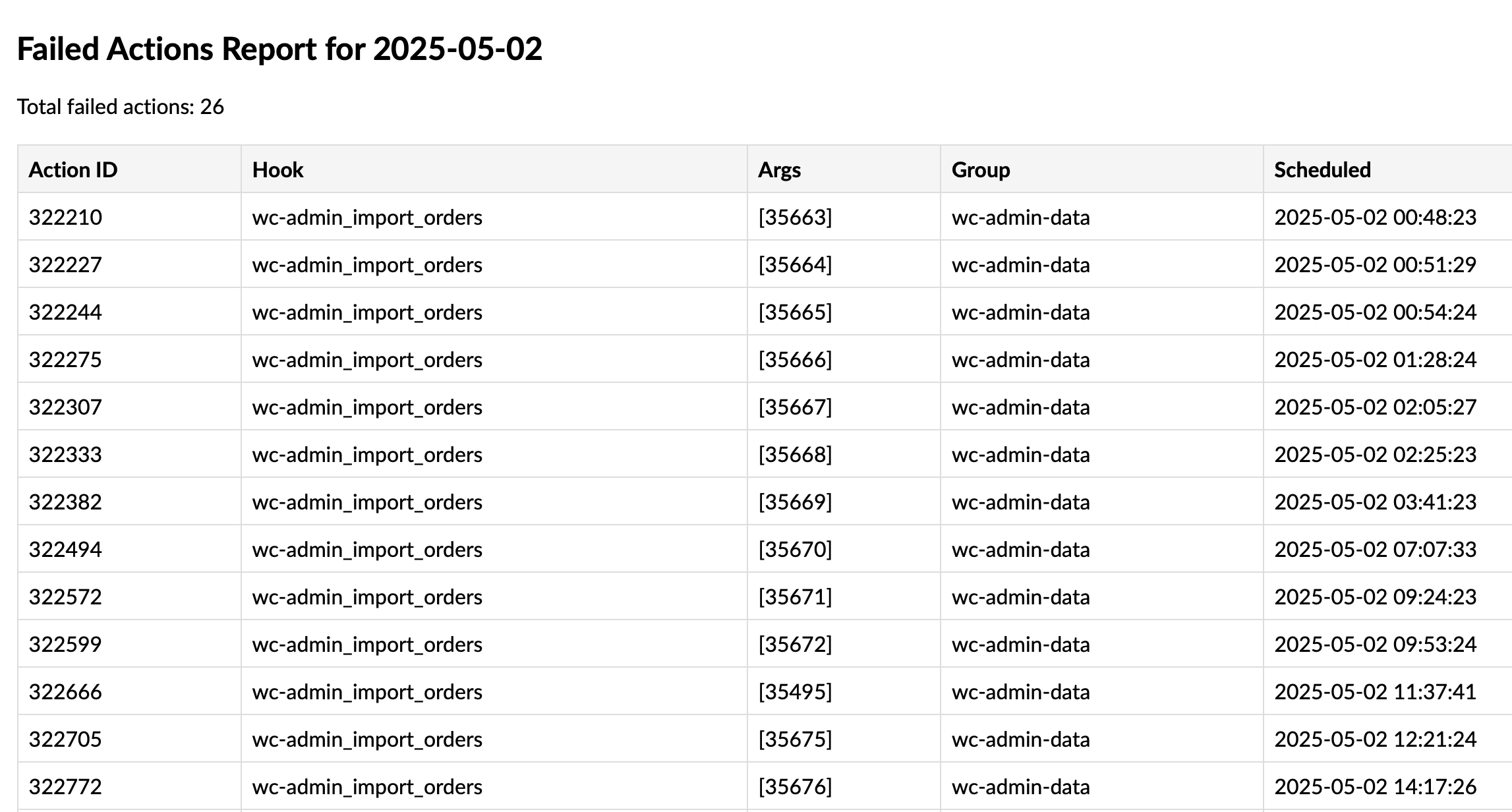
Settings page where you can configure the notification email

Email
Changelog
1.0.0
- Initial release
1.0.0
Initial release of Failed Actions Monitor for Action Scheduler.