

Fancy Elements for Avada
This plugin is built for the Avada theme. It adds new fancy elements to the list of Avada builder elements...
Plugin info
Maintenance & Compatibility
Maintenance score
Maintained • Last updated 156 days ago • 1 reviews
Is Fancy Elements for Avada abandoned?
Likely maintained (last update 156 days ago).
Compatibility
Similar & Alternatives
Explore plugins with similar tags, and compare key metrics like downloads, ratings, updates, support, and WP/PHP compatibility.
Description
Fancy Elements for Avada is an Avada theme add-on that adds some very cool elements to your Avada builder elements list.
Available elements are:
1. Tabs
2. Classic Timeline
3. Modern Timeline
4. Testimonial
Compatibility
- This plugin has been Tested for IE9, IE10, Firefox, Google Chrome, Opera and Safari.
- You can easily add any three elements to your Avada website by using Drag & Drop.
FEEDBACK, QUESTIONS, HELP, BUG REPORTING, AND SUGGESTIONS
Just post an email to: [email protected] / Email Subject: Fancy Elements for Avada
Installation
- Download the .zip file
- Upload or extract the contents of fancy-elements-avada.zip to your wp-content/plugins/folder
- Activate the fancy-elements-avada plugin in your WP-admin / Plugins
Frequently Asked Questions
Currently, It works only with Avada theme.
Review feed
Screenshots
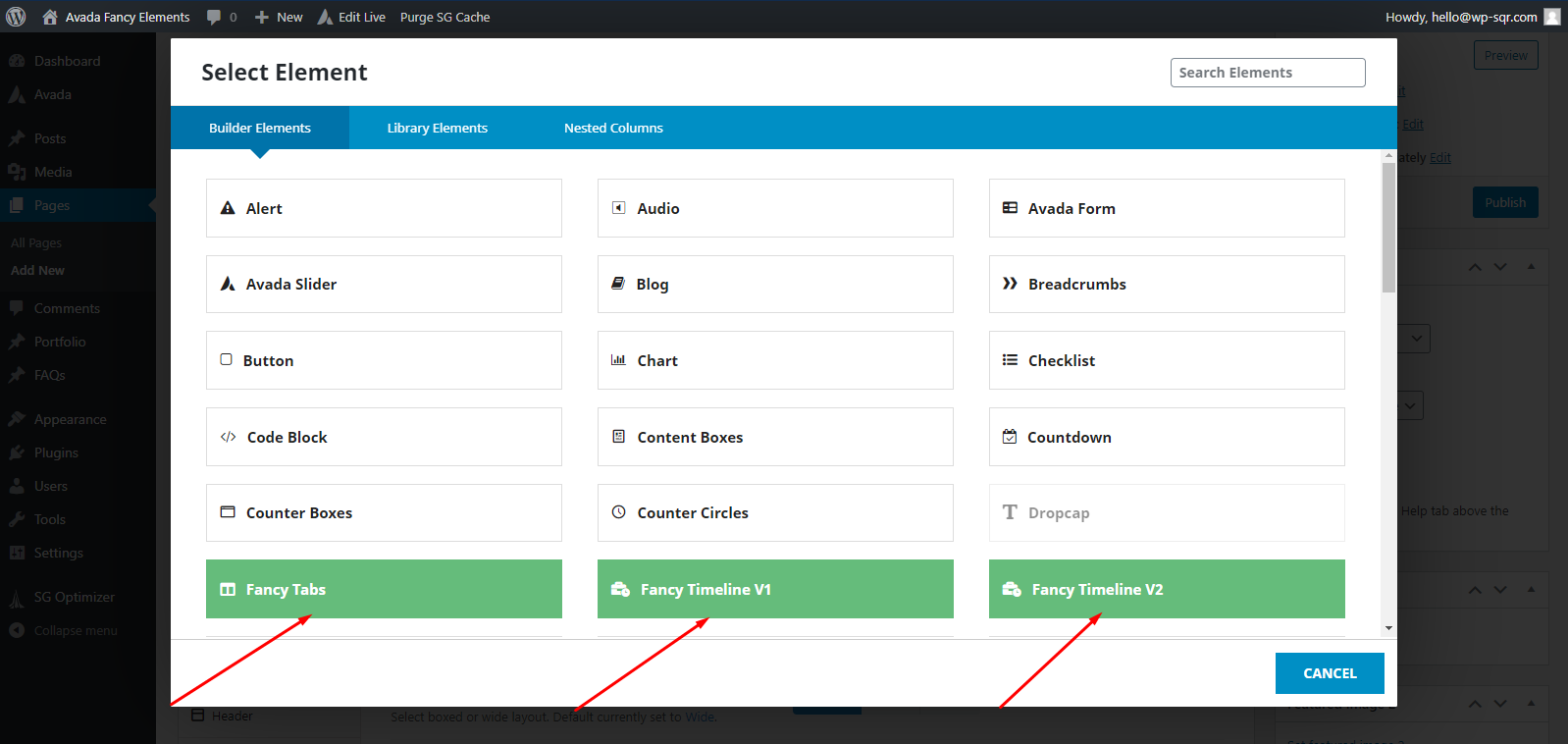
screenshot-1.png describe where the fancy-elements-avada is located

screenshot-2.png describes how to add the fancy-element-avada

screenshot-3.png describes how to add and edit the Fancy Tabs Element
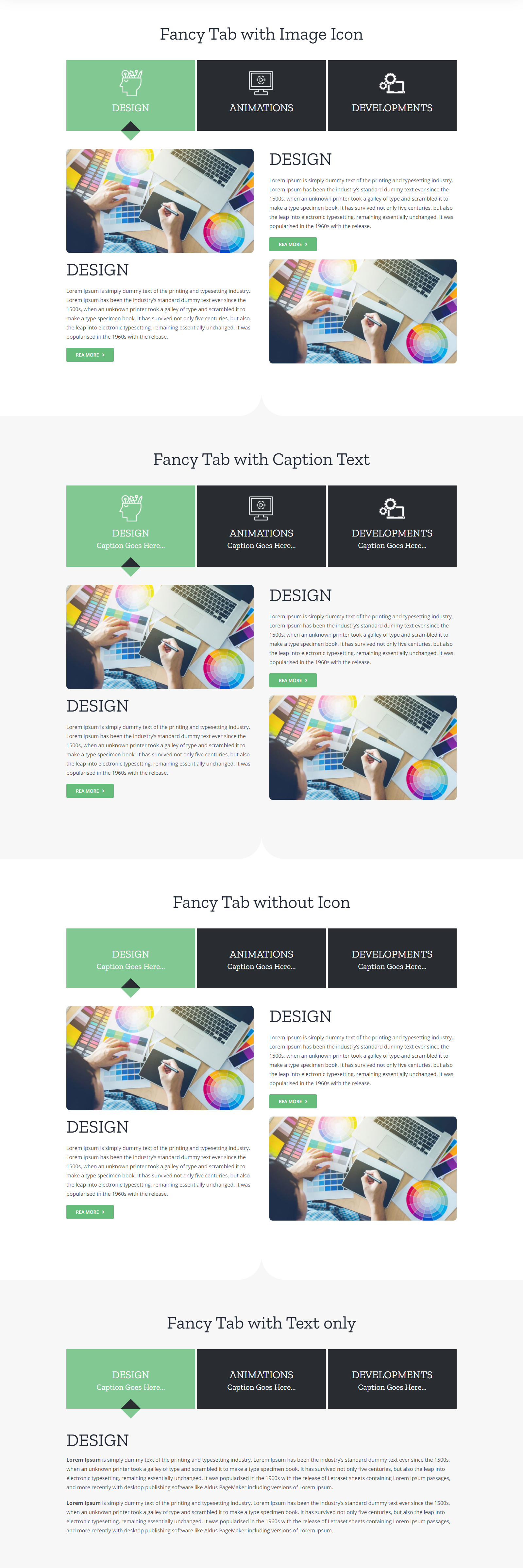
screenshot-4.png preview of the Fancy Tabs

screenshot-5.png describes how to add and edit the Fancy Timeline V1

screenshot-6.png preview of the Fancy Timeline V1

screenshot-7.png describes how to add and edit the Fancy Timeline V2

screenshot-8.png preview of the Fancy Timeline V2
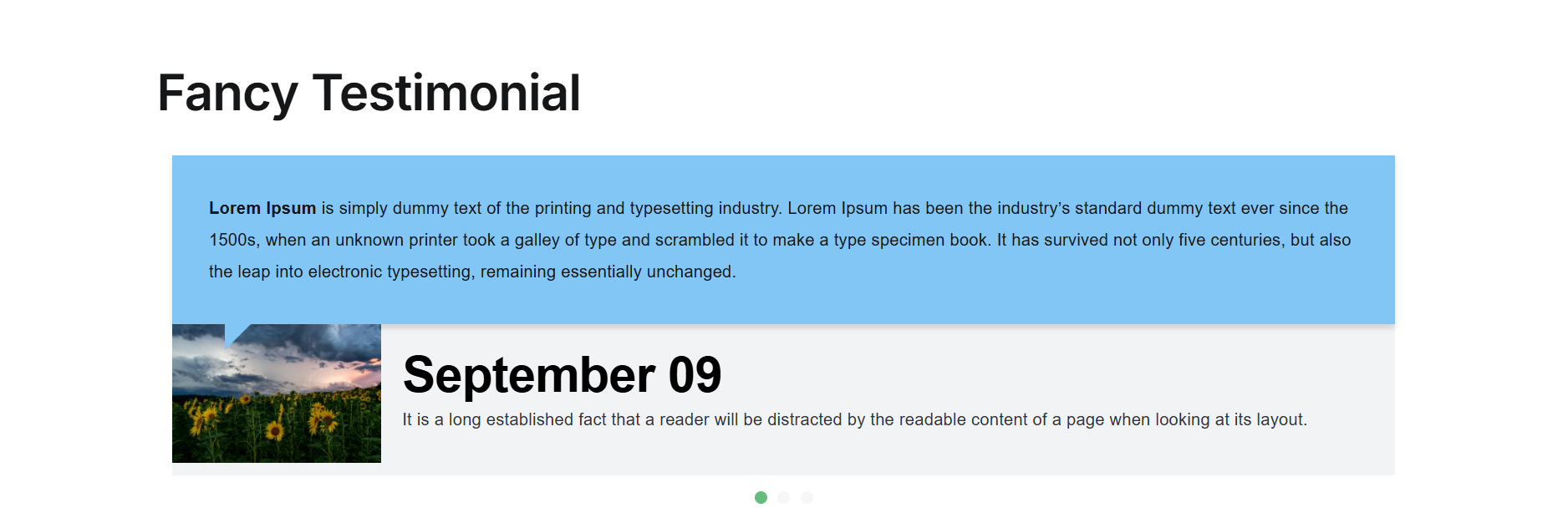
screenshot-9.png preview of the Fancy Testimonial
Changelog
1.2
- Replaced Owl Carousel with a custom slider.
- Added background image/colour support for tab content.
1.1
- New Fancy Testimonial element added
1.0.0
- Initial Release