
Maintenance 22/1002975d since update
Active installs
10
Downloads
1,377
Reviews
1
Age
9.9y
Plugin info
Total downloads: 1,377
Active installs: 10
Total reviews: 1
Average rating: 5
Support threads opened: 0
Support threads resolved: 0 (0%)
Available in: 1 language(s)
Contributors: 1
Last updated: 2/8/2018 (2975 days ago)
Added to WordPress: 5/29/2016 (9 years old)
Minimum WordPress version: 4.5
Tested up to WordPress version: 4.9.28
Minimum PHP version: f
Maintenance & Compatibility
Maintenance score
Possibly abandoned • Last updated 2975 days ago • 1 reviews
22/100
Is Fancy Github Activity abandoned?
Possibly abandoned (last update 2975 days ago).
Compatibility
Requires WordPress: 4.5
Tested up to: 4.9.28
Requires PHP: f
Similar & Alternatives
Explore plugins with similar tags, and compare key metrics like downloads, ratings, updates, support, and WP/PHP compatibility.
Fancy Lightbox
Rating 4.8/5 (4 reviews) • Active installs 600
Random image gallery with fancy zoom
Rating 0.0/5 (0 reviews) • Active installs 100
Fancy Image Show
Rating 0.0/5 (0 reviews) • Active installs 100
Fancy Captcha
Rating 5.0/5 (1 reviews) • Active installs 30
Fancy User List
Rating 3.0/5 (1 reviews) • Active installs 20
Fancy Events Plugin
Rating 5.0/5 (1 reviews) • Active installs 10
Description
Displays Github activity in a fancy way via shortcode which can be used in posts, pages, or widgets.
Notes
- Languages: PHP and Javascript
- Credits: caseyscarborough for his awesome github activity code.
- Created this because didn’t like the bland looks of current WordPress Github activity plugins.
Installation
- Upload the plugin files to the
/wp-content/plugins/fancy-github-activitydirectory, or install the plugin through the WordPress plugins screen directly. - Activate the plugin through the ‘Plugins’ screen in WordPress
- Use shortcode [fancy-github-activity] where you would like it. Configurable options below.
Options:
- username=”stopspazzing” // required
- repository=”” // optional
- limit=”20″ // optional
Example:
[fancy-github-activity username=”stopspazzing”]
Frequently Asked Questions
Installation Instructions
- Upload the plugin files to the
/wp-content/plugins/fancy-github-activitydirectory, or install the plugin through the WordPress plugins screen directly. - Activate the plugin through the ‘Plugins’ screen in WordPress
- Use shortcode [fancy-github-activity] where you would like it. Configurable options below.
Options:
- username=”stopspazzing” // required
- repository=”” // optional
- limit=”20″ // optional
Example:
[fancy-github-activity username=”stopspazzing”]
What is the plugin license?
- This plugin is released under a MIT license.
Review feed
Michael Nelson
Beauty
This plugin not only works exactly as intended, believe it or not, I couldn't find any other way to get my complete GitHub activity log without it (I was going to write up a bunch of code myself to add it).
Thanks!
Screenshots

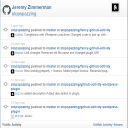
Shortcode in action on a page.
Changelog
1.0.3
- Code cleanup. Removed redundancies. Added plugin icon.
1.0.2
- Updated to latest code from caseyscarborough.
- Verified works on 4.9.x WordPress.
1.0.1
- Compliance with WordPress Plugins requirements.
- Completely working the way it should.
- First release to WordPress.
0.1
- Initial launch – unreleased