

FAQ Block For Gutenberg
This plugin provides a quick and easy way to add FAQ's block using Gutenberg visual editor.
Plugin info
Maintenance & Compatibility
Maintenance score
Possibly abandoned • Last updated 404 days ago • 8 reviews
Is FAQ Block For Gutenberg abandoned?
Possibly abandoned (last update 404 days ago).
Compatibility
Similar & Alternatives
Explore plugins with similar tags, and compare key metrics like downloads, ratings, updates, support, and WP/PHP compatibility.
Description
FAQ blocks for Gutenberg provide a block for the new Gutenberg editor in WordPress which allows you to add FAQs with basic styling options.
This plugin allows you to add multiple FAQs.
You can easily give background color and font color to question and answer.
Installation
From the admin panel, Go to your WordPress Admin -> Plugins -> Add New. Search for FAQ Block For Gutenberg. Install and Activate.
From directories, Upload FAQ Block For Gutenberg to the /wp-content/plugins/ directory and activate the plugin through the ‘Plugins’ menu in WordPress
Frequently Asked Questions
After installing FAQ block for Gutenberg you need to go to page or post section where you can see the Gutenberg editor and click on add block. Select FAQ block and add your question and answer. You will also be able to give the styling to FAQs.
Take, for example, the following line of code:
add_filter( 'fbfg_json_ld_output', '__return_false' );
Yes, you can add it using this filter:
add_filter(
    'fbfg_global_colors',
    function ( $colors ) {
        $colors = array(
            'backgroundColor'         => '#f6f7f7',
            'questionTextColor'       => '#000',
            'questionBackgroundColor' => 'none',
            'answerTextColor'         => '#000',
            'answerBackgroundColor'   => 'none',
        );
        return $colors;
    }
);
Review feed
Nice plugin
Simple FAQ Block
Screenshots

FAQ block editor

Advanced color settings
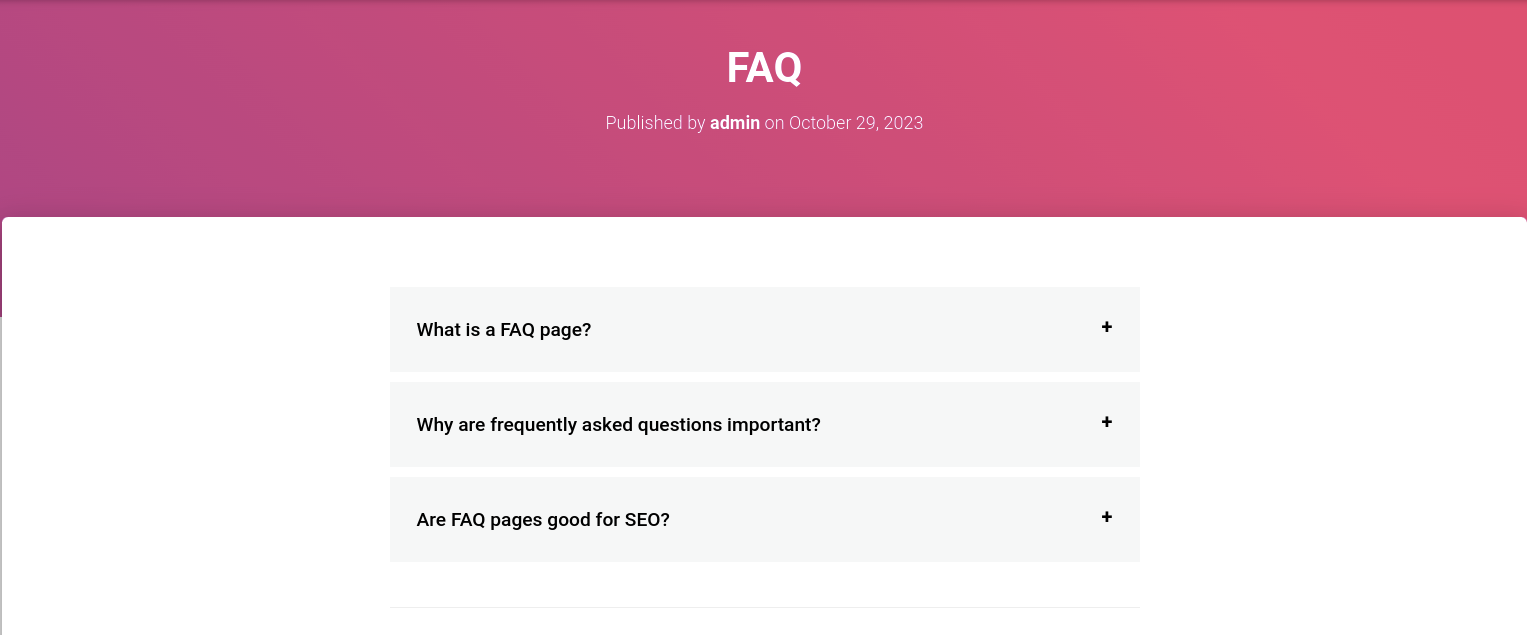
FAQ preview
Changelog
2.7
- Resolve schema JSON issue with nested blocks – https://wordpress.org/support/topic/schema-json-not-working
2.6
- Remove jQuery dependency
2.5
- Bug Fixed ( https://wordpress.org/support/topic/php-notice-232/, https://wordpress.org/support/topic/supprimer-les-majuscules-a-tous-les-mots/, https://wordpress.org/support/topic/block-not-appearing-in-gutenberg-editor/ )
- Added clone and delete block action ( https://wordpress.org/support/topic/define-colors-site-wide/ )
- Compatible with WordPress ^6.3 ( https://wordpress.org/support/topic/react-error-2/ )
- Compatible with PHP ^8.0
- Added new filter for global colors –
fbfg_global_colors
2.4
- Bug Fixed ( https://wordpress.org/support/topic/php-warning-366/ )
2.3
- Compatible with WordPress 5.5
2.2
- Added javaScript i18n support.
2.1
- Fixed block deprecated issue.
2.0
- Merge JS and CSS.
- Compatible with Google schema.
1.4
- Bug Fixed ( CSS )
1.3
- Bug Fixed (wp.editor Richtext undefine).
- Keeping up with changes in gutenberg (version-4.5.1).
1.2
- Bug Fixed.
- Keeping up with changes in gutenberg.
1.1
- Bug Fixed.
- Keeping up with changes in gutenberg.
1.0
- Initial release.