
Fastest Age Verification
A non-blocking, fastest age verification popup for WordPress with customizable logo, button colors, and user-defined minimum age.
Plugin info
Maintenance & Compatibility
Maintenance score
Maintained • Last updated 165 days ago • 4 reviews
Is Fastest Age Verification abandoned?
Likely maintained (last update 165 days ago).
Compatibility
Similar & Alternatives
Explore plugins with similar tags, and compare key metrics like downloads, ratings, updates, support, and WP/PHP compatibility.
Description
Fastest Age Verification is the simplest and most efficient age gate solution for WordPress. It ensures compliance with age restrictions while keeping the user experience smooth and non-intrusive.
Key Features:
- Fastest Age Verification – Loads instantly with minimal impact on performance.
- Non-blocking – Does not interfere with website content or slow down loading time.
- Simplest Age Verification – Easy setup with a user-friendly admin interface.
- Customizable – Upload your logo and set button colors from the settings page.
- Persistent Verification – Uses cookies to remember user responses for 30 days.
- Set Your Own Age Limit – Admins can define the minimum age requirement.
- Responsive Design – Works perfectly on all screen sizes.
License
This plugin is licensed under the GPLv2 or later. See the full license at GNU.org.
Installation
- Download and extract the plugin.
- Upload the
fastest-age-verificationfolder to the/wp-content/plugins/directory. - Activate the plugin through the ‘Plugins’ menu in WordPress.
- Navigate to Settings > Age Verification to configure the popup.
Frequently Asked Questions
A: No, it is designed to be lightweight and non-blocking.
A: Yes! You can upload a logo, change button colors, and set the age limit.
A: It uses cookies to store the verification status for 30 days.
A: Yes, it is optimized to work with caching mechanisms.
Review feed
Thanks to all
Screenshots
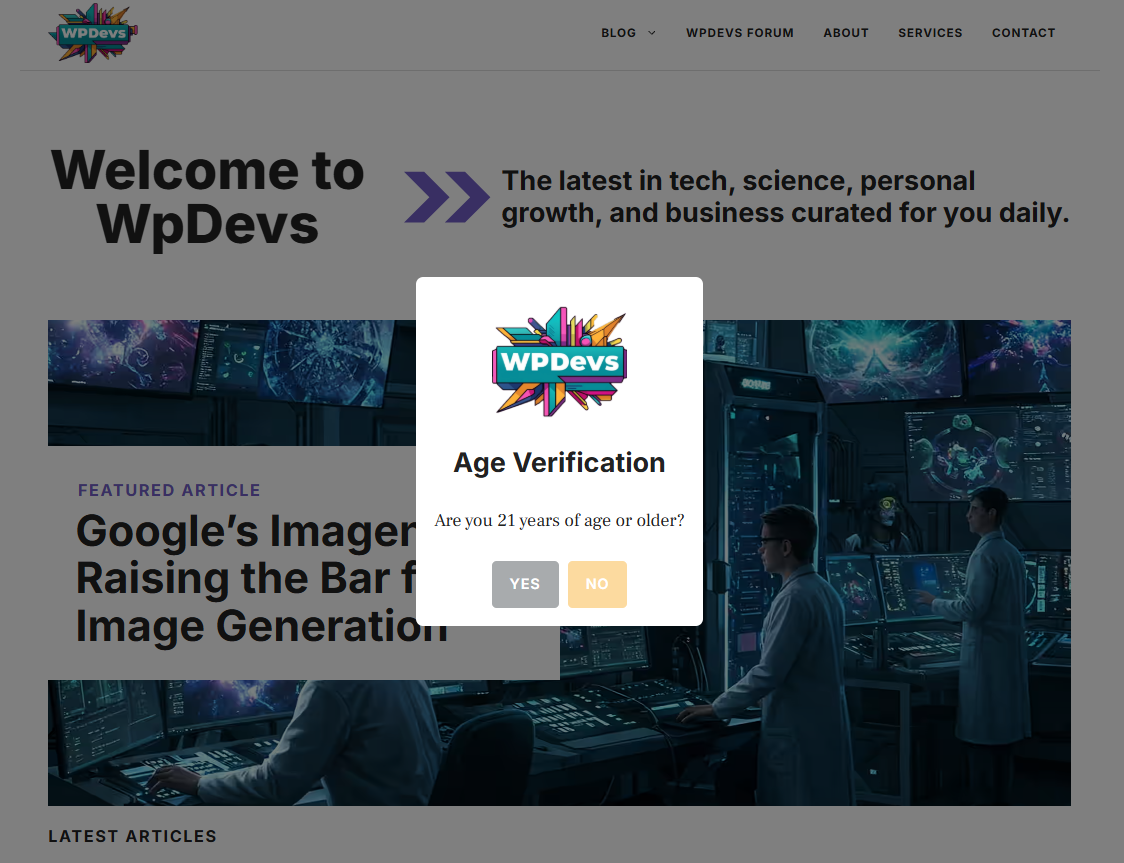
Age verification popup with a custom logo.
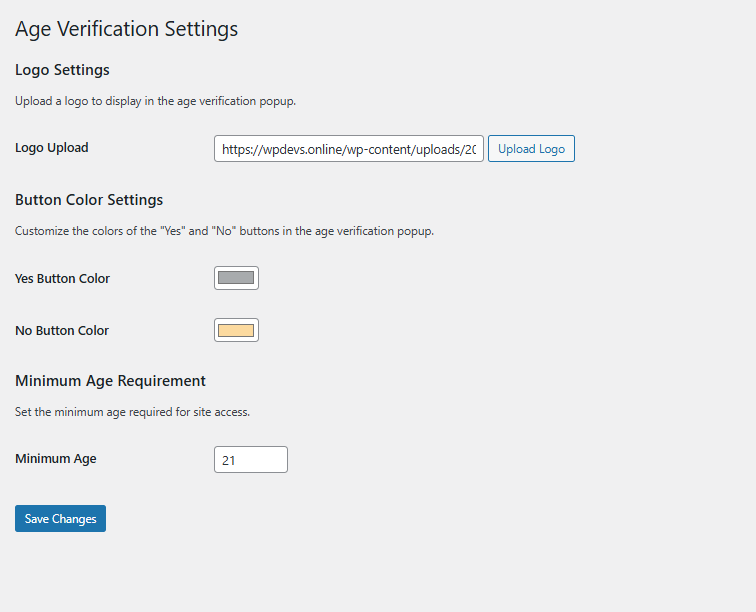
Settings page to customize the popup.
Changelog
1.4.0
- Improved speed and performance.
- Added user-defined age input in settings.
- Security enhancements: sanitized and validated inputs.
1.3.0
- Added logo upload option.
- Customizable button colors.
- Non-blocking behavior implemented.
1.2.0
- Persistent cookie storage for verified users.
- Responsive and mobile-friendly design.
1.0.0
- Initial release.