

Maintenance 30/100627d since update
Active installs
30,000
Downloads
287,460
Reviews
12
Age
15.7y
Plugin info
Total downloads: 287,460
Active installs: 30,000
Total reviews: 12
Average rating: 4.3
Support threads opened: 0
Support threads resolved: 0 (0%)
Available in: 4 language(s)
Contributors: 1
Last updated: 7/15/2024 (627 days ago)
Added to WordPress: 8/13/2010 (15 years old)
Minimum WordPress version: 5.4
Tested up to WordPress version: 6.6.4
Minimum PHP version: f
Maintenance & Compatibility
Maintenance score
Possibly abandoned • Last updated 627 days ago • 12 reviews
30/100
Is Favicon Rotator abandoned?
Possibly abandoned (last update 627 days ago).
Compatibility
Requires WordPress: 5.4
Tested up to: 6.6.4
Requires PHP: f
Developers
Similar & Alternatives
Explore plugins with similar tags, and compare key metrics like downloads, ratings, updates, support, and WP/PHP compatibility.
Admin Customization
Rating 0.0/5 (0 reviews) • Active installs 300
Favicon by RealFaviconGenerator
Rating 4.9/5 (800 reviews) • Active installs 200,000
All In One Favicon
Rating 4.5/5 (82 reviews) • Active installs 70,000
WP Favicon Remover
Rating 5.0/5 (2 reviews) • Active installs 10,000
Heroic Favicon Generator
Rating 5.0/5 (17 reviews) • Active installs 7,000
Genesis Favicon Uploader
Rating 5.0/5 (7 reviews) • Active installs 6,000
Description
Favicon Rotator makes it easy to customize the favicon for your site. Just add a favicon via the administration page and it will be displayed whenever someone visits your site.
Highlights
- New: Set icon for Touch devices (Android, iPhone, iPad, iPod Touch, etc.)
- Simply point and click to add a favicon to your site
- Supports adding multiple icons, from which a randomly selected favicon will be displayed.
- Automatic icon conversion for large images (smaller files and faster loading)
Usage
- Go to Theme > Favicon admin page to add/upload image(s) to use for the favicon
That’s it! The favicon will be displayed in visitors’ browsers when they visit your site
Notes
- Verify that your theme uses the
wp_head()template tag - If you add multiple icons, then a randomly selected icon will be displayed each time the site is loaded
Installation
- Install and activate via admin dashboard
Frequently Asked Questions
Review feed
No reviews available
Screenshots
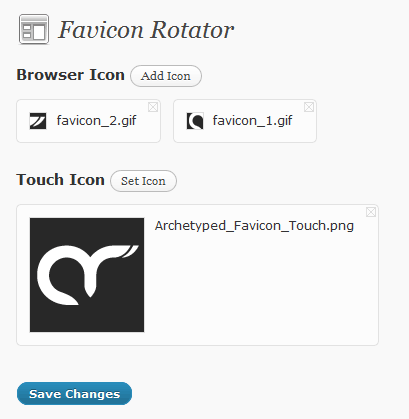
Simple Administration
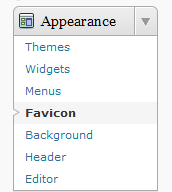
Favicon submenu in Appearance menu
Changelog
1.2.11
- Optimize: WordPress 6.4 Compatibility
- Optimize: Data validation/formatting
- Optimize: Internal code cleanup
1.2.10
- Optimize: WordPress 5.6 Compatibility
1.2.9
- Optimize: WordPress 5.5 Compatibility
1.2.8
- Optimize: WordPress 5.4 Compatibility
1.2.7
- Add: Text Domain plugin header (for translations)
- Update: Use plugin-specific text domain for localized strings
1.2.6
- Update: WordPress compatibility (4.4)
- Optimize: PHP standards
1.2.5
- Update: WordPress 3.8 support
1.2.4
- Update: WordPress 3.6 support
- Optimize: Contextual help
1.2.3
- Optimize: Improved compatibility with WP media library
1.2.2
- Optimize: Improved PHP 5+ compatibility
1.2.1
- Add: WP 3.3 Support
- Update: Remove references to deprecated functions
1.2
- Add: Support for setting Touch icon (iOS, Android, etc.)
1.1.2
- Updated: Utilities code (internal)
1.1
- Added: Generate icon file from uploaded images
- Added: Settings link from plugins page
- Optimized: File path resolution
1.0.1
- Fix: Various bugs
1.0
- Initial release