

Featured Image
Add featured image to any part of the website, on each individual post/page. Very Easy to Implement. Shortcode and widget available.
Plugin info
Maintenance & Compatibility
Maintenance score
Maintained • Last updated 146 days ago • 8 reviews
Is Featured Image abandoned?
Likely maintained (last update 146 days ago).
Compatibility
Similar & Alternatives
Explore plugins with similar tags, and compare key metrics like downloads, ratings, updates, support, and WP/PHP compatibility.
Description
Add featured image to any part of the website, on each individual post/page. Very Easy to Implement. Provides you with a featured image shortcode [ featured-img ] , code and Featured Image widget.
Paste the Code or the Shortcode on any part of the website.
- Very Easy to implement.
- Simple Shortcode Available
- Easy code Implementation inside loop and outside loop.
- Widge Avaliable
- Featured Image Caption
WordPress Featured Image Documentation By Mervin Praison
SEO Manager
Version history
version 2.2
- Security: Fixed Stored Cross-Site Scripting (XSS) vulnerability (CVE-2025-12019)
- Fixed: Added missing global $post in caption function
- Improved: Enhanced security with proper output escaping
version 2.1
- global $post fix
Version 2.0
- Added Featured Image Caption
- Added Alt Text for images
- Fixed Bugs
Version 1.0
- Initial release version.
Installation
Step 1
- Download the zip file
- Extract the contents
- Upload the folder
featured-imageto your WP plugin folder/wp-content/plugins/directory - Go to Plugins > Plugins, and activate the plugin
Step 2
- Use this shortcode ‘[featured-img]’ on your page/post content.
- Use this shortcode ‘[featured-img-caption]’ on your page/post content for caption
- Use this Code on your template inside loop:
Frequently Asked Questions
[featured-img]
Review feed
Nice
Screenshots
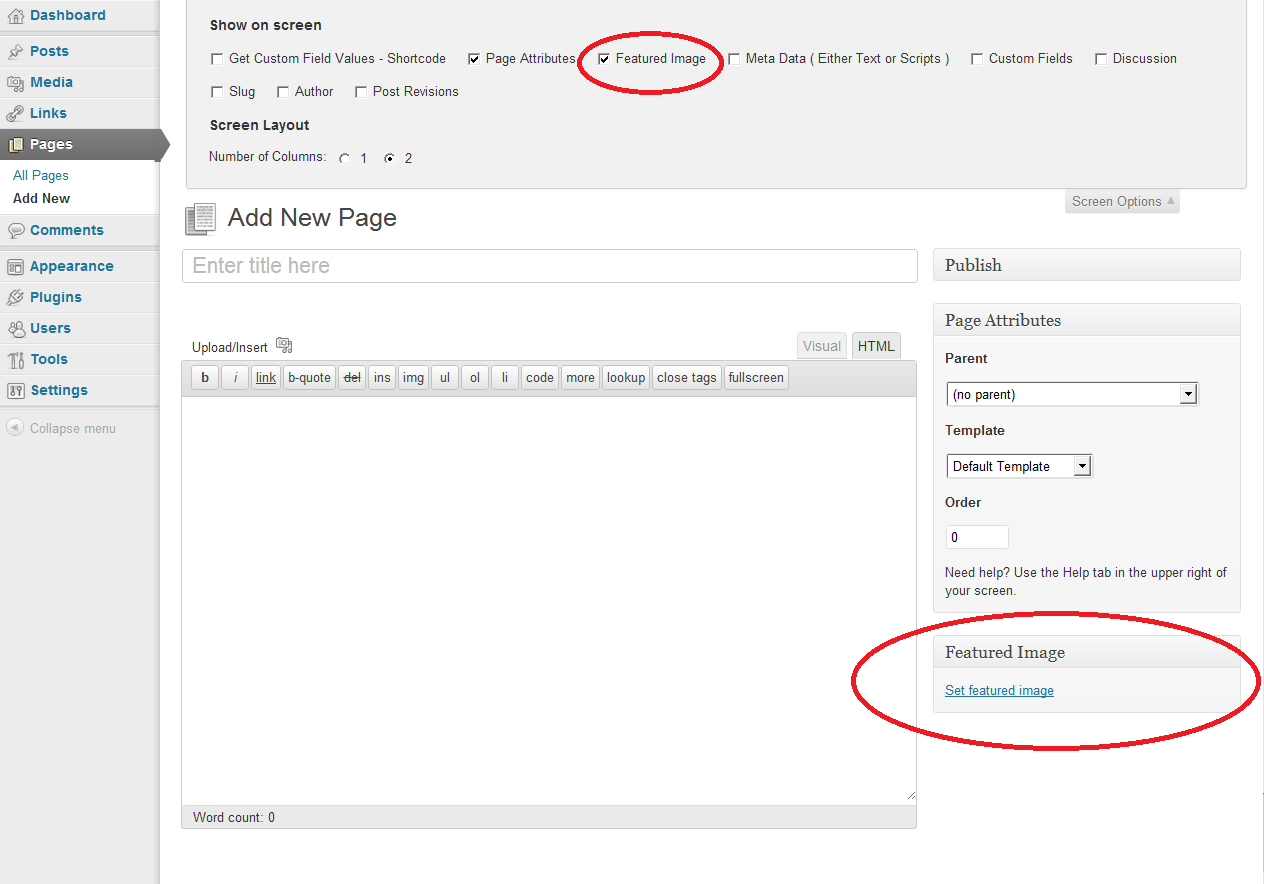
Featured Image area
Changelog
version 2.2
- Security: Fixed Stored Cross-Site Scripting (XSS) vulnerability in image alt text and URLs (CVE-2025-12019)
- Security: Added proper output escaping using esc_url() and esc_attr()
- Security: Added wp_kses_post() sanitization for caption output
- Fixed: Added missing global $post declaration in caption function
- Fixed: Improved error handling in caption function
- Improved: Code formatting and WordPress coding standards compliance
version 2.1
- global $post fix
Version 2.0
- Added Featured Image Caption
- Added Alt Text for images
- Fixed Bugs
Version 1.0
-
First release.= 2.2 =
-
Security: Fixed Stored Cross-Site Scripting (XSS) vulnerability in image metadata (CVE-2025-12019)
- Security: Added esc_url() for image URLs
- Security: Added esc_attr() for alt text attributes
- Security: Added wp_kses_post() for caption sanitization
- Fixed: Missing global $post declaration in getting_featured_img_caption()
- Fixed: Improved error handling to prevent PHP warnings
- Improved: Code refactored to use sprintf() for better readability
- Improved: WordPress coding standards compliance
2.1
- global $post fix
2.0
- Added Featured Image Caption
- Fixed Bugs
1.0
- Shortcode was created
- Code inside loop of the template
- Widget was created