

Featured Image Gallery Widget
Widget areas are great opportunities to stimulate content discovery on your site. The featured image gallery widget makes this process visual, automat …
Plugin info
Maintenance & Compatibility
Maintenance score
Possibly abandoned • Last updated 630 days ago
Is Featured Image Gallery Widget abandoned?
Possibly abandoned (last update 630 days ago).
Compatibility
Similar & Alternatives
Explore plugins with similar tags, and compare key metrics like downloads, ratings, updates, support, and WP/PHP compatibility.
Description
Widget areas are great opportunities to stimulate content discovery on your site. The featured image gallery widget makes this process visual, automatically showing the featured images for all of the posts on a given view (archives, taxonomy terms, etc.) in one place. The widget is only displayed on views with multiple posts, and uses the same styling as the core gallery widget.
Installation
- Take the easy route and install through the WordPress plugin installer OR
- Download the .zip file and upload the unzipped folder to the
/wp-content/plugins/directory - Activate the plugin through the ‘Plugins’ menu in WordPress
- Add the widget to your sidebar or footer
Frequently Asked Questions
The images within the gallery will typically link to the post where they’re featured. This only works when the image is uploaded to the post. Images that are selected from the media library (previously uploaded elsewhere) when being featured are not “attached” to the post, and will not link back to the post in this widget.
This plugin relies on core and theme gallery markup and styling. If your theme does not display the gallery well, ask your theme author to implement support for the core gallery widget. You can also customize the display by adding additional CSS in the customizer.
To hide captions, paste this CSS into the “Additional CSS” editor in the customizer:
.widget_featured_image_gallery_widget .gallery-caption {

    display: none;

}
Review feed
Screenshots
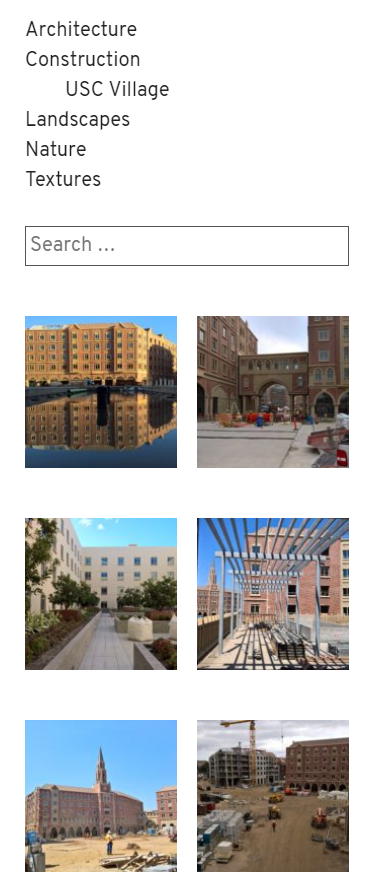
Two-column featured image gallery widget in a custom theme's sidebar.
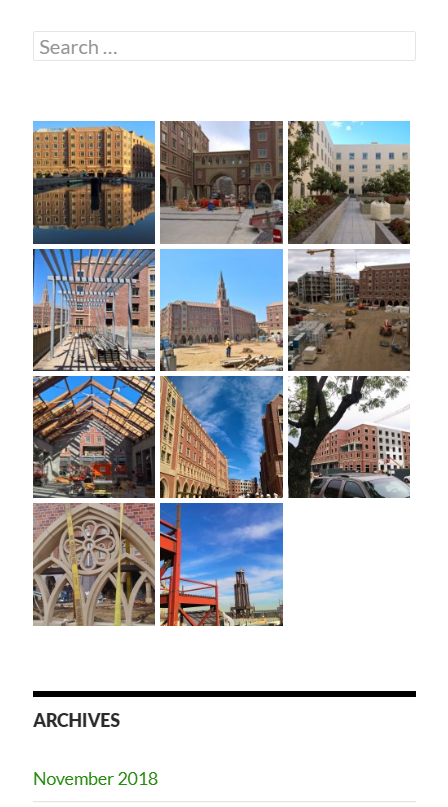
Three-column featured image gallery widget in the Twenty Fourteen theme's content sidebar.
Changelog
1.0
- Initial release.