

Festival Banner
Add beautiful, customizable banners to your WordPress site during festivals and special occasions. Perfect for announcements, greetings, or promotiona …
Plugin info
Maintenance & Compatibility
Maintenance score
Maintained • Last updated 108 days ago
Is Festival Banner abandoned?
Likely maintained (last update 108 days ago).
Compatibility
Similar & Alternatives
Explore plugins with similar tags, and compare key metrics like downloads, ratings, updates, support, and WP/PHP compatibility.
Description
Festival Banner allows you to easily display festive messages or promotional banners across your WordPress site. This plugin helps you share your greetings or announcements with style.
You can create and customize your banner’s text, background color, image, position, and animation — all from a simple settings panel.
✨ Features
- 🖼️ Add a banner on top, bottom, sidebar or as a popup
- 🎨 Customize text, colors, and background
- 📅 Schedule banners for specific festival dates
- 🔄 Enable or disable banners globally or per page
- 🕒 Lightweight and optimized for performance
- 🌐 Fully responsive on all devices
- 🧩 Compatible with most themes and page builders
Use Cases
- Announce seasonal offers or sales
- Share holiday greetings with your visitors
- Promote upcoming events or festivals
- Display countdowns or limited-time messages
Credits
Developed by Md. Sohel Rana
Website: https://github.com/justSohel
License
This plugin is free software; you can redistribute it and/or modify it under the terms of the GNU General Public License version 2 or later.
Installation
- Upload the plugin files to the
/wp-content/plugins/festival-bannerdirectory, or install it directly through the WordPress plugin dashboard. - Activate the plugin through the Plugins screen in WordPress.
- Navigate to Festival Banner Add New Banner to configure your banner.
- Put it a title and your text and display settings.
- Save changes and enjoy your new festive banner!
Frequently Asked Questions
Yes. You can select specific pages or posts from the metabox panel.
Yes, you can upload your own image or choose from your media library.
No. The plugin is lightweight and optimized for performance.
Yes. It works smoothly with major caching and optimization plugins.
Absolutely. You can set start and end dates for any banner.
Review feed
Screenshots
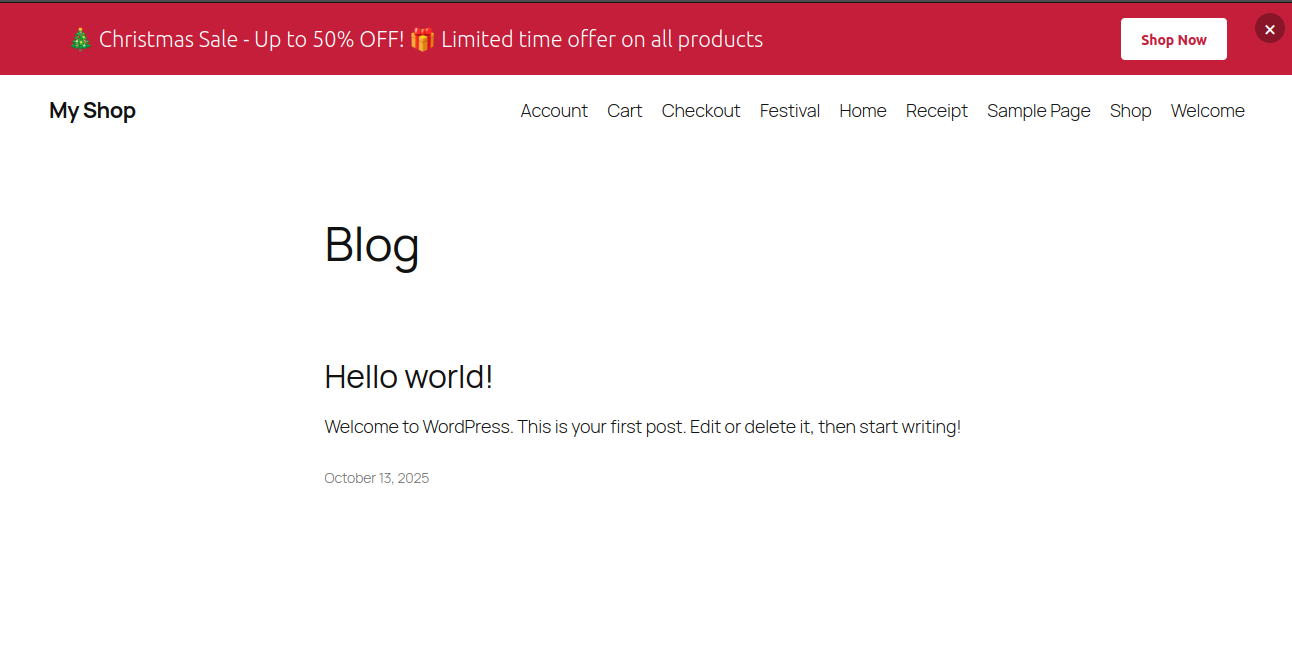
Example of a banner displayed on the top of a website.
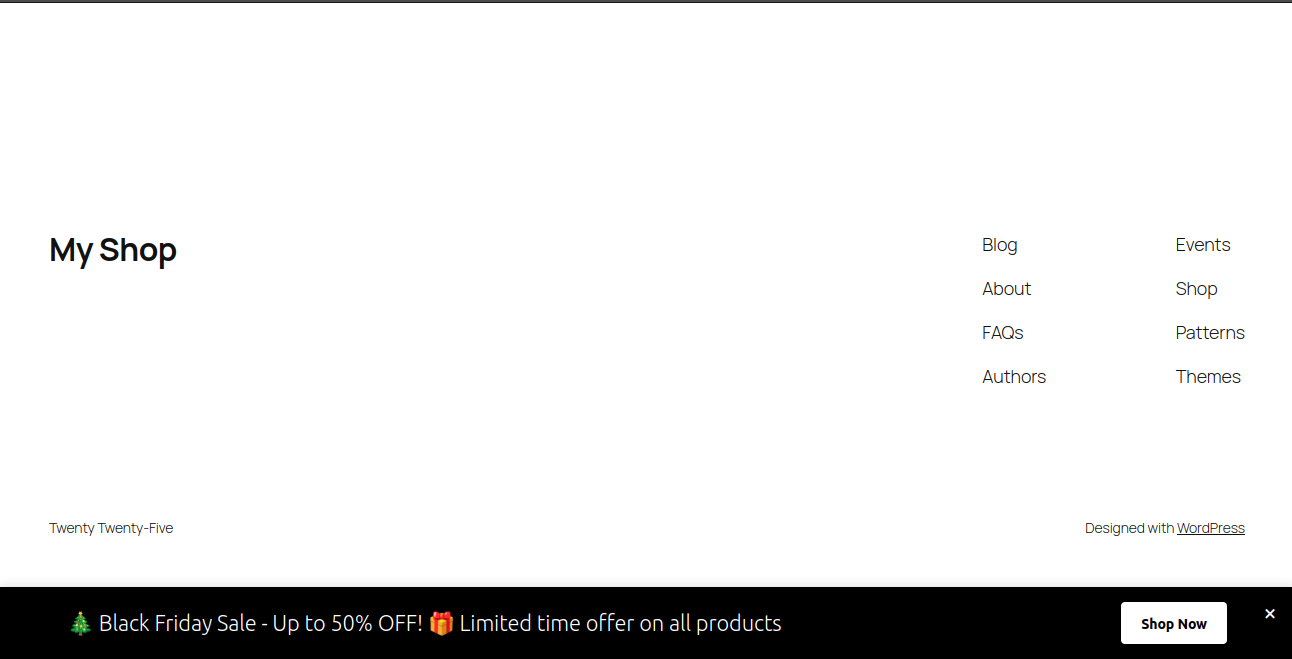
Example of a banner displayed on the bottom of a website.
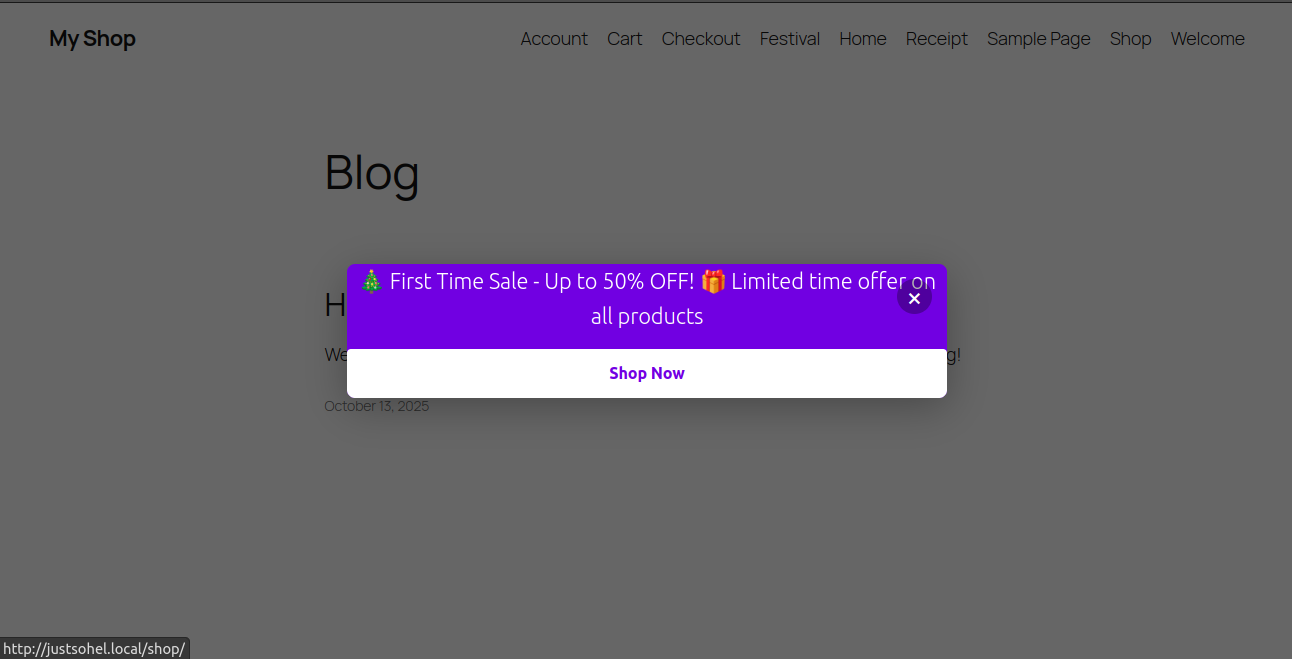
Example of a banner displayed as a popup.
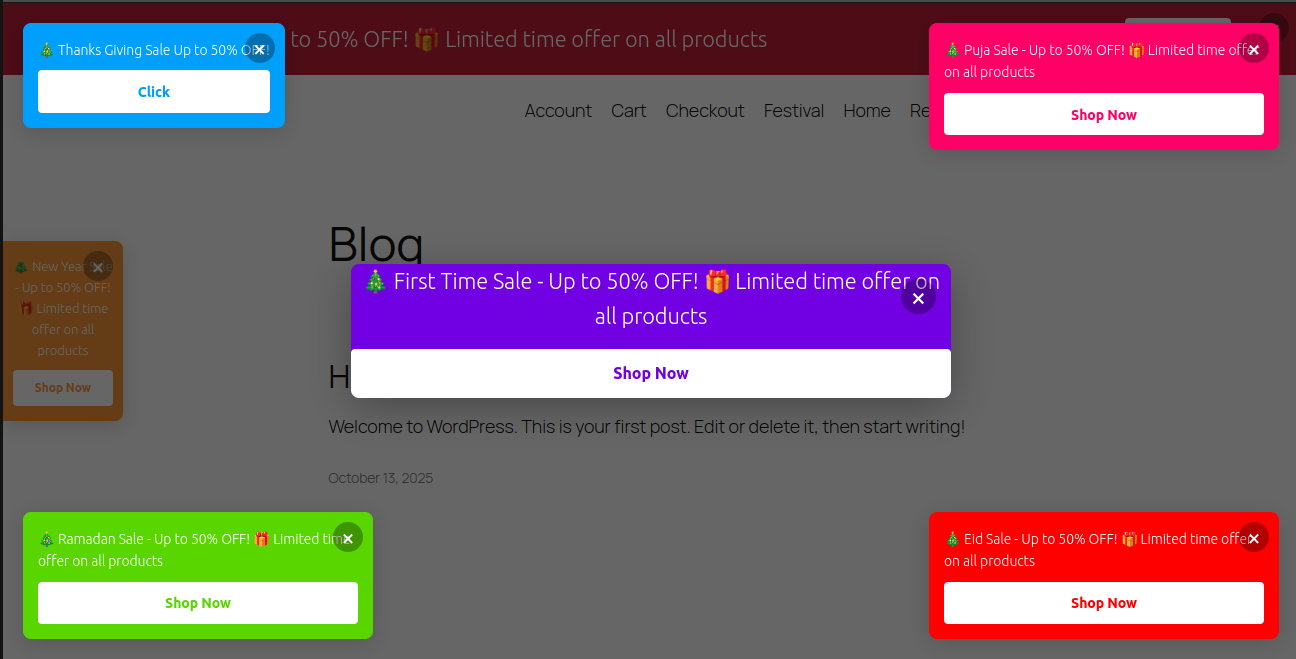
All banners displayed.
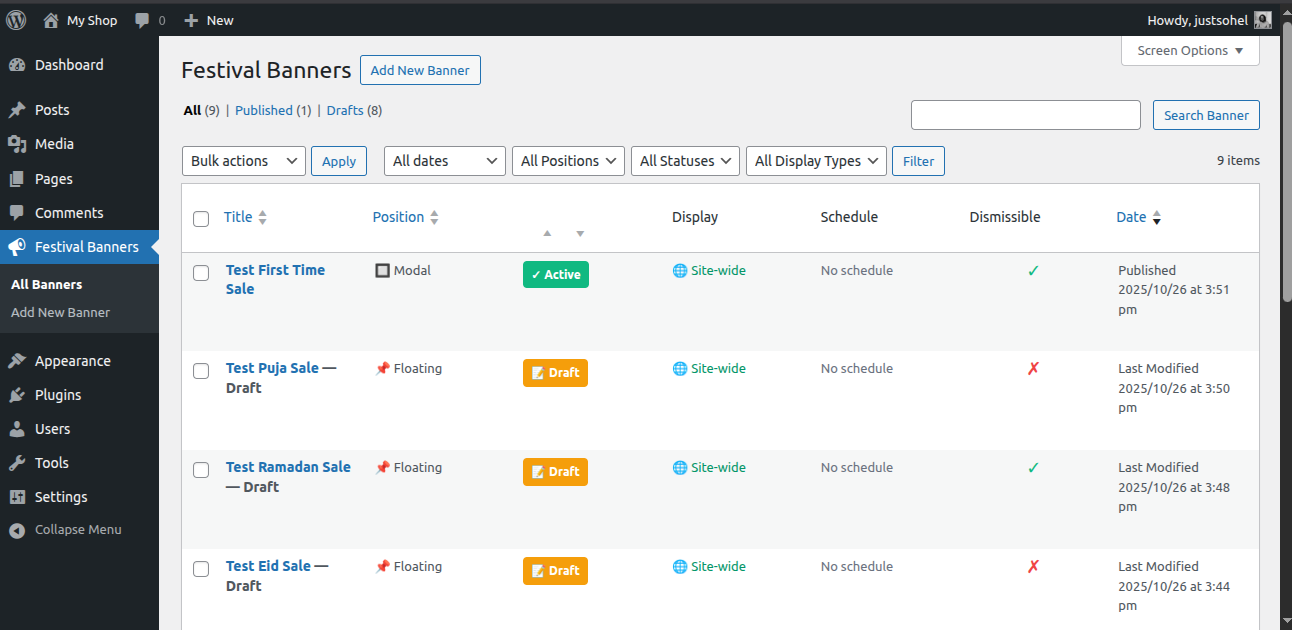
Banner list pannel.
Changelog
1.1.1 (Date: Nov 01, 2025)
- Add default translation
1.1.0 (Date: Oct 27, 2025)
- Clear cache when uninstall
- Remove all data when delete plugin
- Fix: Default dismissable behavior
1.0.0
- Initial release with customizable banner options, scheduling, and responsive layout.