

Simple Google Analytics by Fierce Geek
An updated, really free, and light way to add the Google Universal Analytics tracking code to your Wordpress web property.
Plugin info
Maintenance & Compatibility
Maintenance score
Possibly abandoned • Last updated 3107 days ago • 1 reviews
Is Simple Google Analytics by Fierce Geek abandoned?
Possibly abandoned (last update 3107 days ago).
Compatibility
Similar & Alternatives
Explore plugins with similar tags, and compare key metrics like downloads, ratings, updates, support, and WP/PHP compatibility.
Description
Simple Google Analytics is an updated, really free, and lightweight plugin that makes it easy to add the Google Universal Analytics tracking code to your WordPress web property.
Simple Google Analytics Includes the latest features of Universal Google Analytics including:
- Enhanced Link Attribution
- Cross Domain Tracking
- Google Optimize
- Audience Demographics
- Interests Reporting
- Display and Search Remarketing
Installation
- Go to Plugins -> Add New, find our plugin and click on “Install Now”, and activate it. Optionally, click on “Upload Plugin”, upload our plugin, and activate it.
- After setting up Google Analytics for your web property, you will be provided with a Universal Analytics Tracking ID. You simply paste this ID into this plugin’s settings page and we will implement the tracking code for you.
Frequently Asked Questions
Installation Instructions
- Go to Plugins -> Add New, find our plugin and click on “Install Now”, and activate it. Optionally, click on “Upload Plugin”, upload our plugin, and activate it.
- After setting up Google Analytics for your web property, you will be provided with a Universal Analytics Tracking ID. You simply paste this ID into this plugin’s settings page and we will implement the tracking code for you.
Does this plugin support Google Tag Manager?
Not yet. Google Tag Manager is a great product if you are doing a lot of web analytics and need an easy way to add a lot of tags for tracking many variables. Using Google Tag Manager requires implementing different code on your web property which this plugin does not yet support.
Does this plugin support the User-ID feature?
Sort of. Google User-ID allows you to send your site’s unique ID for a visitor to Google Analytics to help combine the data on individual users across multiple devices. Since WordPress doesn’t generate a unique ID for visitors out of the box, this would require working with another plugin that probably should be handling the Universal Analytics for you instead of this plugin. However, that plugin could also pass in a User-ID for your tracking snippet in this plugin using the ‘fiercegeek_qa_user_id’ filter.
Review feed
Screenshots

Plugin admin interface
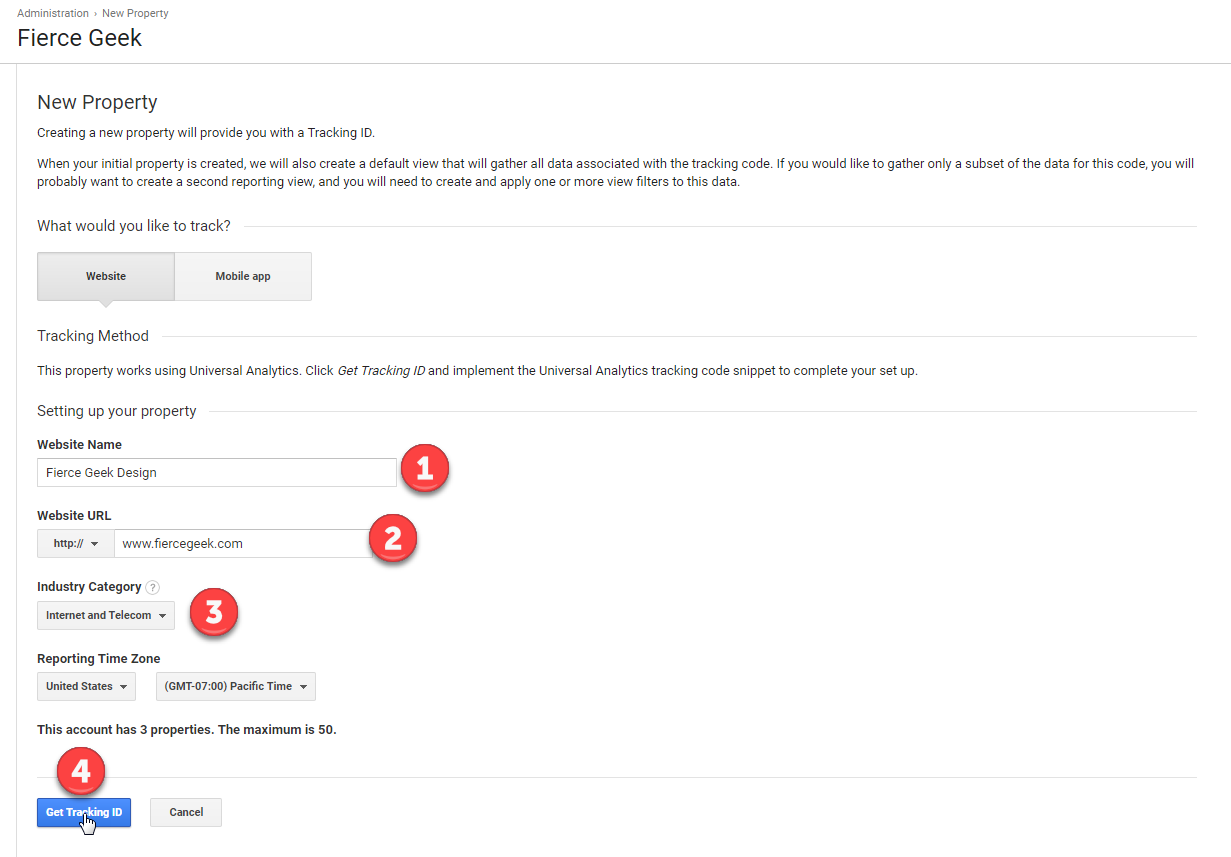
Creating your GA account steps 1

Creating your GA account steps 2

Enhanced link attribution
Changelog
1.01
*Release date: August 27, 2017
** Enhancements **
* Added link to Google Analytics in the dashboard
1.0
- Release date: August 11, 2017
- Release post: http://www.fiercegeek.com/simple-google-analytics-release-1-0
** Major Enhancements **
* An updated Google Analytics plugin
* Works with the latest Universal Analytics
* Enhanced Link Attribution
* Cross Domain Tracking
* Google Optimize
* Audience Demographics
* Interests Reporting
* Display and Search Remarketing