

FileBird Document Library
Create WordPress document library using FileBird and Gutenberg or any WordPress page builder.
Plugin info
Maintenance & Compatibility
Maintenance score
Maintained • Last updated 159 days ago • Support resolved 0% • 7 reviews
Is FileBird Document Library abandoned?
Likely maintained (last update 159 days ago).
Compatibility
Developers
Similar & Alternatives
Explore plugins with similar tags, and compare key metrics like downloads, ratings, updates, support, and WP/PHP compatibility.
Description
FileBird Document Library is a lightweight plugin that helps you create and publish document galleries using Gutenberg and FileBird folders. It offers two layout styles and supports multiple document categories.
NEW! You can now insert your documents into any WordPress page or theme builder using a shortcode.
Free vs Pro | Premium 💎
⚡️ FEATURES
Thanks to FileBird plugin, which has an amazing folder structure for organizing your files, you can make those FileBird folders work as your document categories.
Once you categorize document files into folders, they are ready for preview and showcase on your WordPress site!
This FileBird document library plugin supports all file types hosted in WordPress media library, including but not limited to:
- PDF (Portable Document Format)
- DOC, DOCX (Microsoft Word Document)
- PPT, PPTX, PPS, PPSX (Microsoft PowerPoint Presentation)
- ODT (OpenDocument Text Document)
- XLS, XLSX (Microsoft Excel Document)
- PSD (Adobe Photoshop Document)
- SVG, CAD (Vector Graphics Formats)
- DWG (Graphics and Design Web Format)
- .numbers, .pages (Apple document formats)
- .prc, .epub, .mobi, .azw, .djvu (ebook formats) and more ++
For further customization, you will be able to display the document gallery in grid or list style. Various options are built to help you customize the library appearance the way you want.
- Works seamlessly with Gutenberg
- Clean interface and modern gallery design
- Single folder and multiple folders supported
- Folder icon and custom title
- Limit document items per page
- Multiple layouts: Grid & List style
- Interactive front-end: Library sections are switchable by the visitors
- Sort options: Sort by name, modified date, size
- Link to attachments
- Download button
💎 PRO VERSION
The FileBird Document Library Pro allows you to show folder directory on the frontend:
- Show specific folders in the folder tree
- Show breadcrumb and nested folders for better navigation
- Customizable search scope
- And more!
Requirements
This plugin requires the following:
Installation
Setup is easy and takes fewer than one minute.
- Upload the plugin zip file to WordPress Plugins menu.
- Activate the plugin through the ‘Plugins‘ menu in WordPress.
- Go to your page/post which is using Gutenberg to find the document library block.
Enjoy!
Frequently Asked Questions
Yes, it is. You should have FileBird (Free or Pro, version 5+) installed and activated in advance so that you can use the FileBird document library Gutenberg block feature.
Yes, if you move/remove/add new files to your FileBird folders, it will also reflect on the front page/post of document gallery.
Definitely yes! To make FileBird Document Library work with Elementor, just create a shortcode for your document library, and then embed it into Elementor page builder.
You can reach us here https://ninjateam.org/support/
Happy Library-ing! 😍
Review feed
Screenshots
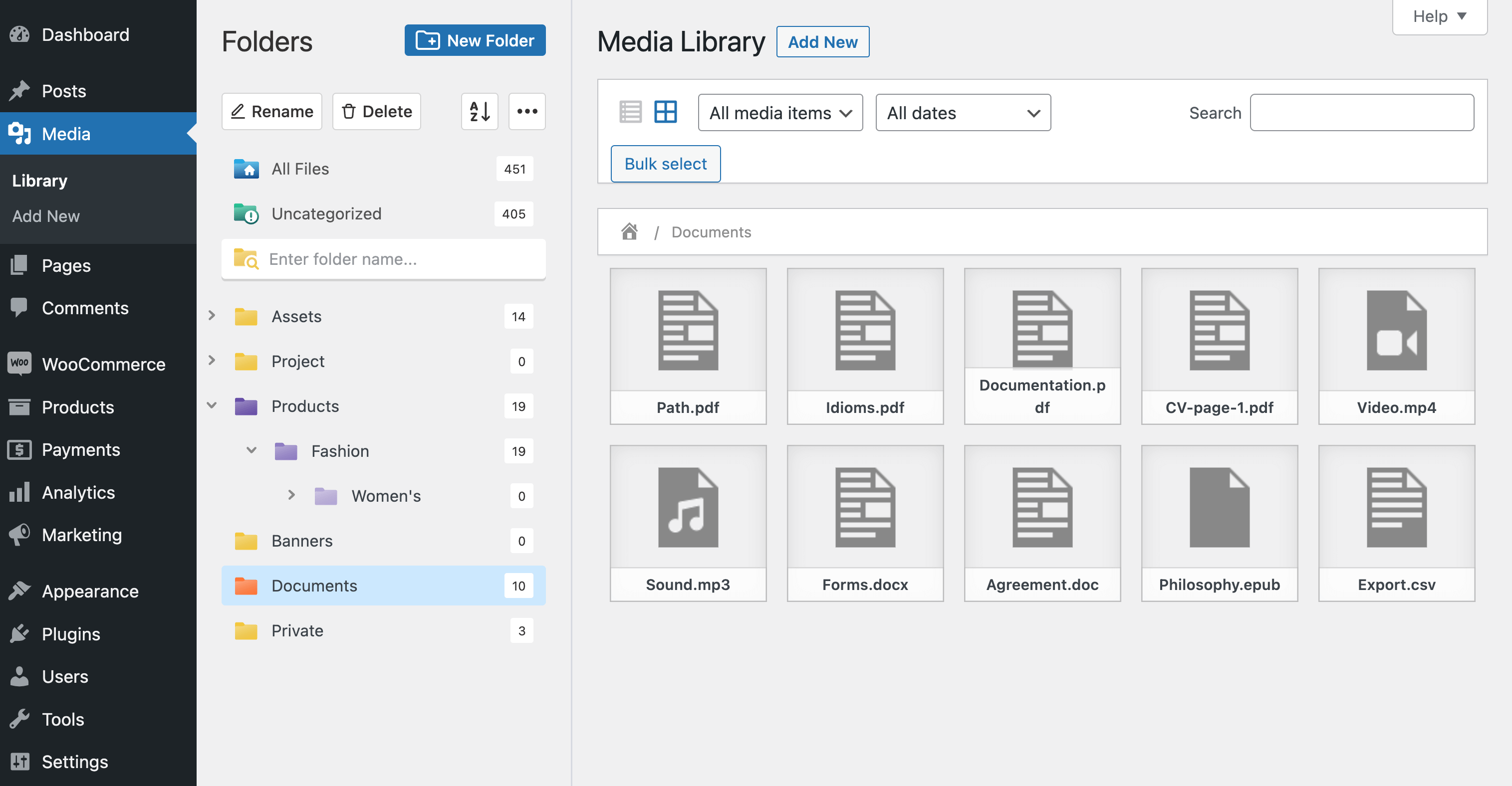
WordPress media library folders and Documents category
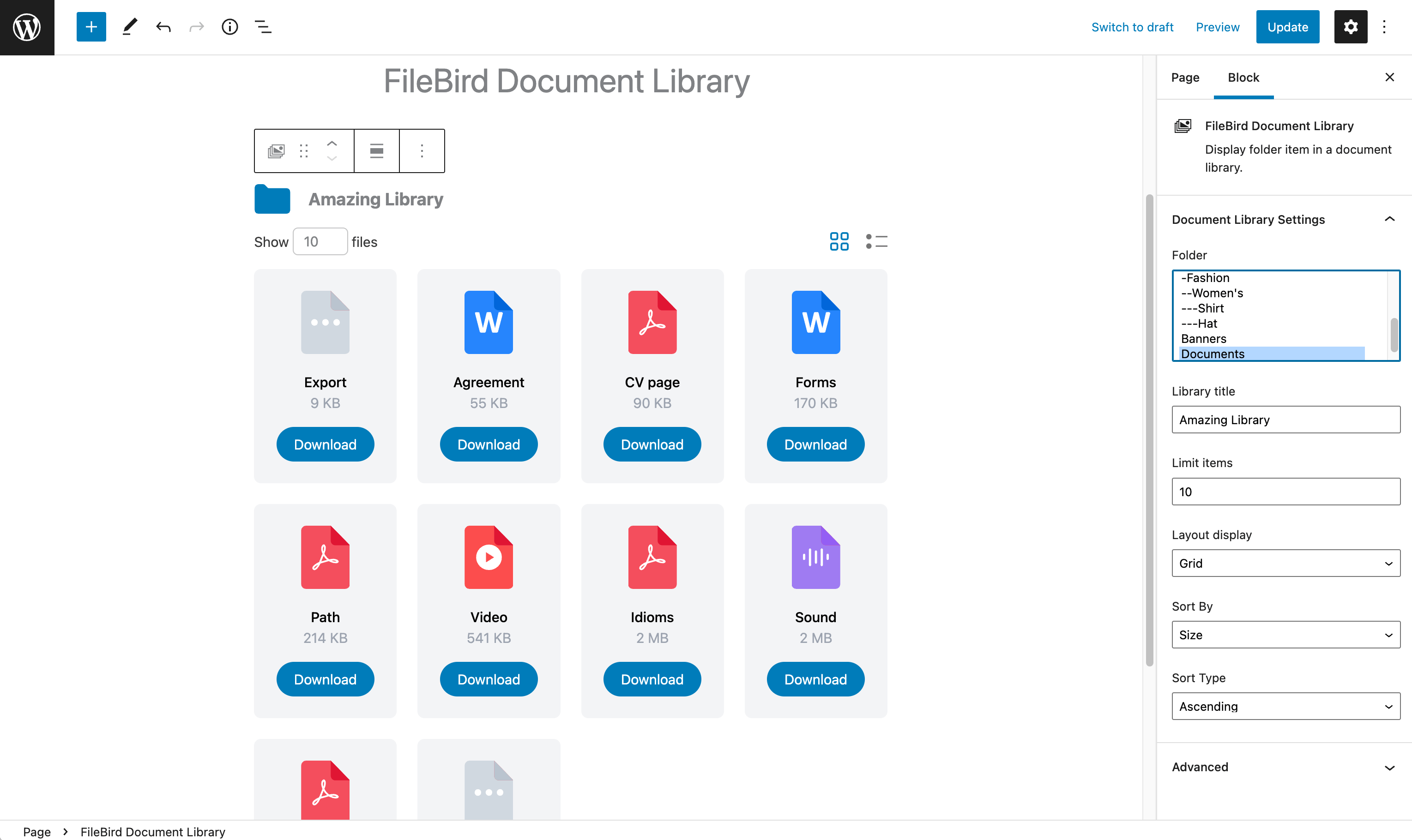
FileBird Document Library block in Gutenberg editor
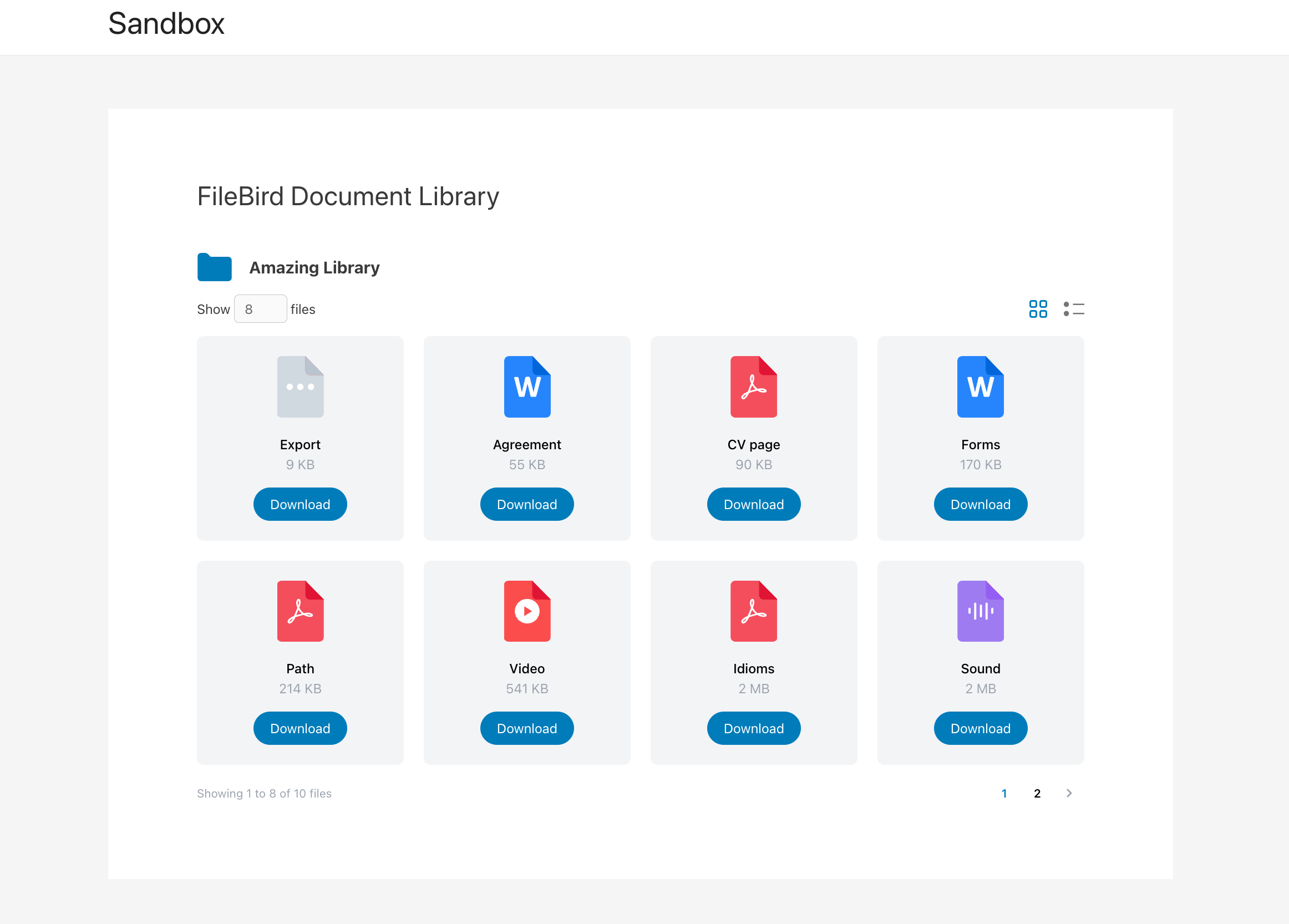
Document library published in Grid layout

Document library published in List layout
Changelog
Sep 12, 2025 – Version 3.0.7
- Fixed: Tables sometimes are not loaded
- Refactor the shortcode
Dec 2, 2024 – Version 3.0.3
- Fixed: Language issues
- Fixed: Undefined array key “libraryType” warning
- Fixed: Typo
Jun 25, 2024 – Version 2.0.8.1
- Added: “Required plugin” admin notice
Jan 19, 2024 – Version 2.0.6
- Removed: Rest_nonce
- Fixed: PHP warning when using extended search (PRO)
Jan 9, 2024 – Version 2.0.5
- Fixed: CSS (when without Download column)
Dec 21, 2023 – Version 2.0.4
- Updated: Compatible with FileBird 6.0
Dec 7, 2023 – Version 2.0.3
- Fixed: Display no files when a folder is deleted, FileBird Document Library block remained (PRO)
Nov 13, 2023 – Version 2.0.2
- Fixed: Compatible with PHP 8 and greater
Nov 9, 2023 – Version 2.0.1
- Fixed: Shortcode – Display as hierarchical folders doesn’t work correctly
Oct 31, 2023 – Version 2.0
- Added: New library type setting
- Added: New search scope
- Improved: Modify Nested Folder & Breadcrumb base on library type (PRO)
- Fixed: Some small CSS conflict
- Updated: POT files
Oct 16, 2023 – Version 1.9
- Added: Nested folder for front end display (PRO)
- Added: German language supported
Sep 7, 2023 – Version 1.8
- Added: Display folder tree on front end (PRO)
Jun 1, 2023 – Version 1.7.1
- Fixed: Change limit items
Apr 27, 2023 – Version 1.7
- Added: Display Additional content (Caption, Description) (PRO)
- Added: Popup Preview (PRO)
- Improved: Performance
- Improved: Pot file
- Improved: Cover code into Typescript
- Improved: Gutenberg block
- Fixed: Cursor pointer when hovered
- Fixed: Icon search
- Fixed: Border focus search box
- Fixed: UI/CSS
- Fixed: Conflict query with Enerzee Theme
Dec 31, 2022 – Version 1.6
- Fixed: Conflict with Divi Builder
- Fixed: Choose folder (right side) in Gutenberg
Nov 29, 2022 – Version 1.5
- Added: Update new pot files, support Spanish Language
- Added: New setting – Auto switch to grid layout on mobile
- Added: Option show/hide Extra column in Shortcode (PRO)
Nov 11, 2022 – Version 1.4
- Added: Show/Hide extra columns (PRO)
- Added: Font size modify control (PRO)
- Added: Padding modify control (PRO)
- Added: Link file control (PRO)
- Improved: Natural file name sort order
Oct 28, 2022 – Version 1.3
- Fixed: Open PDF link
Oct 21, 2022 – Version 1.2
- Fixed: Some strings for translation
- Fixed: Compatible with translation system
Oct 14, 2022 – Version 1.1.1
- Fixed: Translate on frontend
Sep 14, 2022 – Version 1.1
- Added: Support translation
- Fixed: Bugs
June 23, 2022 – Version 1.0
- Initial Release