

Popup Builder – On Page Load Popup, Exit Popup, Login Popup, On Click, Sticky Bar, Anti-AdBlock – FireBox
Our WordPress Popup Plugin can help you create any kind of popup! Optin Popups, Exit Popup, Scroll Popup, Page Load Popup, Floating Bars and more!
Plugin info
Maintenance & Compatibility
Maintenance score
Maintained • Last updated 133 days ago • 69 reviews
Is Popup Builder – On Page Load Popup, Exit Popup, Login Popup, On Click, Sticky Bar, Anti-AdBlock – FireBox abandoned?
Likely maintained (last update 133 days ago).
Compatibility
Languages
Similar & Alternatives
Explore plugins with similar tags, and compare key metrics like downloads, ratings, updates, support, and WP/PHP compatibility.
Description
The Best WordPress Popup Plugin
FireBox is the best popup plugin for WordPress. Boost your revenue with our Gutenberg-based popup builder. Promote special offers, fight cart abandonment, and grow your email list with personalized popups that can be triggered on page load, on exit-intent or even on user scroll.
FireBox Website | Templates | Knowledge Base | Test Drive PRO
✉️ Collect Email Addresses
FireBox, the leading WordPress popup plugin, empowers you to effortlessly collect email signups on your website, converting visitors into loyal subscribers. With customizable options, you can entice visitors with engaging incentives like discount codes, giveaways, lead magnets, or newsletters.
- Email Opt-in Popup
- Grow Newsletter
- Discounts Popup
- Offer Free Resources
- Run Giveaways
- Restrict Content
📈 Increase Product Sales
Boost your revenue with FireBox, the ultimate WordPress popup plugin, by effectively promoting sales, special offers, and products. Our WordPress popups showcase bestsellers, new arrivals, and related items, reducing cart abandonment and increasing average order value.
- Promote Offers
- Increase Average Order Value (Recommend Products)
- WooCommerce Upsell Popup
- WooCommerce Cross-sell Popup
- Related Products Popup
- Limited Stock Popup
- Best Sellers Popup
- Recently Viewed Popup
- Frequently Bought Together Popup
- Reduce Cart Abandonment
- Remind Shoppers What They Left in Cart
- Get User Complete Their Purchase
- Free Shipping Bar
- Offer Free Gift Over $$ Spend
- Detect AdBlock Popup
💡 Measure Real Revenue from Your Campaigns
With the new Revenue Attribution feature you can finally link your campaigns to actual sales. FireBox automatically tracks View-Through Revenue and Conversion-Through Revenue (for WooCommerce & Easy Digital Downloads) so you know which campaigns drive money, and not just views.
Learn more: https://www.fireplugins.com/docs/revenue-attribution/revenue-attribution/
📣 Guide Visitors
Stay connected with your audience and convey important messages with FireBox’s announcement features, the essential WordPress popup plugin. Whether it’s promoting your social network, displaying relevant content, or communicating policies like return or COVID protocols, FireBox popup has you covered.
- Make Announcements
- COVID-19 Announcement
- Grow Social Network
- Show Relevant Content
- Promote Return Policy
- Age Verification Popup
- Cookie Consent Banner (EU Cookie Notice)
- External Link Notification Popup
- WordPress Login Popup
📝 Connect with Visitors
Empower visitors to engage with your brand and take action by providing various contact and interaction options with FireBox, the versatile WordPress popup plugin. Whether collecting feedback, booking meetings, offering support, or creating interactive quizzes and surveys, FireBox popup facilitates seamless communication and relationship building.
- Contact Form Popup
- Collect Phone Numbers
- Book Meetings
- Offer Custom Quotes
- Offer Support
- Create Quiz
- Run Surveys
Campaign Formats
Choose the perfect popup campaign format to display the most attention-grabbing message to your visitors for maximum engagement. FireBox WordPress popup plugin comes with the following popup formats:
- Classic Popup (Lightbox): Easily create custom popups to grow your email list, show coupons, make a WooCommerce cross-sell or WooCommerce upsell campaign, and more, using our popup plugin.
- Slide-in Popup: A high-converting popup format that slides from the bottom of the screen to highlight related WooCommerce products, related posts, and newsletter forms.
- Fullscreen Popup: Create full-screen popups and welcome mats to focus your visitor’s attention on your best offer.
- Notification Bar: Create notification bars, hello bars, and floating bars to show free shipping notices, website announcement alerts, sale countdown timers, and more.
- Floating Button Popup: Engage more visitors with a popup triggered by a floating button at any corner of your screen.
- Sidebar Popup: Turn every page into a lead generation opportunity. We even made it easy to do if you’re using Gutenberg Blocks.
- Welcome Mat: A screen-filling box (also known as interstitials or welcome mats) that slides in and pushes the content down.
- Embeds: Unlike a popup, inline campaigns can be embedded anywhere inside your page content.
Smart Triggers
Detect visitors’ behavior and use smart triggers to display the right campaign to the right person at the right time. Display a popup on page load, click, hover, exit intent, scroll, and even when the user is using an AdBlock extension!
- On Page Load: Display a popup when the page has fully loaded.
- On Scroll (Pro): Show a popup when the visitor scrolls reached the specified amount of scroll depth set in percentage or pixel.
- On Element Visibility (Pro): Show a popup when a specified element(s) enters the viewport after scrolling down.
- On Exit Intent (Pro): Show a popup when the visitor intends to leave the site.
- On Click: Show a popup when the user clicks a button, link, or banner.
- On Hover / Mouseover: Show a popup when the visitor hovers over an element.
- On AdBlock Detect (Pro): Show a popup when the visitor has an AdBlock enabled.
- On Idle / User Inactivity (Pro): Show a popup when the visitor is idling.
- On External Link Click: Show a popup when the users click on external links.
- Floating Button: Show a floating button that triggers your popup.
- Manually: Show a popup programmatically using Javascript.
Advanced Targeting
Every visitor is different. Why treat them all the same? FireBox comes with Display Conditions that can help you easily target visitors with popups.
- Date / Time
- Date & Time (Pro): Show only on a certain date range.
- Day of Week (Pro): Show only on specific days of the week.
- Month (Pro): Show only on specific months.
- Time (Pro): Show only on a specific time range.
- WordPress
- User (Pro): Target specific users.
- Menu: Target specific menu items.
- User Roles (Pro): Target specific user roles.
- Post: Target specific posts.
- Page: Target specific pages.
- Post Tag (Pro): Target posts with specific tags.
- Post Category (Pro): Target posts in specific categories.
- Custom Post Type (Pro): Target specific post types.
- Homepage: Show only on the homepage only.
- Technology
- Device (Pro): Target mobile phone, tablet, or desktop users.
- Browser (Pro): Target users using a specific browser, like Chrome or Firefox.
- Operating System (Pro): Target users using specific operating systems such as Windows, Linux, or Mac.
- Geolocation
- Integrations
- Language (Pro): Target users browsing the site in a specific language (WPML Plugin).
- FireBox
- Viewed Another Popup (Pro): Target users who previously viewed a FireBox Popup.
- Submitted Form (Pro): Target users that have previously submitted a specific FireBox Form.
- WooCommerce & Easy Digital Downloads
- Products In Cart (Pro): Target users that have added specific products to their cart.
- Cart Items Count (Pro): Target users that have added X products to their cart.
- Amount In Cart (Pro): Target users whose cart value amounts to X.
- Current Product (Pro): Target users viewing specific products.
- Purchased Product (Pro): Target users that have purchased specific products.
- Last Purchased Date (Pro): Target users based on the last date they purchased specific WooCommerce products.
- Current Product Price (Pro): Target users based on their viewing product price.
- Total Spend (Pro): Target users based on the total amount spent.
- Current Product Stock (Pro): Target users based on the stock of the product they are viewing.
- Current Product Category (Pro): Target users viewing products in specific categories.
- Category (Pro): Target users viewing specific categories.
- Advanced
- URL: Show only on URLs or URLs that contain certain keywords.
- Referrer URL (Pro): Show only to users who landed on your site from specific URLs or URLs that contain certain keywords.
- IP Address (Pro): Target users behind a specific IP address or IP range.
- Page Views (Pro): Target users who have visited X number of pages.
- Cookie (Pro): Fine-tune your personalization with custom cookie retargeting.
- PHP (Pro): Use PHP to create your conditions. The sky’s the limit!
- Time on Site (Pro): Target users who have spent a specific amount of time on the site.
- New/Returning Visitor (Pro): Target new users or returning visitors.
All features – A multi-purpose popup plugin
- Intuitive Visual Editor – Block-based popup builder that lets you create popups without coding.
- Position Everywhere – Configure your campaign to appear from any corner of your website.
- Popup Gallery – Ready-to-use, responsive, and highly customizable pre-made popup templates and presets so you can start in just a few minutes.
- Forms – Create beautiful forms to capture leads. Convert visitors into leads and leads into customers. Integrate with your favorite CRM such as MailChimp, SendInBlue, AcyMailing, and more! Use our Zapier Integration to sync your form submissions with 5,000+ apps.
- Multiple Campaign Types – Popup, Floating Bar, Notification Bar, Fullscreen Popup, Slide-in Popup—all in one plugin!
- Precision Targeting – Every visitor is different. Show targeted campaigns based on the user’s device, the URL they came from, or even their physical location.
- Smart Triggers – Detect visitors’ behavior and use smart triggers to display the right campaign to the right person at the right time. Display a popup on page load, click, hover, exit intent, scroll, and even when the user is using an AdBlock extension!
- Analytics – Easily find out which campaigns are converting the most. FireBox tracks the number of times a popup is viewed, the average time each popup is opened, the total form submissions, and the conversion rate.
- Actions (Pro) – Control what happens when a certain campaign event fires in the browser.
- Customize Display Frequency (Pro) – Customize the frequency settings to Avoid annoying visitors by repeatedly displaying the same popup.
- Cookie Popup – Choose how your popup will behave after visitors close it. You can keep showing the popup or hide it for a set amount of time before it starts to reappear using cookies.
- Google Analytics Tracking (Pro) – In addition to the native analytics, FireBox comes with a Google Analytics Tracking add-on that helps you track your popup events with your Google Analytics account.
- Highly Customizable – You have Total control of the appearance, including colors, Size, Background, Border, Paddings, Overlay, and many more.
- Mobile-Friendly – The web is no longer just for desktops. That’s why FireBox is 100% mobile optimized and responsive.
- 60+ Animations Effects – Play the role of a director from a list of 60+ eye-catching animation effects.
- Opening Sound – Catch the user’s attention by playing a sound when the popup opens.
- Custom Code – You can display the content of your favorite plugin by adding shortcodes or Custom Codes inside a Code element.
- Smart Tags – Personalize your popups with dynamic smart variables.
- Shortcodes Support – Include your favorite plugin shortcode within your popups.
- Compatible with form builders – Display your existing forms with FireBox
- Great Performance – FireBox is built with ease and performance in mind. The plugin accounts for less than 1% of the page load for the average optimized website. It consists of 1.7 KB of CSS and 24 KB of JS.
Forms – Collect email addresses and sync with your favorite CRM!
FireBox provides a built-in Gutenberg Form block that allows you to create forms, collect email addresses and sync your submissions with your CRM!
- Send unlimited email notifications.
- MailChimp Integration.
- AcyMailing Integration.
- Brevo Integration.
- Zapier Integration to connect to 5,000+ apps.
- Built-in honeypot anti-spam solution.
- Cloudflare Turnstile Integration to help your forms against spam.
- hCaptcha Integration to help your forms against spam.
Integrations with 3rd Party WordPress Plugins and Apps
- Zapier – Sync your popup form submissions with 5,000+ apps!
- WooCommerce – Create a WooCoomerce Popup and add upsell and cross-sell popups, free shipping bars, announcement bars, coupon wheels, and more.
- Easy Digital Downloads – Create an EDD Popup to incorporate upsell and cross-sell popups, free shipping bars, announcement bars, coupon wheels, and other similar features.
- Elementor – Build your popups using the Elementor page builder.
- Gravity Forms – Create a Gravity Forms popup that includes payment forms, contact forms, user registrations, login forms, and other Gravity Forms campaigns with just a few clicks.
- Contact Form 7 – Create a Contact Form 7 popup.
- WPForms – Create a WPForms popup including contact forms, survey popups, and polls, or embed any WPForms form inside lightbox popup modals.
- Ninja Forms – Easily create Ninja Forms popups with FireBox.
- MailChimp – Easily create MailChimp popups and email opt-in forms and see your list grow in a few minutes!
- Google Maps – Display Google Maps in a popup triggered by clicking or dragging over.
- OpenStreetMap – Display OpenStreetMaps in a popup triggered when the user clicks a button.
- YouTube – Easily create a YouTube video popup with just a few clicks and increase your views!
Hands-on Tutorials
- How to Create a Popup That Opens on a Button Click in WordPress
- How to Display a Popup Only Once per User in WordPress
- How to Create a Fullscreen Popup in WordPress + 10 Real-World Examples
- How to Play an Opening Sound with WordPress Popups
- How to Make a Popup With a Blurred Background in WordPress
- Personalized WooCommerce Popups: The Key to Increasing Sales on Your WordPress Site
- How to Send Form Submissions from WordPress to Notion Database
- How to Display a Terms & Conditions Popup in WordPress
- How to Create a Contact Form Popup in WordPress
- How to Add a Cookie Consent Notice in WordPress for GDPR
- How to Create a WordPress Login Popup Modal in 2022
- How to Create a Scroll Popup in WordPress
- How to Create an Exit Popup in WordPress
- How to Add Age Verification in WordPress
- How To Detect AdBlock Users and Recover Lost Revenue in WordPress
- How to Create a Sticky Floating Bar in WordPress
- How to Open a Popup on Page Load in WordPress
Installation
- Upload the plugin files to the
/wp-content/plugins/fireboxdirectory, or install the plugin through the WordPress plugins screen directly. - Activate the plugin through the ‘Plugins’ screen in WordPress
- Use the FireBox menu item from the left sidebar, in your Administrator Panel, to start using FireBox.
Frequently Asked Questions
You can find our documentation here.
The best way to get help is to search for answers in our documentation. We are creating and maintaining resources that help you to help yourself. If you need additional assistance, you can go to the Support Page and submit a ticket directly related to the plugin you need help with. We are available 9 am – 5 pm Greece Timezone, Mon – Fri. A typical response time for Free plans is around 24 hours while folks on paid plans get a first response in less than 8 hours 96% of the time.
If you are currently a free user and would like to upgrade to Pro version it’s quite easy. And the good news is all your content, settings will remain as it is even after switching to the Pro version. To upgrade to Pro, head over to FireBox Pricing Page to find the right plan for your needs.
You can install FireBox on as many sites as you want. However, you will be able to auto-update it on limited sites per your plan.
Review feed
Popup builder you need
Does the job very well.
Powerful and simple to use
Great plugin
Great popup plugin!
Screenshots

The Dashboard provides an overview of your analytics, latest campaigns, as well as a list of trending popup templates.
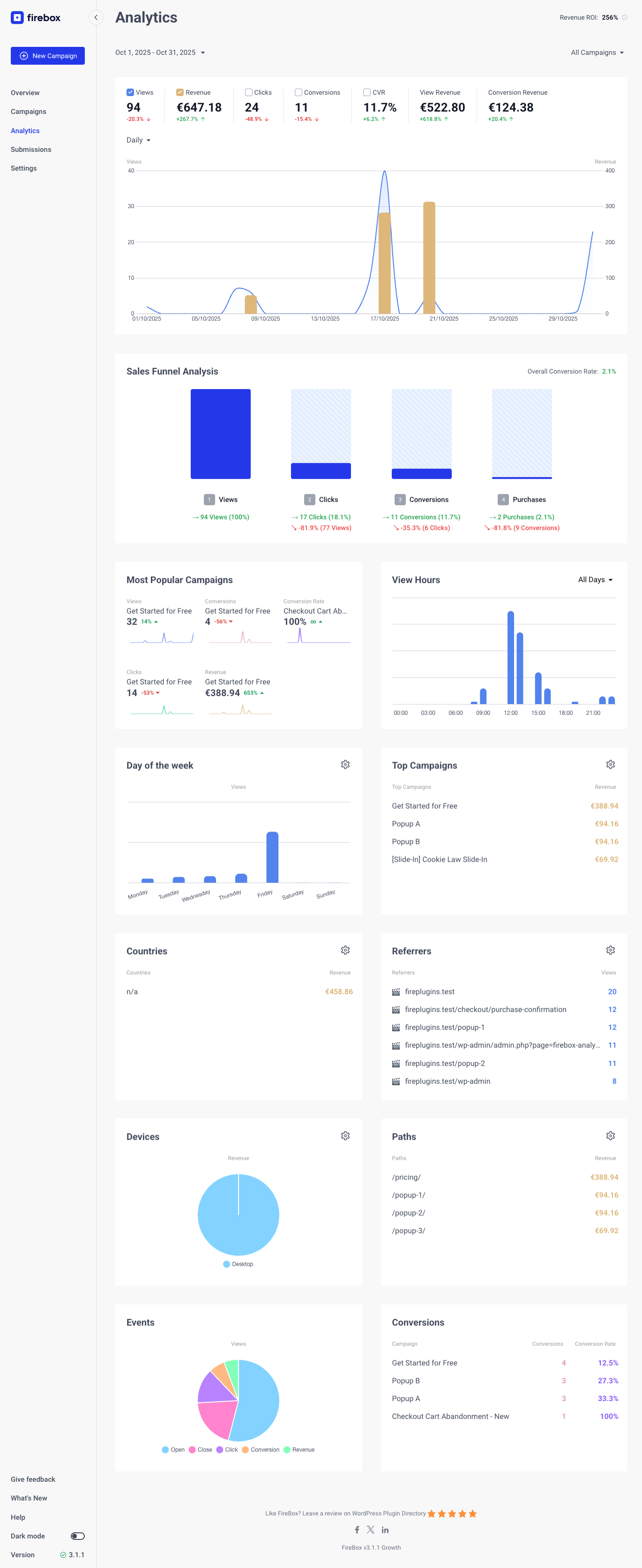
The Analytics provide a deeper insight on how your campaigns performs on your site.
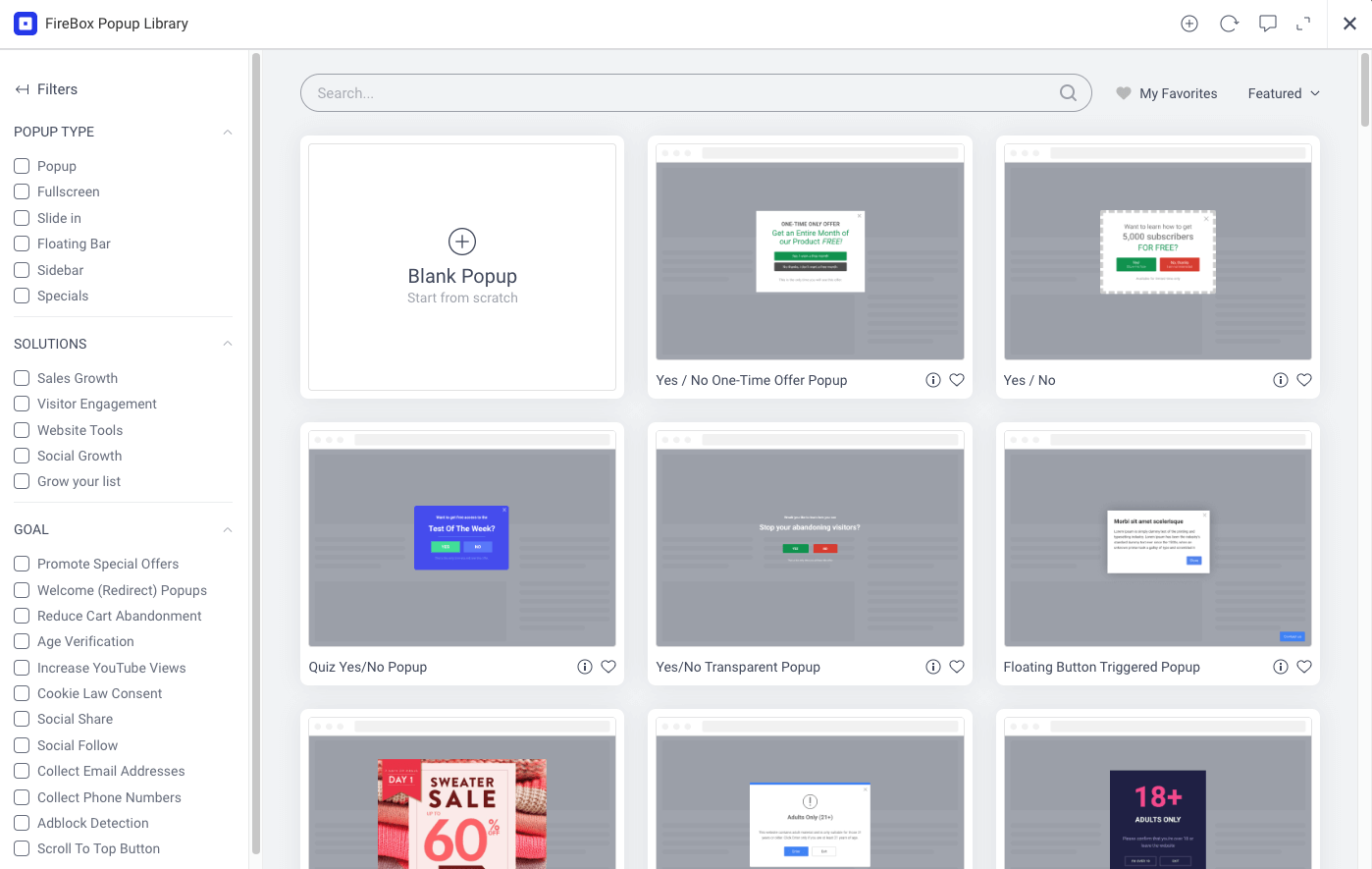
The Campaign Library consists of 300+ pre-made popup templates.
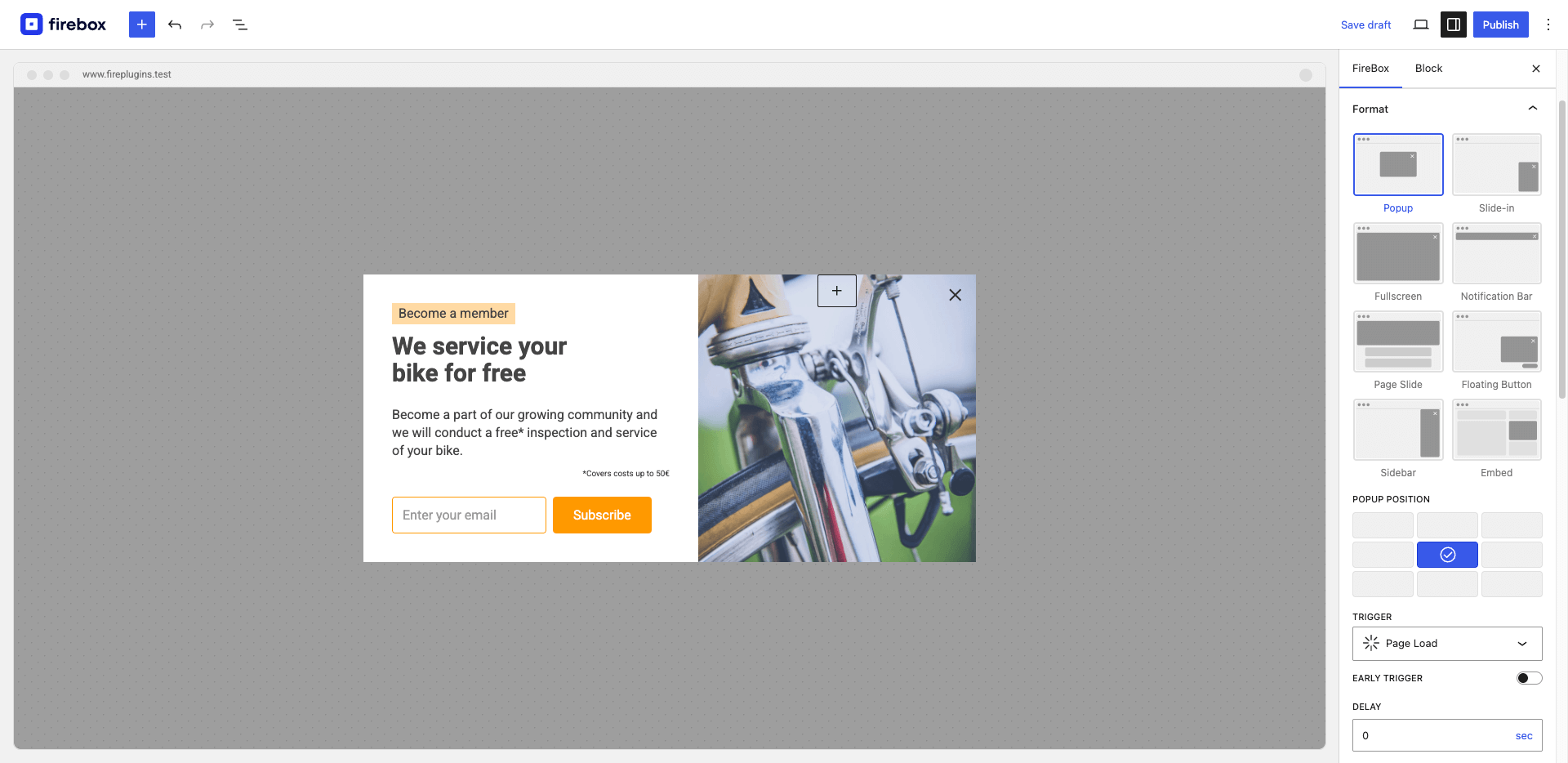
Format Panel helps you specify your popup's style, position, and trigger.
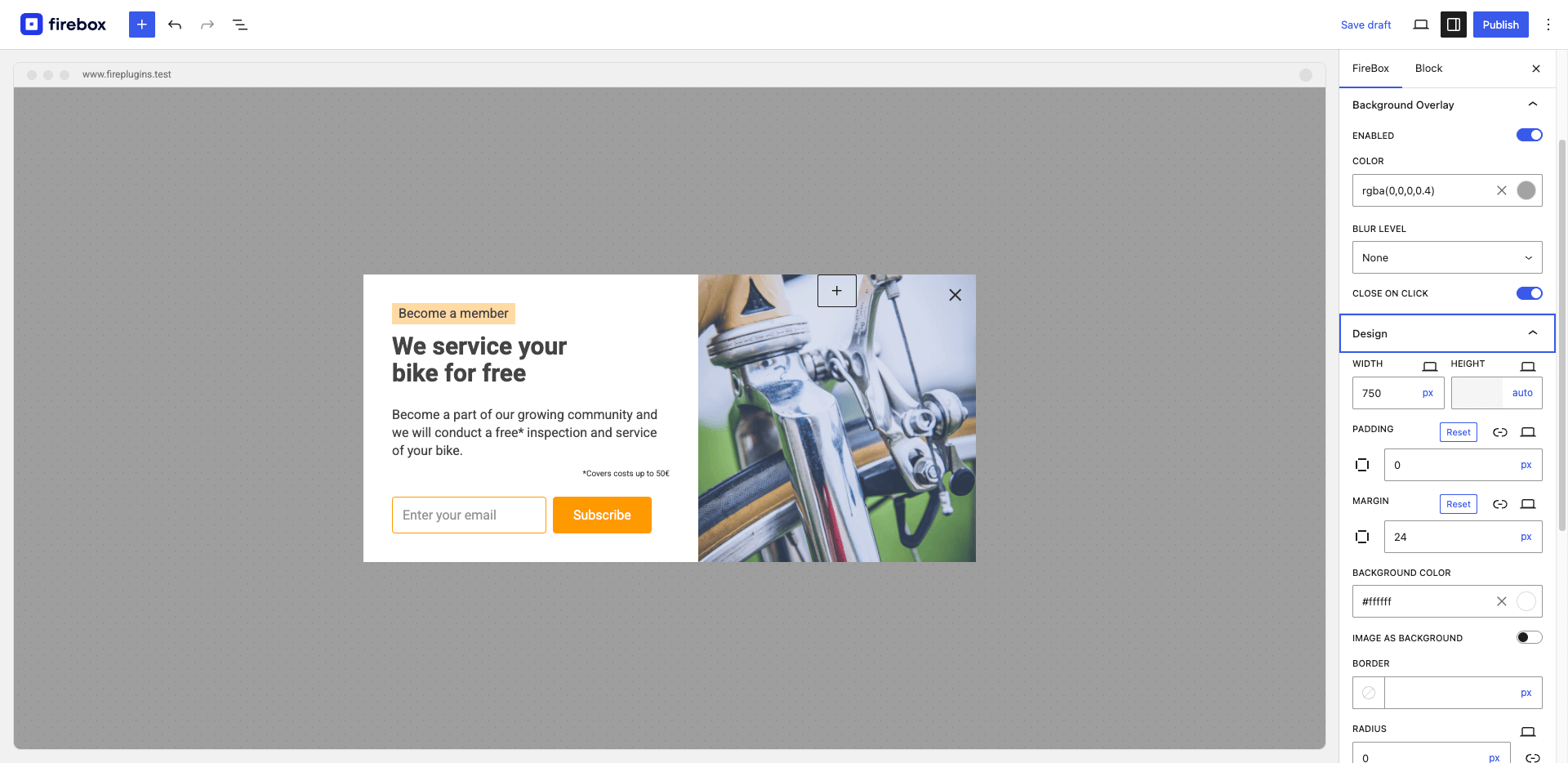
Set background overlay, and design your popup as desired by customizing the width, height, padding, margin, border, and colors.
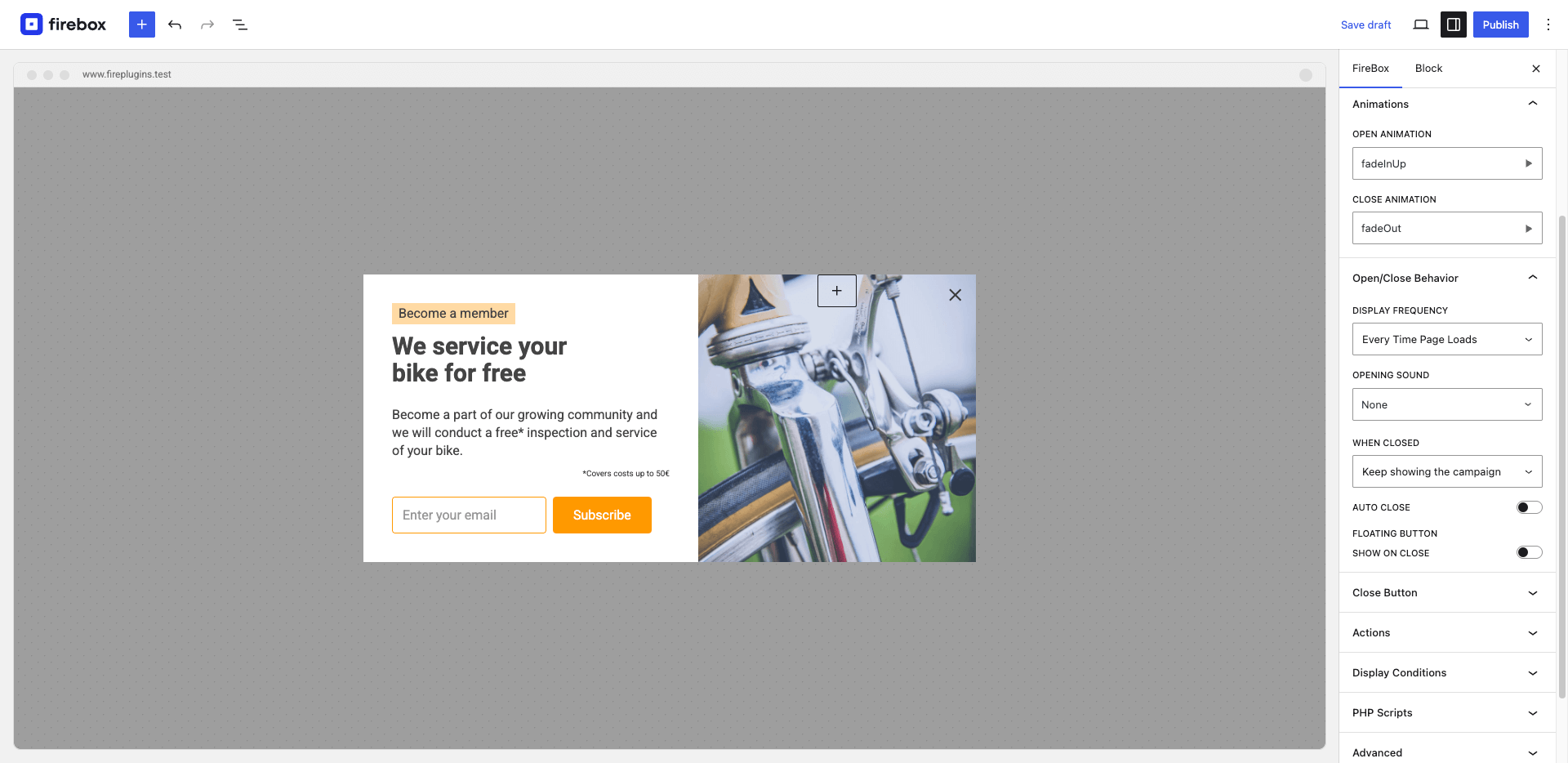
Easily customize your popup with a plethora of animation effects, opening sounds, and display frequency controls. Trigger popups with floating buttons.
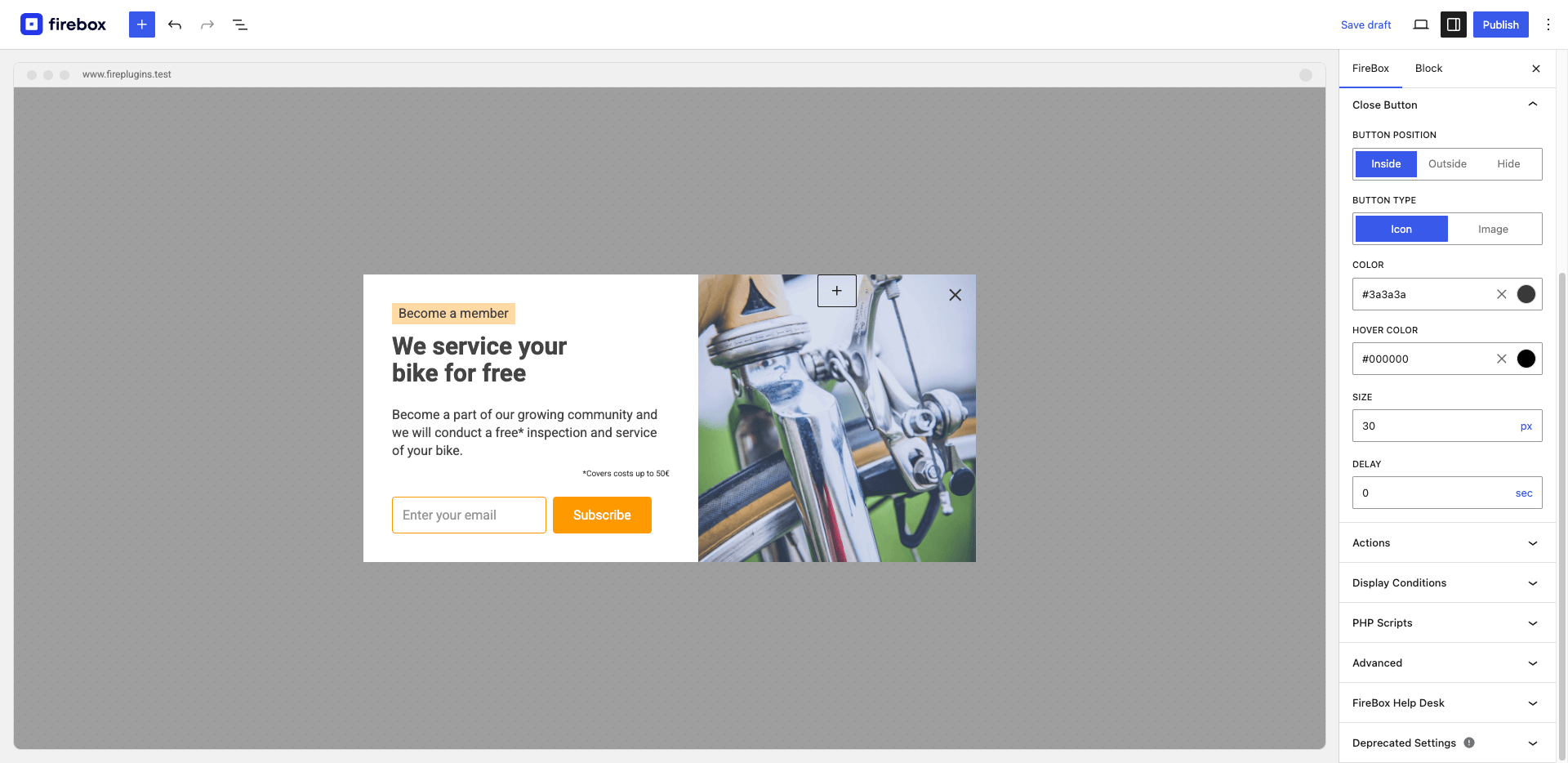
Choose the close button placement: display it inside the popup, outside the popup, or hide it.
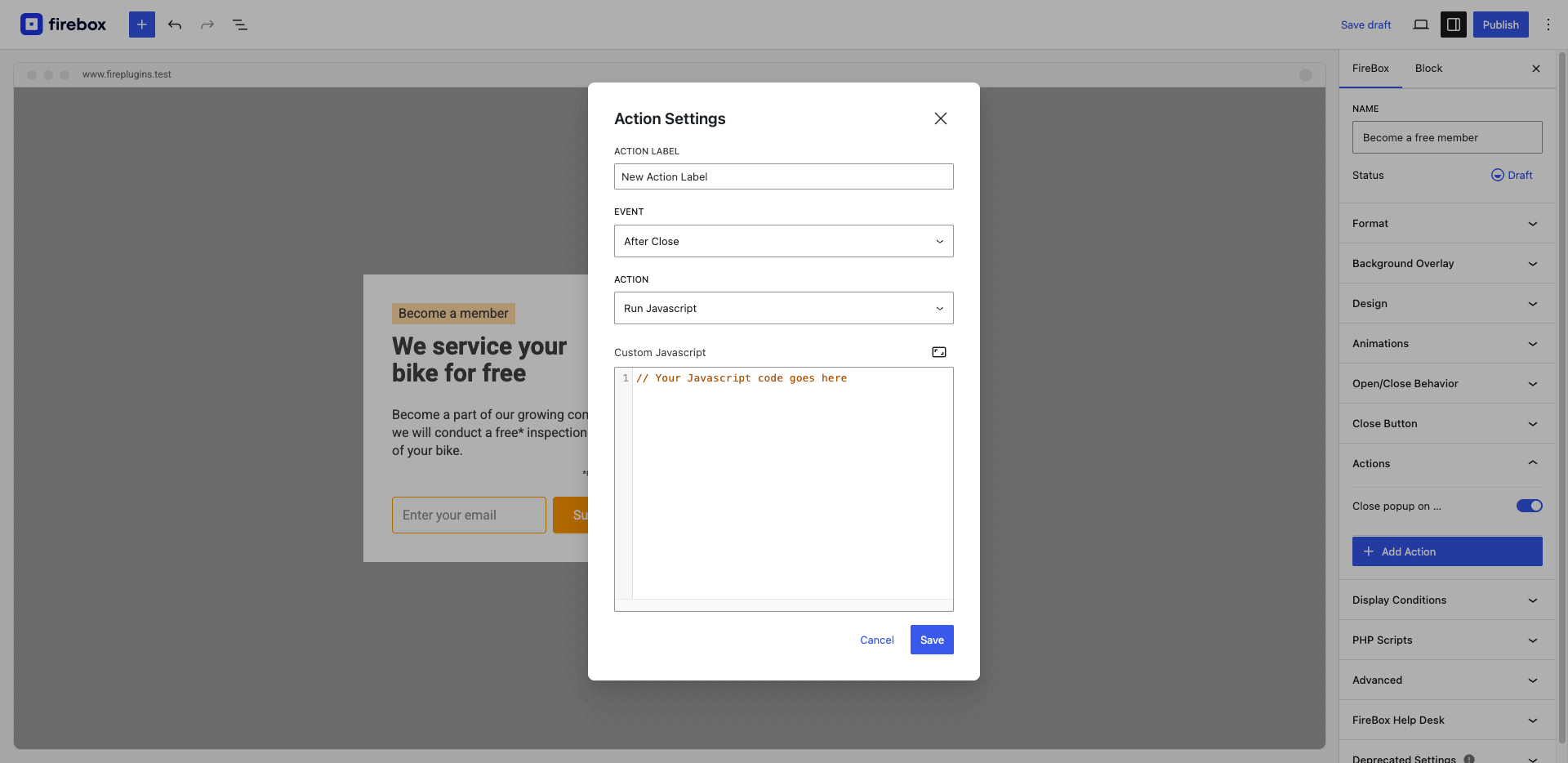
Set the actions your campaign will perform on different events (open, close, conversion, etc...).
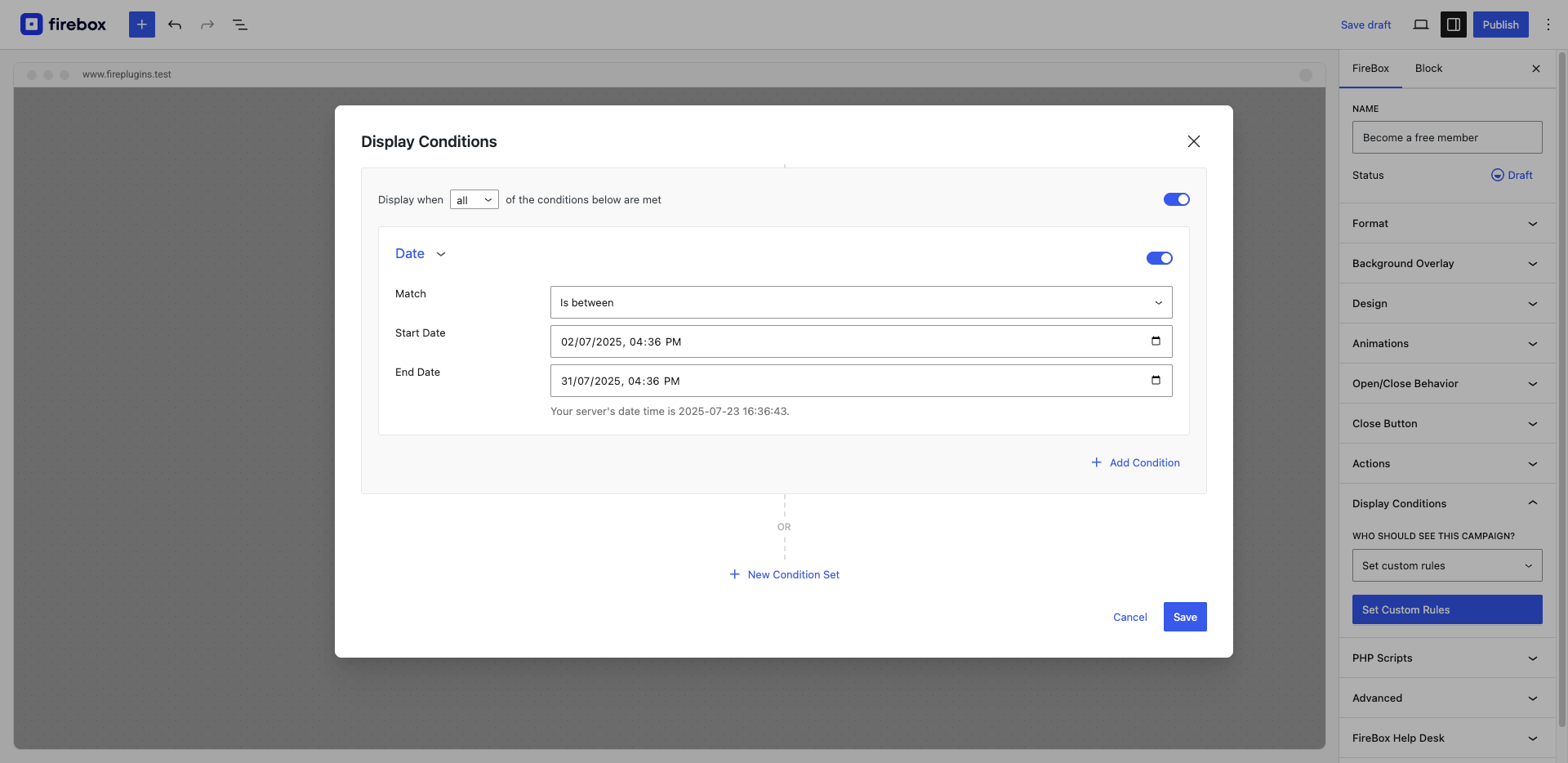
Define when your campaign will appear using display conditions, such as everywhere on your site, specific pages, or using advanced Ecommerce conditions.
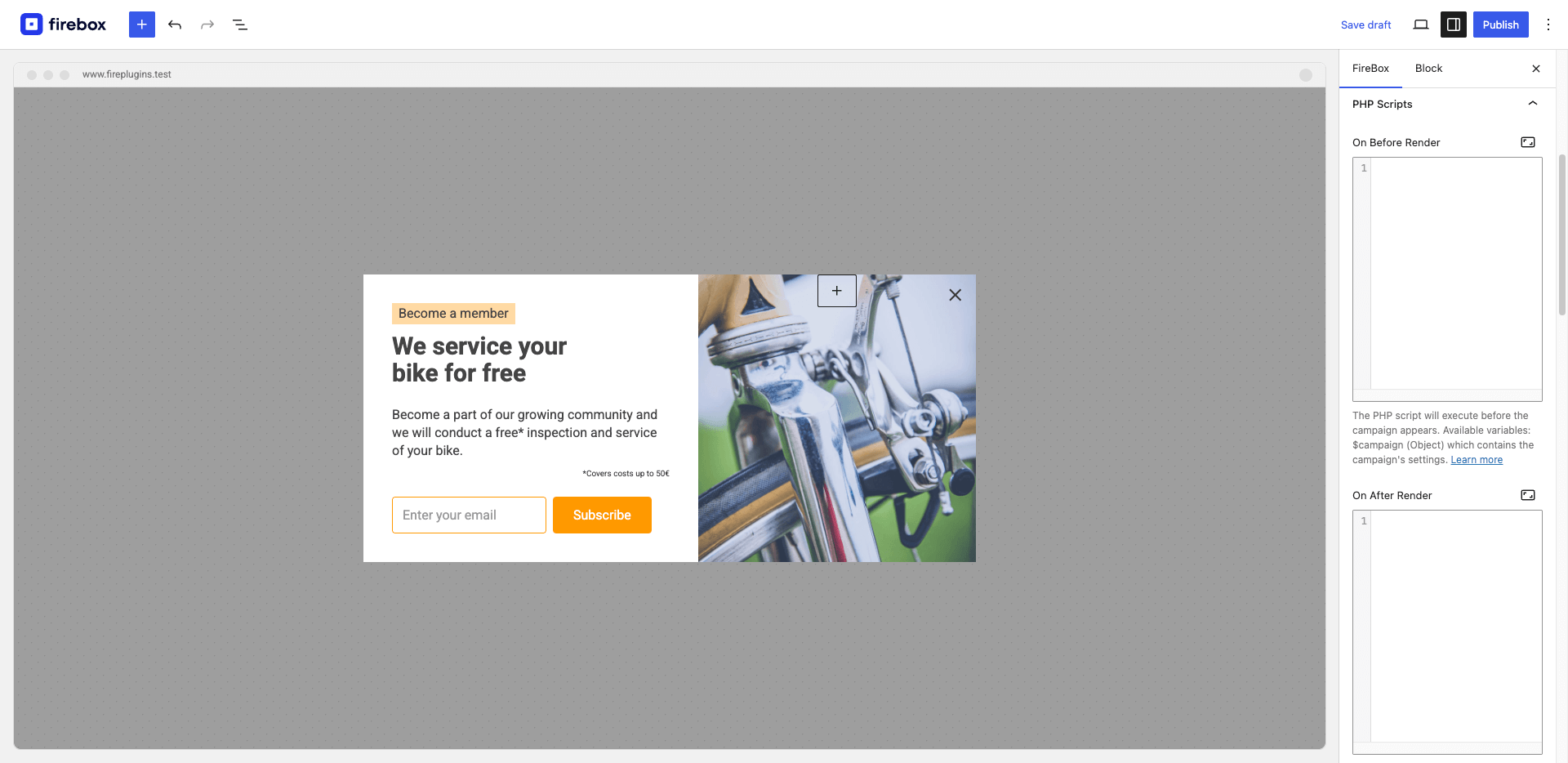
Run your own PHP code before/after the campaign appears, on open/close of the popup, or perform your own form validations and execute code after form is submitted.
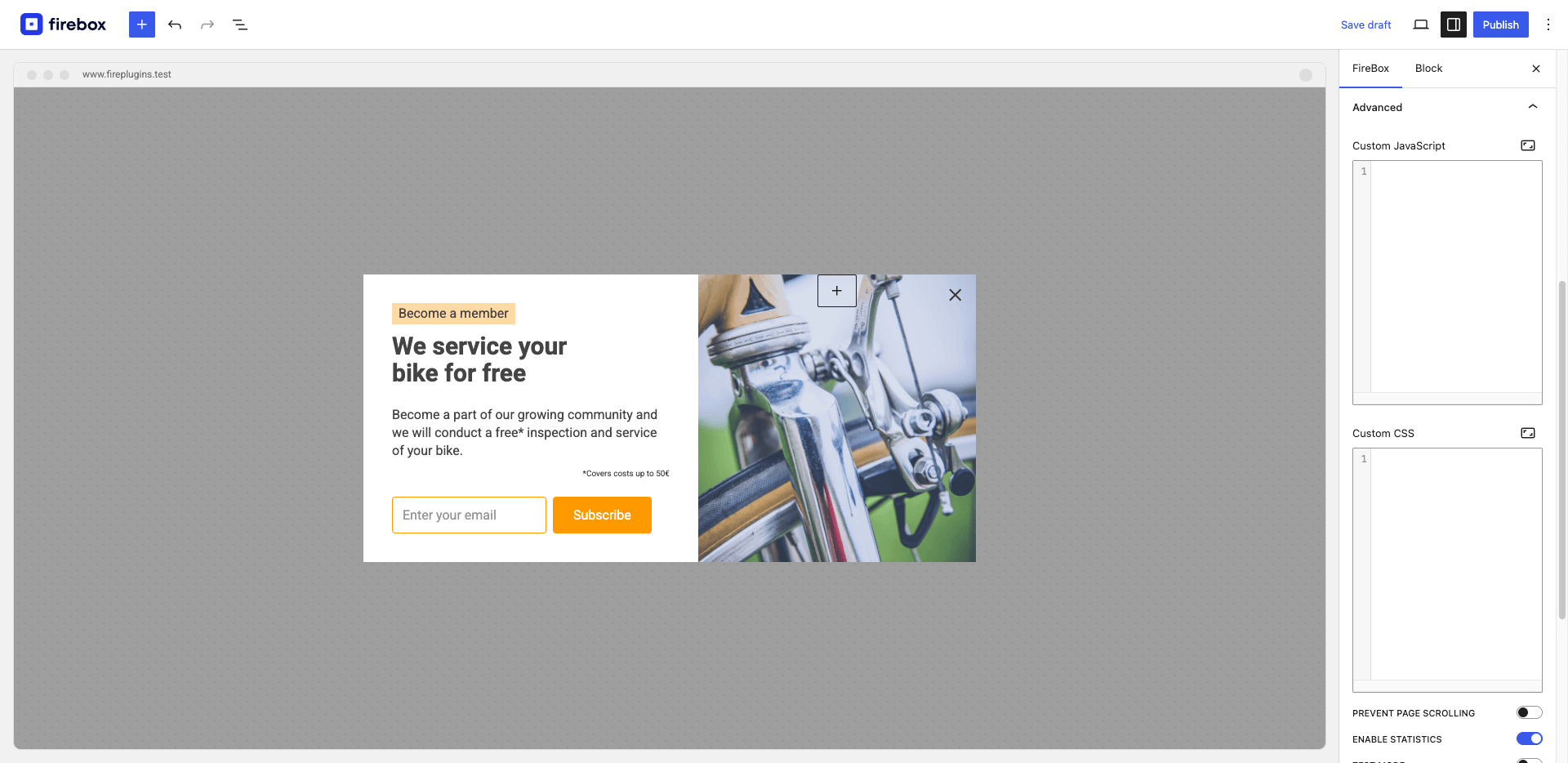
Set campaign advanced settings, such as Custom CSS, Javascript, and more!
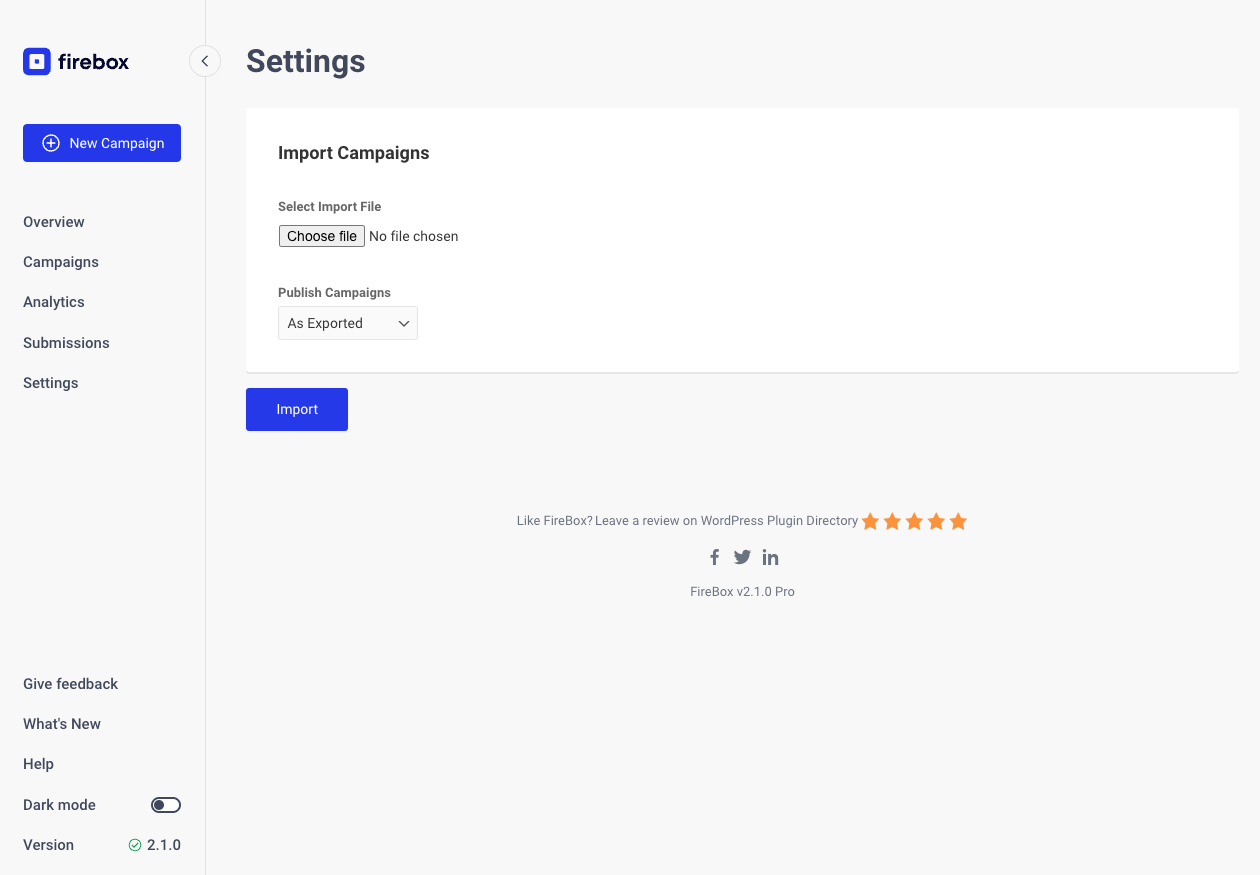
Campaign Import Page. Export and import campaigns across sites.
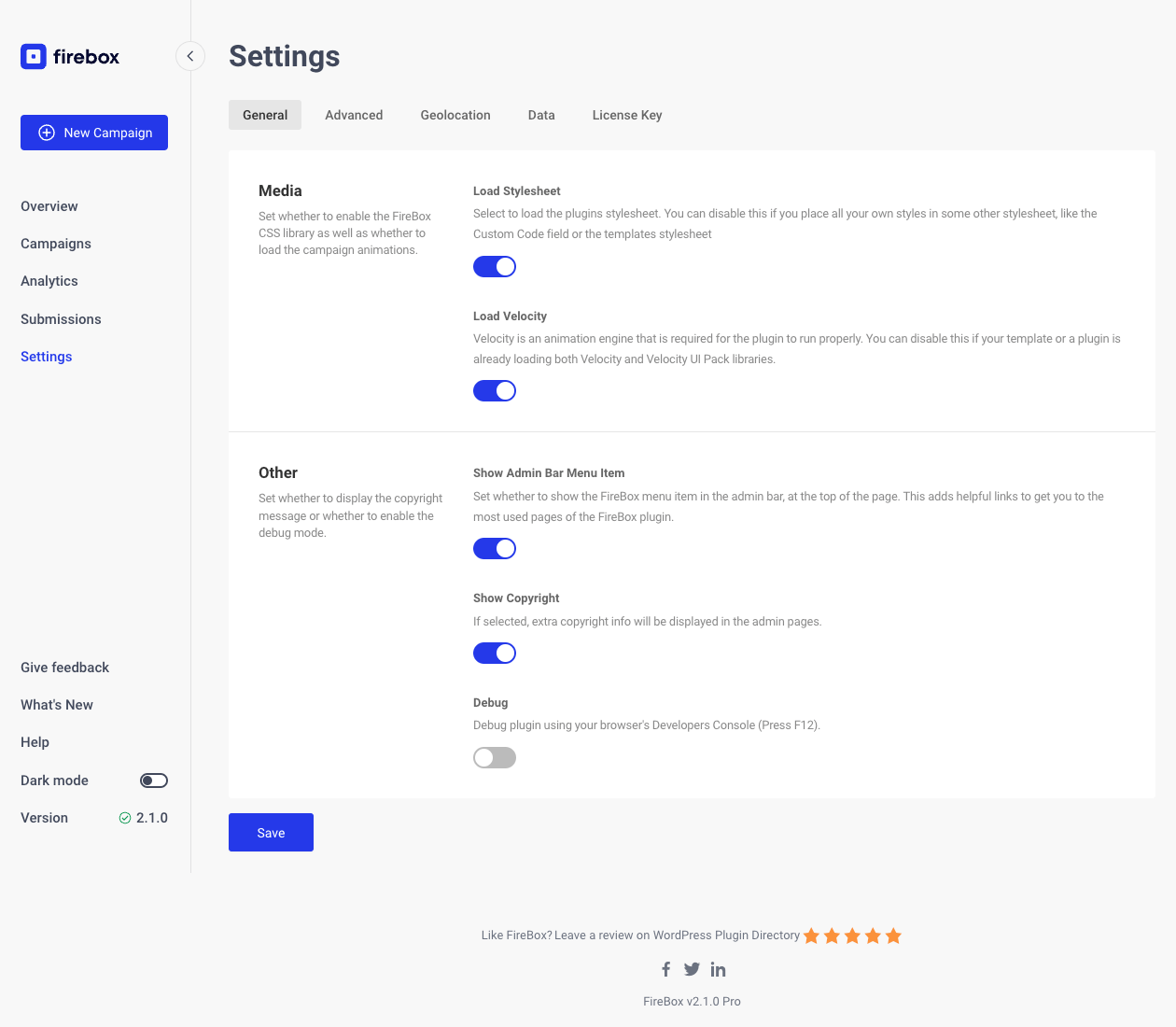
FireBox Global Settings.
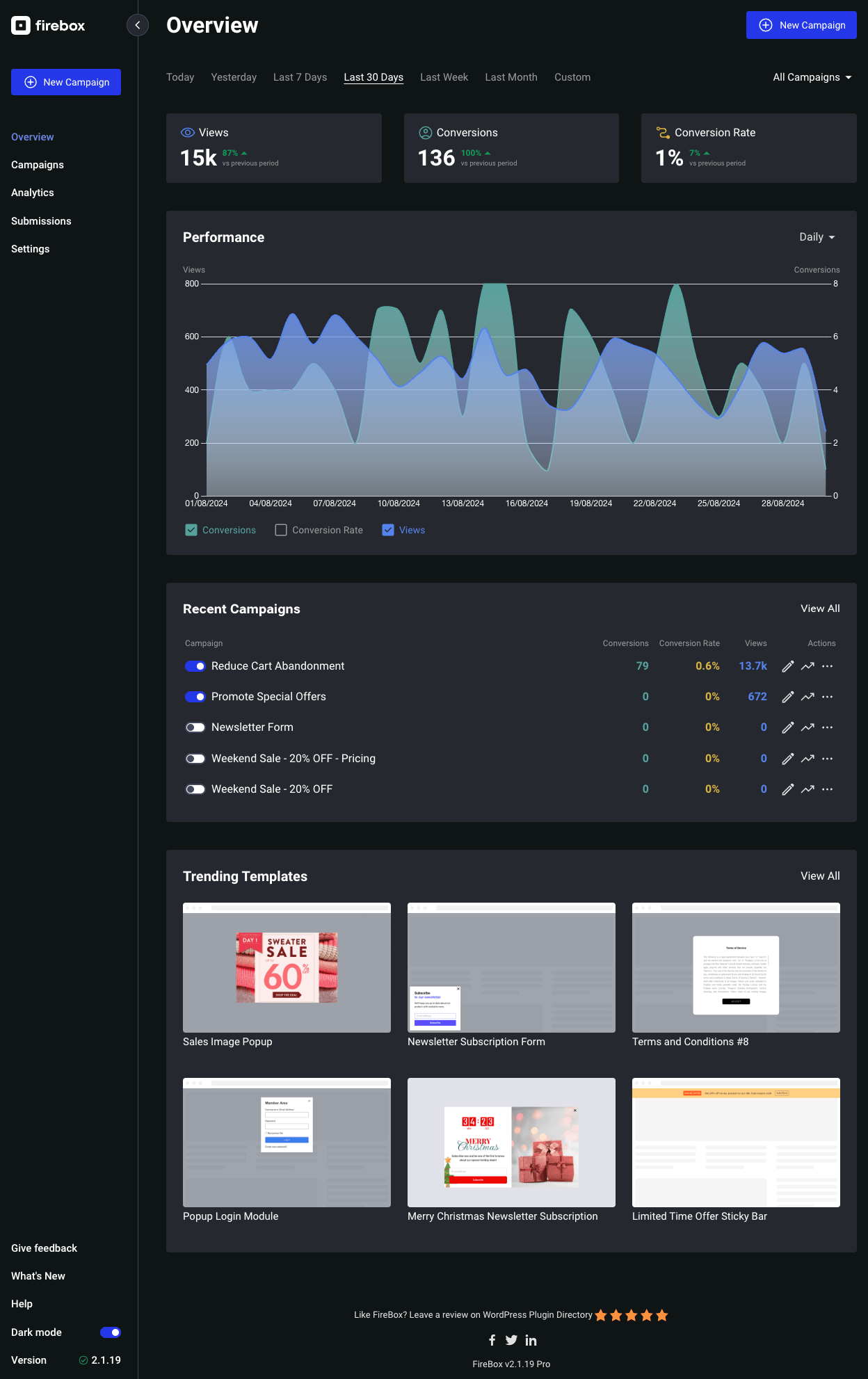
Supports dark mode.
Changelog
3.1.1 – 21/11/2025
- Initial WordPress 6.9 compatibility.
- Improved: Security in custom shortcodes.
- Fixed: PHP warning in AcyMailing integration.
3.1.0 – 23/10/2025
- Added: Revenue Attribution system to track the total revenue generated by your popup campaigns (integrates with WooCommerce and Easy Digital Downloads).
- Added: View-Through Revenue tracking that measures revenue from visitors who view your campaigns and purchase later without directly converting.
- Added: Conversion-Through Revenue tracking that measures revenue from visitors who view campaigns, convert through them, and then make purchases.
- Added: Sales Funnel Analysis to visualize the complete customer journey through the steps: views > clicks > conversions > purchases.
- Added: Click tracking for buttons, links, and form input fields to provide deeper interaction insights.
- Added: Smart Tags are now replaced in Actions > Custom Javascript section.
- Improved: Performance chart now displays key metrics above the chart.
- Improved: Display Conditions “Set Custom Rules” button with clearer icon and improved labeling.
- Updated: Analytics Conversion Rate and Revenue colors.
- Updated: Analytics Revenue chart type to a Bar chart.
- Fixed: PHP 8.2 deprecation notices.
- Fixed: Embed Campaigns wouldn’t execute Actions.
- Fixed: Embed Campaigns wouldn’t execute Advanced Panel > Custom Javascript in some cases.
- Fixed: Embed Campaigns wouldn’t refresh when selecting a different campaign in the editor.
- Fixed: A rare issue where editing display conditions that include a text repeater (such as URL, Referrer, etc…) would throw an error.
- Removed: Deprecated and unneeded core files.
3.0.5 – 19/09/2025
- Fixed: Custom roles with proper capabilities wouldn’t be able to view the FireBox menu items.
- Fixed: Editing Display Conditions with a Repeater Field would fail to load in some cases.
3.0.4 – 04/09/2025
- Improved: The empty state of Display Conditions panel when “Set custom rules” is selected.
- Updated: Renamed In and Out animations with more user-friendly labels.
- Fixed: Missing fullscreen button on the Video block.
- Fixed: Missing campaigns list from Buttons/Images blocks > Open/Close Campaign dropdown.
- Fixed: JSON API endpoint URLs when retrieving forms and submissions.
- Fixed: Embed Campaign would throw an error when placed in a post/page.
- Fixed: Cookie condition would always display the “Cookie Content” text field.
3.0.3 – 05/08/2025
- Fixed: Specific Form block panels that cannot be edited due to errors.
- Fixed: PHP Warning related to Brevo integration.
3.0.2 – 02/08/2025
- Added: Currency in EDD/WooCommerce Total Spend Display Condition.
- Fixed: FireBox Paragraph wouldn’t render properly in the campaign editor.
3.0.1 – 01/08/2025
- Fixed Javascript errors in campaign editor preventing specific settings from working properly in certain circumstances.
- Fixed Design Panel > Image as Background would appear enabled when importing a template.
- Fixed EDD/WooCommerce Amount in Cart condition wouldn’t initially display “Exclude Shipping Cost” and “Exclude TAX/VAT” toggles until you select the subtotal and then total type.
3.0.0 – 23/07/2025
- New: Introducing the new campaign editor experience.
- Added: New panel in Form block called “Confirmation” that contains the submission action, success message, and redirect URL settings.
- Added: “Visibility After Submission” in Form block to show or hide campaign after the visitor submits the form.
- Added: “Exclude TAX/VAT” toggle in Amount in Cart Display Condition both for WooCommerce & Easy Digital Downloads.
- Changed: Accessibility > “Close with ESC Key” is now available in the free version.
- Changed: Smart Tags “fpf” prefix is now optional. Old Smart Tags will continue to work without issues. Example: {fpf user.email} becomes {user.email}.
- Fixed: PHP error “Class FPFramework\Base\Conditions\Functions not found” related to Ecommerce Display Conditions.
- Fixed: “Exclude Shipping Cost” in Amount in Cart Display Condition was using incorrect total/subtotal.
- Fixed: “Is between” in Last Purchased Date Display Condition would not work correctly when current date was the end date.
- Fixed: WooCommerce & Easy Digital Downloads eCommerce Smart Tags would output incorrect amounts for total and subtotal.
- Fixed: Smart Tags filters “–” would appear as “—” and break specific Smart Tags.
- Fixed: Line breaks and formatting in form success messages now display correctly.
- Fixed: Opening sound continues to play after closing the campaign.
- Fixed: Previewing an Embed Campaign now displays correctly within the post content preview instead of appearing as a popup.
- Removed: “Enable RTL” toggle from Advanced campaign settings.
- Removed: Classic Editor support. FireBox now requires the Gutenberg editor in order to configure your campaigns.
- Removed: Styling settings for Form success message.
- Removed: Forced outline styles, allowing TAB navigation within the campaign to properly highlight the currently focused element.
- Removed: Animation duration setting. The animation duration is set to 0.2 seconds.
2.1.39 – 10/07/2025
- Added: Conversion event in Actions.
- Improved: Performance chart metrics now display in logical order.
2.1.38 – 12/06/2025
- Fixed: Improved the Update Notice description.
- Fixed: Compatibility issue with Elementor where popup content would be incorrectly replaced with Elementor page content when viewing Elementor-built pages.
2.1.37 – 12/06/2025
- Improved: Item height when Campaign Library initially opens.
- Improved: Compatibility with Wordfence Scan.
- Fixed: Author name would display incorrectly when popup appears on an author archive page with no posts.
2.1.36 – 15/05/2025
- Enhancement: Clear OPCache on campaign save to ensure our campaigns are always up to date.
- Enhancement: Renamed “Scroll Depth” trigger to “Scroll” to improve clarity.
- Changed: Migrated “Scroll Depth”, “Scroll Percentage”, and “Scroll Pixel” into “Scroll Amount”.
- Changed: Renamed “Hide on Reverse Scroll” to “Close on Scroll Up”
- Changed: Renamed “Firing Frequency” to “Show Once Per Page” and made it a toggle that’s enabled by default.
- Updated: Scroll documentation to reflect these changes.
2.1.35 – 17/04/2025
- WordPress 6.8 compatibility.
- Fixed: PHP warning related to translation strings.
2.1.34 – 27/03/2025
- Enhancement: Immediately show the popup to the user when Behavior > Closing Behavior > “If the user closes the campaign” is set to “keep showing the campaign”.
- Fixed: Certain blocks aren’t working as expected in edge cases.
- Fixed: Floating Button may not appear in correct position.
- Updated: Documentation links.
2.1.33 – 07/03/2025
- Fixed: Reply-To Name & Email wasn’t being set in the Send Email Notification action.
- Fixed: Undefined array key “referrer” PHP error.
- Fixed: Issues when activating FireBox on Bedrock sites hosted in subfolder /wp/.
2.1.32 – 06/02/2025
- Fixed: Opening Sound may play more than once after re-opening the popup.
- Fixed: Campaign settings aren’t saved due to a PHP error related to the Hummingbird plugin when trying to clear the cache.
- Fixed: Improved the appearance of Embed campaigns in the gutenberg editor.
- Fixed: PHP 8 deprecation notice “Creation of dynamic property SmartTags::$isPro is deprecated”.
- Removed: Depreacted “FireBox Campaigns” section from the FireBox and Core Buttons/Image blocks. These settings have been moved to the new FireBox panel.
- Removed: Deprecated FireBox Widget.
2.1.31 – 01/02/2025
- Fixed: PHP error when submitting Form block.
2.1.30 – 31/01/2025
- Added: On Form Process area under PHP Scripts allowing you to perform advanced calculations, validations, and customize form values.
- Changed: Embed Campaign block is now available in the free version.
- Fixed: Compatibility with AcyMailing v10.
- Fixed: Cannot set quantity in EDD/WooCommrce “Products in Cart” Display Condition.
- Fixed: Cannot set quantity range in EDD “Products in Cart” Display Condition.
- Fixed: Dropdown field may not appear full width.
- Fixed: Sometimes Actions may not trigger due to 3rd-party plugins removing our comment blocks.
2.1.29 – 17/01/2025
- Added: Experimental Export Submissions button in FireBox > Submissions page.
- Added: Support for YouTube shorts in the Video block.
- Added: Option –excludeshipping to exclude shipping total from the total EDD/WooCommerce Smart Tags.
- Added: “conversion” Javascript event which triggers when “Track conversion” is enabled in Buttons and Images blocks.
- Improved: The href attribute in the Button block is now automatically set based on the provided URL, defaulting to empty if no URL is provided.
- Improved: Spacing between settings in the FireBox panel when editing a block.
- Fixed: Display Conditions search dropdown not hiding when clicking outside of the dropdown.
2.1.28 – 13/12/2024
- Fixed: Call to undefined method CartValue::getShippingTotal when WooCommerce Amount in Cart condition is used.
2.1.27 – 28/11/2024
- Added hCaptcha integration to help protect your forms against spam.
- Added Turnstile documentation link in FireBox Settings > Captcha.
- Changed: Format views, and conversions in Submissions list.
- Fixed: Child blocks may appear in the block inserter.
- Fixed: Turnstile form field can be inserted multiple times.
- Fixed: FireBox logo in admin bar may appear outside bounds.
2.1.26 – 21/11/2024
- Added Cloudflare Turnstile integration to help protect your forms against spam.
- Fixed: FireBox Blocks Actions wouldnt apply if form was present on the popup
- Fixed: Allow more core blocks to be used within the Form block.
- Fixed: Form block may not appear in blocks list after deletion.
- Changed: Renamed Campaigns > bulk action “Reset Views” to “Reset Statistics”.
- CSS design improvements.
- Updated translations.