
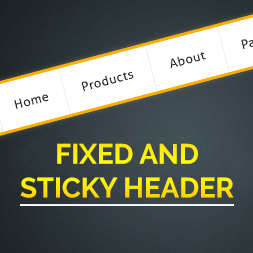
Fixed And Sticky Header
This plugin will made your header or menu fixed and sticky.
Plugin info
Maintenance & Compatibility
Maintenance score
Possibly abandoned • Last updated 1818 days ago • 7 reviews
Is Fixed And Sticky Header abandoned?
Possibly abandoned (last update 1818 days ago).
Compatibility
Similar & Alternatives
Explore plugins with similar tags, and compare key metrics like downloads, ratings, updates, support, and WP/PHP compatibility.
Description
Fixed and Sticky header wordpress plugin makes your header or menu visible at all times.
It’s a great feature that allows people to browse faster and easy to use.
In setting option(Fixed header) on dashboard, you can add fixed header background color as well as your fixed and sticky header text color so it provides enough contrast with regards to the background color.
Fixed and Sticky header options.
- Add Fixed Header (Class or Id)
- Add Background Color
- Add Text Color
- Fixed Header Scroll
Major features of this plugin include
- Fixed the header after adding class or id in plugin setting.
- Add background color for fixed header.
- Add text color.
- Fixed header on given scroll
Like the plugin?
Please Vote, Your votes really make a difference! Thanks.
Installation
- Upload the
fixed-and-sticky-headerfolder to the directory/wp-content/plugins/. - Activate the plugin through the ‘Plugins’ menu in WordPress.
- Goto fixed header option in setting on dashboard, now add your header’s “class” or “id” and save your settings.
Frequently Asked Questions
The plugin is simple to install:
- Upload the
fixed-and-sticky-headerfolder to the directory/wp-content/plugins/. - Activate the plugin through the ‘Plugins’ menu in WordPress.
Another Benefit of this simple plugin is that increases usability and page views of your WordPress site.
Review feed
Screenshots

screenshot1.png

screenshot2.png

screenshot3.png