
World Clock
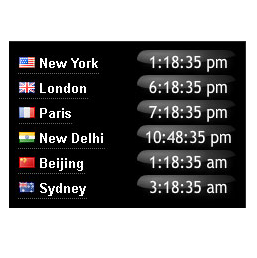
World clock showing the local time at six major cities round the world. The plugin provides a choice of analog and digital clocks, colors and sizes.
Plugin info
Maintenance & Compatibility
Maintenance score
Possibly abandoned • Last updated 1318 days ago • 3 reviews
Is World Clock abandoned?
Possibly abandoned (last update 1318 days ago).
Compatibility
Similar & Alternatives
Explore plugins with similar tags, and compare key metrics like downloads, ratings, updates, support, and WP/PHP compatibility.
Description
World clock showing the local time at six major cities round the world. The plugin provides a choice of analog and digital clocks, colors and sizes.
- Analog or digital clocks
- Three different groups of world capitals
- Horizontal or vertical clock format
- Color selection for clock’s text, border and background
- Automatic adjustment of daylight saving time from the localtimes.info servers
See example world clocks here localtimes.info/world-clock
Installation
- Download the zip file and extract the contents,
- Upload the folder
world-clockto your WP plugin folder/wp-content/plugins/directory, - Go to Plugins > Plugins, and activate the plugin,
- Go to Appearance > Widgets, and drag the widget to a sidebar,
- On the widget selection panel, select clock type, clock orientation, world capital sets, clock colors and size
- Email problems to widgets at localtimes.info, we appreciate your input into improving the plugin
- If you find the widget useful, please take the time to rate our plugin. Thank you.
Frequently Asked Questions
Go to the Appearance->Widgets tab in your wordpress admin panel, and choose click on settings for the local time clock, select text, border and background colors from the drop downs
Yes, the javascript is available directly from localtimes.info/world. You must paste your clock’s javascript into the post in HTML mode.
Yes, the clock automatically changes for all Daylight Saving Time changes in the world, using the localtimes.info database.
Daylight saving time is the convention of advancing clocks so that afternoons have more daylight and mornings have less. Click here for more information
Further support is available at localtimes.info/support, or localtimes.info/conditions
Email us at widgets at localtimes.info or send us a message on twitter.com/localtimes
Review feed
Screenshots

Vertical Digital clocks (white background)

Vertical Digital clocks (black background)

Vertical Analog clocks (navy blue background, yellow text)

Horizontal Analog clocks

Horizontal Digital clocks (white)

Horizontal Digital clocks (navy blue)
Changelog
1.1
- Released 24/08/2016
- Upgrade for https
1.0.1
- Released 22/06/2011
- Corrections to html and css that affected alignment, and size of the background square
1.0
- Released 08/02/2010
- First release includes two most popular analog and digital clocks