

Flexible Spacer Block
Add white space between blocks and customize its height for each device.
Plugin info
Maintenance & Compatibility
Maintenance score
Maintained • Last updated 143 days ago • 8 reviews
Is Flexible Spacer Block abandoned?
Likely maintained (last update 143 days ago).
Compatibility
Similar & Alternatives
Explore plugins with similar tags, and compare key metrics like downloads, ratings, updates, support, and WP/PHP compatibility.
Description
Flexible Spacer Block switches the height of the spacer according to the device screen width (breakpoints).
This block has two variable breakpoints, and you can adjust the height of the spacer for smartphones, tablets, and desktops respectively.
The height of the spacers can be changed individually or in batches.
Also available to set “negative space (negative margin)” instead of the normal space.
And this block supports transform from and to core spacer block.
About negative space
“Negative space” narrows the margins both blocks above and below the spacer, and it is also possible to overlap the blocks.
If unintended overlap occurs, add a CSS class named “fsb-style-show-front” to the block you want to show in the front.
To apply the CSS class to the block, click on the block on WordPress editor, and check the block settings on the right for the Advanced setting ,then enter the CSS class.
Resources
Image for screenshot
License: CC0 Public Domain
Source: https://pxhere.com/ja/photo/245
Installation
- Upload the
flexible-spacer-blockfolder to the/wp-content/plugins/directory. - Activate the plugin through the \’Plugins\’ menu in WordPress.
Frequently Asked Questions
You can find a list of the available filters in the Github readme.
Review feed
Those responsive features core forgot!
Amazing!
it is necessary for FES
Screenshots

On Block Editor
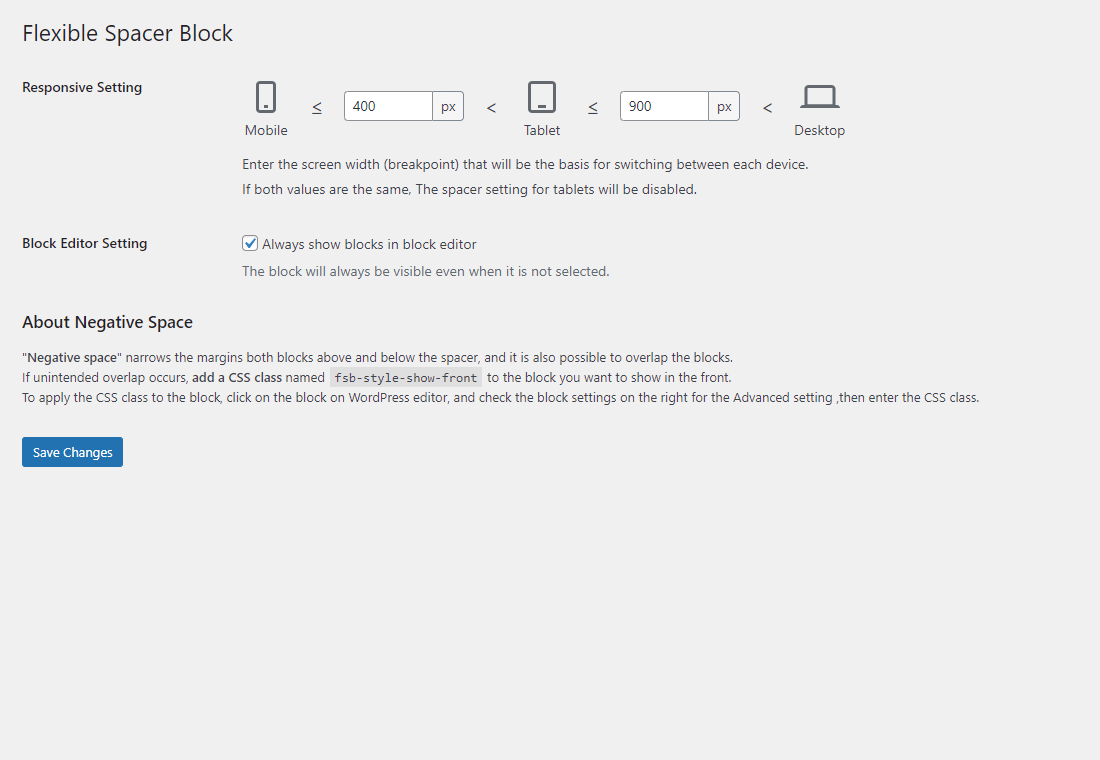
Setting page
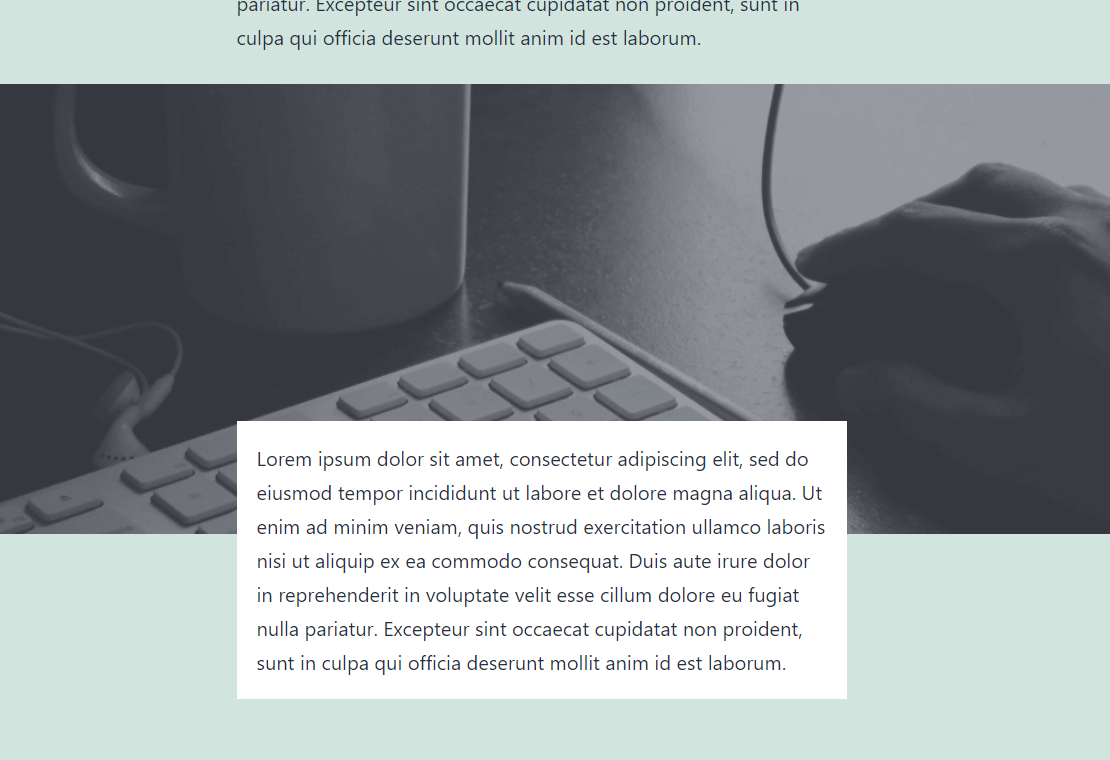
Negative space example
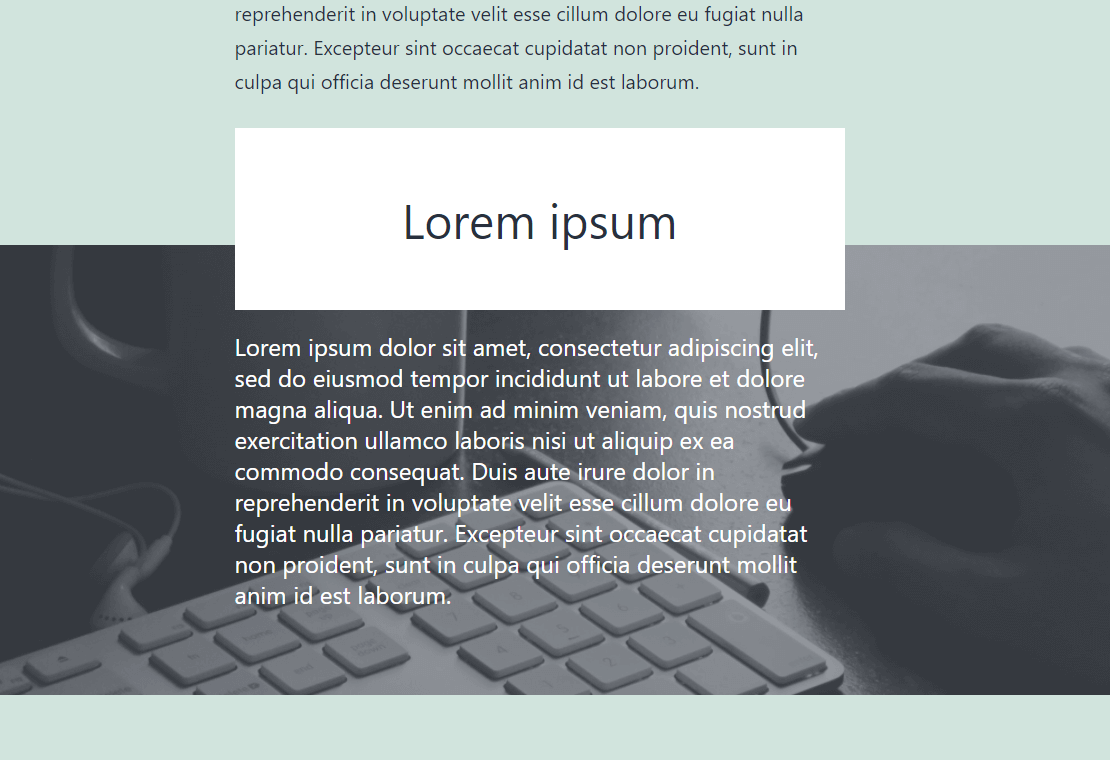
Negative space example
Changelog
2.7.0
- Tested to WordPress 6.9
- Drop support for WordPress 6.6 and 6.7
- Update: block icon and toolbar icon
- Enhancement: Polish settings sidebar layout
- Enhancement: Highlight active spacer
- Accessibility: Add aria-label to controls
2.6.0
- Tested to WordPress 6.8
- Accessibility: Respect user preference for CSS transitions
- Drop support for WordPress 6.5
2.5.0
- Tested to WordPress 6.7
- Drop support for WordPress 6.4
2.4.0
- Tested to WordPress 6.6
- Drop support for WordPress 6.3
2.3.0
- Tested to WordPress 6.5
- Enhancement: Polish block style
- Enhancement: Polish settings page style
- Fix: Remove unnecessary CSS class
- Drop support for WordPress 6.2
2.2.0
- Tested to WordPress 6.4
- Drop support for WordPress 6.0, 6.1
2.1.0
- Tested to WordPress 6.3
- Add: unit support
- Drop support for WordPress5.9
- Drop support for PHP7.3
2.0.0
- Tested to WordPress 6.2
- Feature: Add default values setting
- Enhancement: Remove focus style for unit elements on the setting page
- Enhancement: Improve error messages on the setting page
- Fix: Responsive Setting value is empty for certain operations
- Fix: grammer in the setting page
1.4.1
- Clean: Remove files not needed for the release
1.4.0
- Tested to WordPress 6.1
- Drop support for WordPress 5.6 through 5.8
- Fix: Not converting correctly from core spacer block
- Enhancement: Polish style in the setting page
1.3.0
- Tested to WordPress 6.0
- Update: Minify inline styles
- Add: filter hooks
- Update: block icon
- Update: author name
- Fix: CSS files are not loaded in the iframe editor on WordPress 6.0
1.2.3
- Change: Ensure minimum height of the block
- Change: Minimum value of the spacer
- Fix: Unable to change the height of spacer in WordPress 5.9.1
1.2.2
- Clean: Remove unnecessary file included in the release
1.2.1
- Fix: Wrong text domain
1.2.0
- Tested to WordPress 5.9
- Add: Block control to change responsive view
- Change: Scripts handle name
- Change: dashicons to @wordpress/icons
- Remove: load_plugin_textdomain function
1.1.9
- Clean: Update npm packages and run a lint check
1.1.8
- Clean: Update npm packages
- Remove: Bundled language files
1.1.7
- Tested to WordPress 5.8
- Clean: Update npm packages
1.1.6
- Fix: build script error
- Fix: README.md screenshot
1.1.5
- Tested to WordPress 5.7
- Clean: Update deploy flow (github actions)
- Clean: Update npm packages and organize development env
1.1.4
- Tested to PHP 8
1.1.3
- Fix: Problem about plugin configuration values are not deleted upon uninstallation
1.1.2
- Fix: Problem about uninstallation error in PHP 8
1.1.1
- Add: Description about negative space
1.1.0
- Add: Negative space setting
1.0.0
- Initial release