
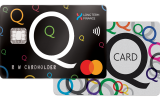
Long Term Interest-Free by HummGroup, New Zealand for WooCommerce
New Zealand - Q Card, Q Mastercard.
Plugin info
Maintenance & Compatibility
Maintenance score
Stale • Last updated 184 days ago
Is Long Term Interest-Free by HummGroup, New Zealand for WooCommerce abandoned?
Likely maintained (last update 184 days ago).
Compatibility
Similar & Alternatives
Explore plugins with similar tags, and compare key metrics like downloads, ratings, updates, support, and WP/PHP compatibility.
Description
New Zealand – Q Card, Q Mastercard.
Meet the needs of your customers with a finance solution that provides your customers with access to Interest Free payment terms, from 6-months all the way up to 60-months.
Install this plug-in today and with our frictionless purchase experience you can convert more sales, increase your shopping cart size and, drive customer growth resulting in an overall better customer experience and customer outcome.
Our product website can be found here:
You must have a merchant account with Humm-Group prior to installing the module.
Not yet a merchant partner? Contact us at: Apply to Become a Merchant Partner – Q Cards
The above is for merchant’s information only, and not to be shared further without the permission of Humm-Group.
Installation
Pre-requisites
A working WooCommerce plugin (version >=3.0) installation
Other assumptions
You have received a valid Merchant ID, Login ID, Password, API Key and Payment Status API key from FlexiCards
Installation
- Login to your WordPress Admin area
- Go to “Plugins > Add New” from the left hand menu
- In the search box type “Long Term Interest-Free by HummGroup”
- From the search result you will see “Long Term Interest-Free by HummGroup” plugin click on “Install Now” to install the plugin
- A popup window will ask you to confirm your wish to install the Plugin.
- If successful, click “Activate Plugin” to activate it, or “Return to Plugin Installer” for further actions.
Manual Installation
*. Download the plugin zip file
*. Login to your WordPress Admin. Click on “Plugins > Add New” from the left hand menu.
*. Click on the “Upload” option, then click “Choose File” to select the zip file from your computer. Once selected, press “OK” and press the “Install Now” button.
*. Activate the plugin.
*. Open the Settings page for WooCommerce and click the “Payment” tab.
*. Click on the “Q Card & Q Mastercard Interest Free” method.
*. Configure your “Q Card” settings. See below for details.
After configuring and activating the Q Card plugin, you should see the “Q Card & Q Mastercard Interest-Free” payment option on your store checkout.
This Plugin is available in New Zealand
Please refer to the User/Installation Guide
Frequently Asked Questions
Review feed
Screenshots


Changelog
1.0.1
*Release Date: Wednesday 20 August 2025
- Enforced the minimum checkout limit i.e $200 on LTFO payment method
- Plugin description content updates
1.0.0
*Release Date: Thursday 24 April 2025
- Developed and Released the Q Card plugin for NZ merchant to integrate Q Card payment method on their store checkout.