

Flexy Breadcrumb
Flexy Breadcrumb is a super light weight plugin that is easy to navigate through current page hierarchy.
Plugin info
Maintenance & Compatibility
Maintenance score
Possibly abandoned • Last updated 435 days ago • 20 reviews
Is Flexy Breadcrumb abandoned?
Possibly abandoned (last update 435 days ago).
Compatibility
Developers
Similar & Alternatives
Explore plugins with similar tags, and compare key metrics like downloads, ratings, updates, support, and WP/PHP compatibility.
Description
Flexy Breadcrumb by PressTigers is one of the simple and robust breadcrumb menu system available for the WordPress site. By using this plugin, you can display breadcrumb navigation anywhere in your website via [flexy_breadcrumb] shortcode.
With the help of this plugin you can style and format the text, links and separators of breadcrumbs according to your own taste.
Plugin Features
- SEO Friendly(added schema structure).
- Use via [flexy_breadcrumb] shortcode.
- Allow users to change breadcrumb separator.
- Set Home text and End text.
- Set Word/Character limit for navigation menu.
- Font Awesome icon picker for Home.
- Color options for text, link, separator and background through global settings.
- Set font size of breadcrumb trail.
Shortcode
This goes somewhere near the bottom of your theme’s header.php template. However, you can add it anywhere you want in your theme, and it’ll work.
Submit Patches
If you’ve identified a bug and have a fix, we’d welcome it at our GitHub page for Flexy Breadcrumb. Simply submit a pull request so we can review and merge into the codebase if appropriate from there. Happy coding!
Credits
- Google Fonts(https://fonts.google.com)
- jQuery UI(https://jqueryui.com)
- WP Color Picker Alpha(https://github.com/23r9i0/wp-color-picker-alpha)
- Font Awesome Icon Picker(https://github.com/itsjavi/fontawesome-iconpicker)
Installation
- Upload flexy-breadcrumb.zip to the /wp-content/plugins/ directory to your web server.
- Activate the plugin through the ‘Plugins’ menu in WordPress.
- Add [flexy_breadcrumb] shortcode in the editor or appropriate file(header.php) to display the breadcrumb on front-end.
Frequently Asked Questions
There are several methods but in general, you need to add the following line of code to your theme. This goes somewhere near the bottom of your theme’s header.php template. However, you can add it anywhere you want in your theme, and it’ll work.
<?php echo do_shortcode( '[flexy_breadcrumb]'); ?>
Review feed
Screenshots

Basic Theme - Front-end view of breadcrumb trail.

General Settings - Allow user to manage general settings.
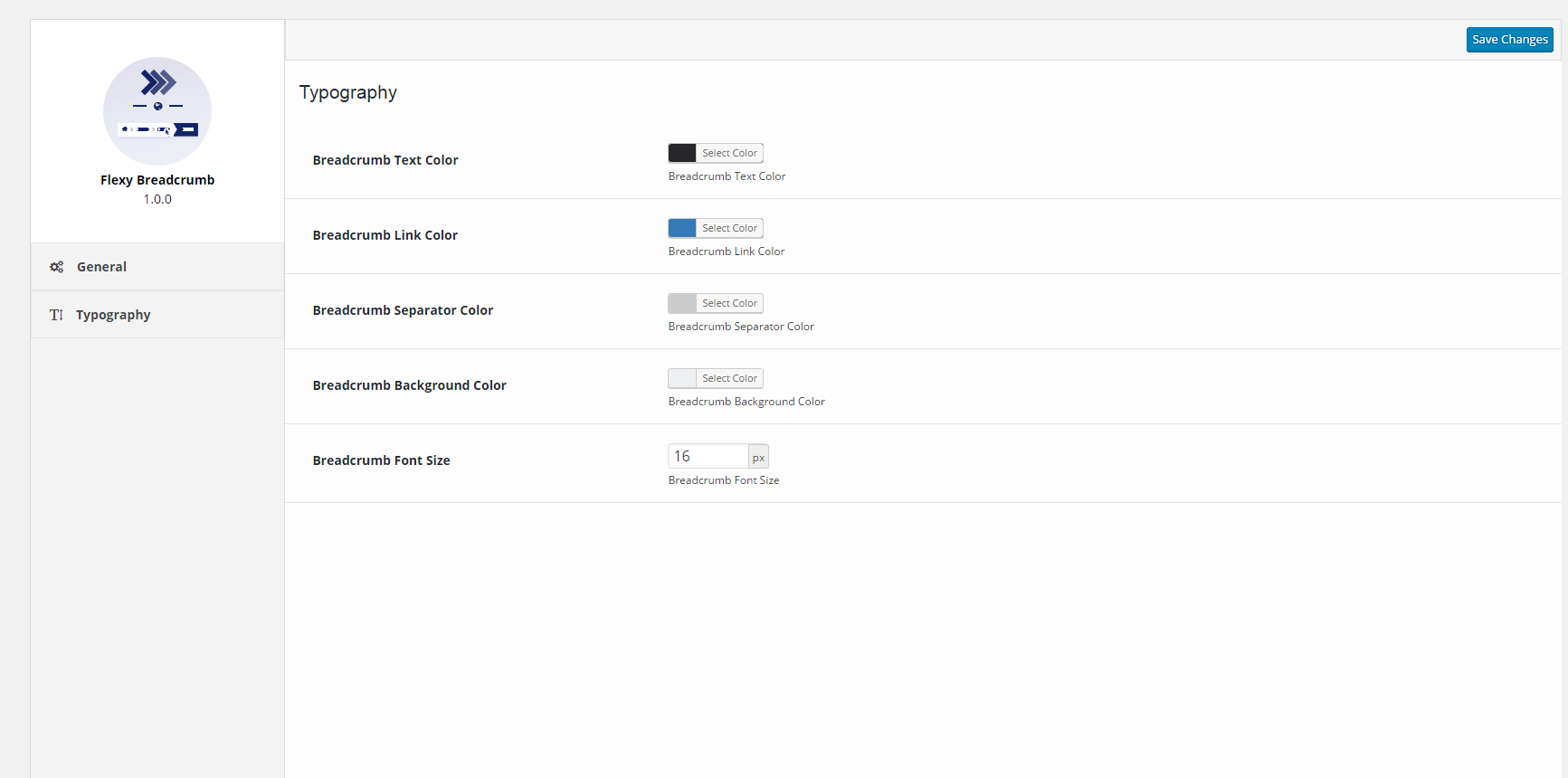
Typography Settings - Allow user to change color options for breadcrumb trail.
Changelog
1.2.1
- Fix – Fixed the issue where field “item” missing (in “itemListElement”).
1.2.0
- Feature – Made it compatible with the WooCommerce product categories and tags.
- Feature – Made it compatible with the Simple Job Board job categories.
- Feature – Added “Home Text URL” field in General settings for Flexy Breadcrumb.
- Fix – Fixed the issue where “Home”, “Page” and other strings were not translatable.
- Fix – Fixed the issue where HTML tags in posts title appear in breadcrumb.
- Fix – Fixed the issue where date and tags “Post Types Hierarchy” doesn’t work for custom post types.
- Fix – Fixed the issue where the blog page is binded to incorrect URL on change of domain.
1.1.4
- Feature – Added breadcrumb trail for Blog.
- Tweak – Updated Google Structured of breadcrumbs.
- Fix – Fixed the responsive spacing issue of separator.
- Fix – Resolved separator color issue related to typography.
1.1.3
- Tweak – Added compatibility for WordPress 5.5
1.1.2
- Fix – Resolved errors of breadcrumb trail with Google Search Console.
1.1.1
- Fix – Added slash at the end of the URL – Google Recommendation
- Fix – Wrapping the admin style to avoid from any style conflict.
- Tweak – Update the schema links to https.
1.1.0
- Feature – Added breadcrumb trail for default posts page.
- Feature – Display category in post detail page having highest count.
- Fix – Fixed Google Structured Schema for Breadcrumbs.
- Fix – Remove archive link for custom post type if archive parameter is false.
- Tweak – Display only highest category count in post detail page.
1.0.3
WP 4.9 Compatibility – Resolved the color picker issue in settings’s typography tab.
* Fix – Resolved the space issue between the attributes.
1.0.2
- Fix – Resolved the structured data issue for active list element.
1.0.1
- Fix – Resolved the floating issues in breadcrumb template.
- Fix – Fixed the styling glitches of settings tab’s layout.
- Fix – Resolved the 404 error in case of home page.
1.0.0
- Initial release