
Floating Button – Easily Create Sticky, Fixed & Floating Buttons
Floating Buttons let you easily create sticky, fixed, and floating action buttons
Plugin info
Maintenance & Compatibility
Maintenance score
Maintained • Last updated 122 days ago • 15 reviews
Is Floating Button – Easily Create Sticky, Fixed & Floating Buttons abandoned?
Likely maintained (last update 122 days ago).
Compatibility
Similar & Alternatives
Explore plugins with similar tags, and compare key metrics like downloads, ratings, updates, support, and WP/PHP compatibility.
Description
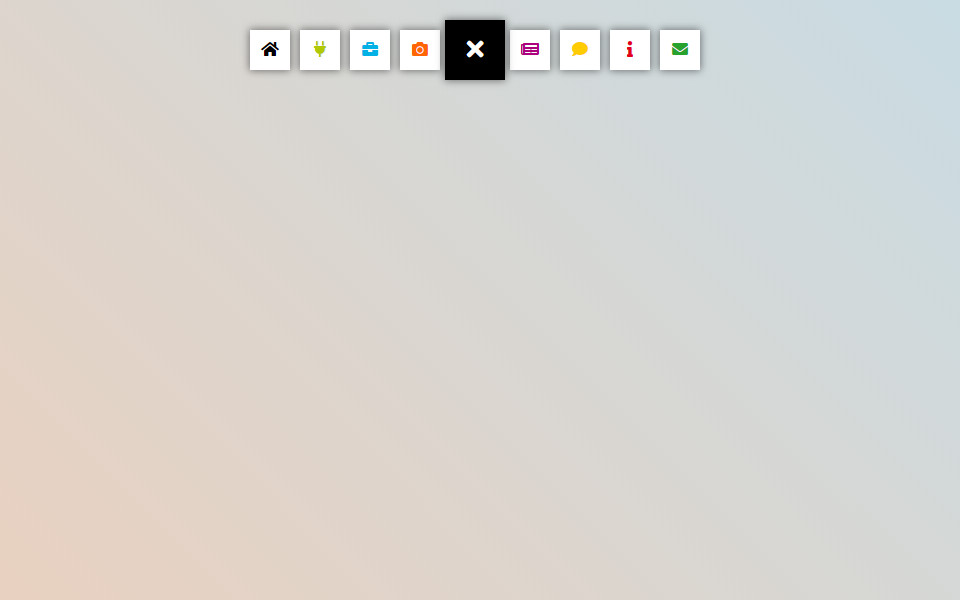
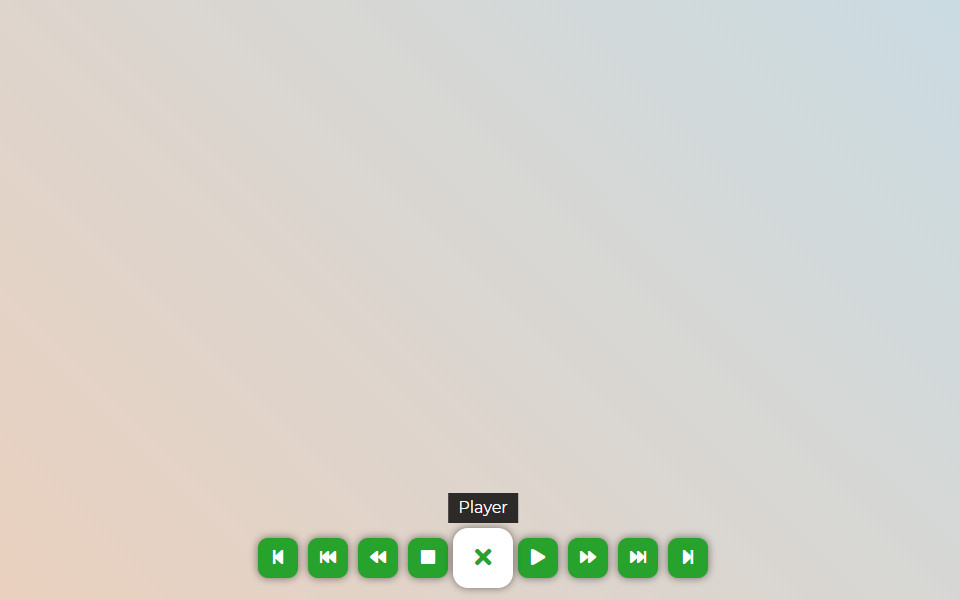
The Floating Button is a free WordPress plugin for creating original sticky floating action buttons. It allows you to install floating buttons with unique thematic icons on your site. The plugin serves for placing both a traditional navigation bar and an additional block with useful information for the user.
The Floating Button plugin will be an effective solution for increasing the recognition of your web resource. Its integration will bring originality and novelty to the theme of the site. The plugin helps to configure user-friendly navigation, place useful information, or a contact panel.
Main Features
- 2 submenus
- More than 2000+ FontAwesome icons
- Any links insertion
- Using tooltips to provide more information
- Round buttons shape
- Login link
- Logout link
- Lost password link
Use Cases for Floating Button
- Site navigation
- Additional menu
- Social panel
- User menu
- Skype menu and others
- And more…
Pro Version
Connect the Pro-version of the plugin to gain access to more features:
- Create an unlimited number of buttons
- Change the form of the menu display: Circle, Rounded square, Ellipse, Square
- Set the color of the main button and submenu items
- Accompany the change in navigation behavior with the highlight when hovering the mouse cursor
- Use the built-in user menu, social panel, and print function
- Set the display according to the user role and status
- Change the menu output depending on the language of the page
- Add restrictions for screens with large or small resolution
- Use the categories on the site, exceptions, and ID to place the menu on individual pages
- Insert the shortcode of the panel in the specified location
- And more…
Plugins for Enhanced Results
- Popup Box – a new WordPress popup plugin
- Counter Box – a powerful creator of counters, timers, and countdowns
- Button Generator – an easy Button Builder
- Herd Effects – a fake notifications and social proof plugin
- Side Menu Lite – add sticky fixed buttons
- Sticky Buttons – a floating buttons builder
- Bubble Menu – a circular floating menu
- Float Menu – an awesome floating side menu
- Modal Window – a plugin to create modal windows
- Calculator Builder
Support
Search for answers and ask your questions at support center
Installation
- Installation option 1: Find and install this plugin in the
Plugins->Add newsection of yourwp-admin - Installation option 2: Download the zip file, then upload the plugin via the wp-admin in the
Plugins->Add newsection. Or unzip the archive and upload the folder to the plugins directory/wp-content/plugins/via ftp - Press
Activatewhen you have installed the plugin via the dashboard or pressActivatein thePluginslist - Go to the
Floating Buttonsection that will appear in your main menu on the left - Click
Add newto create your first menu - Setup your menu
- Click Save
Frequently Asked Questions
Review feed
Screenshots

Contact
Example
Player

Profile

Social

Skype
Changelog
7.0.1
- Updated: Font Awesome Icons to version 7.1
7.0
- Added: New button shapes – ellipse, square, and rounded square
- Added: New button types – email and phone
- Changed: Updated admin interface style for better usability
- Changed: Improved plugin structure for performance and maintainability
6.1
- Updated: Font Awesome library upgraded to version 7.0.0.
6.0.13
- Improved: Refactored AdminActions class for better performance and readability
- Improved: Reordered condition checks for better execution performance
- Updated: Added strict type hinting for method arguments in AdminActions
6.0.12
- Improved: Reorganized method order in DBManager class for better readability and maintenance
- Improved: Minor SQL formatting for consistency
- Cleaned: Minor code style improvements according to WordPress Coding Standards (WPCS)
6.0.11
- Updated: language translation file
- Fixed: minor bugs for folder ‘includes’
6.0.10
- Fixed: Nonce verification logic for improved security.
6.0.9
- Fixed: check footer page
6.0.8
- Updated: FontAwesome Icons to version 6.7.1
6.0.7
- Fixed: main icon in the admin menu.
- Fixed: minor bugs
- Update: translate file
6.0.6
- Fixed: minor bugs with sanitizing
6.0.5
- Updated: FontAwesome Icon to version 6.6
6.0.4
- Fixed: minor bug with creating the database
6.0.3
- Fixed: fixed minor bugs
6.0.2
- Fixed: dynamic property for PHP 8.2
6.0.1
- Fixed: security bug related to item deactivation.
6.0
- Added: two new size: small, large
- Added: hover icon color
- Added: close icon for main button
- Added: Link to the respective page for each item, enhancing navigation
- Updated: FontAwesome Icon now on up-to-date version 6.4.2
- Changed: Admin Interface improved for better user-friendliness and intuitive usage
5.3.1
- Fixed: minor bug in page-list
5.3
- Changed: support email
- Fixed: general style
5.2
- Added: option ‘Button type’ -> ‘Link’
- Added: Export single menu
- Updated: Font Awesome 6.1.2
5.1.1
- Fixed: Support AMP legacy theme.
5.1
- Added: function ‘Export/Import’
5.0.1
- Fixed: minor bug
5.0
- Changed: Admin style.
- Added: option ‘Attribute: rel’ to link
- Added: option ‘Attribute: class’ to link
- Added: option ‘Attribute: ID’ to link
- Added: tooltip for main button
- Added: Activate/deactivate menu
- Added: test mode
4.3
- Fixed: tooltip for AMP
4.2.1
- Fixed: admin script bug
4.2
- Updated: Font Awesome Icons to version 5.14
- Fixed: minor bugs
4.1.2
- Fixed: minor bugs
4.1.1
- Fixed: minor bugs
4.1
- Fixed: minor bugs
4.0
- Updated: FontAwesom to 5.11.2
- Fixed: button output without sub-buttons
3.0
- Added: option for disable FontAwesome 5 from front-end;
- Updated: FontAwesom to 5.6.3
- Fixed: saving in data
2.0.1
- Fixed: saving in data
2.0
- Added:change color for each button
- Added: link for LogIn, LogOut, Register, Lost password
- Changed: admin style
1.0
- Initial release