

Floating Contacts
A customizable floating contact button for your WordPress site, allowing visitors to easily reach you through various communication channels.
Plugin info
Maintenance & Compatibility
Maintenance score
Possibly abandoned • Last updated 442 days ago
Is Floating Contacts abandoned?
Possibly abandoned (last update 442 days ago).
Compatibility
Similar & Alternatives
Explore plugins with similar tags, and compare key metrics like downloads, ratings, updates, support, and WP/PHP compatibility.
Description
Floating Contacts adds a customizable floating contact button to your WordPress website. This plugin allows your visitors to easily reach you through various communication channels such as Live Chat, Phone, Email, and WhatsApp.
Key features:
- Customizable floating contact button
- Support for multiple contact methods: Live Chat, Phone, Email, and WhatsApp
- Responsive design for both desktop and mobile devices
- Easy configuration through the WordPress admin panel
- Font Awesome icon integration for visual appeal
External services
This plugin connects to the WhatsApp API to generate a contact link for the floating contact button. It is needed to allow users to quickly contact via WhatsApp when they click the button.
It sends the phone number configured in the plugin settings to the WhatsApp API each time the floating contact button is displayed. The API is called when the user interacts with the button.
Service: WhatsApp API
What data is sent: The phone number configured in the plugin settings.
When the data is sent: Every time the floating contact button is loaded or clicked.
Service provider: WhatsApp Inc.
– Terms of Service: https://www.whatsapp.com/legal/business-terms/
– Privacy Policy: https://www.whatsapp.com/legal/privacy-policy/
Installation
- Upload the
floating-contactsfolder to the/wp-content/plugins/directory - Activate the plugin through the ‘Plugins’ menu in WordPress
- Go to Settings > Floating Contacts to configure the plugin
Frequently Asked Questions
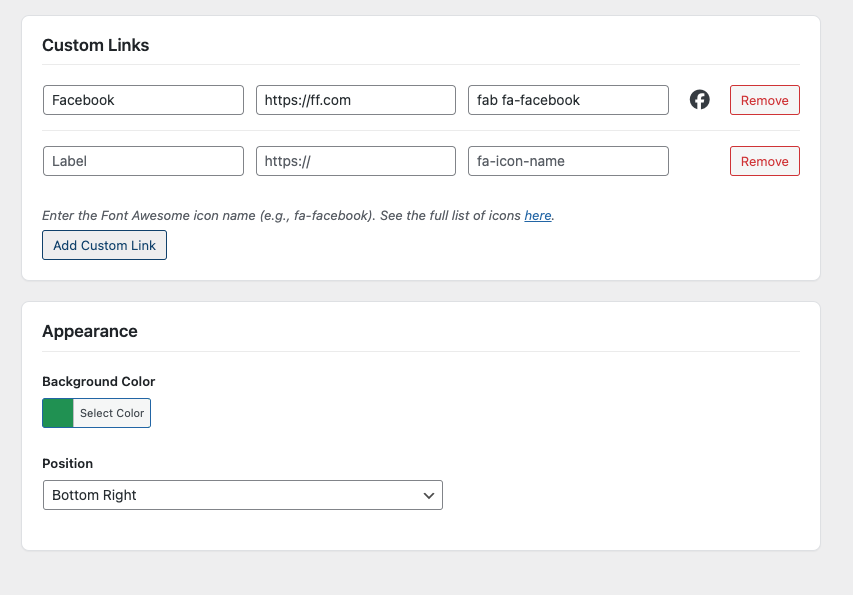
Yes, you can customize the background color and icon colors through the settings page.
Yes, the Floating Contacts widget is designed to work well on both desktop and mobile devices.
Review feed
Screenshots

Floating contact button on website
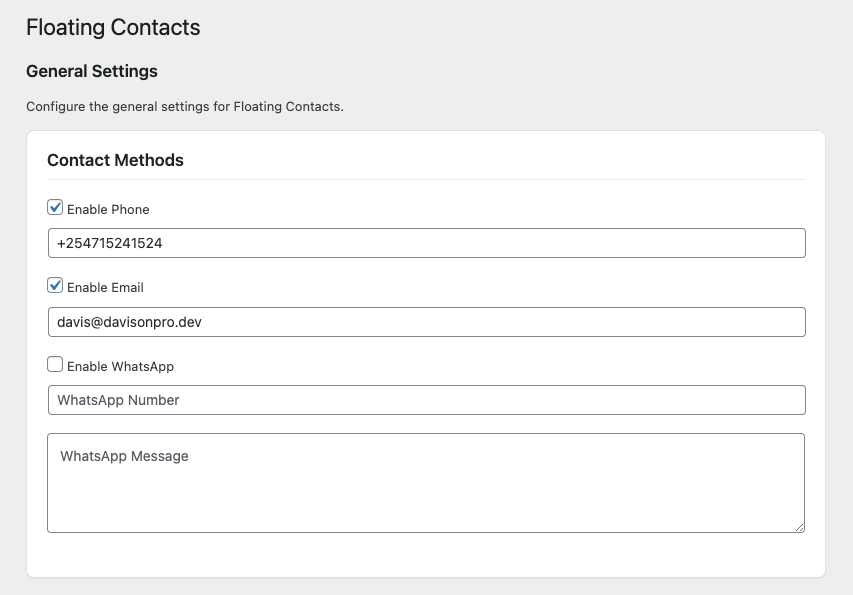
Admin settings page
Changelog
1.0.0
- Initial release