

Floating Side Tab
Floating Side Tab lets you add customizable sticky tab menus on any page to showcase quick links, social icons, forms, or custom content.
Plugin info
Maintenance & Compatibility
Maintenance score
Stale • Last updated 198 days ago • 2 reviews
Is Floating Side Tab abandoned?
Likely maintained (last update 198 days ago).
Compatibility
Similar & Alternatives
Explore plugins with similar tags, and compare key metrics like downloads, ratings, updates, support, and WP/PHP compatibility.
Description
Floating Side Tab is a powerful and lightweight WordPress plugin that lets you add fully customizable sticky side tabs to your website. Use floating side tabs to showcase social icons, quick links, contact forms, or any custom HTML content using shortcodes.
🎯 Improve user engagement, highlight important info, and enhance navigation with a floating side tab that sticks to any page of your site.
Introducing the Floating Side Tab plugin – a free WordPress plugin to add floating, sticky tabs to the left or right side of your website. Choose from 8 pre-designed templates and display unlimited tab icons, each with its own content or link.
Display dynamic content using shortcodes or HTML, link directly to internal or external pages, or just highlight key features of your business with ease. Floating Side Tab helps boost conversions and provides users with quick access to what matters most.
Floating Side Tab Features:
- Unlimited Floating Side Tab Menus
- 8 Pre-designed Floating Tab Templates
- Custom HTML and Shortcode Support
- Individual Icon Color Customization
- 3000+ Font Icons
- Multiple Tab Positions (Left/Right)
- Easy Setup & Intuitive Interface
- Backend Live Preview
- Fully Responsive & Cross-browser Compatible
Floating Side Tab PRO Features:
- Articles Tab with 5 Layouts
- WooCommerce Products Tab with 5 Layouts
- Social Icons Tab with 4 Layouts
- Built-in Contact Form Tab (5 Layouts)
- Subscription Form Tab (5 Layouts)
- 20+ Floating Menu Templates
- Custom HTML Tab with Advanced Display Options
- More Tab Positions: Top Left, Top Right, Bottom Left, Bottom Right
- 9000+ Icons to Choose From
Upgrade to PRO
Installation
- Upload the plugin files to the
/wp-content/plugins/floating-side-tabdirectory, or install the plugin through the WordPress plugins screen directly. - Activate the plugin through the ‘Plugins’ screen in WordPress.
- Configure the Floating Side Tab menu settings from the plugin admin panel.
Frequently Asked Questions
Floating Side Tab is a WordPress plugin that lets you add sticky side tab menus to your website. These tabs can contain social links, contact forms, custom HTML, shortcodes, or links to internal/external pages.
No. Floating Side Tab comes with 8 professionally designed templates that you can use instantly. Just pick a template, customize it, and you’re good to go.
Yes! Floating Side Tab supports all WordPress shortcodes. You can easily embed forms, galleries, or any dynamic content by pasting the shortcode into the tab content editor.
The free version includes over 3,000 icons. The PRO version unlocks access to 9,000+ icons for greater customization of each tab.
Yes, Floating Side Tab allows you to create multiple tab menus and assign them to specific pages or posts.
Absolutely. You can set the tab to either open content in a slide-out panel or redirect users to a custom URL.
Yes. Floating Side Tab is fully responsive and works on all screen sizes and modern browsers.
No. Floating Side Tab is lightweight and optimized for performance, ensuring minimal impact on your site’s loading speed.
Not at all! Floating Side Tab is beginner-friendly with a visual backend interface. You can manage everything through the WordPress dashboard without writing a single line of code.
You can upgrade to Floating Side Tab PRO for advanced layouts, additional templates, built-in forms, WooCommerce support, and more.
Review feed
Screenshots

Floating Side Tab Menu Template 1

Floating Side Tab Menu Template 2

Floating Side Tab Menu Template 3
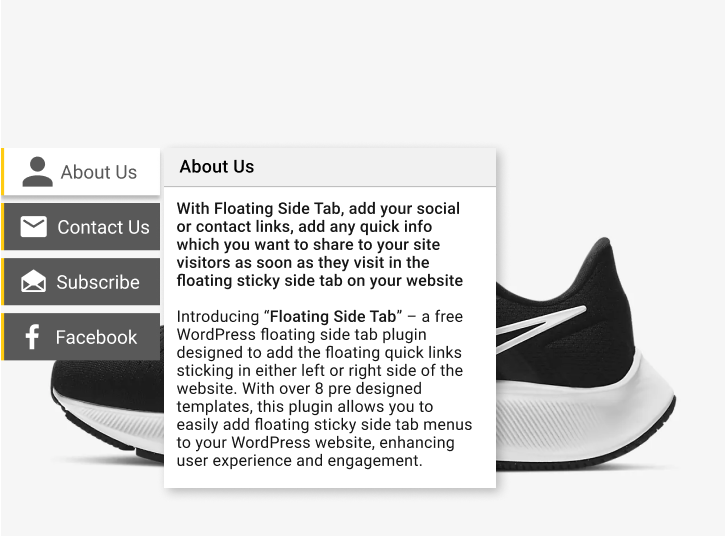
Floating Side Tab Menu Template 4

Floating Side Tab Menu Template 5

Floating Side Tab Menu Template 6

Floating Side Tab Menu Template 7

Floating Side Tab Menu Template 8

Floating Side Tab Backend Tab List

Floating Side Tab Backend General Settings
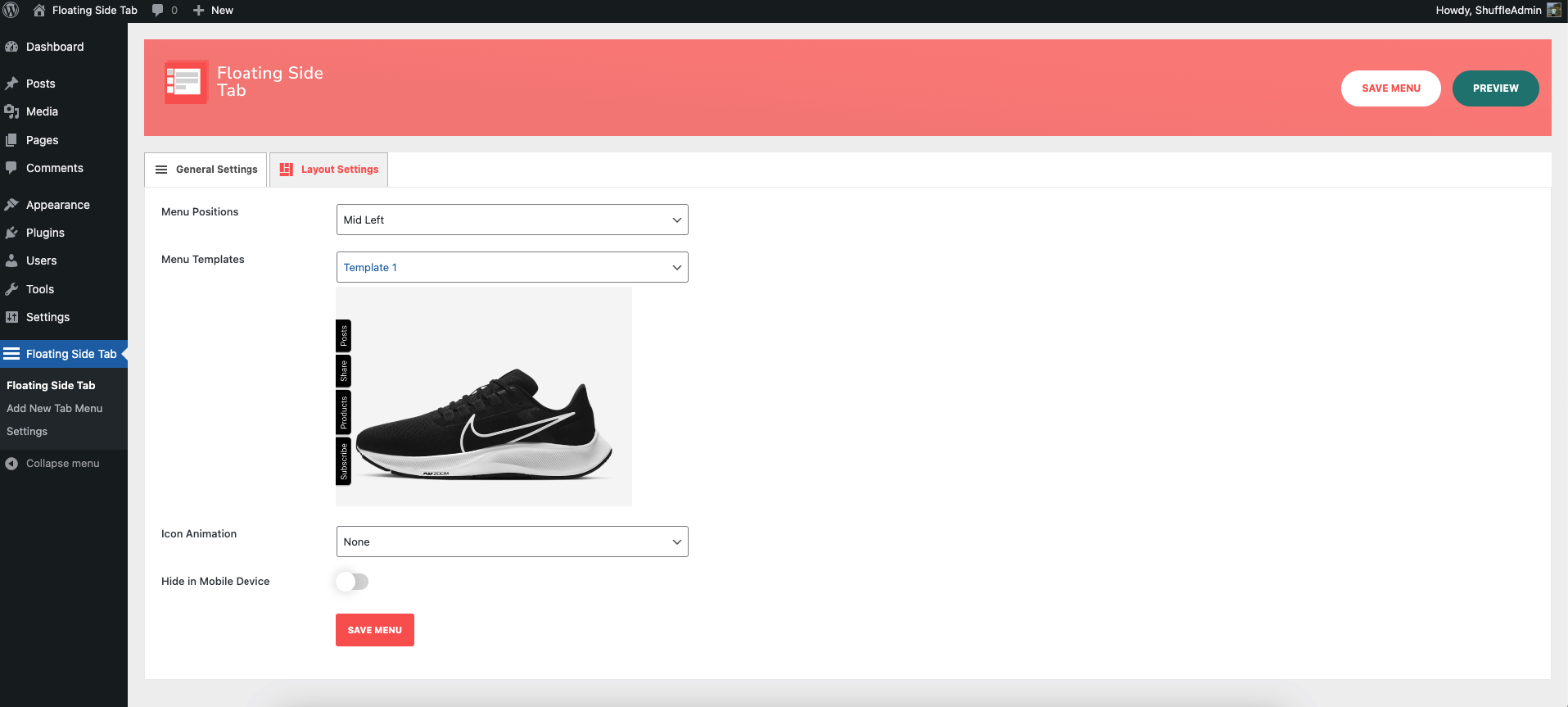
Floating Side Tab Backend Layout Settings

Floating Side Backend Global Settings
Changelog
1.1.5
- Fixed Metabox status issue
1.1.4
- Fixed admin style conflict
1.1.3
- Fixed fontawesome 404 issue
1.1.2
- Updated upgrade banner
- Added Free vs Pro section
1.1.1
- Updated backend UI
1.1.0
- Added upgrade sidebar
1.0.9
- Removed some comments from code
- Removed an unwanted string being printed in the footer
1.0.8
- Added Floating Side Tab Metabox for post and post types
1.0.7
- Fixed mobile display issue
1.0.6
- Added each icon customization enable/disable option
1.0.5
- Active icon issue fixes
- Added Elegant Icons in icon picker
1.0.4
- Added individual icon color customization option
- Fixed wpautop bug on shortcode on tab HTML
1.0.3
- Added documentation and support link in the header
- Added scroll to end on each icon add for better UX
- Logged activation date
1.0.2
- Fixed tooltip layout issue bug
1.0.1
- Fixed floating tab display in the pages
- Grouped Tab Heading
1.0.0
- Initial Commit