

Plugin info
Maintenance & Compatibility
Maintenance score
Possibly abandoned • Last updated 398 days ago • 8 reviews
Is Fluent Forms Connector for MailPoet abandoned?
Possibly abandoned (last update 398 days ago).
Compatibility
Similar & Alternatives
Explore plugins with similar tags, and compare key metrics like downloads, ratings, updates, support, and WP/PHP compatibility.
Description
Create MailPoet Newsletter subscribers from your Fluent Forms Form Submission.
Add-On Fluent Forms – PailPoet 3
Fluent Forms is a free and fastest form builder plugin for WordPress. This Plugin integrates with MailPoet by providing an option for your users to signup in MailPoet email newsletter lists while submitting a form in WordPress.
FEATURES
- Allow your users to sign up for a Mailpoet newsletter list using a Fluent Forms
- You can capture first name, last name, and (of course) email
- You can signup users to as many lists as you like
- You can set up the confirmation email via MailPoet
- Ability to add mailpoet custom field
About Fluent Forms
Fluent Forms is a light-weight and fastest Form Builder plugin.
Fluent Forms helps you create hassle-free contact forms, subscription forms, or any kind of forms you need for your website in minutes.
Amazing Fluent Forms Features
- Drag & Drop Contact Form Builder
- Multi-column Form Layout
- Smart Conditional Logic Form Fields
- Conditional Confirmation Messages
- Build 100% Responsive and Mobile Friendly Web Forms
- Reusable Templates
- Spam Protection with Google Recaptcha
- Placeholder Customization
- AJAX Submission and Both Client-Side and Server-Side Data Validation
- Send Beautiful Email to submitter and admin
- You can configure what will happen after form submission. You can show a success message, or you can redirect the user to a selected URL.
- Restrict Your Web Form by user role
- Show the form only for a time/date range.
- 30+ Form Field Types to build any WebForms quickly.
- In-Depth Analytics where you can see how many times it’s displayed and how many leads were captured.
- Set Default Value On Form Fields or you can populate from URL parameters
- Export/Import Forms
- MailChimp Integration – Add Lead/Contact on MailChimp on form submission
- Slack Integration – Send Slack notification of Form Submission.
- Export Data – You can export data as CSV/Exel/ODS or JSON format.
- Advanced Data Filtering where you can see data by status and also by date range.
Installation
This section describes how to install the plugin (Fluent Forms Connector for MailPoet) and get it working.
Install From WordPress Admin Panel:
- Login to your WordPress Admin Area
- Go to Plugins -> Add New
- Type “Fluent Forms Connector for MailPoet” into the Search and hit Enter.
- Find this plugin Click “install now”
- Activate The Plugin
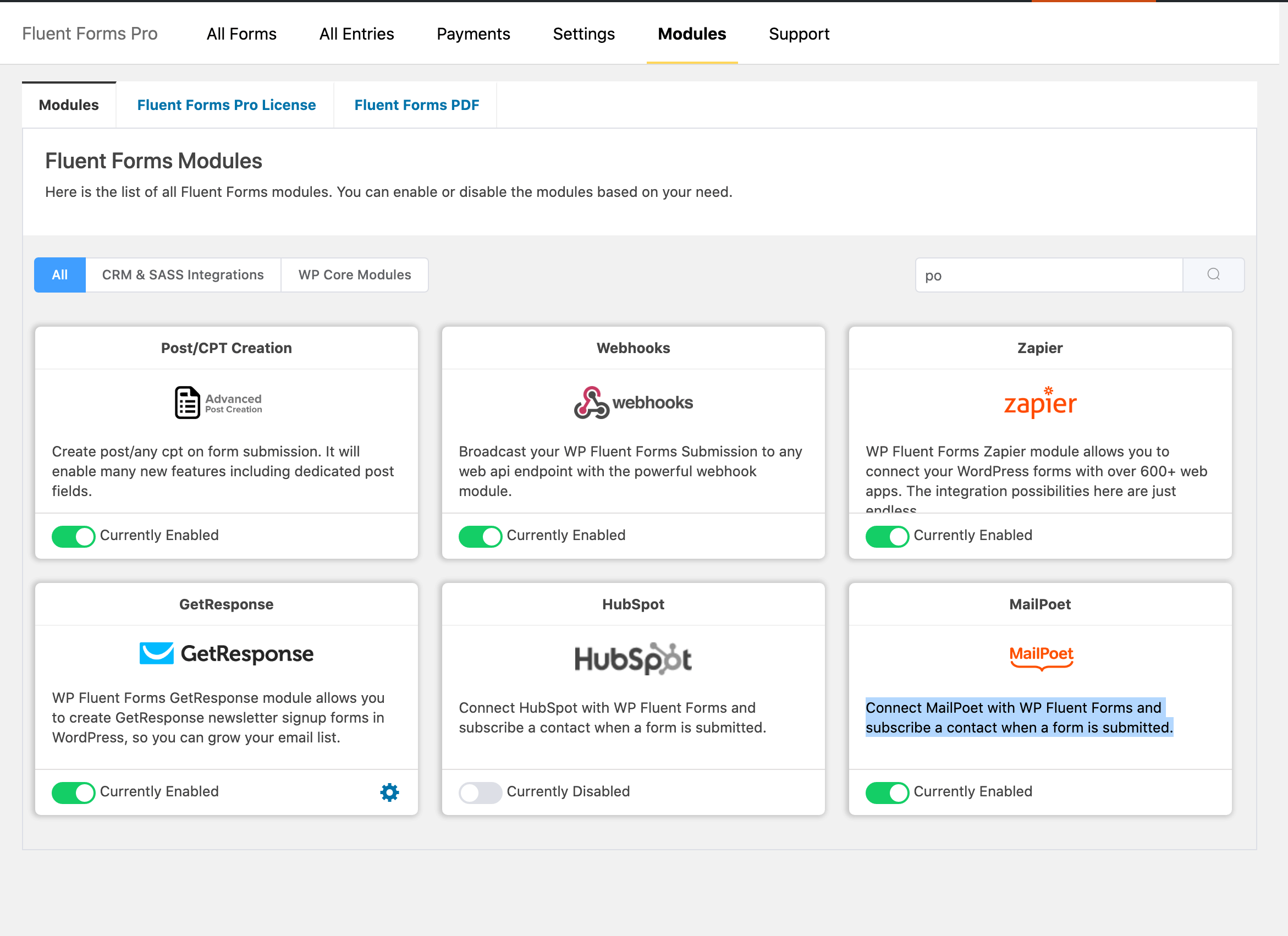
- Use MailPoet on your site form the FluentForms module dashboard.
Manual Installation
- Download the “Fluent Forms Connector for MailPoet” plugin from WordPress.org repository
- On your WordPress admin dashboard, go to Plugins -> Add New -> Upload Plugin
- Upload the downloaded plugin file and click Install Now
- Be sure your FluentForms plugin is activated already.
- Activate “Fluent Forms Connector for MailPoet” from your Plugins page.
- Use Fluent Forms Connector for MailPoet on your site form the FluentForms module dashboard.
Frequently Asked Questions
Review feed
Screenshots

Changelog
1.0.6
- Maintenance Release
- Fixed empty label settings
- Adds contact list update option
1.0.5
- Fix custom field mapping
1.0.3
- WordPress 6.5.2 Support Added
- Compatible with MailPoet v4.48.2
1.0.0
- WordPress 6.0 Support Added
1.0.0
- Init Release