

FluentChat – Live Chat for WordPress
FluentChat is a free, modern, gorgeous, and feature-packed live chat WordPress plugin. It is beginner-friendly and works on all mobile devices.
Plugin info
Maintenance & Compatibility
Maintenance score
Possibly abandoned • Last updated 2323 days ago • 2 reviews
Is FluentChat – Live Chat for WordPress abandoned?
Possibly abandoned (last update 2323 days ago).
Compatibility
Similar & Alternatives
Explore plugins with similar tags, and compare key metrics like downloads, ratings, updates, support, and WP/PHP compatibility.
Description
List of Live Chat Features :
Built For WordPress
FluentChat is a WordPress plugin. Period. It is NOT a thin wrapper for an expensive third-party cloud-based live chat app. No powered by links. No limit on operators. No monthly plans.
You Own The Data
All the live chat data is stored on your servers (no, you won’t run into a storage issue). We don’t collect any information. Your info never leaves your website.
Free and Unlimited
FluentChat is a free live chat plugin, and you can have unlimited operators, unlimited messages, unlimited live chats, and unlimited archives. We don’t restrict your usage in any way. We don’t add a powered by link.
Responsive Everywhere
FluentChat is responsive all the way through. Your visitors can use the live chat widget on any device. But here’s the bonus: FluentChat’s back-end is 100% responsive too! The live chat dashboard, the settings page – everything is responsive.
Clean Interface
We are passionate about good design. We wanted to build a live chat plugin that did a great job, and looked awesome while doing it. FluentChat is designed to look minimal, but is packed with a ton of features.
Chat Archives
You can view all the chat archives in the back-end. You can look at all the messages, important timelines, and the operator who handled the chat. You can even search through the archives and look for specific messages.
Chat Logs in Email
You can allow your visitors to receive the chat logs in their inbox. This option can be disabled on the settings page.
Offline Contact Form
When none of your operators are logged in, you can choose to show the users a contact form, asking their Name, Email, and Comment. When your users fill out this form, we will send you an email notification.
Canned Messages
Operators can store message templates on the Operator Profile page and quickly access them on the Active Chats page when live chatting with visitors.
Widget Styling
The live chat widget is highly customizable. When customizing the live chat widget on the settings page, you can see your changes in real time. You can even add custom css to your live chat widget for advanced styling.
Translation Ready
FluentChat is 100% translation ready, and comes with 6 included languages: English, French, Russian, Dutch, German, and Portuguese. We have some documentation on how to translate the live chat plugin here
List of Features in FluentChat Pro :
We don’t take away any essential features from the free live chat version. We do offer some advanced functionality through our FluentChat Pro plugin.
Chat Ratings and Feedback
When your users end their live chat, they can leave a rating and some feedback. Operators can easily browser all feedbacks and ratings on the Chat Archives page.
Operator Online Hours
Operators can set their online chat hours, broken down by days of the week, on the Operator Profile page.
Customer Info
You can view customer info like their location, last known URL, and browser. You can also configure the widget to ask a customer’s name and email before they can initiate a live chat. You can even add notes to customer profiles and build a better relationship with them.
Share Files and Screenshots
Your customers can upload and share files with operators. They can even share a screenshot of their page with one click. Operators can also upload and share files with customers.
Get Free SMS Notifications
You can configure to receive SMS notifications every time a new visitors initiates a live chat. (This feature works with a limited number of operators).
User Role Management
Admins can choose which WordPress users can act as Chat Operators. They can also allow users to act as Chat Admins, giving them access to settings and global chat archives.
With FluentChat Basic all WP users who can ‘edit_posts’ are operators.
Auto Initiate Chat
You can configure to auto-initiate chat with visitors, even setting a delay period.
Custom Chat Icon Logo
Want your own logo on the chat icon? Sure!
Free 6 Month Customer Support
Run into an issue? Can’t figure something out? Let us help you out 🙂
Learn more about FluentChat Pro Live Chat or purchase it here.
Support & FeedBack
If you like our live chat plugin, please give us a rating! We are constantly striving to improve our live chat platform, and your feedback is most valuable.
Installation
Frequently Asked Questions
Is it REALLY free?
Yes, FluentChat is 100% free.
There are so many live chat plugins. Why is FluentChat better?
FluentChat is sleek and modern. Design is very important to us, and we made sure the chat widget looks awesome. We didn’t want to clutter your dashboard, so we made it minimal. We want you to have options, so we made it feature-packed. Basically, we worked hard and made it awesome in every way.
Will it slow down my website?
No. The chat widget is lightweight, and adds very little load time to your pages. It doesn’t put much load on your server either. We made sure of that.
Can I choose the pages on which the chat widget should appear?
Yes, you can configure this on the Settings page.
Will I lose my data if I upgrade to FluentChat Pro?
No. FluentChat Pro is a separate plugin, but it will have all your data if you choose to migrate over from FluentChat Basic.
Is FluentChat developer friendly?
Yes. It definitely is. Check out our developer docs.
Do you have any documentation?
Yes. FluentChat has extensive documentation, which can be found here.
Review feed
Screenshots
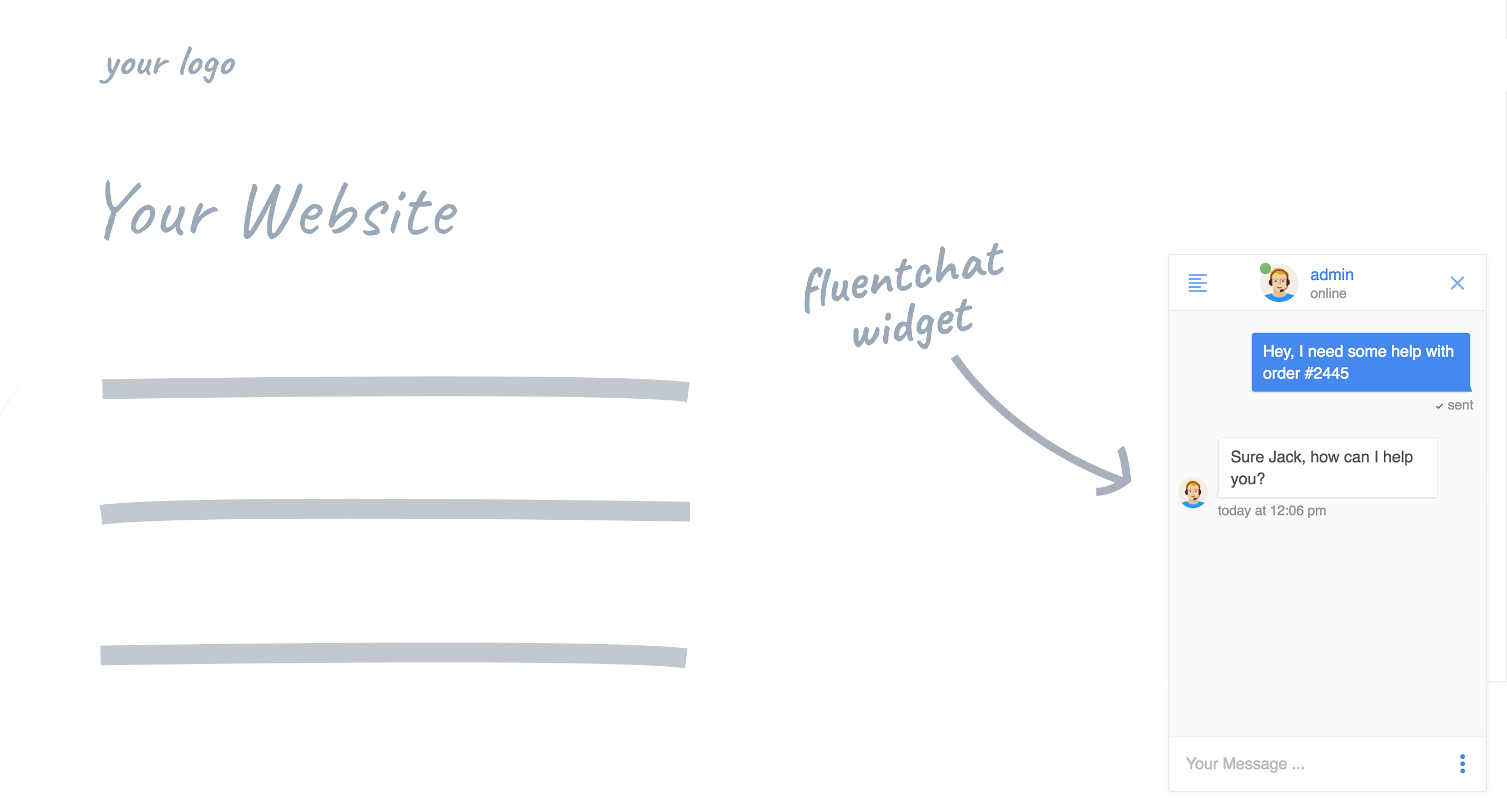
Live chat widget on the front-end

Live chat operator dashboard
Changelog
1.0.2
WP 3.9 compatibility
1.0.1
- Fixed the scroll bar glitch
- CSS changes
- Other minor bug fixes
1.0.0
- Initial release