

Maintenance 30/100399d since update
Active installs
10,000
Downloads
215,635
Reviews
20
Age
9.1y
Plugin info
Total downloads: 215,635
Active installs: 10,000
Total reviews: 20
Average rating: 4.8
Support threads opened: 0
Support threads resolved: 0 (0%)
Available in: 11 language(s)
Contributors: 1
Last updated: 2/27/2025 (399 days ago)
Added to WordPress: 2/15/2017 (9 years old)
Minimum WordPress version: 6.0
Tested up to WordPress version: 6.7.4
Minimum PHP version: 8.1
Maintenance & Compatibility
Maintenance score
Possibly abandoned • Last updated 399 days ago • 20 reviews
30/100
Is WP OPcache abandoned?
Possibly abandoned (last update 399 days ago).
Compatibility
Requires WordPress: 6.0
Tested up to: 6.7.4
Requires PHP: 8.1
Developers
Similar & Alternatives
Explore plugins with similar tags, and compare key metrics like downloads, ratings, updates, support, and WP/PHP compatibility.
Clear OPcache
Rating 5.0/5 (1 reviews) • Active installs 90
Nginx Cache
Rating 4.6/5 (23 reviews) • Active installs 10,000
Server-Side Cache AutoPurge
Rating 4.2/5 (5 reviews) • Active installs 10,000
Purge Varnish Cache
Rating 5.0/5 (10 reviews) • Active installs 2,000
Hestia Nginx Cache
Rating 5.0/5 (9 reviews) • Active installs 1,000
Clear cache for Timber
Rating 0.0/5 (0 reviews) • Active installs 500
Description
Flush OPcache
- creates a button in admin bar to flush OPcache
- flush only files in WordPress absolute path
- individual or bulk file invalidation
- support both memory and file caching
- support multisite
OPcache Statistics
- memory, hits, strings and keys statistics
- directives, functions and general informations
- list all files
- fully responsive
WP CLI ready
- add flush-opcache command to flush cache with cli:
wp flush-opcache flush - don’t forget to add
opcache.enable_cli=1to your PHP configuration
There are three tabs in admin page under Tools:
- General settings: plugin settings
- Statistics: responsive dashboard about OPcache statistics
- Cached files: list of cached files with the possibility of invalidating them
Installation
As usual…
Frequently Asked Questions
No FAQ available
Review feed
shawfactor
works great
Does what is says, fantastic plugin
onico0
Bast OPCache Manager for WordPress
Thanks and keep going please! :)
Screenshots
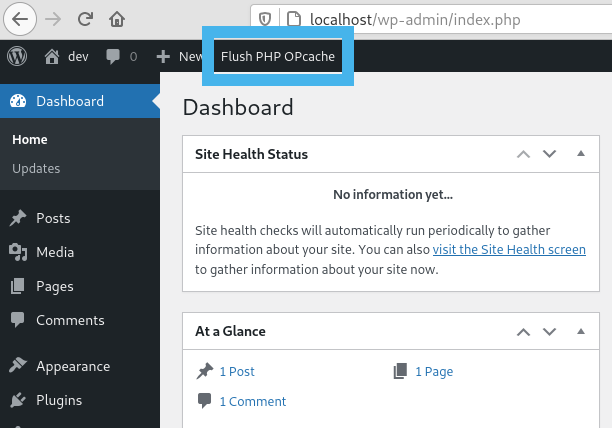
Flush button in admin bar

WordPress Notice after flushing OPcache
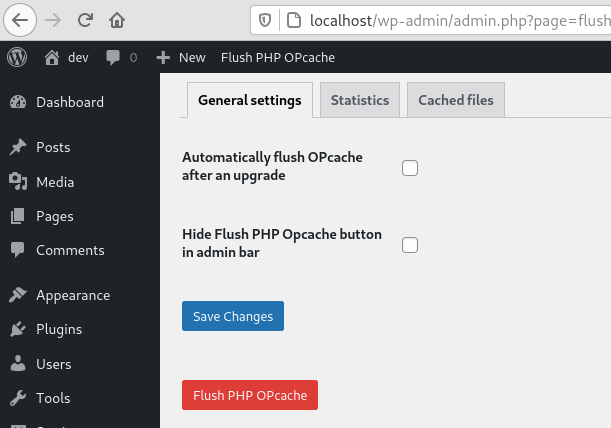
General settings tab
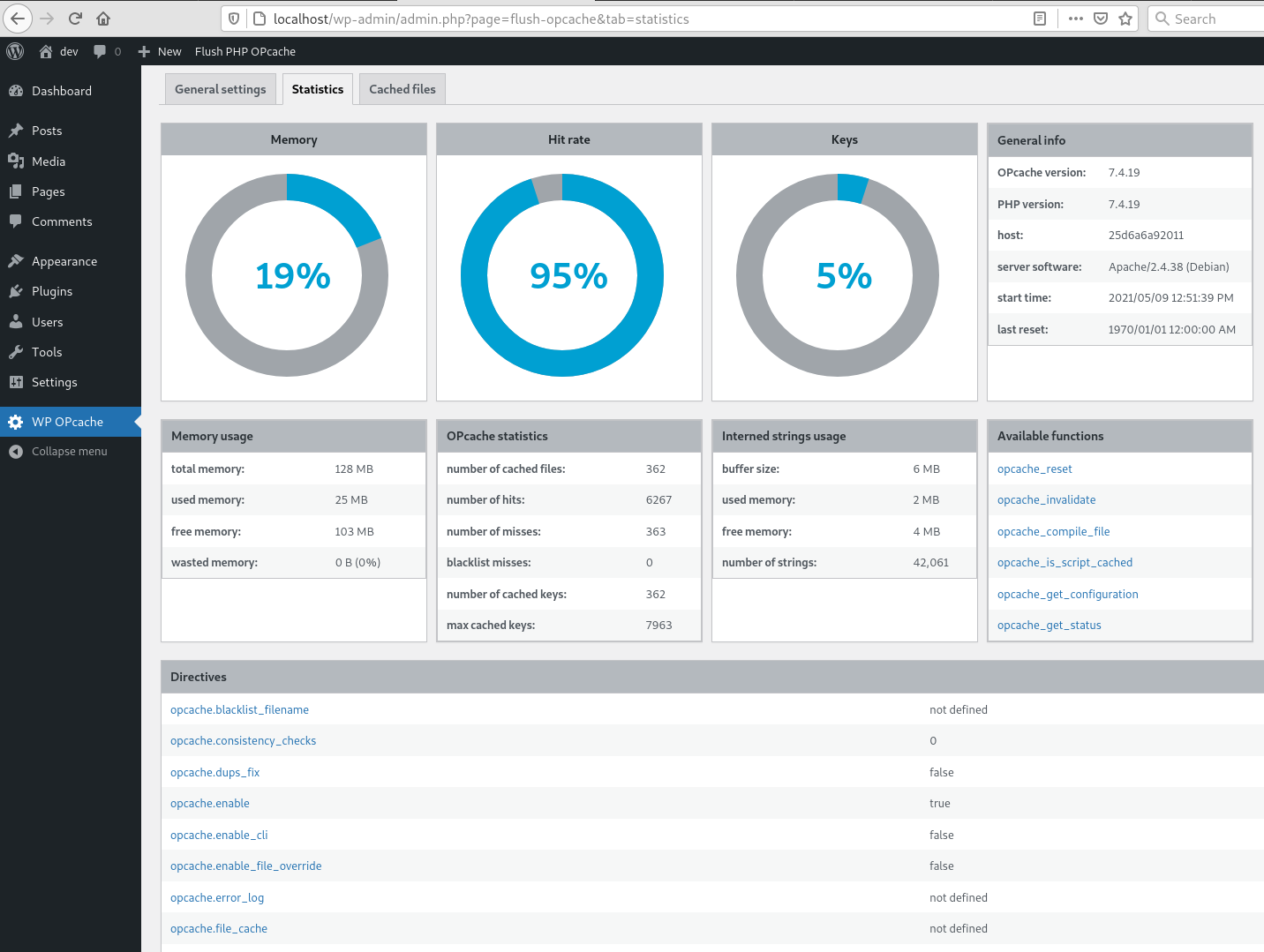
Statistics tab

Cached files tab

CLI command
Changelog
4.2.3
- Ensure user is admin or superadmin to display flush button in admin bar
- Ensure to not continue if OPcache is disabled or not installed to avoid printing PHP errors
4.2.1
- Maintenance release
- Menu moved under Tools
4.2.0
- Add CLI support
4.1.4
- Fix a bug on clearing cache after upgrade
- Flush files even when WP use its own directory
- Use WordPress 6.0 as default
- Use php8.0 as default
4.1.3
- Fix a bug on datetime in cached file list
4.1.2
- Fix a bug with ABSPATH when WordPress uses its own directory
4.1.1
- Tested up to WordPress 5.8
4.1.0
- Remove i18n (use translate.wordpress.org)
- Use wp_opcache_invalidate instead of opcache_invalidate
4.0.1
- Enhance README.txt
- Remove old screenshots
4.0.0
- Invalidate files only in WordPress absolute path
- Use tabs instead of pages in admin area
- New tab with cached files list
- Tested up to WordPress 5.7.1
Full changelog here